Controller not working in CrossOver, Whisky, or Game Porting Toolkit games
 InputConfig is completely free on the Mac App Store. You don't have to make an account, there are no subscriptions, and nothing is locked. Optimized for Apple silicon.
A controller works in a CrossOver, Whisky, Sikarugir or Game Porting Toolkit game only when Wine passes it through and the Windows game recognizes it, and that changes from game to game and update to update. The keyboard and mouse get through every time. So the route that always works is to map the controller to keys and mouse movement on the Mac side with InputConfig, and the game only ever receives the input it already understands. InputConfig is free, open source, and needs macOS 14 or later.
Below I go through the checks to try first, what is different for PS5 and Xbox controllers, where Parallels fits, and that keyboard route step by step.
On this page
- Steps
- Know what passes through
- Set up the keyboard route
- Use a PS5 or PS4 controller in CrossOver
- Use an Xbox controller in CrossOver
- Turn off Steam Input inside the bottle
- Whisky, Sikarugir and the Game Porting Toolkit
- If the buttons are wrong, rumble is missing, or it lags
- Parallels works differently
- Start from a ready Windows game layout
- The short version
- Questions
Steps
- Install InputConfig from the Mac App Store and switch it on in System Settings, Privacy & Security, Accessibility.
- Open the Smart Preset Maker, search for the game, and pick your controller.
- Turn off the controller in the game, and Steam Input for the game if it runs in Steam inside the bottle.
- Activate the preset and start the game.
- If the camera feels slow or twitchy, change the speed and Deadzone on the aim rows.
Know what passes through
CrossOver and Whisky (both Wine) and Apple's Game Porting Toolkit forward HID devices to the Windows side, and the Windows game then needs its own support for that device through XInput or DirectInput. CodeWeavers' own support page says a game needs Windows XInput support, at a minimum, to receive controller input through CrossOver, and that Windows controller drivers cannot be installed because there is no Windows underneath.
- Xbox pads have the best odds. XInput describes an Xbox pad.
- PlayStation and Switch pads can land wrong. A DualSense or Switch Pro Controller can arrive as a device the game does not recognize, even though CodeWeavers tests the DualSense and DualShock 4.
- Extras rarely survive. Rumble works in some games and not others, and the touchpad, light bar and gyro mean nothing to most Windows games run this way.
Keys and mouse movement always reach the Windows game, because that is the one thing every translation layer gets right.
Set up the keyboard route
InputConfig sits on the Mac side, reads the controller, and sends keys and mouse motion. To the game it is a keyboard and mouse. The Smart Preset Maker has ready layouts for more than 450 games and apps, including many Windows games that only run on a Mac through CrossOver.
- You: Pick the game in the Smart Preset Maker, turn off the controller in the game's settings if it has the option, then press Activate and start the game.
- InputConfig: Sends the game's keys from the buttons and mouse movement from the right stick, for the camera.
- Check: The right stick turns the camera. If it feels slow or twitchy, change the speed and Deadzone on the aim rows (deadzones and sensitivity). If the game uses different keys, change the output on that row, or press Scan on a row to move it to another button.
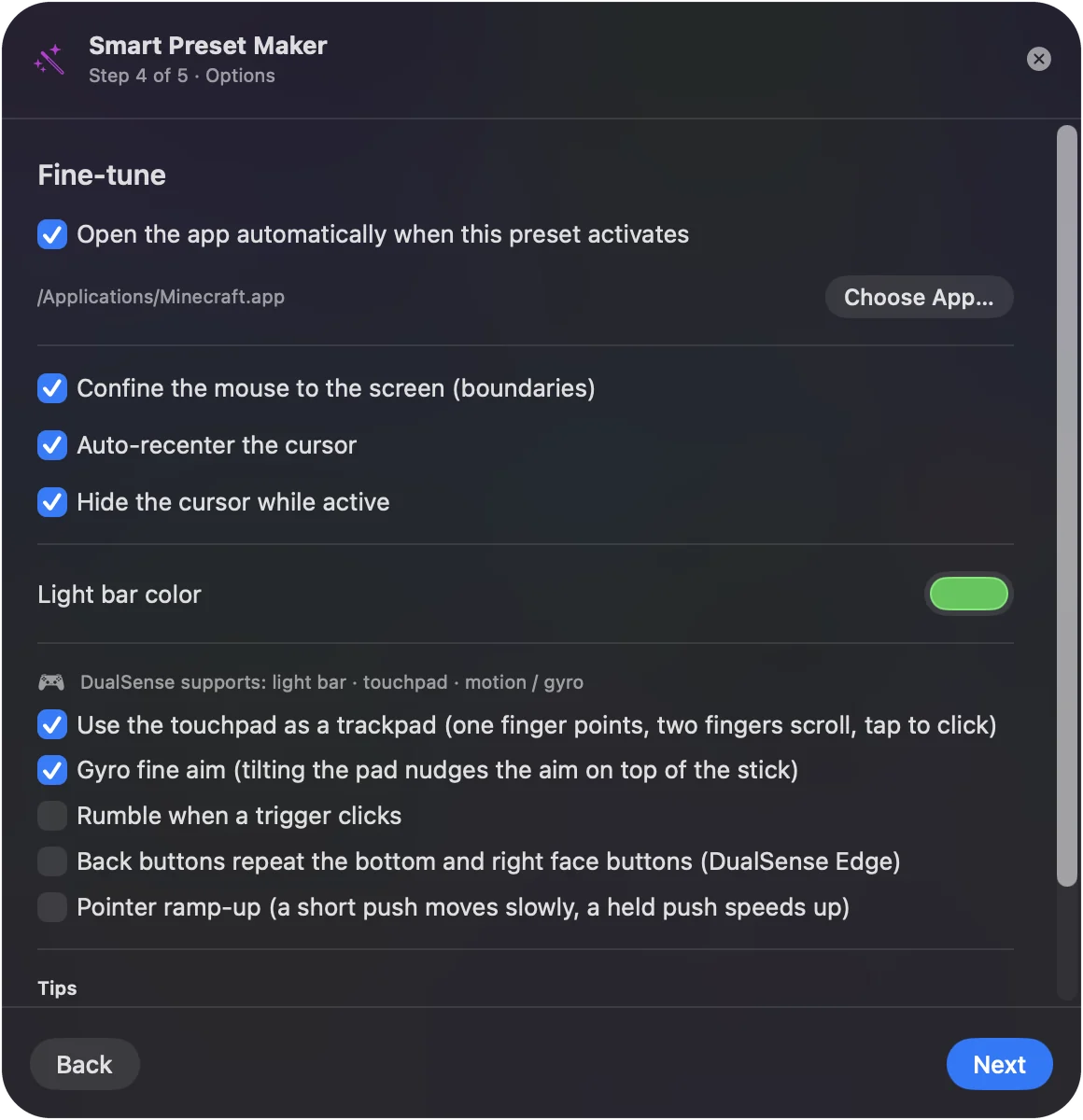
Two preset options help with Windows games in particular. Confine cursor keeps the pointer from leaving the game window onto a second display, and auto-recenter puts it back in the middle at an interval for the rare game that follows the pointer. Both are in the preset's Automation & Gaming Utilities section, described in auto-switch and automation. The play any game guide has the settings that make mouse look feel right.
Use a PS5 or PS4 controller in CrossOver
CodeWeavers says it regularly tests the DualSense and the DualShock 4, so a PlayStation pad can work. When it does not, it is usually one of three things:
- The game reads only XInput. It does not recognize a Sony pad.
- Bluetooth. A cable often behaves better.
- Windows Steam in the bottle. It is translating the pad a second time.
The PlayStation extras still work with InputConfig on the Mac side, because they are handled before the game is involved: the touchpad can move the mouse or act as buttons, gyro aim turns tilt into mouse movement for fine aiming, and each preset can set its own light bar color so you can see which layout is running. For pairing, see connecting a PS5 controller to a Mac.
Use an Xbox controller in CrossOver
An Xbox Series or Xbox One controller is the pad Windows games expect, so it has the best chance of working as a controller in CrossOver. If it still fails, climb this ladder, smallest step first:
- Use a cable. Connect it by cable instead of Bluetooth.
- Check the Mac sees it. It should respond in Game Controllers in the System Settings sidebar.
- Check the bottle sees it. Look for it in the bottle's Game Controllers panel.
- Flip Steam Input. If the game runs in Steam inside the bottle, try the game's Steam Input override both ways.
A wired Xbox 360 controller is a different story. macOS itself does not support it, so nothing on the Mac, CrossOver included, can pass it to a game. A newer Xbox pad, a PlayStation pad, or an 8BitDo in a supported mode is the way round it. The controllers that work with a Mac page has the list, and connecting an Xbox controller covers pairing.
Turn off Steam Input inside the bottle
Windows Steam inside CrossOver adds Steam Input to the mix, and it usually cannot see the Mac's controller. Turn Steam Input off for the game and use InputConfig. Otherwise you can end up with no input or double input.
Whisky, Sikarugir and the Game Porting Toolkit
Whisky's own GitHub page now says it is no longer actively maintained and that apps and games may break at any time. Existing bottles still run, but a controller fix will not arrive there. Sikarugir and other Wine wrappers, and Apple's Game Porting Toolkit, which is a developer tool for testing Windows games on a Mac, all hand the controller to the game through Wine, so the same rules apply as in CrossOver: an Xbox pad and a game with XInput support have the best odds, and the keyboard and mouse always get through. InputConfig does not care which of these you use, because it runs on the Mac and sends keys and mouse movement, which every one of them passes to the game.
If the buttons are wrong, rumble is missing, or it lags
- Wrong buttons. When the game sees the pad but the buttons are shuffled or the prompts show the wrong console, the game has taken the pad as a generic device. Try the cable, try the game's Steam Input override both ways, and if it stays wrong, use the keyboard route, where every button sends exactly the key you chose.
- Rumble. A game's own rumble needs the game to see the pad, so the keyboard route loses it. InputConfig can instead give a short rumble when a mapped button fires, which confirms a press but is not the game's effects (haptic feedback).
- Lag. A cable is the steadiest connection, and InputConfig reads the controller 120 times a second on the power adapter and 60 on battery by default, which adds a few milliseconds at most, and On battery in Settings, Advanced, Polling rate goes up to 240 Hz. When a Windows game feels sluggish on a Mac, frame rate and the stick's response curve are the usual causes. Controller input lag on a Mac goes through them.
Parallels works differently
Parallels Desktop is not a translation layer. It runs a real copy of Windows and can hand a USB or Bluetooth controller to Windows directly: connect the USB pad to Windows when Parallels asks, or turn on sharing Bluetooth devices with Windows in the virtual machine's USB and Bluetooth settings. Windows then drives the pad itself, as it would on a PC, and Windows tools such as Steam Input work inside it.
After macOS Sequoia 15.4, controllers stopped working inside Parallels for many people. Parallels tracked it on its forum and later marked the thread resolved. If a pad works on the Mac but not in Windows, update Parallels before anything else. InputConfig is a Mac app, and its job is the Mac side: for a game inside Parallels, get the pad into Windows first.
Start from a ready Windows game layout
These layouts were written for games with no Mac version, which on a Mac usually means CrossOver or a similar layer. Each page says how the game runs and which keys the layout expects.
- Action and souls-likes. Elden Ring, Sekiro, Sifu.
- Open-world RPGs. Skyrim, The Witcher 3, Fallout 4, GTA V.
- Co-op and survival. Lethal Company, Phasmophobia, Raft, Sons of the Forest, Enshrouded, V Rising.
- Builders and sims. Cities: Skylines II, Manor Lords, Dyson Sphere Program, BeamNG.drive.
- Indie. Outer Wilds, Pizza Tower, Animal Well, Death's Door.
The short version
- Try the pad once. An Xbox pad on a cable, in a game with XInput support, has the best odds.
- Then map it. InputConfig sends keys and mouse movement, which every translation layer passes.
- Keep one translator. Turn off the game's controller support and Steam Input while the preset runs.
I would stop fighting the translation layer and give the game the keyboard it already reads.
Questions
Does CrossOver support game controllers on Mac?
Partly. It forwards controllers to Windows games, but the game then needs to recognize the device, and many do not. Mapping the controller to the keyboard with InputConfig works regardless.
Does Game Porting Toolkit pass controllers through?
Often for Xbox-style pads, less often for others. The keyboard route through InputConfig is reliable either way.
Why is my Xbox controller not working in CrossOver?
Check it responds in Game Controllers in the System Settings sidebar, connect it by cable, check the bottle's Game Controllers panel, and if the game runs in Steam inside the bottle, try its Steam Input override both ways. A wired Xbox 360 pad will not work, because macOS does not support it.
Is Whisky still maintained?
No. Whisky's GitHub page says it is no longer actively maintained and apps and games may break at any time. Existing bottles still run. A controller mapped to keys with InputConfig keeps working in Whisky, because keys always pass through.
Will the game get the controller and the keys at the same time?
It can, if the game sees the pad and InputConfig is sending keys. Turn off controller support in the game, or disable Steam Input for it inside the bottle, while the InputConfig preset is active.
Does a controller work in Parallels on a Mac?
Usually, because Parallels hands the controller to a real copy of Windows. Connect the USB pad to Windows or share Bluetooth devices with Windows in the virtual machine's settings, and update Parallels if controllers stopped working after a macOS update.
Related
This page in other languages: Deutsch, Español, 日本語, Português, Русский, 繁體中文, 简体中文
Updated