Per-app profiles that switch by themselves
 InputConfig is completely free on the Mac App Store. You don't have to make an account, there are no subscriptions, and nothing is locked. Optimized for Apple silicon.
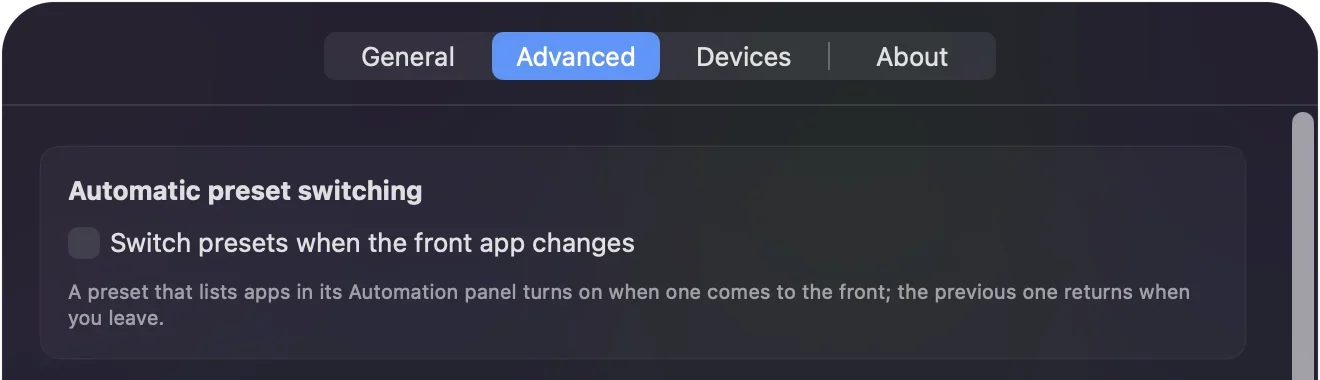
InputConfig switches presets by itself when you change apps. Each preset can name the apps it belongs to: when one of them comes to the front, its preset takes over, and when you leave, the one you had before comes back. Turn on Switch presets when the front app changes in Settings, Advanced, then list the apps in each preset. A game wants the sticks as movement and the mouse, a browser wants them as a pointer and scroll, and a music app wants play, pause and the next track. You set it once and stop thinking about it. If a preset does not take over, go to the switching ladder.
On this page: 11 sections
Set it up
- In Settings, Advanced, turn on Switch presets when the front app changes. It is off until you do, so nothing moves without you asking. The same switch appears in the editor while it is off.
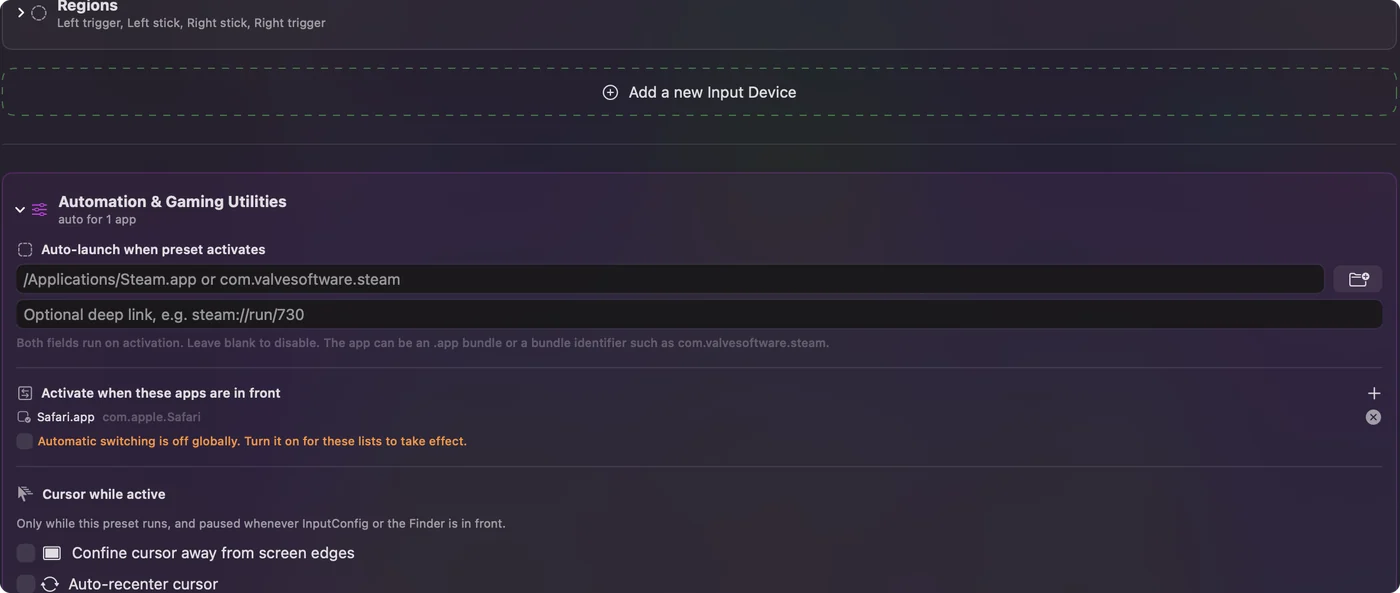
- Open the preset you want for a game or app and expand Automation & Gaming Utilities at the bottom of the editor.
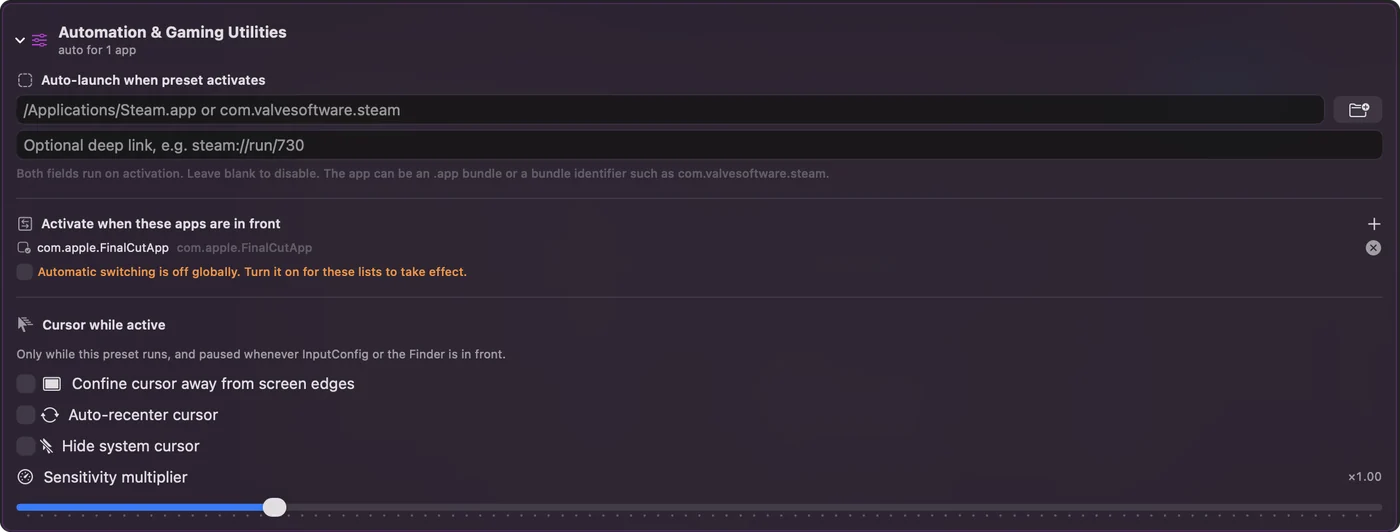
- Under Activate when these apps are in front, press the plus button and pick the app. For a Steam game, pick the game's own app, not Steam.
- Repeat for your other presets. Leave your everyday desktop preset with no apps listed; it is the one you come back to.
Finder, Go, Go to Folder: Where Steam keeps its games, so you can pick a game's own app.
~/Library/Application Support/Steam/steamapps/commonWhat happens: The folder of installed Steam games opens. Each game's app is inside its own folder.
The activity log in the main window records every automatic switch and the app that caused it, which is the quickest way to check it is doing what you expect. Leave one preset with no apps: that is home.
Know how switching behaves
- Back to where you were. When you switch to an app that no preset lists, the preset that was running before the first automatic switch comes back. If nothing was running, the engine stops.
- Between listed apps. Moving between two listed apps keeps that original preset as the one to return to.
- Your choice wins. If you pick a preset by hand in the meantime, auto-switch leaves your choice alone.
- InputConfig's own window. It never triggers a switch.
- Many apps per preset. One preset can list as many apps as you like, such as Safari, Chrome and Firefox on one browser layout.
- Two presets, one app. If two presets list the same app, the one higher in the sidebar wins.
- Full-screen games. The switch happens when the game becomes the front app.
This works for any input the app reads, not only game controllers: a MIDI pad, a mouse's side buttons, or a tap on a MacBook change jobs with the app too. Tap the Mac was tested on M4 MacBooks and did not work on an M1 Pro in our testing; the calibrator's status chip tells you whether yours listens. Auto-switch always gives you back the preset you had.
Guard the pointer in games
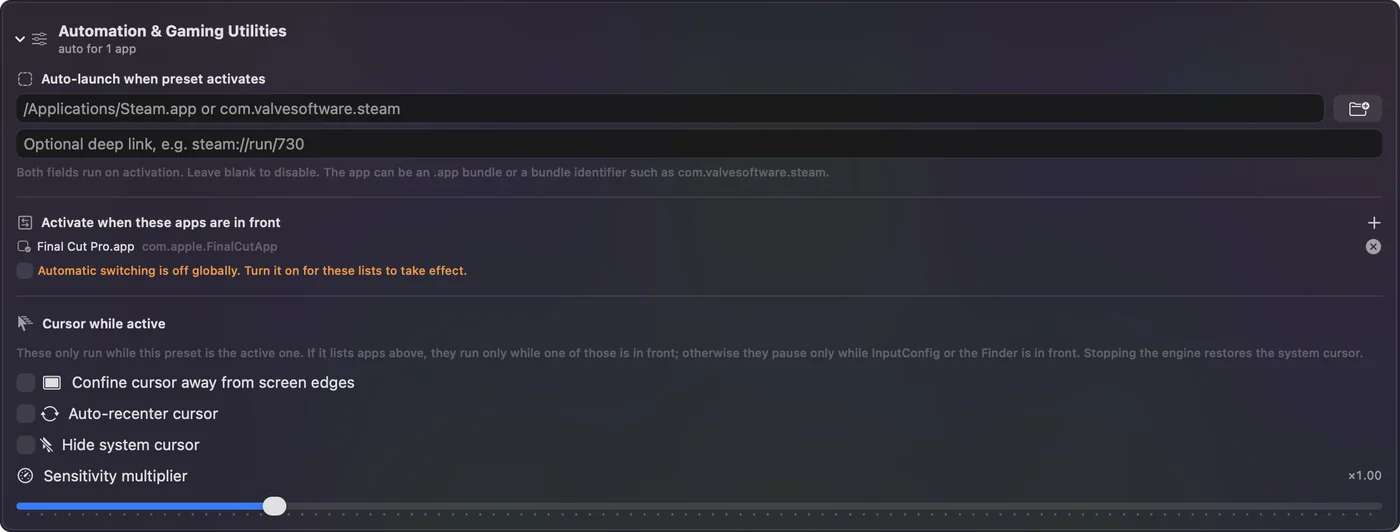
- Confine cursor. Keeps the pointer a set distance from the edges of the screen it is on, so a stick never pushes it off the edge or out of a full-screen game, and the game camera keeps turning.
- Auto-recenter. Moves the pointer back to the middle at an interval, for the rare game that follows the pointer and stops turning at the screen edge. Games that lock the mouse, as most do, do not need it, and it pulls the pointer out of their menus.
- Hide cursor. Hides the pointer while the preset runs. Games hide it themselves while you play and show it in their menus, so game presets leave this off.
- Pointer speed and Scroll speed. Pointer speed scales every pointer row at once, and Scroll speed every scroll row.
- Where they apply. When the preset lists apps under Activate when these apps are in front, confine, recenter and hide act only while one of those is in front. Otherwise they pause only while InputConfig or the Finder is in front, so the game keeps them, including one started from Steam or a launcher.
Game presets from the Smart Preset Maker keep the pointer off the screen edges, so a full-screen game never brings up the Dock or the menu bar, and leave recenter and hide off: the game locks and hides the mouse while you play and needs the pointer in its menus.
Open an app when a preset starts
A preset can open an app or a URL when it activates. Imported presets have this cleared for safety, so add it deliberately. A preset can bring its own app with it.
A layout for every app: an example
- Desktop, no apps listed. A stick moves the pointer, a trigger clicks, the other stick scrolls. Start from the built-in Desktop Navigation preset.
- Minecraft. The Minecraft layout from the Smart Preset Maker, with the pointer kept off the screen edges. Java Edition runs as its own Java process, not the launcher, so leave the app list empty, and the guards run everywhere except InputConfig and the Finder.
- Browser, listing Safari and Chrome. Tabs on the triggers, back and forward on the bumpers, from the Web Browsing preset.
- Anki. The built-in Anki preset already lists Anki, so it steps in the moment you open your decks.
Open Minecraft and the game layout is live. Switch to Safari and the browser layout takes over. Click the desktop and the pointer layout is back. The same idea works for a MIDI pad that sends Final Cut shortcuts in Final Cut and scene changes in OBS, or mouse side buttons that change tabs in a browser and undo in an editor. Three or four presets cover most people's whole day.
Switch by hand
Automatic switching is optional, and every other way to change presets works with it or without it:
- A key per preset. Set in the Key field at the top of the editor.
- A global shortcut. In Settings, General, it toggles the most recent preset.
- The menu bar. The menu bar icon lists every preset.
- The controller itself. The App Action outputs Next Preset and Previous Preset step through the presets in the same folder, and Activate Preset jumps to one by name. Put a game's variants (driving, flying, menus) in one folder and one button cycles them.
A preset you pick by hand always stays until you change it.
If it does not switch
Climb this ladder, smallest step first:
- Check the switch. Switch presets when the front app changes, in Settings, Advanced, must be on.
- Check the app list. The app must be under Activate when these apps are in front. For a Steam game, list the game's own app, not Steam.
- Check for a duplicate. If two presets list the same app, the one higher in the sidebar wins.
- Read the activity log. It records every automatic switch and the app that caused it.
The activity log shows exactly what auto-switch saw.
What macOS and Steam already do
Two things on a Mac already switch controller settings by app, and for some people they are enough.
- System Settings, Game Controllers. It keeps a profile per app for each controller. It can swap one controller button for another and change what the Home button does, and it applies itself when that game runs. It only affects games that already support controllers, and it cannot send keys or move the pointer. See where controller mappings live.
- Steam Input. It keeps a layout per Steam game and can send keys, but it only switches layouts for games launched through Steam.
InputConfig's auto-switch covers the rest: every app on the Mac, including ones with no controller support at all, with keys, clicks, pointer movement, scrolling, macros and MIDI. They can all be on at once; if a game already reads your controller natively, give it a preset with nothing bound, or leave it off every list. Use the game's own controller support where it exists, and InputConfig everywhere else.
What it cannot do
- Switch by website. Auto-switch follows the app in front, not the tab or the site. For a browser game, keep it in a browser you use only for games, or pick the preset from the menu bar when you start playing.
- Take orders from Shortcuts. InputConfig does not add actions to the Shortcuts app, so a Shortcuts automation cannot choose a preset. The other direction works: any button, pad, key or tap can run one of your Shortcuts with the Run Siri Shortcut output. See how to run a Shortcut from a controller.
Auto-switch follows apps, nothing finer.
The short version
- Turn it on. Settings, Advanced, Switch presets when the front app changes.
- List the apps. Automation & Gaming Utilities, Activate when these apps are in front.
- Keep one home preset. With no apps, for everything else.
Set it once, and the controller changes jobs whenever you change apps.
Questions
Does auto-switch work with full-screen games?
The switch happens when the game becomes the front app.
Can a preset switch by website instead of by app?
No. Auto-switch follows the app in front, not the tab or the site. For a browser game, keep it in a browser you use only for games, or pick the preset from the menu bar when you start playing.
What happens when I leave the app?
The preset you had before the automatic switch comes back. If nothing was running before, the engine stops. If you picked a different preset by hand while you were in the app, that choice stays.
Does it work with Steam games?
Add the game's own app to the preset's list, not Steam itself. The Steam games folder is inside your Library, under Application Support, Steam, steamapps, common.
Can one preset cover several apps?
Add as many apps as you like to one preset, for example Safari, Chrome and Firefox on one browser layout.
Can I pause auto-switching?
Turn off Switch presets when the front app changes in Settings, Advanced. The app lists stay saved in each preset for when you turn it back on.
Is this the same as the profiles in System Settings?
No. The Game Controllers profiles in System Settings swap controller buttons inside games that support controllers. InputConfig presets send keys, clicks, pointer movement and more in any app, and switch with the front app.
Related
Completely free. You don't have to make an account, there are no subscriptions, and nothing is locked. Optimized for Apple silicon. Open source on GitHub.
Updated