Emergency stop
 InputConfig is completely free on the Mac App Store. You don't have to make an account, there are no subscriptions, and nothing is locked. Optimized for Apple silicon.
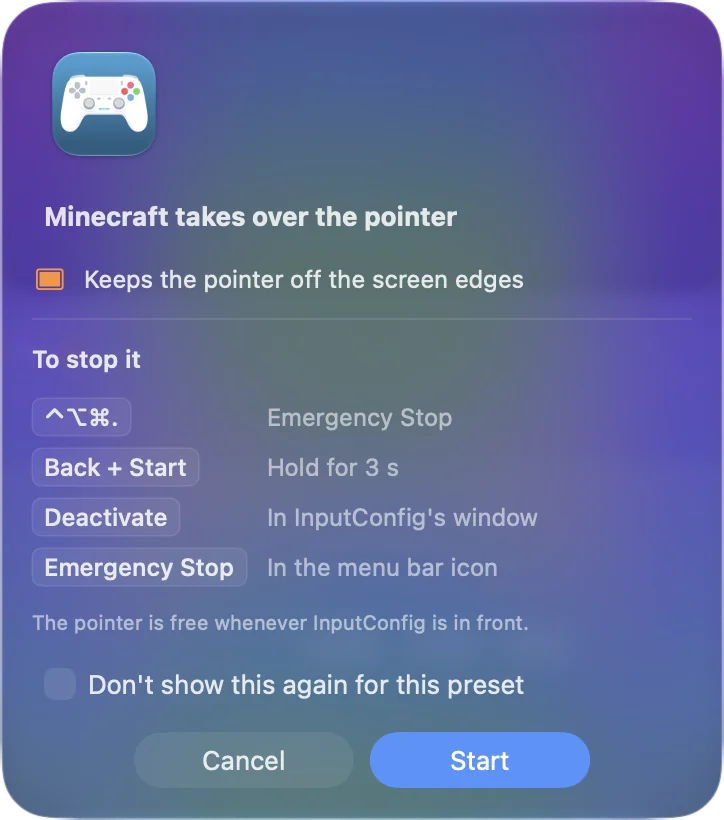
The emergency stop is the way out of a preset that has taken over the keyboard and mouse. It only ever stops: it halts the engine, lets go of every key, mouse button, note and motor the app is holding, stops any haptic, and gives the pointer back. It is set up out of the box, so the one thing to do is remember it.
On this page: 6 sections
Stop it three ways
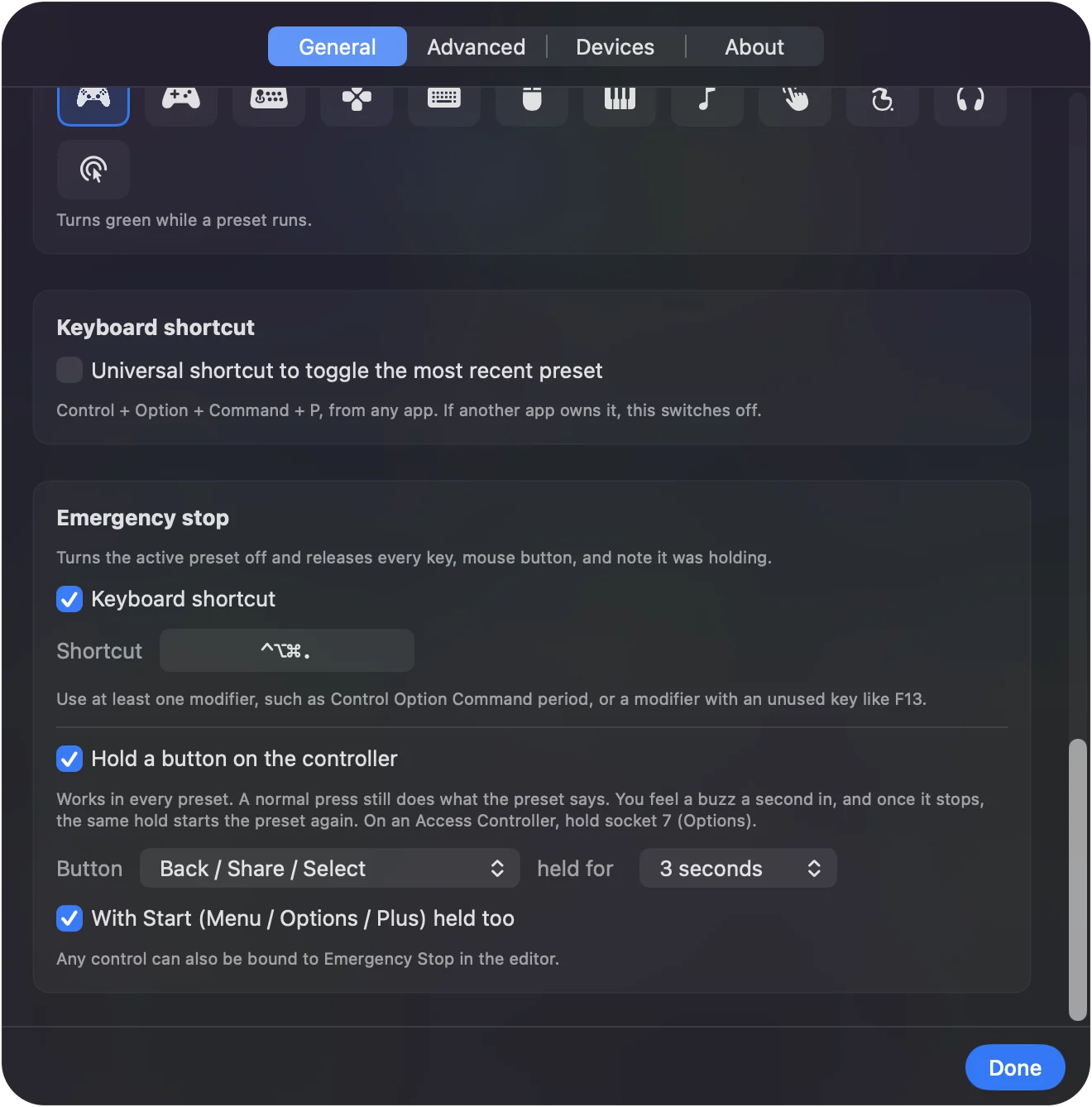
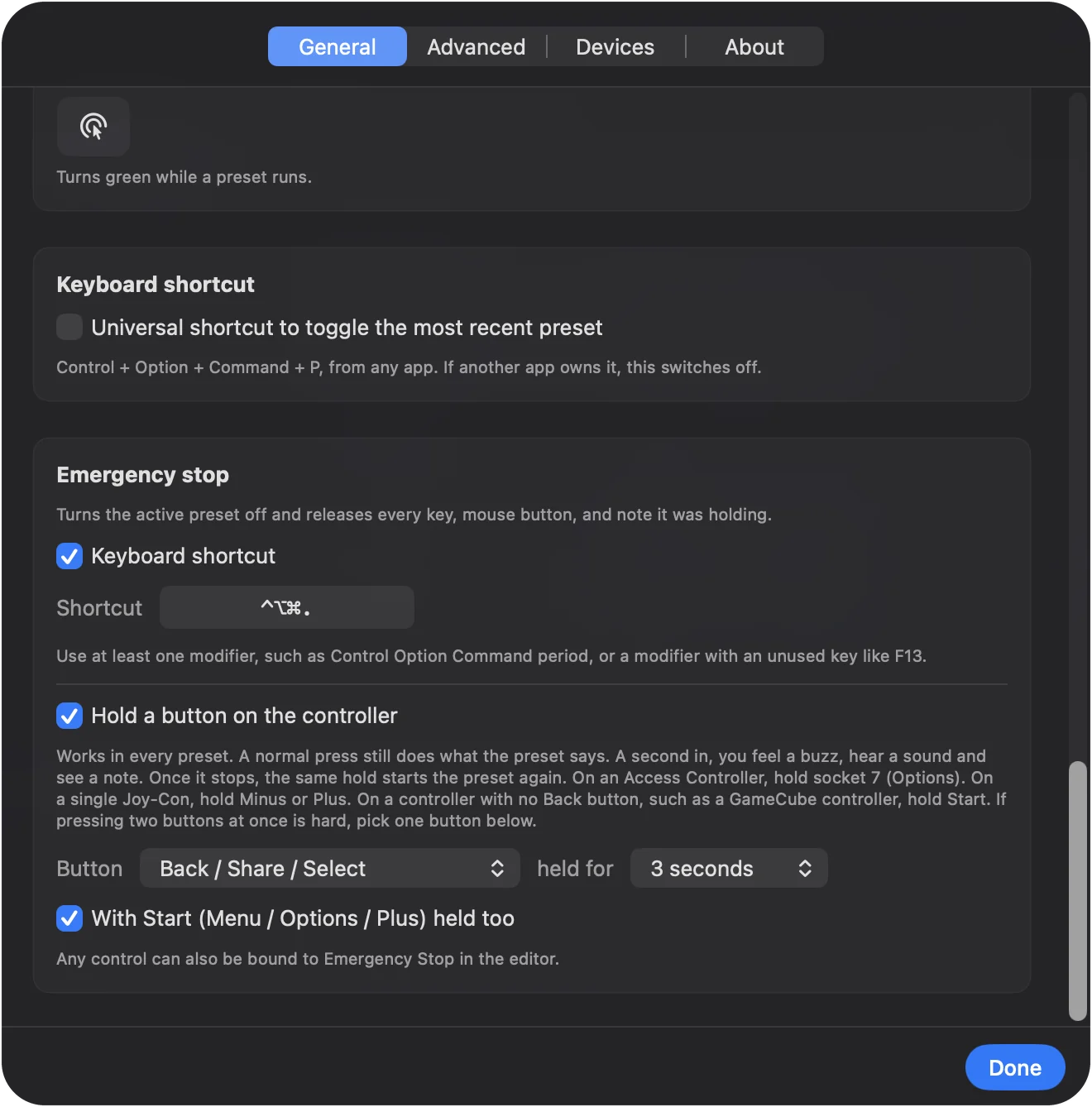
- Hold two buttons on the controller. Back and Start together for three seconds: View and Menu on an Xbox pad, Create and Options on a DualSense, Minus and Plus on a Switch pad. A buzz comes one second in, so you can let go if you did not mean it. This works whatever the preset maps those buttons to, and a normal press still does what the preset says. On a PlayStation Access Controller, hold socket 7 (Options) alone, because its base profile never sends Create. On a single Joy-Con, hold Minus or Plus alone, the one it has. The hold does not take Create or Share from macOS: they keep their screenshot action unless a running preset has a row on them.
- Press the keyboard shortcut. Control Option Command and the period key, from anywhere. On a layout such as Dvorak that puts the period on another key, it is the key that types a period; on AZERTY, where the period needs Shift, it stays on the key that types a colon. Settings, General, Emergency Stop shows the chord for your keyboard.
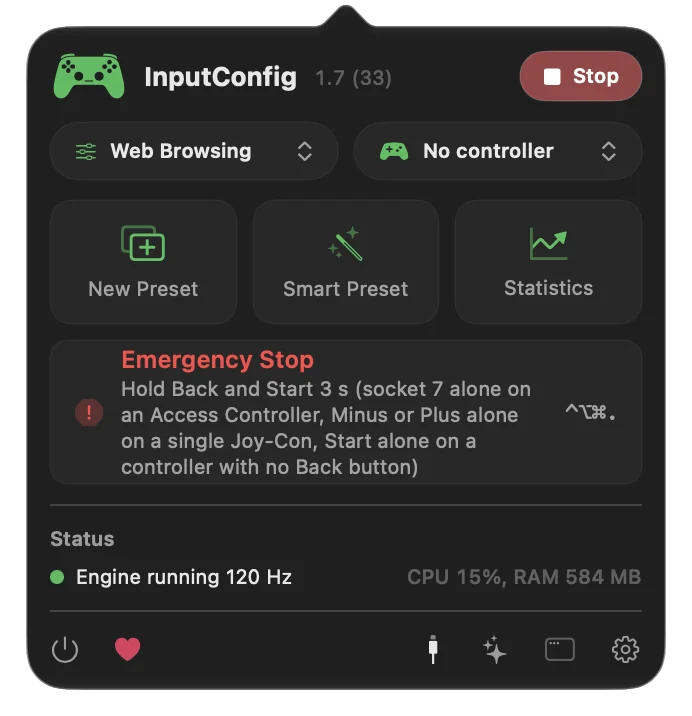
- Use the menu bar. Click the InputConfig icon and press Emergency Stop.
Settings, General, Emergency Stop holds all of it: the shortcut, the controller button, and the hold, from one to five seconds. With Start (Menu / Options / Plus) held too turns the Start part off, and a different button picked there works on its own. Whichever way it fires, InputConfig plays a sound, shows a note at the top of the screen, and VoiceOver says the stop aloud. The controller hold is the one to remember, because it works when the keyboard and mouse are not yours.
Give any control its own stop
- You: Set a row's output type to App Action and choose Emergency Stop. A back paddle, an unused face button, or a switch on an Access Controller port all work well.
- InputConfig: Stops everything the moment that row fires.
- Check: Activate the preset and press the control. The preset turns off and every held key and button is let go.
A paddle you never touch by accident is the best home for it.
If the stop does not seem to work
Climb this ladder, smallest step first:
- Use the controller hold. A full-screen game can eat system shortcuts. The controller hold and a bound Emergency Stop run inside the app's own polling, so they keep working when the shortcut cannot get through.
- Check who owns the shortcut. Only one app can register a system-wide shortcut. InputConfig says so instead of failing quietly, and Settings names the shortcut or app that holds it. Change it in one of the two apps.
- Use the menu bar. Click the InputConfig icon and press Emergency Stop.
The controller hold keeps working even when the preset owns the keyboard and mouse.
What it leaves alone
The emergency stop deletes nothing. The preset is untouched and can be activated again, and an auto clicker or turbo stops at once because the engine stops. After a stop by the controller hold, let go and hold the same buttons again to start the preset that was running; that works after any stop until a preset is started another way. Stopping is always safe to try.
The short version
- Controller. Hold Back and Start together for three seconds.
- Keyboard. Control Option Command period.
- Menu bar. Emergency Stop.
Learn the controller hold today, before you ever need it.
Questions
Does it delete anything?
No. The preset is untouched and can be activated again.
Another app already owns the shortcut. What now?
Only one app can register a system-wide shortcut. InputConfig says so instead of failing quietly; change it in one of the two apps.
Does it stop an auto clicker or turbo?
It halts the engine, so a repeating click or key stops at once and anything held is released.
Related
Completely free. You don't have to make an account, there are no subscriptions, and nothing is locked. Optimized for Apple silicon. Open source on GitHub.
Updated