Where are controller mappings on macOS?
 InputConfig is completely free on the Mac App Store. You don't have to make an account, there are no subscriptions, and nothing is locked. Optimized for Apple silicon.
macOS keeps controller mappings in three places. System Settings, Game Controllers stores per-app button remaps for games that already support controllers. Steam stores its own layouts in Steam Input. Anything else, including a controller in apps with no controller support at all, lives in a mapper app such as InputConfig, which stores presets on your Mac as JSON files you can export and share. I will show you where each one is, what it can and cannot do, and how to move mappings to another Mac.
On this page
Steps
- Open System Settings and click Game Controllers.
- Select the controller, then the app to change.
- Click a button on the diagram and choose what it should act as.
- Save the profile. For keyboard or mouse output in any app, use a mapper such as InputConfig instead.
Remap buttons in System Settings, Game Controllers
Game Controllers appears in the System Settings sidebar once a controller has been connected.
- Connect the controller over Bluetooth or USB.
- Open System Settings and click Game Controllers in the sidebar.
- Select the controller.
- Choose the app or game you want to change, or keep Default for every app.
- Click a button on the diagram and pick the button it should act as.
- Save it as a custom profile. Profiles are per app and follow the controller, not the Mac.
The Home Button Overrides section on the same screen decides whether the PS, Xbox or Home button opens the Game Overlay or is passed to the game. A button here can only become another controller button, never a key or a click.
Find Steam's layouts in Steam Input
Steam stores layouts per game inside Steam Input. Open Steam, select the game, click the controller icon, and choose or edit a layout. The Steam Community publishes shared layouts for many games.
Steam Input can send keyboard keys and mouse movement, but only while a Steam game launched from Steam is in the foreground. On the desktop or in other apps, a Steam layout does nothing.
Check the profiles stored on the controller
The DualSense Edge and the Xbox Elite Series 2 store profiles in the pad. These remap controller buttons to other controller buttons and adjust stick curves and trigger stops. They travel with the controller to any device, but like System Settings they cannot send keys or mouse movement. InputConfig reads them over USB-C: it lists a DualSense Edge's four profiles with what each one remaps, and on a PlayStation Access controller it lists, switches and edits the three stored profiles.
Find InputConfig's presets on disk
A mapper reads the controller and sends real keyboard and mouse events, so it works in every app on the Mac, including ones that never planned for a controller. InputConfig is free and open source, and each preset is an ordinary JSON file that lists every binding: which button, stick, key, pad or knob does what.
Finder, Go, Go to Folder: Open the folder that holds every InputConfig preset.
~/Library/Containers/com.inputconfig.app/Data/Library/Application Support/InputConfig/presetsWhat happens: The Finder opens the presets folder, one JSON file per preset.
You rarely need the folder: right-click a preset in the sidebar and choose Show in Finder, or Export to get a copy anywhere you like.
Find a ready-made mapping for a game or app
The app ships with dozens of presets, and its Smart Preset Maker holds ready-made layouts for more than 450 games and apps. Every one of them is listed on this site with its full button map. Browse the preset library or use the preset chooser. A few examples: Minecraft, Fortnite, Blender, Anki and Final Cut Pro. For the built-in presets, the page offers the file to download and open in the app.
Move mappings to another Mac
Step 1: Export
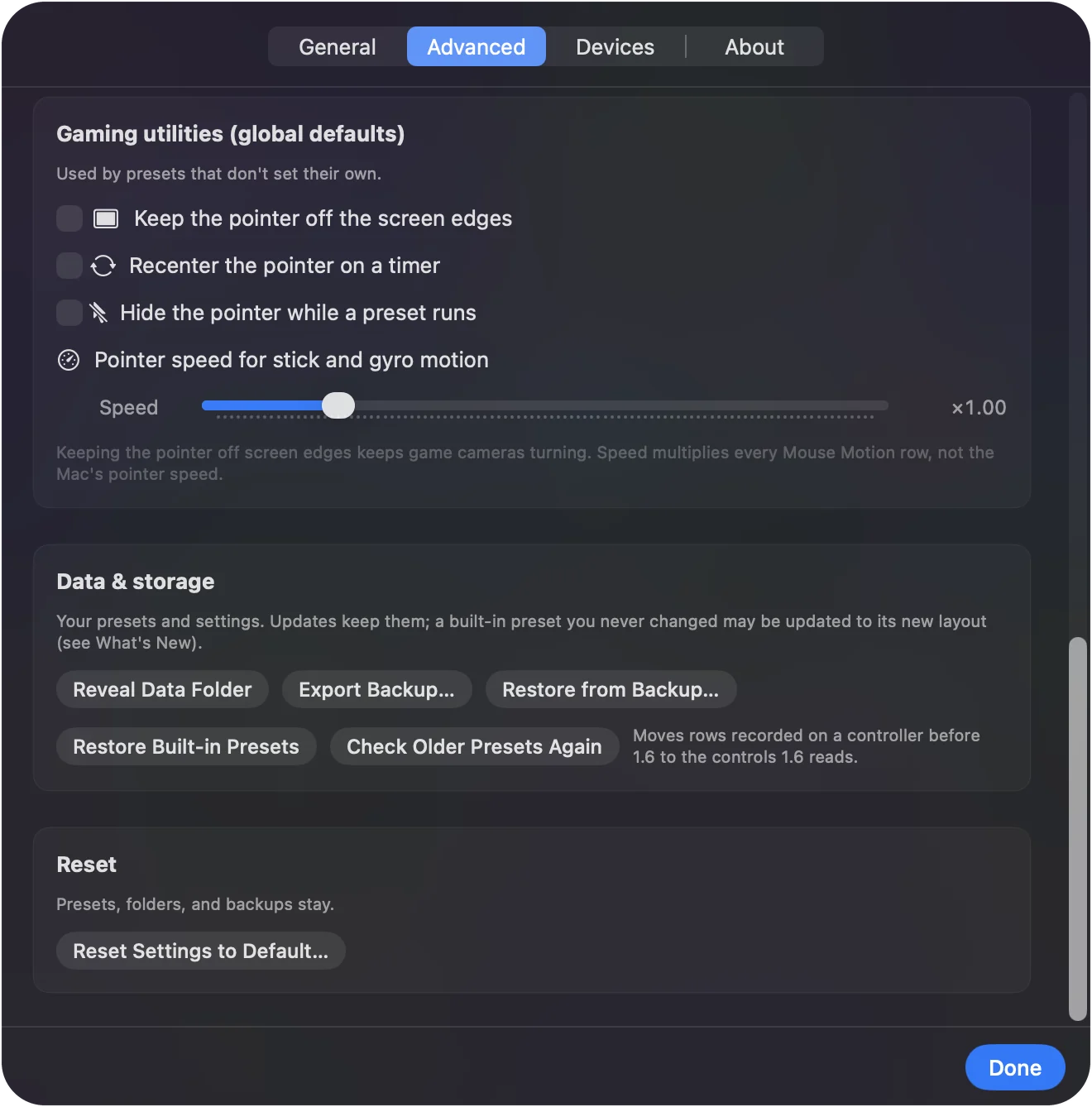
- You: Right-click a preset in the sidebar and choose Export, or use Settings, Export Backup for every preset at once.
- InputConfig: Saves the preset, or all of them, as a file.
- Check: The file is where you saved it.
Step 2: Copy and import
- You: Copy the file to the other Mac with AirDrop, iCloud Drive or a USB stick. There, drop it on InputConfig's Dock icon, or click the … button next to any preset, choose Import Preset File, and pick it.
- InputConfig: Adds it to the sidebar. Actions in a shared preset that open apps or websites can be removed before it is imported.
- Check: The preset appears in the sidebar, ready to activate.
Presets contain no personal data, so a shared file is safe to hand to someone else.
What the built-in places cannot do
- Send keys or mouse movement. System Settings and the controller's own profiles can only turn a button into another controller button.
- Work outside controller games. They have no effect in browsers, most productivity apps, keyboard-only games, or Windows games running through CrossOver.
- Read other devices. They know nothing about MIDI, the trackpad, or anything that is not a game controller.
- Work outside Steam. Steam Input layouts act only inside Steam games launched from Steam.
The short version
- Button to button, in controller games. That lives in System Settings, Game Controllers.
- Steam games. Steam Input handles those, inside Steam only.
- Keys and mouse in any app. A mapper such as InputConfig, with presets you can export and share.
If the mapping must work outside a game, it belongs in a mapper.
Questions
Can macOS remap a controller to keyboard keys without an app?
No. System Settings, Game Controllers only maps controller buttons to other controller buttons, for games that already support controllers. Keyboard keys and mouse movement from a controller need a mapper such as InputConfig.
Where does InputConfig store its presets?
In its own folder under Library, Containers, com.inputconfig.app, as plain JSON files, one per preset. Show in Finder on a preset opens it, and Export gives you a copy anywhere you like.
Do Steam layouts work outside Steam?
No. Steam Input only acts while a Steam game launched from Steam is in the foreground. On the desktop or in other apps, use a system-wide mapper.
Can I share a mapping with someone?
Yes. Export the preset from InputConfig and send the file. It contains only bindings, no personal information, and opens on any Mac with the app installed.
Can a Mac switch controller layouts automatically for each app?
Partly. System Settings, Game Controllers applies a game's button profile when that game runs, but only inside games that support controllers. For keyboard and mouse layouts in any app, InputConfig's per-app auto-switch activates a preset when its app comes to the front and puts the previous one back when you leave.
Related
Updated