How to remap controller buttons on a Mac
 InputConfig is completely free on the Mac App Store. You don't have to make an account, there are no subscriptions, and nothing is locked. Optimized for Apple silicon.
You can remap controller buttons on a Mac in five places, and the right one depends on how far the change should reach: inside one game, in macOS for games that read a controller, in Steam, on the controller itself, or system-wide in every app. Only the last one can make a button type a key or click in an app that ignores controllers, and that is what InputConfig, a free remapper I make, does.
On this page
Steps
- Install InputConfig and switch it on in System Settings, Privacy & Security, Accessibility.
- Open a preset in the editor, or start a new one.
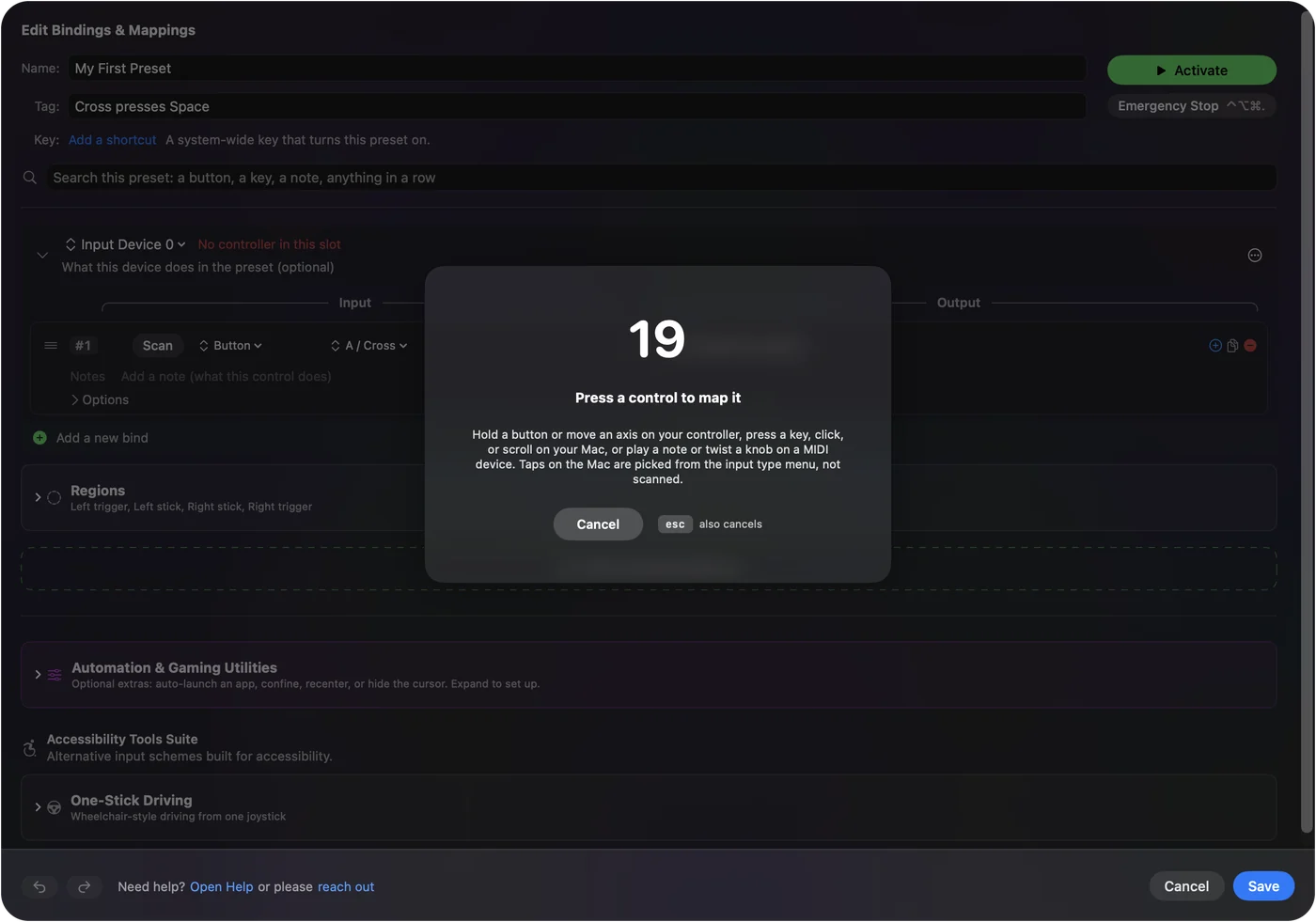
- Press Scan on a row and press the button you want to remap.
- Pick the output: a key, a shortcut, a click, or another action.
- Press Activate.
Pick the place that reaches far enough
Climb this ladder from the smallest change to the widest:
- In the game. Most native Mac games with controller support have a controls screen. It is the simplest fix when a game gets one thing wrong, and it only affects that game.
- In macOS. System Settings, Game Controllers changes what each button does as a controller button, for all games or one app at a time.
- In Steam. Steam Input remaps any controller for any Steam game, and can even send keys.
- On the controller. The DualSense Edge and the Xbox Elite Series 2 store remaps in the pad itself.
- System-wide. A remapper such as InputConfig reaches every app, including games that only read the keyboard.
Use the smallest rung that does the job, and climb only when a button must become a key.
Remap in macOS, for games that read a controller
Open System Settings and choose Game Controllers in the sidebar. With the controller connected, you can change what each button does as a controller button, for all games or for one app at a time. This is the right tool to swap A and B, or to move jump to a trigger, in a game that already reads the pad. It cannot make a button type a key or move the pointer. Details on where controller mappings live on macOS.
Remap in Steam, or on the controller
- Steam Input. The controller icon on the game's page, then the layout editor. It is a mapper for Steam games specifically: it does not reach games outside Steam, and on the Mac some games ignore it.
- The controller itself. The DualSense Edge and the Xbox Elite Series 2 keep remaps made on a PS5 or an Xbox and carry them to the Mac. Handy for swapping the paddles. Useless for anything a stock pad does not have.
On most controllers a remapped paddle is only a copy of another button, so the Mac cannot tell them apart. The Edge's paddles and Fn buttons are the exception, and Apple's controller framework also reports an Elite's paddles as their own buttons when it sits on its default profile. Back buttons and paddles on a Mac shows which kind each controller has.
Remap system-wide with InputConfig
InputConfig remaps every button, stick, trigger and touchpad to anything: a key, a keyboard shortcut, a click, pointer motion, scrolling, a macro, a MIDI note, a system action. It works in every app, not only games, and it is free and open source.
- You: Press Scan on a row, press the button, and pick the output. Or let Automatically insert available inputs lay out a row for every control the pad has, so you only choose outputs (map every button at once).
- InputConfig: Sends that output whenever the button fires, while the preset runs.
- Check: In the Live Visualizer, clicking a control explains what it does and jumps to its row, which is the quickest way to find the row to change in a big preset.
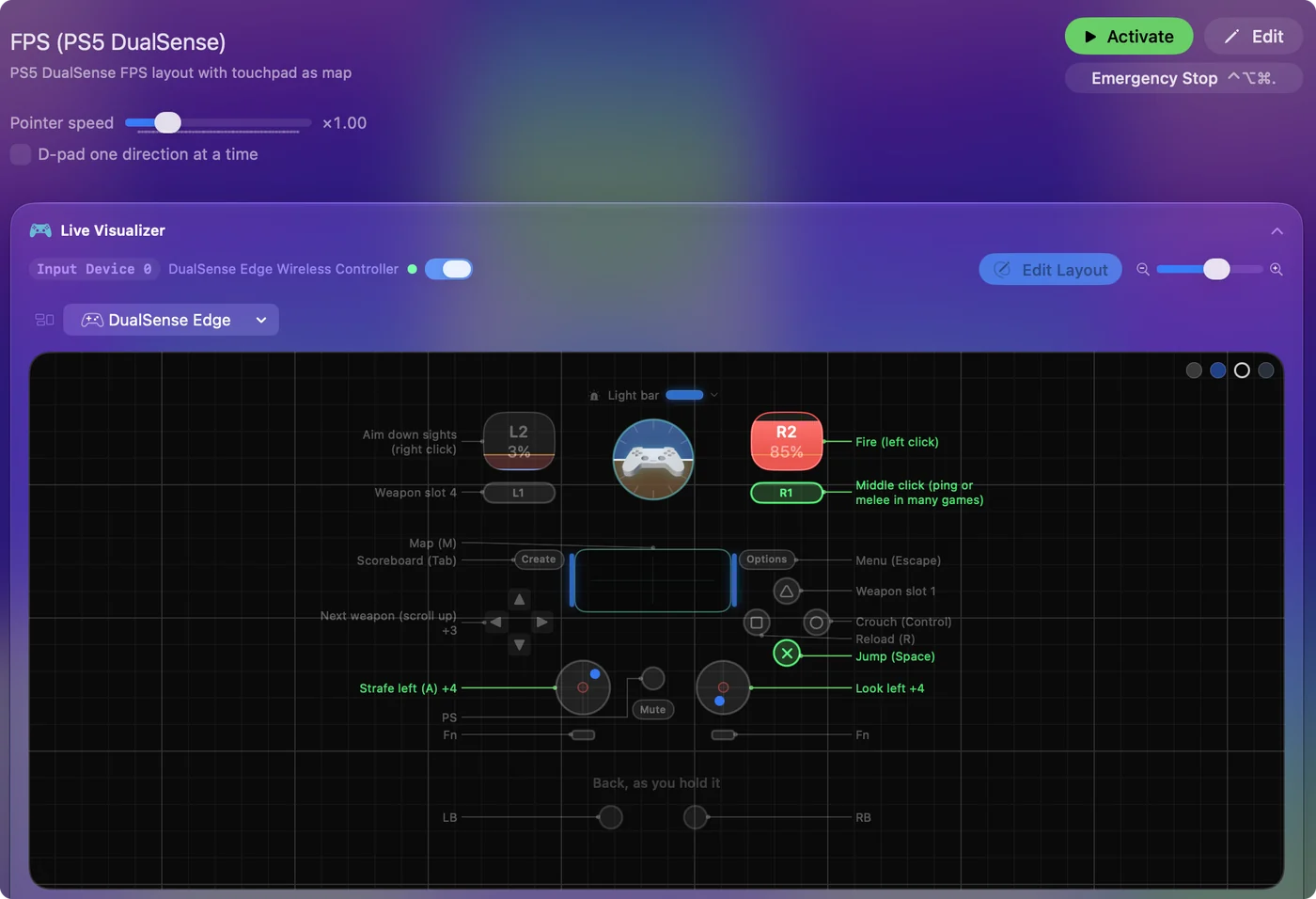
Each row can also have a hold action, a double tap, a chord with another button, turbo or a macro, and the hold, double-tap and macro-step actions can be full shortcuts such as Command Shift 4. Triggers bind as analog or as buttons, whichever you choose.


Button names and controllers that number differently
The editor names buttons the way your controller prints them: Cross and L1 on a PlayStation pad, B on the bottom of a Switch pad.
- Face button names. For pads that report themselves as Xbox pads but print other letters, such as many 8BitDo models, this setting picks Xbox (A on the bottom), PlayStation, Nintendo (B on the bottom) or Positions (North, South, East, West). Only the names change, never the presets.
- Share, Create and Capture. On PlayStation, Switch and Xbox pads they keep their macOS screenshot and recording shortcut unless the running preset binds them.
Remap for one app only
A system-wide remap does not have to be everywhere at once. Make one preset per app and turn on auto-switch: the right layout takes over when that app comes to the front and steps aside when it leaves. A browser layout, a video editor layout and a game layout can live side by side, and per-app auto-switch explains the rules.
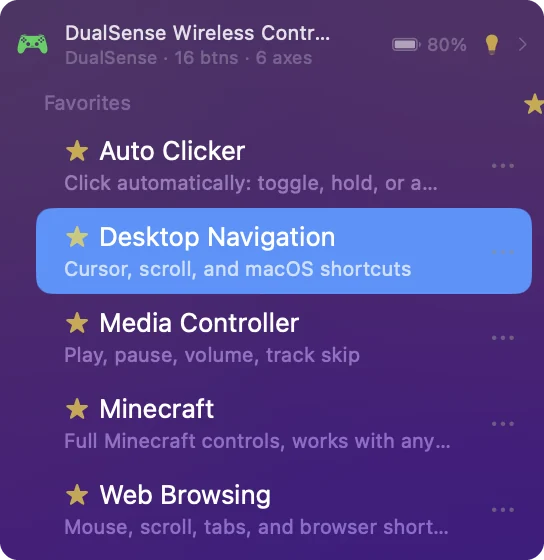
Once you have a handful, star the ones you use (Add to Favorites in a preset's menu) and the star at the top of the sidebar shows only those, in the sidebar and in the menu bar. If a layout ever takes over more than you meant, Control Option Command period is the emergency stop.
The short version
- One game. Use the game's own controls screen.
- Controller buttons only. Use System Settings, Game Controllers.
- Keys, clicks, every app. InputConfig: Scan, press the button, pick the output.
macOS can swap one button for another, but only a remapper turns a button into a key.
Every free controller mapper for Mac is compared on one page.
Questions
Can I remap controller buttons in System Settings on a Mac?
Partly. Game Controllers in the System Settings sidebar can make one controller button act as another, per app, in games that read the controller. It cannot make a button type a key or move the mouse, and it does nothing in apps without controller support.
How do I swap A and B on a controller?
In a game that reads the controller, use System Settings, Game Controllers, which swaps controller buttons for all games or per app. In a game played with keys, or in any other app, swap the keys the two buttons send in InputConfig.
Can I make a trigger work as a button?
Yes. InputConfig reads triggers as analog or as buttons, whichever you bind.
Can I remap an Xbox or PS5 controller to keyboard keys on a Mac?
Yes, with a controller remapper. InputConfig maps every button, stick, trigger and, on a DualSense, the touchpad to any key or click, in any app. The Xbox and PS5 keyboard mapping pages have full layouts.
How do I program the back paddles on a controller on a Mac?
Set what each paddle copies on the controller or in the maker's app, or, on a DualSense Edge, leave them unassigned. Then in InputConfig press Scan on a row, press the paddle, and pick a key, a click, a macro or a shortcut.
Can each game or app have its own button layout?
Yes. Make one preset per game or app, list the app in the preset's Automation panel, and turn on automatic switching in Settings, Advanced. The layout changes when the app comes to the front. See per-app profiles.
Related
This page in other languages: 日本語, Polski
Updated