Scan
 InputConfig is completely free on the Mac App Store. You don't have to make an account, there are no subscriptions, and nothing is locked. Optimized for Apple silicon.
Scan binds a row to whatever you press next, so nobody has to know that Cross is button 0 or that the mod wheel is CC 1. It is the Scan button on every row of the binding editor, and it listens to every device at once. It is the quickest way to make or fix any row.
On this page: 6 sections
Use it
- You: Press Scan on the row, then press the control: hold a button, push an axis to its end, play a key or turn a knob.
- InputConfig: Listens to every connected device and binds the row to the first control it hears.
- Check: The row updates with the control's name and the panel closes. Escape cancels, and there is a Cancel button for people without a keyboard.
Scan waits 20 seconds for a press unless you change it in Settings, General, Scan: 10, 20 or 40 seconds, 1 minute, or until canceled. When time runs out, it says so aloud.
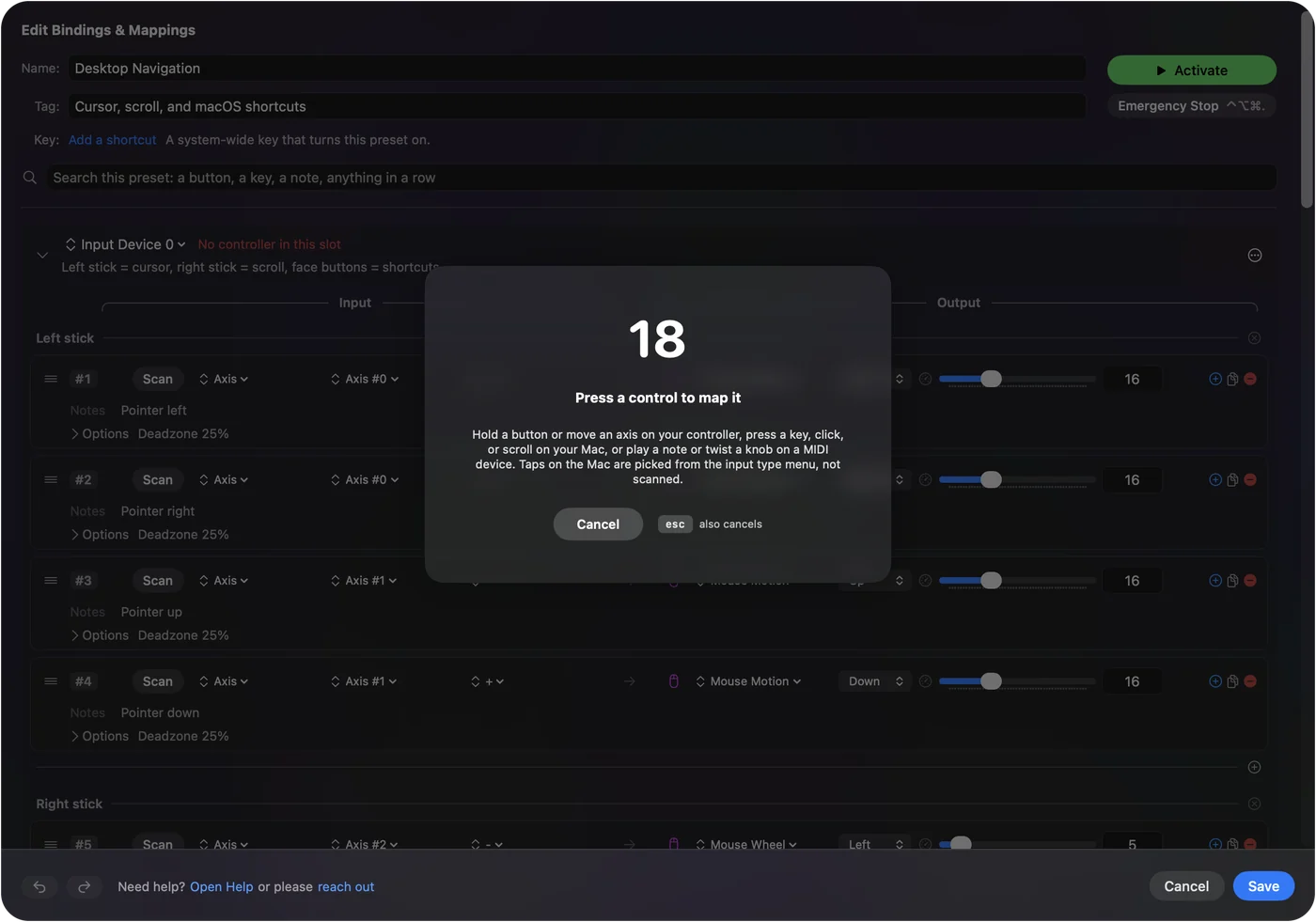
Press only the control you mean while Scan is listening.
What Scan hears
- Controller controls. Any button, trigger, stick direction or D-pad direction on a connected controller, including the DualSense Edge paddles and FN buttons. On a PlayStation Access Controller that means Socket 1 to Socket 8, the center button, the stick press, PS, Profile, and whatever is plugged into E1 to E4, each by its name.
- Keys. Any key on the Mac's keyboard, including a modifier on its own: Shift, Control, Option or Command on either side, Caps Lock, fn, and F13 to F19.
- Mouse buttons. Pick Scan in the button menu on a Mouse row and click the one you mean. That scan waits 5 seconds unless the Scan setting was changed.
- MIDI. A note, pad, control change, pitch bend, aftertouch or program change.
- Touchpad touches. A swipe, press or tap on a DualSense or DualShock 4 touchpad.
- Motion. Gyroscope and accelerometer movement on a pad that has them.
Choose the touchpad gesture
A press and a tap on a DualSense touchpad feel the same under a finger, so Scan does not guess. It collects what happened for half a second and asks: a press, a one-finger tap, a double tap or a two-finger tap, marking whichever the pad reported. A finger sliding on the pad is a Touchpad input, chosen from the input type menu, not scanned.
If Scan picks the wrong thing
Climb this ladder, smallest step first:
- Scan again. It listens to everything at once, so a stray keystroke during a scan is the usual way to bind the wrong thing.
- Check the paddle. If a back button scans as A, the controller is copying A onto it. Most back buttons work this way, but the DualSense Edge's paddles and FN buttons do not. Give the paddle a button you can spare on the controller, or on an Xbox Elite switch to the default profile, then scan again.
- Pick it from the menu. Some inputs are never scanned, listed below. Choose them from the input type menu instead.
If the row shows something you did not mean, the controller usually sent it.
What it never scans
- Taps on the Mac. Pressing a controller button on a desk jolts a MacBook enough to count as a tap, so Tap the Mac is picked from the input type menu with its tap count. Tap the Mac was tested on M4 MacBooks and did not work on an M1 Pro in our testing; the calibrator's status chip tells you whether yours listens.
- Silent controls. A controller that is not connected sends nothing to scan, and neither does a switch whose plug is not pushed all the way into its port.
If Scan hears nothing, the control is not reaching the Mac. The Live Visualizer shows whether it is.
Questions
Why does the scanner take my Mac keyboard when I want the controller?
It listens to everything at once. Press the controller and that is what it takes. A stray keystroke during a scan is the only way to bind the wrong thing.
I pressed a paddle and Scan shows A. Why?
The controller is copying A onto that paddle, so the Mac receives A. Most back buttons work this way, but the DualSense Edge's paddles and FN buttons do not. Assign the paddle a button you can spare on the controller, or on an Xbox Elite switch to the default profile, then scan again.
Related
Completely free. You don't have to make an account, there are no subscriptions, and nothing is locked. Optimized for Apple silicon. Open source on GitHub.
Updated