Controller connected but not working on a Mac
 InputConfig is completely free on the Mac App Store. You don't have to make an account, there are no subscriptions, and nothing is locked. Optimized for Apple silicon.
When the Mac lists a controller and the game ignores it, the game is not looking for a controller, is looking for a different one, or is running somewhere the controller does not reach. Prove the controller is live first, then find your case below. For a game with no controller support at all, InputConfig, free on the Mac App Store, maps the controller to the keys and mouse the game already reads.
On this page
- First, prove the controller is live
- If the game has no controller support
- If the game supports controllers, just not yours
- If it is a Steam game
- If it is a Windows game in CrossOver or the Game Porting Toolkit
- If it is a browser or cloud game
- If only one app ignores it
- If it worked until a macOS update
- The short version
- Questions
First, prove the controller is live
- You: Open System Settings and click Game Controllers in the sidebar, then press some buttons.
- macOS: Shows every connected pad and lights each button as you press it.
- Check: If it reacts, the Mac side is fine and the game is the problem. If it does not, the problem is pairing: forget the controller in Bluetooth, restart it, pair again, and make sure it is not still paired with a console.
If Game Controllers lights up, stop debugging Bluetooth and look at the game.
If the game has no controller support
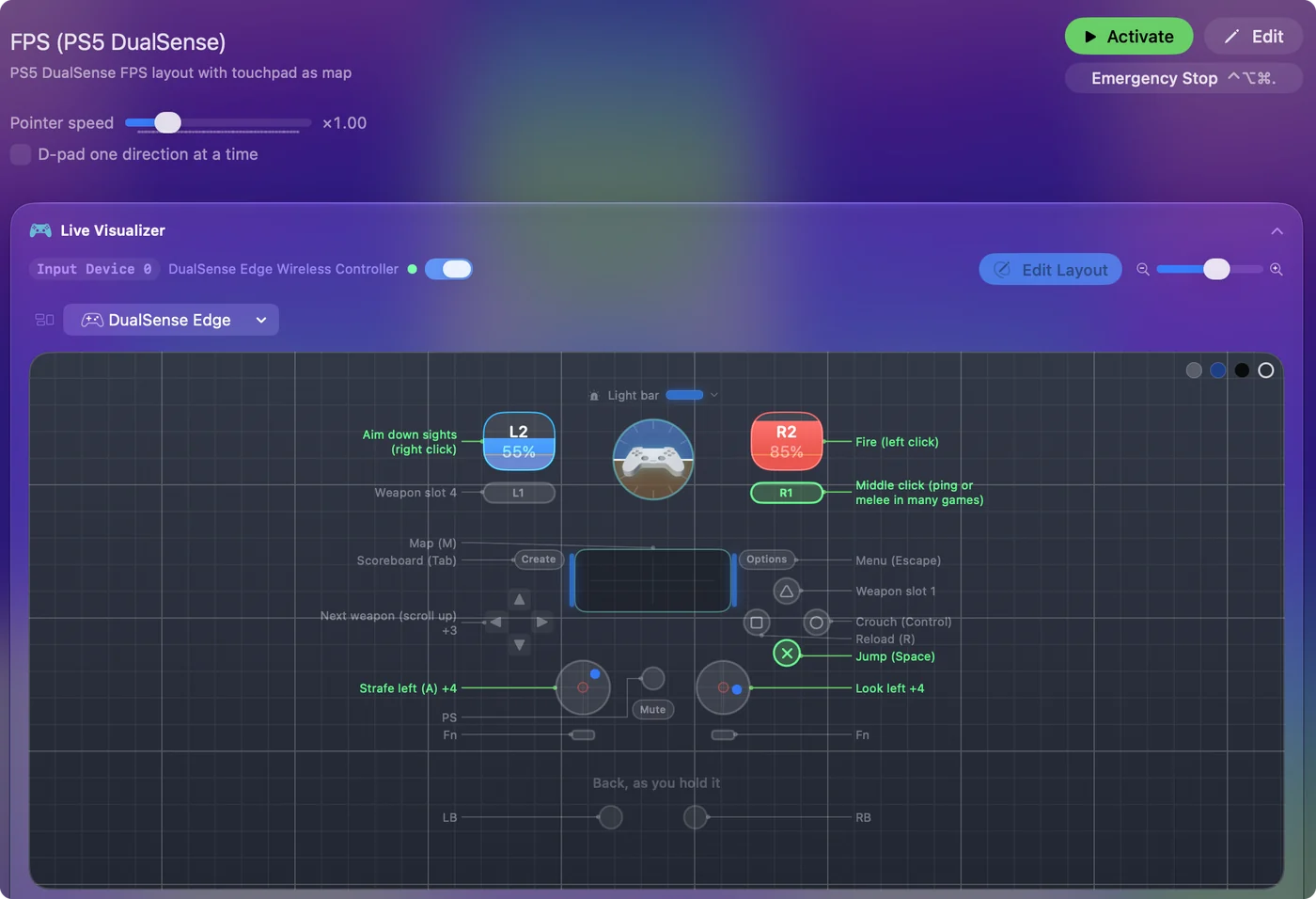
This is the most common case, and the one no setting fixes: older Mac games, indie games built for a keyboard, strategy games, browser games, and anything that is not a game at all. Map the controller to the keys and mouse the game already understands with InputConfig, which ships with layouts for more than 450 games and apps. The game never knows a controller is involved.
If the game supports controllers, just not yours
Some games only recognize Xbox-style pads, and a few list specific models. A DualSense or a Switch Pro Controller then shows up as a generic gamepad or not at all. Try Steam Input if the game is on Steam. Otherwise InputConfig again, which makes any pad send whatever the game wants.
If it is a Steam game
Steam sits between the controller and the game. Climb this ladder, smallest step first:
- Turn on support for your pad. In Steam, Settings, Controller, switch on PlayStation, Xbox or Switch support.
- Give Steam the Input Monitoring permission. On recent macOS it needs it in System Settings, Privacy & Security.
- Quit Steam and test. While Steam runs it can take PlayStation, Xbox and Switch pads for Steam Input, even for games you did not start from Steam. Quit it fully from its menu and try the game again.
- Turn Steam Input off for that game. Some Mac games ignore Steam Input entirely. Turn it off for that game and use InputConfig, so you do not get two inputs at once.
The Steam page goes deeper.
If it is a Windows game in CrossOver or the Game Porting Toolkit
The translation layer often does not pass the controller into the Windows game, or passes it as something the game does not recognize. Mapping to the keyboard with InputConfig works because keys always get through. The page on a controller not working in CrossOver, Whisky or the Game Porting Toolkit has the checks, PS5 and Xbox notes, and what to do in Parallels.
If it is a browser or cloud game
Safari, Chrome and Firefox pass controllers to web pages through the Gamepad API, and Xbox Cloud Gaming and GeForce NOW use it. It usually works. A web page sees the controller only after you press a button with that page in front, so press one first. When it still does not work, or when a web game only takes keys, InputConfig maps the pad to the keyboard and the browser is none the wiser.
If only one app ignores it
If the controller works in some games and not in one, the problem is in that one app.
- Roblox. The Mac app supports gamepads, but each experience decides its own controls and many listen only to the keyboard. See Roblox with a controller on a Mac.
- Emulators. They keep their own controller settings, separate from macOS, and often their own permission. OpenEmu wants Input Monitoring and, for wireless pads, Bluetooth access. RetroArch, Dolphin, PCSX2 and PPSSPP each want the pad picked in their own input settings. Emulator controller not working on a Mac goes through them one by one.
- Anything that reads only the keyboard and mouse. Map the controller to the keyboard.
If it worked until a macOS update
Then something between the Mac and one app changed, and the fix is usually a point update, an app update, or one setting. Two to know:
- macOS 15.4. Wired controllers stopped working in many apps while Bluetooth kept working, and turning on Increase controller compatibility for the app in Game Controllers was the reported workaround.
- Tahoe. Single games have stopped seeing pads that System Settings still sees.
The version-by-version list, with sources, is on controller not working after a macOS update.
The short version
- Test it in Game Controllers. No lights means pairing. Lights mean the game.
- Check the layer. Steam, CrossOver and the browser each have their own setting.
- Map it to keys. It works in every case above, because every game reads a keyboard.
Keys always get through, so the keyboard route is the fix that never depends on the game.
Questions
Why is my controller not working on my Mac?
Most often the Mac sees it and the game does not read controllers. Confirm it in System Settings, Game Controllers, then use the game's or Steam's controller setting, or a mapper such as InputConfig so the game receives keyboard and mouse input.
Why does my Mac see my controller but the game does not?
The game does not support controllers, or not yours, or it runs through a layer (Steam, CrossOver, a browser) that is not passing it through. Mapping the controller to the keyboard with InputConfig works in every one of those cases.
Is there a way to test whether a controller works on a Mac?
System Settings, Game Controllers lights up buttons as you press them. InputConfig's Live Visualizer shows every axis and button live, and the deadzone tool on this site reads a controller in the browser.
Do I need to restart the Mac?
Almost never. Forgetting and re-pairing the controller, or powering it off and on, fixes the Bluetooth cases.
My controller works on the Mac but not in an emulator. What now?
Console emulators do not go through the game's controller support. Each has its own controller screen and often its own macOS permission. OpenEmu wants Input Monitoring and, for wireless pads, Bluetooth access. Emulator controller not working on a Mac goes through them one by one.
Why does my controller work in System Settings but not in any game?
Often Steam. While Steam runs it can take PlayStation, Xbox and Switch pads for Steam Input, even for games you did not start from Steam. Quit Steam fully from its menu and try the game again. If it then works, change Steam's controller settings for that game.
Related
This page in other languages: Deutsch, Español, Français, Italiano, 日本語, 한국어, Português, Русский, ไทย, Українська, Tiếng Việt, 繁體中文, 简体中文
Updated