Connecting a controller to InputConfig
 InputConfig is completely free on the Mac App Store. You don't have to make an account, there are no subscriptions, and nothing is locked. Optimized for Apple silicon.
InputConfig notices a controller within a few seconds of it connecting, by USB-C cable or by Bluetooth, and lists it at the top of the sidebar with its battery level. This page covers what InputConfig does once the Mac has the controller: the sidebar entry, the Devices menu for pads it did not pick up, and more than one controller. To pair a controller with the Mac itself, start with how to connect a controller to a Mac. A pad the app did not pick up is usually one tick away, in the Devices menu.
On this page: 7 sections
Connect it with a cable
Plug it in. The DualSense, DualSense Edge and DualShock 4 work this way with nothing to set up. So do Xbox controllers on macOS 15 Sequoia or later, once you allow the connection the Mac asks about. On macOS 14, connect an Xbox controller over Bluetooth instead.
- You: Plug the controller in, or turn on one that is already paired.
- InputConfig: Lists it at the top of the sidebar with its name and battery level.
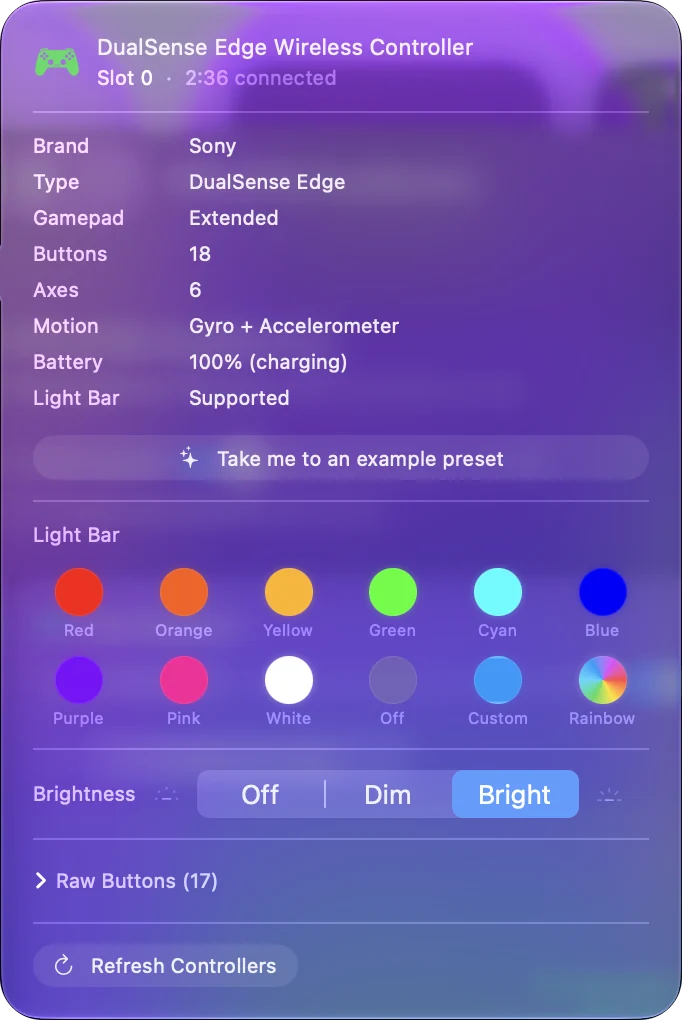
- Check: Click the entry. Its popover has the light bar on a PlayStation pad, Refresh Controllers, and Disconnect. Disconnect on a Bluetooth controller is the one time macOS may ask whether InputConfig can use Bluetooth. To leave a controller out without unplugging it, or one that shows up twice, turn off the switch beside its name at the top of its Live Visualizer panel: it reads as idle everywhere and shows Ignored until you turn it back on.
Pair it over Bluetooth
Put the controller into pairing mode, then connect it in System Settings, Bluetooth.
- DualSense or DualShock 4. Hold the PS button and the Create (or Share) button together until the light bar flashes. Step by step: PS5 controller, PS4 controller.
- Xbox. Hold the pairing button on the top edge until the Xbox button blinks fast. Step by step: connect an Xbox controller to a Mac.
- Switch Pro Controller. Hold the small Sync button next to the USB-C port until the player LEDs run back and forth. Step by step: connect a Switch Pro Controller to a Mac.
Pairing happens in System Settings, Bluetooth; InputConfig needs no pairing of its own.
Connect a device by hand
InputConfig, Devices in the menu bar lists every Bluetooth and USB device the Mac can see, plus MIDI sources, with a tick on the ones the app is reading. When the Dock icon is off, the same list is behind the Devices button in the InputConfig menu bar item, and in the editor on each input device's menu.
- You: Tick a gamepad the app has not picked up on its own.
- InputConfig: Opens it directly and remembers it, by its serial number when it has one and otherwise by make and model, so it reconnects next time.
- Check: The controller appears at the top of the sidebar. Untick it to stop reading it and forget it.
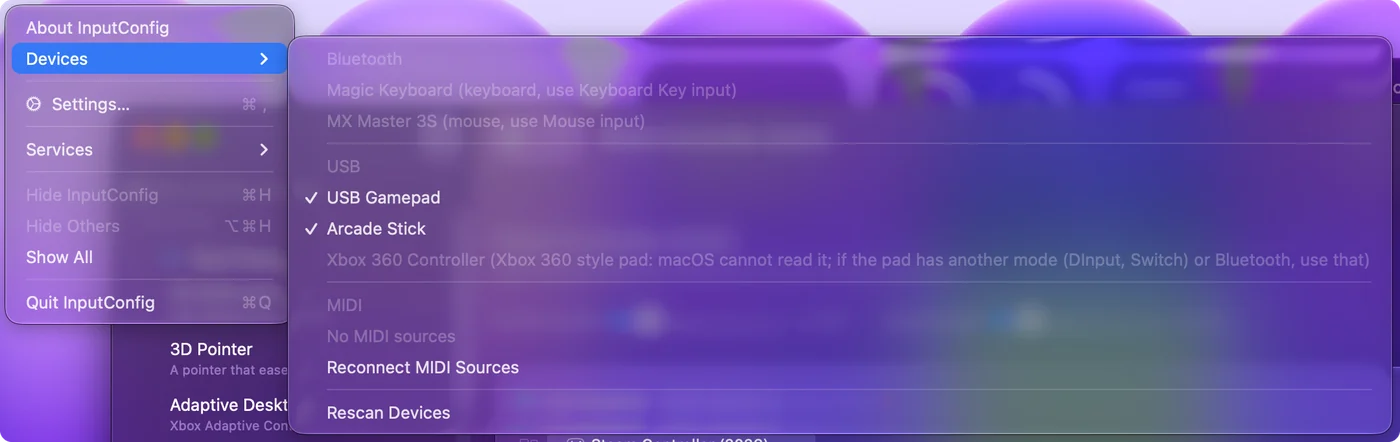
Some entries cannot be ticked, and the line says why:
- Read by macOS GameController. macOS already hands it to InputConfig as a controller, so connecting it again would double every press.
- Needs Input Monitoring. A controller that also acts as a keyboard, such as some arcade sticks. Click it and macOS asks to allow Input Monitoring the first time; after that the click opens System Settings, Privacy & Security, Input Monitoring, where InputConfig is listed to switch on. The pad is read when InputConfig comes back to the front.
- Grayed out with a reason. A pad macOS cannot read at all, such as a wired Xbox 360 controller, with what to try instead.
A device with no readable layout is still read bit by bit, so Scan can find its controls. Bluetooth headsets and hearing aids have no controller inside, but their buttons reach the Mac as media keys, and those bind as Keyboard Key inputs such as Play / Pause. If the Mac can see a device, the Devices menu is where you make InputConfig read it.
If the controller does not appear
Climb this ladder, smallest step first:
- Refresh. Click Refresh in Settings, Devices, or Refresh Controllers in any controller's popover at the top of the sidebar.
- Tick it by hand. If the Mac shows it connected but InputConfig does not, tick it under InputConfig, Devices. The app opens it directly and remembers it.
- Power it off and on. A Bluetooth session that has been alive for days can go quiet.
- Unpair it elsewhere. A controller pairs with one device at a time. If it is still paired to a PlayStation, an Xbox, a Switch or a phone, unpair it there first.
- Try another mode. If the controller has a mode switch, try another position. The 8BitDo and Stadia pages say which.
If the Mac itself does not see the controller in System Settings, Bluetooth, the fix is on the Mac side: controller connected but not working covers it. Most controllers that vanish come back with the first two rungs.
Use more than one controller
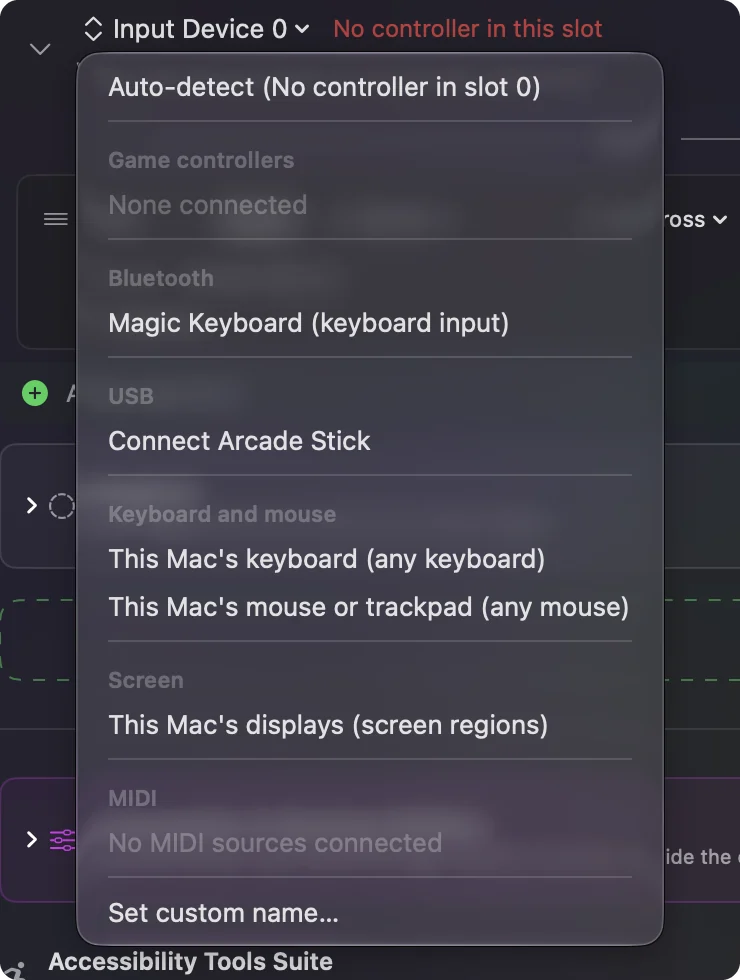
Every connected controller gets its own slot, numbered from 0, and a preset holds bindings per slot. Two people can share one Mac from two controllers, or one person can put a DualSense and a MIDI keyboard on the same preset. The Live Visualizer shows one panel per slot. One preset can hold every device you own, each in its own slot.
The short version
- Cable or Bluetooth. Either works; the controller appears at the top of the sidebar within seconds.
- Not there. Refresh, then tick it under InputConfig, Devices.
- Still not there. Power it off and on, unpair it from the console, or try another mode.
If the Mac sees it, InputConfig can almost always be made to read it.
Questions
Which controllers work?
DualSense and DualSense Edge, DualShock 4, Xbox One and Series, Switch Pro and Joy-Cons, Stadia, 8BitDo, the Steam Controller, Logitech F-series pads, the Logitech G29 and G923 wheels, and any MFi or HID gamepad. Other controllers, joysticks and wheels are read as well, shown in a generic drawing. MIDI devices and the Mac's own keyboard, mouse, and trackpad are inputs too.
Does the DualSense work over Bluetooth with everything?
Everything works over Bluetooth: light bar, rumble, touchpad, gyroscope, and on the Edge the paddles and FN buttons. Some Bluetooth pairings drop motion; a USB cable always has it.
Related
Completely free. You don't have to make an account, there are no subscriptions, and nothing is locked. Optimized for Apple silicon. Open source on GitHub.
Updated