Questions
Death Stranding on a Mac with a controller
Yes, and it is a controller game: balancing Sam's cargo with the triggers is how it was designed to be played. Death Stranding Director's Cut is on the Mac App Store for Apple silicon Macs, and 505 Games lists the controllers it supports on the Mac as the DualShock 4, the DualSense, the Xbox One Wireless Controller and the Xbox Elite Wireless Controller.
If yours is one of those, pair it and play. This page is for when that does not go to plan, with a keyboard fallback through InputConfig, the free mapper I make.
Steps
- Pair a supported controller with the Mac, or connect it with a cable.
- Check it lights up under System Settings, Game Controllers.
- Open Death Stranding with the controller already connected.
- For a controller the game ignores, map it to the game's keyboard and mouse controls with InputConfig.
Connect it the way the game expects
- You: Pair the controller in System Settings, Bluetooth, or plug it in with a cable (PS5, PS4, Xbox), then open the game.
- macOS: Lists it under Game Controllers.
- Check: It lights up there. If you connected it while the game was running, quit and relaunch with the pad awake.
The App Store copy has no Steam layer, so there is no Steam Input setting to blame.
Use a controller that is not on the list
A Switch Pro Controller, an 8BitDo, a generic USB pad or an adaptive controller is not on 505's list, and it may or may not be picked up. If the game ignores it, the fallback is the keyboard: the Mac version plays with a keyboard and mouse too. InputConfig reads the controller and sends the keys and mouse movement the game accepts, so the game sees a keyboard and you hold the pad you have.
- You: Make a new preset, choose Automatically insert available inputs, put W, A, S and D on the left stick and the mouse on the right stick, and give each button the key the game's settings list for that action.
- InputConfig: Fills a row from the button you press when you click Scan on it.
- Check: Activate the preset and walk Sam a few steps.
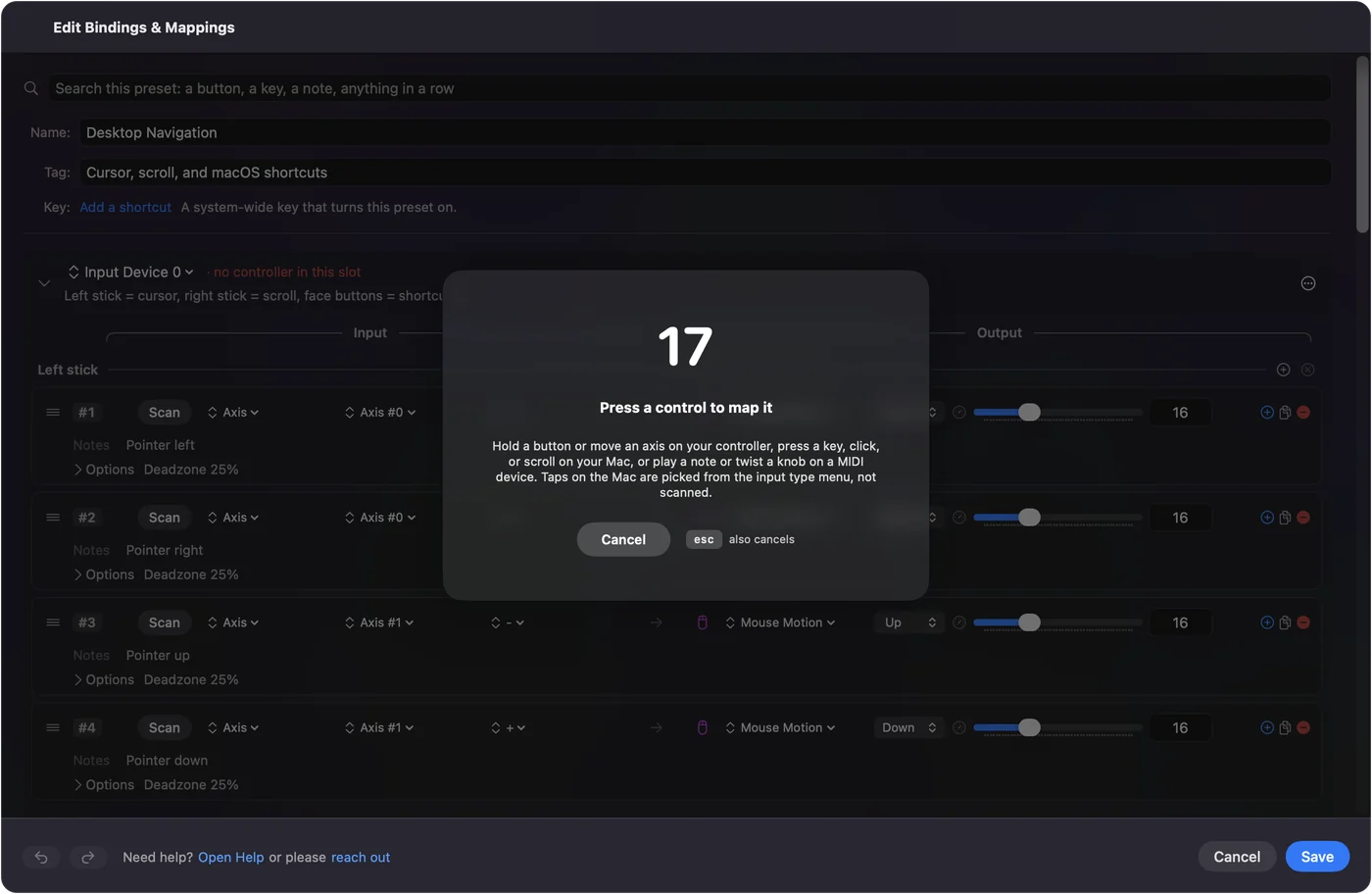
There is no ready-made Death Stranding layout in the app, so build it once from the game's own keyboard settings. Scan makes the matching quick: click Scan on a row and press the button you want.
 InputConfig is free on the Mac App Store. macOS 14 or later, no account, no tracking, open source.
Skip the MacBook trackpad
Players on a MacBook with no mouse have reported that balancing and placing map markers are awkward on the trackpad. A controller from 505's list is the real fix.
What a mapper cannot add
When the game reads a controller itself, it shows controller prompts and drives whatever controller feedback the Mac version supports. A keyboard layout cannot do either, because the game no longer knows a controller is there. Use the fallback for a pad the game will not take, not instead of one it already does.
The short version
- A listed pad. DualShock 4, DualSense, Xbox One or Elite: pair it and play.
- It is ignored. Relaunch with the pad awake.
- Not on the list. Map it to the game's keyboard and mouse controls with InputConfig.
A supported pad is the way this game is meant to feel; the fallback is for everything else.
Questions
Does Death Stranding on Mac support the PS5 controller?
Yes. 505 Games lists the DualSense as supported on the Mac version, along with the DualShock 4, the Xbox One Wireless Controller and the Xbox Elite Wireless Controller.
Can I play Death Stranding on Mac with a keyboard and mouse?
Yes, the Mac version supports keyboard and mouse. Players on a MacBook trackpad report that balancing is harder, so a controller is the better way to play.
Which Macs run Death Stranding Director's Cut?
Apple silicon Macs, M1 or later, from the Mac App Store.
Related
Free. macOS 14 or later. No account, nothing leaves your Mac. Open source on GitHub.