How do you use a number pad as a macro pad on a Mac?
 InputConfig is completely free on the Mac App Store. You don't have to make an account, there are no subscriptions, and nothing is locked. Optimized for Apple silicon.
Plug in or pair the number pad, press Scan in InputConfig, the free Mac app I make, and press a key on it. Each keypad key reaches the Mac as its own key, so you can give it a macro, an app to open, text to type, a hold and a double tap. There is one catch you should plan around. InputConfig listens to the keyboard alongside macOS and does not block a key, so a keypad 5 still types a 5. Pick keys that your apps ignore, or send the number pad's keys to F13 to F20 first.
What I say about the Mac keypad is from Apple Community and Keyboard Maestro forum threads and a MacMost article that I found on October 21, 2026. I have not tested a specific number pad, so press Scan to see what yours sends.
On this page: 12 sections
Steps
- Plug in the number pad, or pair it in System Settings, Bluetooth, and press its keys in a text field.
- Decide which keys to use, preferring the operator keys, Clear and Enter, which most apps ignore.
- In InputConfig, add a keyboard row, press Scan, and press a key on the number pad.
- Choose the output, press Save, then Activate, and test it in an app where no text field is selected.
- If the number keys type digits where you do not want them, set the pad to F13 to F20 with its own tool.
Know what a number pad is to a Mac
A number pad, also called a numeric keypad, is a USB or Bluetooth mini keyboard of 17 to 22 keys, often sold with a calculator style layout. A Mac sees it as a keyboard. It may open the Keyboard Setup Assistant the first time, which asks you to press keys so it can name the layout, and you can close it. A Bluetooth pad pairs in System Settings, Bluetooth like any other.
- It has no Num Lock on a Mac. A Mac does not have a Num Lock state. The keypad types its numbers all the time, and the key in the top left corner, in the Num Lock position, is labeled Clear. An Apple Community answer says Clear does not toggle navigation. It clears the contents of the selected entry box in apps that support it.
- Mouse Keys can steal the numbers. An Apple Community thread says that when the number keys stop working on a Mac, Mouse Keys may be on. Press Option five times or check Mouse Keys in System Settings, Accessibility.
- macOS shortcuts cannot tell the keypad from the number row. A MacMost article says a system shortcut treats the keypad's keys like the main keyboard's number keys. As far as I know, the keypad's keys are separate keys at the hardware level, so an app that reads keys can bind a keypad 7 without touching the 7 on the number row. Press Scan to check that on your pad.
A number pad is a macro pad that you do not have to program, as long as you choose keys your apps do not use.
Find out what each key sends
- You: Open InputConfig, add a row, set the input to Keyboard Key, press Scan, and press a key on the number pad.
- InputConfig: Names the key that arrived.
- Check: A keypad key should arrive under its own name, apart from the same digit on a number row. I have not tested every pad, so if two keys scan to the same name, treat them as one input.
| Key | What it sends | Safe to bind? |
|---|---|---|
| 0 to 9 | The keypad digits, which also type as numbers | Only where no text field is active, or after you move them to F13 to F20 |
| Slash, asterisk, minus, plus | Keypad operator keys | Yes, in most apps |
| Period or comma | The keypad decimal key | Yes, but a text field will type it |
| Enter | Keypad Enter, which many apps treat as Return | Not in a text field |
| Clear, in the Num Lock position | Clear on a Mac layout, or Num Lock on a PC pad | Yes. Most apps ignore it, and I would start here |
| Equals, on Mac layouts | Keypad Equals | Yes, but I could not confirm that every pad has it |
| Backspace and Tab on 22 key pads | Delete and Tab | Not in a text field |
Know that InputConfig does not block a key
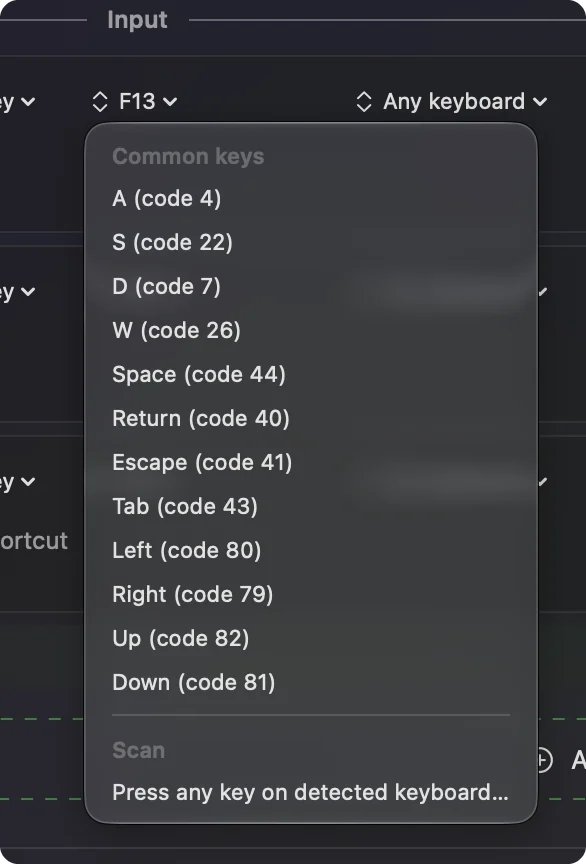
InputConfig does not block or remap a key itself. A number pad key that types 7 still types 7 while a preset runs, and the job you added happens as well. That is fine for keys such as the operators and Clear, which do nothing in most apps. For the digits, I see three ways to deal with it:
- Use the pad only when no text field is selected. A bound 7 that opens a folder is harmless when you are in Finder. In a text field it types a 7 as well. Pair it with a preset for the apps where you use it.
- Send the digits to F13 to F20. Many numpads sold as macro pads can be programmed. QMK, VIA and Vial based ones keep the map in the pad itself, and a few makers have a Mac tool. Set eight keys to F13 to F20 and they type nothing.
- Use a second job and accept the digit. If the pad exists only for macros and you never type numbers on it, the extra digit is usually harmless in a document you are not editing.
macOS gives F13 to F20 no job and apps leave them alone. F21 to F24 are not passed on, so skip them. The F13 to F19 page has the details, and the USB macro keypad page covers programming small pads.
Bind the keys
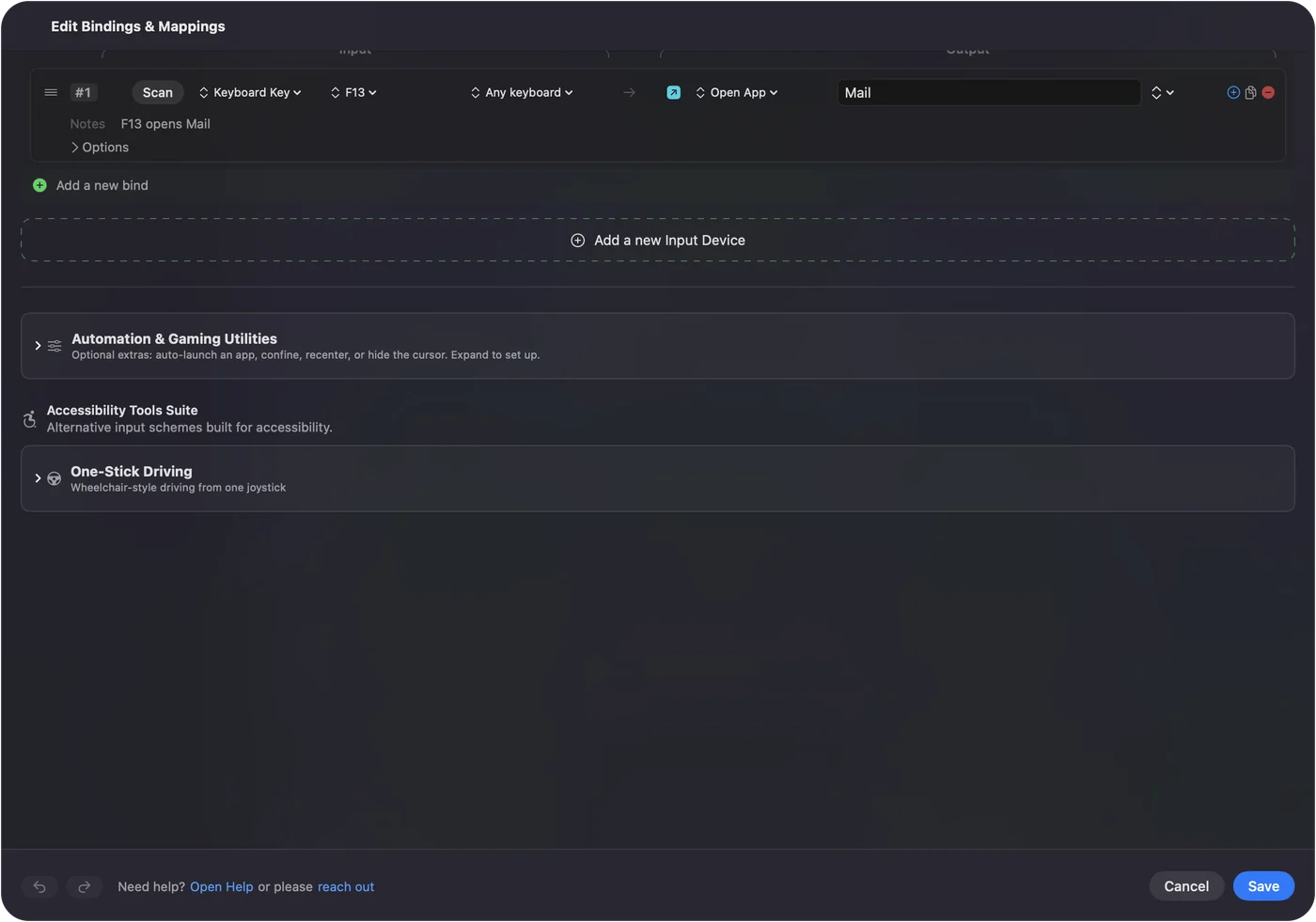
- You: Add a new bind, set the input to Keyboard Key, press Scan and press the keypad key, then choose what it does.
- InputConfig: Shows the row as that key on Any keyboard.
- Check: Press Save, then Activate, and press the key with a non text app in front.
Every keyboard counts as one device in InputConfig, so a keypad key on the pad and the same key on a full size keyboard are the same input. That matters if your main keyboard has its own number pad: a bound keypad 7 would fire from either. If that is a problem, use the keys your main keyboard does not have, or set the external pad to F13 to F20. Keyboard Maestro and BetterTouchTool can tell two keyboards apart by device, and InputConfig cannot.
Macros and multi-step jobs on a number pad
A row can run a macro. Turn on Run a sequence of steps (macro) in the row's Options, and each step is a key, shortcut or click with a wait and a hold time. A 17 key pad can run a copy, wait, paste and enter routine on one key. Type Text writes an email address or a reply. Open App and Open URL jump to a tool, and Run Siri Shortcut starts anything you built in Shortcuts. How to make a macro on a Mac and type text with one key have the steps.
Holds, double taps and one layout for each app
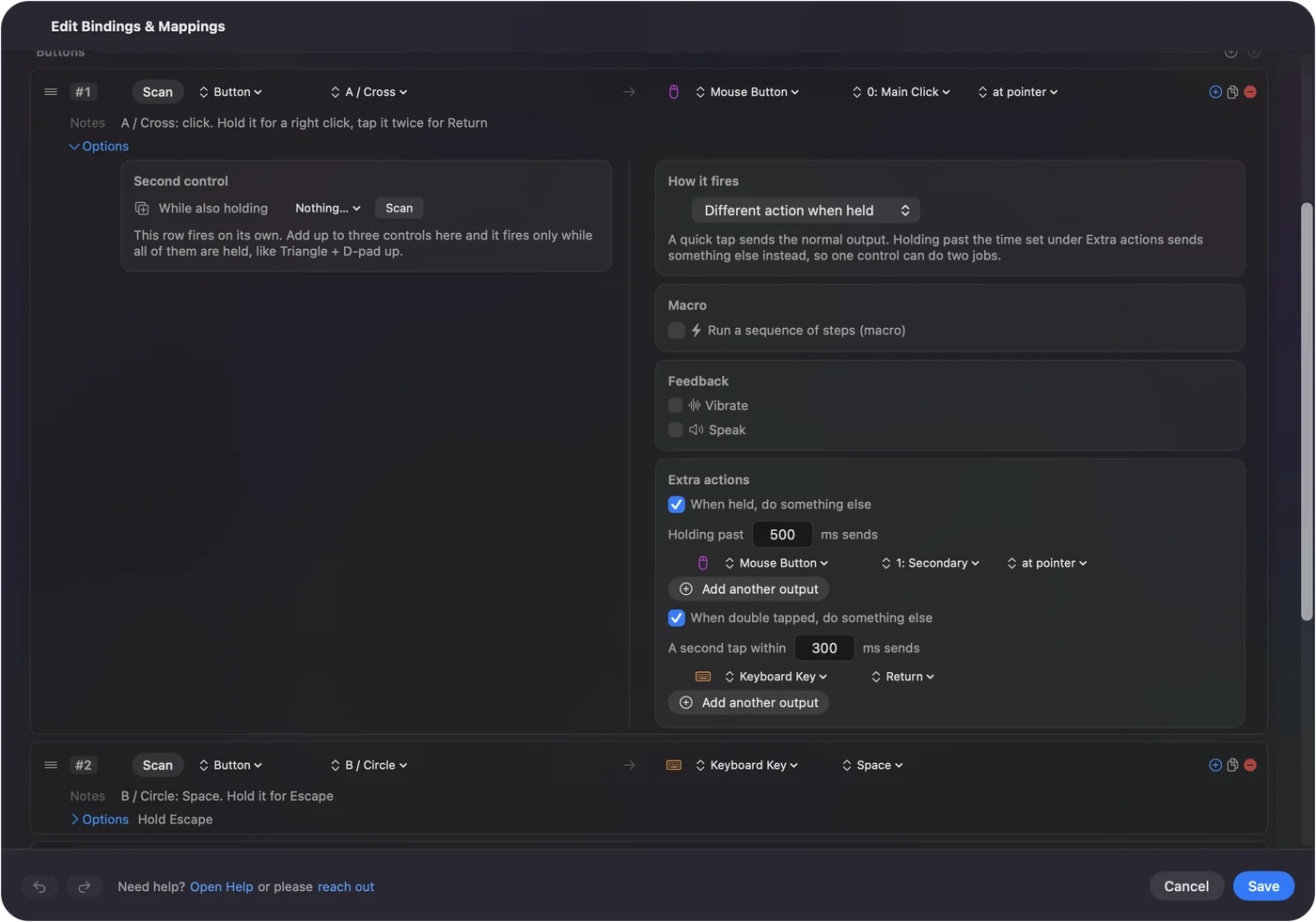
Each row has a hold action and a double tap action, each a full second output, so the same pad gives you three jobs per key. A preset can list the apps it belongs to, and with Settings, Advanced, Switch presets when the front app changes, the layout follows the app in front. A pad that pastes in one app can paste as plain text in another. Only one preset runs at a time, and Control Option Command period is the emergency stop.
Ideas for who uses one
- An accountant or a spreadsheet user. Leave the digits alone and put macros on the operator keys, Clear and Enter.
- A video editor. Eight pad keys set to F13 to F20, each running a shortcut or macro in Final Cut Pro or Premiere.
- A streamer. Open App, a screenshot, Open URL for a chat window and Start Dictation on the operator row.
- A person who cannot use a full keyboard. A big sturdy pad with a hold and a double tap on each key reduces how many chords you need.
- A teacher. Bind a few keys to the slide app's shortcuts and put the pad next to the laptop.
If the pad does nothing
Climb this ladder, smallest step first:
- Test it in a text field. If nothing types, try another cable or port, and charge or re-pair a Bluetooth pad.
- Check Mouse Keys. If the numbers move the pointer instead of typing, turn Mouse Keys off in System Settings, Accessibility.
- Close other tools that use a key. A forum user found a Bluetooth keypad had stopped responding to the 8 key because a Keyboard Maestro macro used it as a trigger.
- Press Scan. If a name appears, the key is readable.
- Check the key is the one you set. If a digit types, the pad is still on its old map.
- Check InputConfig. Accessibility permission, the preset active, and the emergency stop.
What it cannot do
- Block a key. A bound keypad digit still types.
- Tell two keyboards apart. Every keyboard counts as one device, so a second number pad is the same input as the keypad on your main keyboard.
- Program the pad. That is the pad's own tool, or Vial.
- Read a layer or mode key that the pad keeps for itself. If nothing scans, no Mac app can read it.
The short version
- Scan first. See which key each button sends.
- Operators, Clear and Enter second. Start with keys your apps ignore.
- F13 to F20 for the digits. If the pad can be programmed, give the digit keys keys that type nothing.
A cheap number pad has about twenty keys that nothing on a Mac uses, so give those the jobs.
Questions
Can I use a number pad as a macro pad on a Mac?
Yes. A Mac sees it as a keyboard, and InputConfig can bind its keys. Choose keys your apps ignore, because InputConfig does not block a key.
Does a Mac have Num Lock?
No. The keypad types its numbers all the time, and the key in the Num Lock position is labeled Clear, which does not toggle navigation.
Why do my number pad keys not work on a Mac?
Mouse Keys may be on. Press Option five times or turn it off in System Settings, Accessibility. Then check the cable or the Bluetooth pairing.
What number pad keys are safe to use as macros on a Mac?
The operator keys, Clear and Equals are ignored by most apps. The digits and Enter type in text fields.
Can InputConfig tell my external number pad from my keyboard?
No. Every keyboard counts as one device, so use keys your main keyboard does not have, or set the external pad to F13 to F20.
Related
This page in other languages: العربية, Čeština, Dansk, Deutsch, Español, Suomi, Français, עברית, Magyar, Bahasa Indonesia, Italiano, 日本語, 한국어, Norsk, Nederlands, Polski, Português, Русский, Slovenčina, Svenska, ไทย, Türkçe, Українська, Tiếng Việt, 繁體中文, 简体中文
Completely free. You don't have to make an account, there are no subscriptions, and nothing is locked. Optimized for Apple silicon. Open source on GitHub.
Updated