Does a one-handed gaming keypad work on a Mac?
 InputConfig is completely free on the Mac App Store. You don't have to make an account, there are no subscriptions, and nothing is locked. Optimized for Apple silicon.
Yes, as a keyboard. A one-handed keypad plugs in and types, with its keys set to WASD style defaults in most cases, and a Mac has no trouble with that. What differs is the maker's software: Azeron says its software is Windows only, and for Redragon and Cooler Master I could not confirm a Mac version. For extra jobs on top of the keys, InputConfig, the free Mac app I make, listens to the keypad alongside macOS.
The Redragon and Cooler Master details are from retail listings and launch coverage I read on October 21, 2026, and Azeron has its own page here. I have not tested any of these keypads, so every key table on this page is a prompt to press Scan, not a claim about your model. The Razer Tartarus has its own coverage on this site.
On this page: 11 sections
Steps
- Plug the keypad in and test every key in a text field.
- Check the maker's page for a Mac version of its software, or program the keypad on a Windows PC once.
- Set the keys you want to extend to F13 through F20 in the keypad's memory.
- In InputConfig, press Scan on a row, press the key, and choose an output.
See which keypads work and with what software
| Keypad | On a Mac as a keyboard | Maker software on a Mac |
|---|---|---|
| Redragon K585 DITI | Listings say it works with Windows, Mac and Linux | A retail listing says keys are set with separate software, and I could not confirm a Mac version, so check Redragon |
| Cooler Master ControlPad | Launch coverage describes a 24 key programmable pad | Software is MasterPlus, and I could not confirm macOS support |
| Azeron | Works as a keyboard and gamepad | Azeron says its software works on Windows only. See Azeron on a Mac |
| Generic one-handed pads | Plain USB keyboard | Usually a Windows tool, sometimes VIA or Vial |
Listings and coverage can lag the real product, and models come in wired and wireless forms. Look for the word macOS on the maker's own page, not on a retailer's.
Know what works with nothing installed
- The keys. They type whatever is stored in the keypad, so a keypad on WASD works in a Mac game that takes keyboard input.
- The thumb pad or stick. If a model has one, it often sends keys or arrow keys. Scan shows which.
- Lighting and profiles. These need the maker's tool and have no Mac setting.
- Onboard memory. If the keypad stores profiles, a profile saved on a PC travels with it.
Find out what each key sends
- You: Open InputConfig, add a row, set the input to Keyboard Key, press Scan and press a key on the keypad.
- InputConfig: Names the key that arrived.
- Check: Check the thumb stick, the thumb button and any layer key as well. A layer key may send nothing at all.
Keep game keys as they are and add jobs on spare keys
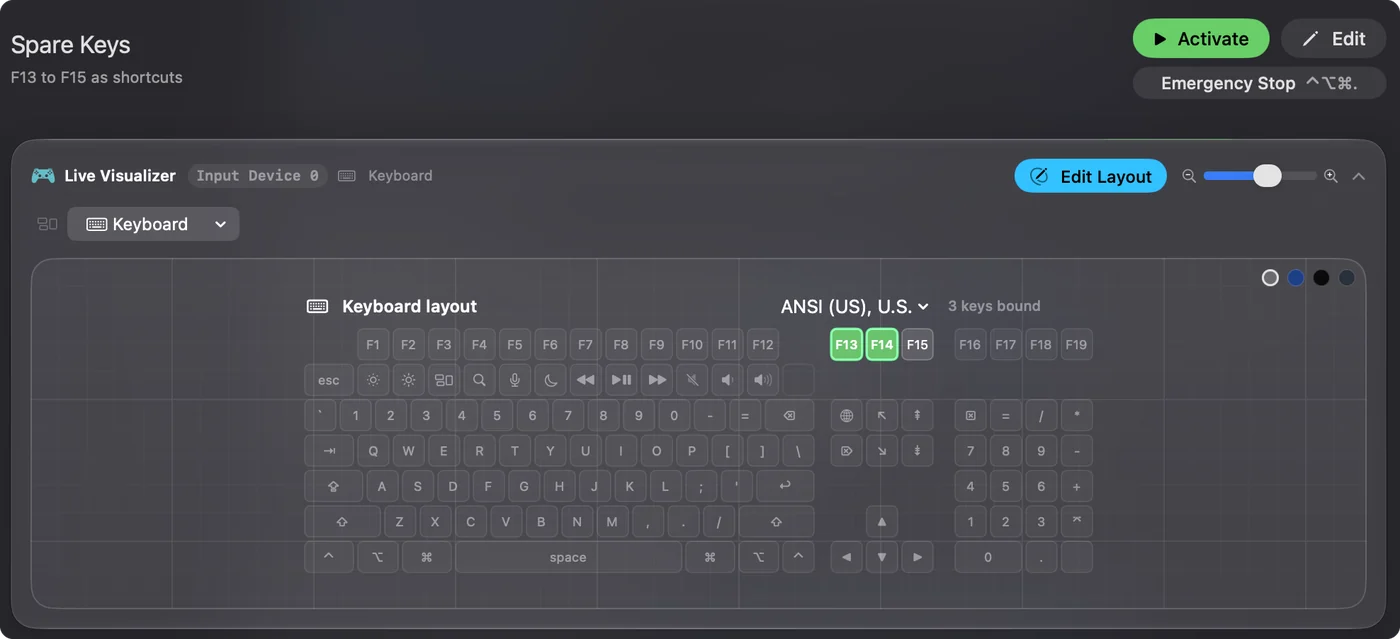
InputConfig listens to the keyboard alongside macOS and does not block or remap a key. So a game key such as W still types W, and I would leave game keys alone. The extra jobs go on the keys you do not use in the game: the thumb button, the keys at the edge, a layer key. In the keypad's memory, set those to F13 to F20, which macOS gives no job. F21 to F24 are not passed to apps.
- You: In the keypad's software, set the spare keys to F13, F14 and so on, and save to its memory.
- InputConfig: Nothing yet.
- Check: Press them in a text field. Nothing is typed.
The F13 to F19 page has the background.
Bind the spare keys
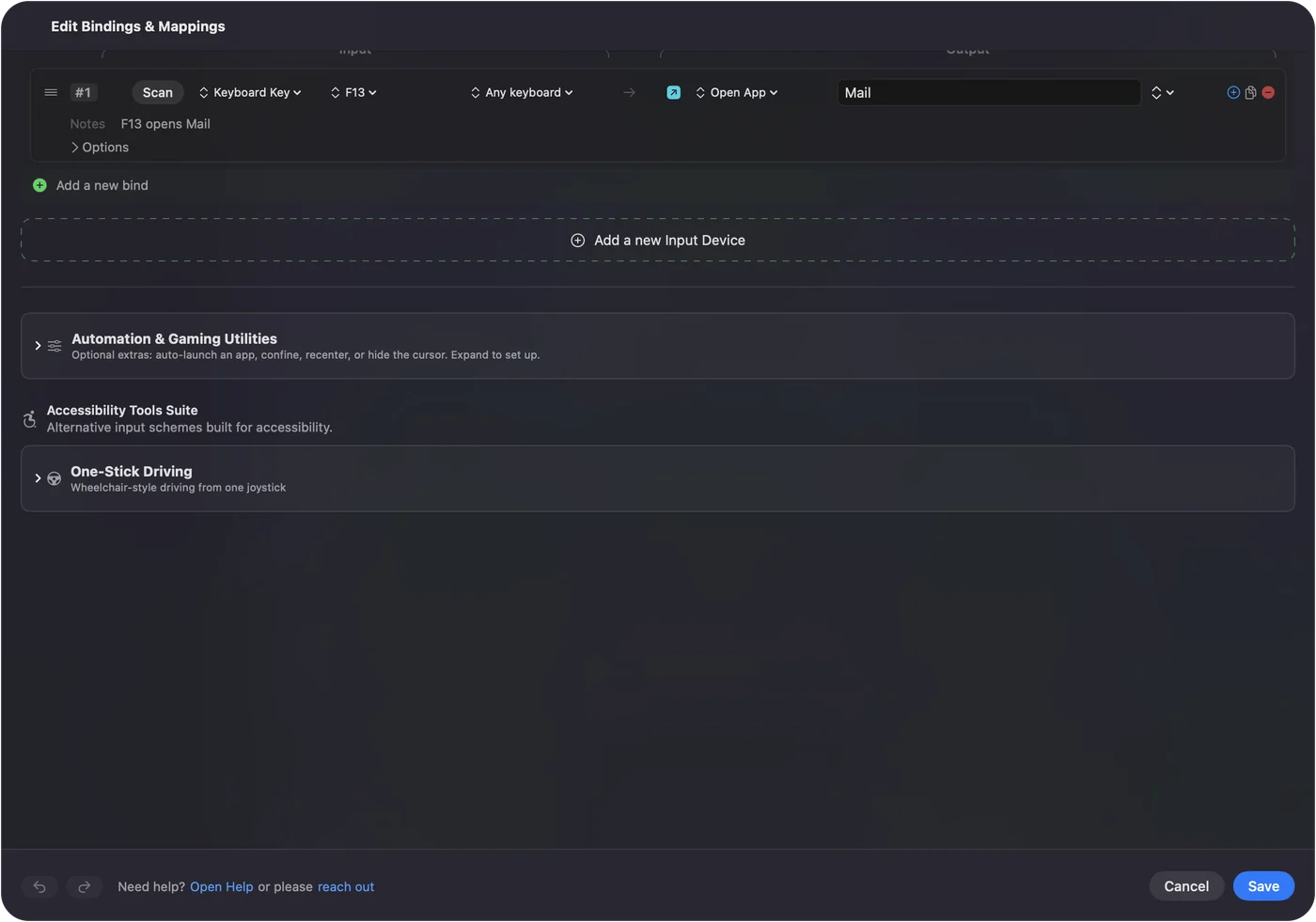
- You: Add a bind, set the input to Keyboard Key, press Scan and press the spare key.
- InputConfig: Shows the row as F13 on Any keyboard.
- Check: Choose an output, Save, Activate, and press the key.
Useful jobs are push to talk or mute in a voice call, a screenshot, Open App for a launcher or a music player, Type Text for a chat line, and a macro for a spell chain. Keep a game's own hotkeys out of the way, because a game that reads keys itself may do both. Every keyboard counts as one device, so the keypad's F13 is the same as the main keyboard's F13.
Ideas for a one-handed keypad
- MMO grids. Hold a key for a second action and double tap for a third, so twelve keys make thirty six. The MMO and MOBA page covers the games.
- Editing. The same keypad as an edit board: cut, undo, save and export, with a layout per app.
- One-handed typing and access. A person with one working hand can bind a few keys to macros and Type Text. See the one-handed Mac guide.
- A thumb stick. A model with a thumb stick that sends arrow keys can scroll or page through a document with a hold action.
A preset can also switch itself in when a certain app comes to the front. The same keypad can be a game board in the game and an editing board everywhere else. Per-app auto switch explains it.
If the keypad does nothing
Climb this ladder, smallest step first:
- Test the keys in a text field. If nothing types, try another port, and skip hubs.
- Check the mode. Some wireless keypads have a 2.4 GHz, Bluetooth and wired switch, and the keypad only talks over the one it is set to.
- Check the layer. A keypad on another layer may type something else.
- Press Scan. If no name appears for a key, the keypad keeps it.
- Check InputConfig. Accessibility permission and an active preset. Control Option Command period is the emergency stop.
What it cannot do
- Change lighting or stored profiles. That is the maker's software.
- Remap a key it hears. The key still types, so set spare keys to F13 to F20 in the keypad.
- Read a mode or layer key. If it talks only to the keypad, nothing reaches a Mac.
- Tell two keyboards apart. Every keyboard counts as one device.
The short version
- Works as a keyboard. Plug in and play, and check the maker's Mac support.
- Spare keys. F13 to F20 in the keypad's memory.
- InputConfig. Bind them to jobs, holds and layouts.
Leave the keys the game uses alone and put your extra jobs on the ones it does not.
Questions
Does the Redragon K585 DITI work on a Mac?
Listings say it works with Windows and macOS as a keyboard. I could not confirm a Mac version of its software, so check Redragon.
Does the Cooler Master ControlPad work on a Mac?
I could not confirm macOS support for its MasterPlus software. Check Cooler Master's page for the system requirements.
Can I use a gaming keypad as a macro pad on a Mac?
Yes. Set its spare keys to F13 to F20 in the keypad, then bind them in InputConfig.
Does Azeron work on a Mac?
Azeron says its software is Windows only. See the Azeron page on this site for two ways around that.
What does a one-handed keypad send on a Mac?
Usually keys, set to WASD style defaults. Press Scan on each key to be sure.
Related
This page in other languages: العربية, Čeština, Dansk, Deutsch, Español, Suomi, Français, עברית, Magyar, Bahasa Indonesia, Italiano, 日本語, 한국어, Norsk, Nederlands, Polski, Português, ไทย, 繁體中文, 简体中文
Completely free. You don't have to make an account, there are no subscriptions, and nothing is locked. Optimized for Apple silicon. Open source on GitHub.
Updated