How do I use a SteelSeries Aerox 9 or Prime on a Mac?
 InputConfig is completely free on the Mac App Store. You don't have to make an account, there are no subscriptions, and nothing is locked. Optimized for Apple silicon.
Pair it over Bluetooth or plug in the receiver and an Aerox works as a mouse on a Mac, but the side grid on the Aerox 9 needs a plan. Reviews count 18 programmable buttons on the Aerox 9 Wireless, 12 of them in a side panel, and SteelSeries GG is the maker's app for assigning them. InputConfig is the free Mac app I make, and it can give each button the Mac can see its own job.
I read a spec listing on October 21, 2026 that gives GG as supporting Windows 8.1 or newer and macOS 10.13 or newer for the Aerox 9, and RTINGS rates its macOS compatibility as full. SteelSeries' own Aerox 9 page showed no specification text when I fetched it, so I treat those as secondhand. For the Aerox 3, Aerox 5 and Prime I confirmed no button counts, so I tell you to Scan instead.
On this page: 11 sections
Steps
- Pair the Aerox over Bluetooth or plug in its 2.4 GHz receiver, and check the pointer works.
- Install SteelSeries GG if you want sensitivity, lighting or the side grid set from the mouse's own memory.
- Open InputConfig, add a row, press Scan and press one button of the side grid.
- Give each button that scans an output, and move any that send keys to F13 to F20.
- Save and Activate, then use a per-app preset for editing and games.
Know what works with nothing installed
The Aerox line is light mice with holes in the shell. The 9 is the one with the big grid. I would trust the count on your box for the others.
- Aerox 9 Wireless. Reviews I read say 18 programmable buttons, 12 of them in a dedicated side panel. It uses 2.4 GHz or Bluetooth 5.0.
- Aerox 5 Wireless. A multi-button side cluster. I did not confirm the count, so Scan.
- Aerox 3. I did not confirm its button count, so Scan.
- Prime. SteelSeries' esports line. I read no Prime page, so I name no button count.
With nothing installed a Mac shows the pointer, both clicks, the wheel and what the mouse reports as back and forward. The rest of the side grid does nothing on a Mac until you give it a job.
Find out what each button sends
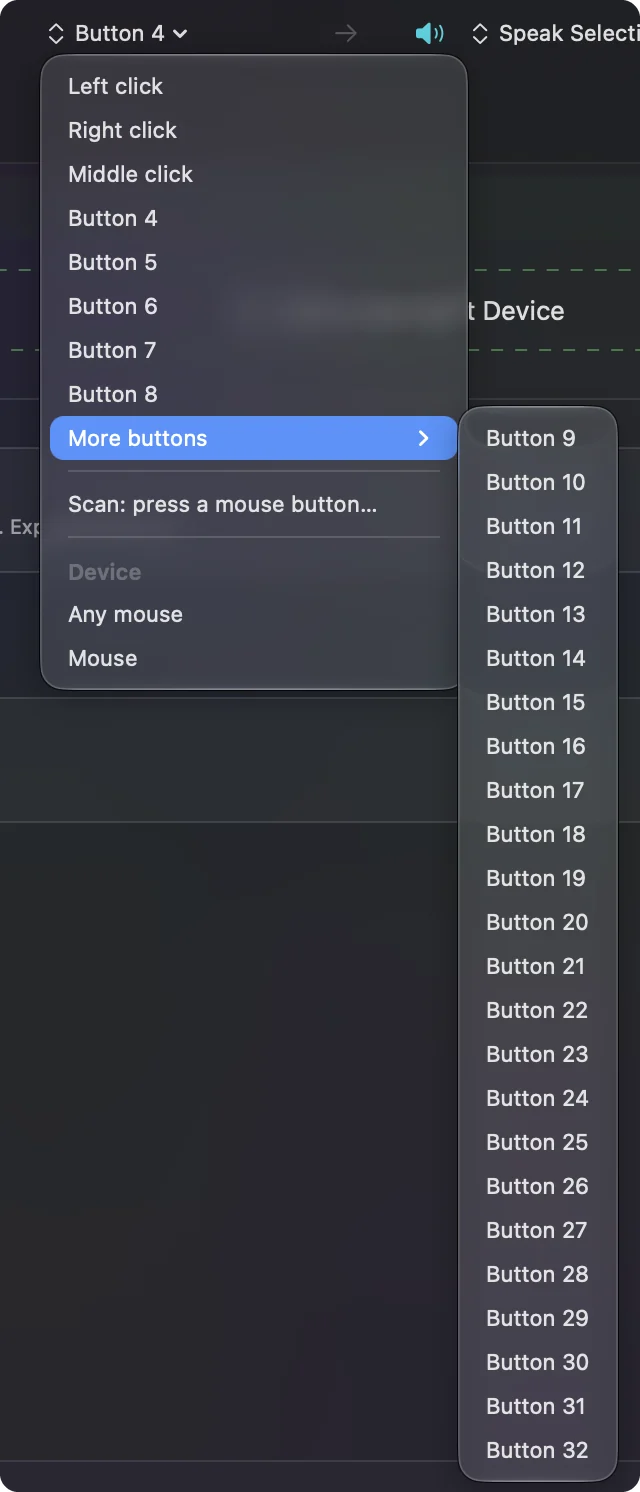
Press Scan in InputConfig and press each grid button one at a time, with GG quit. The Aerox 9 grid is the interesting part, since buttons in a panel like that often report as Button 9 and up, or as keys, depending on how they are set.
| Button | How it reports | What to do |
|---|---|---|
| Left, right and wheel click | Standard clicks | Leave left and right alone |
| Back and forward | Most likely Button 4 and Button 5 | Bind them |
| The 12 button side grid (Aerox 9) | Mouse buttons if left at the default, or keys if you set them to keys in GG | Scan each one and note the name |
| Sensitivity button | Handled inside the mouse | If Scan stays empty, only GG changes it |
| Pairing or connection switch | Handled inside the mouse | Not an input for Mac apps |
I have not tested an Aerox myself, so I will not say what the grid reports. Scan all twelve once and write down which numbers they get.
Bind the side grid
- You: Add a row, set the device to This Mac's mouse or trackpad, press Scan and press the first grid button.
- InputConfig: Names it, usually a Button number, and holds up to Button 32 in More buttons.
- Check: Choose a key such as F13 or a System Function, Save, Activate and press the button. The job runs.
The grid is the same idea as an MMO thumb pad. An MMO mouse on a Mac has the layouts I would start with. For a game, bind rows to the keys the game lists. For editing, think in rows: the top row for tools, the middle for zoom and undo, the bottom for apps.
Macros and multi-step jobs on the grid
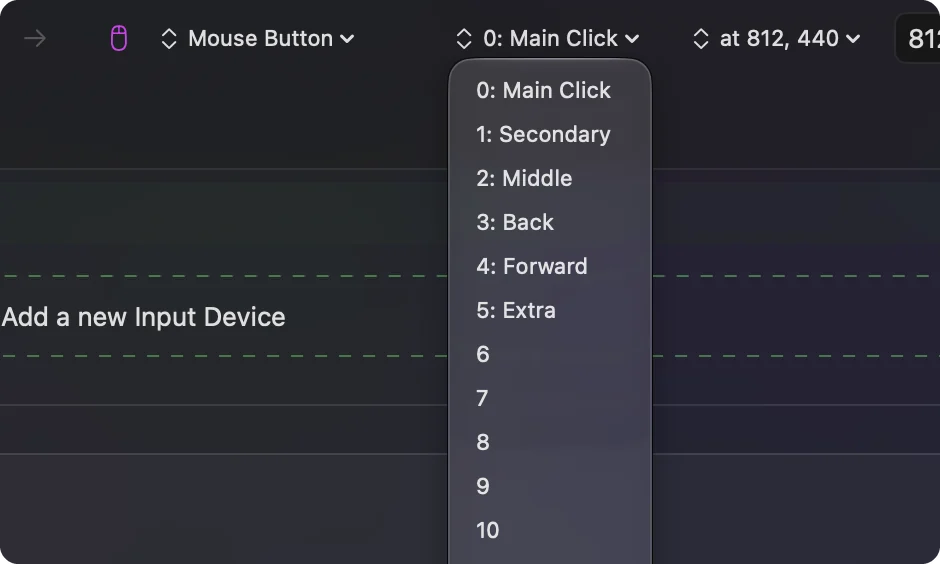
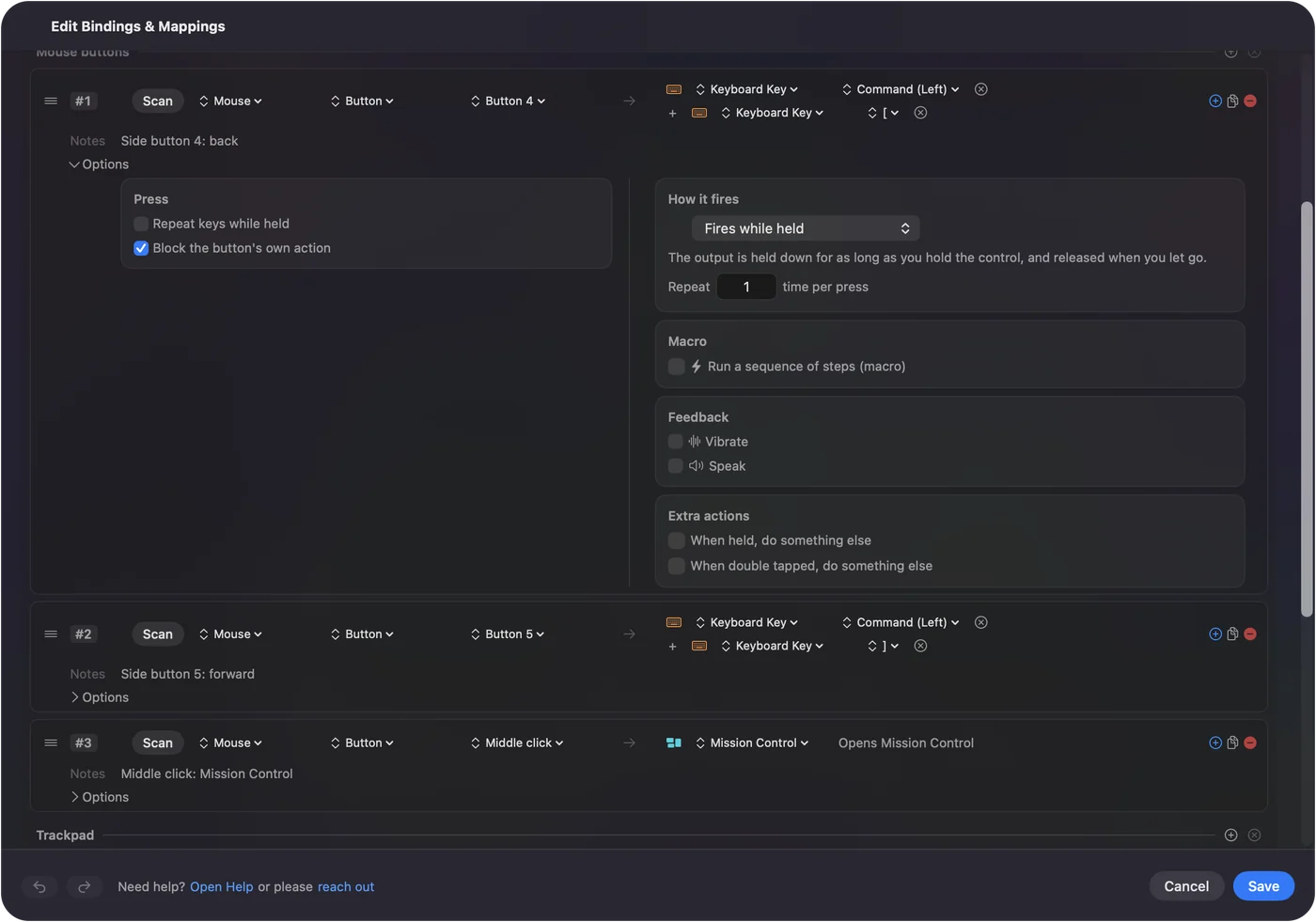
A macro runs several steps from one press. In the row's Options, tick Run a sequence of steps (macro), then add key, shortcut and click steps, each with a wait and a hold time. On a grid you can keep two or three buttons for macros and leave the rest for single shortcuts. A macro that copies the selection, waits, switches app with Command Tab and pastes is one example. A row can also run a Siri Shortcut. Mouse macros on a Mac shows the timing.
Make each grid button do more
Hold and double tap give every grid button three jobs. A tap can undo, a double tap can redo and a hold can open Mission Control. That makes a 12 button grid behave like 36 buttons with a little practice. Turn on Block the button's own action for the back, forward and middle buttons so apps stop seeing the original press. In Settings, Advanced, switch on Switch presets when the front app changes, then list apps in each preset under Automation & Gaming Utilities. Only one preset runs at a time, and Control Option Command period is the emergency stop.
If your grid sends keys such as 1 to 0, they will still type those digits. InputConfig listens to the keyboard alongside macOS and does not block a key. Set the grid to F13 to F20 in GG or the mouse's memory, because F21 to F24 are not passed to apps by macOS. F13 to F19 on a Mac explains why.
Ideas for Aerox users
- Editing. A per-app preset for Final Cut Pro or Photoshop puts tools on the grid and swaps back to browsing when you change app.
- Games. The grid suits abilities and macros. Some games read the mouse directly and a running preset can double a press, so test in the game.
- Light mouse, many jobs. The Aerox is built to be light. Doing the mapping on the Mac means no extra software has to run on the mouse.
- Spreadsheets. Copy, paste, paste values and fill down on four buttons.
If a button will not scan
Climb this ladder, smallest step first:
- Check the connection. On Bluetooth, remove and pair it fresh in System Settings, Bluetooth. On the receiver, use a direct port.
- Quit GG and scan again. GG may hold a button.
- Give GG Input Monitoring. SteelSeries says GG may need it to see a device. If it is listed already, remove it, restart and add it again.
- Press the button in GG. If GG shows it but Scan stays empty, the button is handled inside the mouse.
- Activate the preset. Rows only fire while it runs.
- Check Accessibility. InputConfig needs it.
What it cannot do
- Change sensitivity, polling or lighting. GG does that.
- Read buttons that talk only to GG. They send nothing to macOS.
- Tell two mice apart. Every mouse counts as one.
- Guarantee every GG feature on a Mac. SteelSeries says Mac GG has reduced functionality, so check your model.
The short version
- Connection. Bluetooth or the receiver, no software for the basics.
- Grid. Scan every button once, then bind the ones that scan.
- Keys. Move key-sending buttons to F13 to F20.
A grid is only useful if you know what each button is called, so scan before you design.
Questions
Does the SteelSeries Aerox 9 work on a Mac?
Yes, as a mouse over Bluetooth or the 2.4 GHz receiver. A spec listing I read gives SteelSeries GG as supporting macOS 10.13 or newer.
How many buttons does the Aerox 9 have?
Reviews say 18 programmable buttons, 12 of them in a side panel.
Can I remap the Aerox 9 side buttons on a Mac?
Yes, for buttons that reach the Mac. Press Scan in InputConfig to see which ones do.
Does the SteelSeries Prime work on Mac?
It works as a mouse. Press Scan to see which extra buttons reach macOS.
Does the Aerox 3 work with Mac?
Yes, as a mouse. SteelSeries GG covers lighting and settings.
Related
This page in other languages: العربية, Čeština, Dansk, Deutsch, Español, Suomi, Français, עברית, Magyar, Bahasa Indonesia, Italiano, 日本語, 한국어, Norsk, Nederlands, Polski, Português, ไทย, 繁體中文, 简体中文
Completely free. You don't have to make an account, there are no subscriptions, and nothing is locked. Optimized for Apple silicon. Open source on GitHub.
Updated