How do I set up a Logitech Signature M650 or Pebble on a Mac?
 InputConfig is completely free on the Mac App Store. You don't have to make an account, there are no subscriptions, and nothing is locked. Optimized for Apple silicon.
Pair it over Bluetooth and it works on a Mac with no software. Logitech's setup page for the Signature M650 says Logi Options+ is how you customize the side buttons, set app-specific behavior and use gestures, and Logitech's page lists macOS as supported. For giving the buttons Mac jobs like Mission Control or Start Dictation, InputConfig is the free Mac app I make, and it works with any button the Mac can see.
I read Logitech's M650 getting started page and Options+ page on October 21, 2026. The Pebble is different: the Pebble Mouse 2 M350s listings I read say only the middle click is customizable in Options+, so it has no side buttons to map. I could not read a Logitech page for the original Pebble M350 or the M750, so I mark what I do not know.
On this page: 11 sections
Steps
- Pair the mouse in System Settings, Bluetooth, or plug in a Logi Bolt receiver if you have one.
- Install Logi Options+ only if you want Logitech's own button, gesture and scroll settings.
- Open InputConfig, add a row, press Scan and press a side button.
- Pick an output, then use Block the button's own action if the button also goes back.
- Save and Activate, then use a per-app preset if you want.
Know what each mouse has
- Signature M650. Logitech's page lists a SmartWheel, back and forward buttons, a 4000 DPI sensor, a Bluetooth Low Energy or Logi Bolt connection and one AA battery rated up to 24 months. There is also a left-handed M650L with the side buttons on the right.
- Signature M750. The sibling of the M650. I did not read a page for it, so Scan.
- Pebble M350. I could not read a Logitech page for the original, so I name no button count.
- Pebble Mouse 2 M350s. Listings I read say three buttons with a customizable middle click, Bluetooth, Easy-Switch for three devices, macOS 11 or later and one AA battery rated up to 24 months. A Logi Bolt receiver is optional and not included.
The M650 SmartWheel switches between ratchet scrolling, one click at a time, and fast scrolling for long pages. Logitech's Options+ page adds that scroll speed adjustment on the M650 is available when the mouse is connected to macOS. The Pebble is a three button mouse, so if you wanted side buttons, the M650 is the one that has them.
Find out what each button sends
Press Scan in InputConfig and press each button, with Options+ quit.
| Button | How it reports | What to do |
|---|---|---|
| Left and right click | Standard clicks | InputConfig cannot change these |
| Wheel click | Middle click | Bind it, and Pebble users can use Options+ too |
| M650 back and forward | Probably Button 4 and Button 5 | Bind them |
| M650 gesture button, if yours has one | Not sure, since it may be handled by Options+ | Scan it |
| Connect or Easy-Switch button | Handled inside the mouse | Not an input for Mac apps |
I have not tested these mice myself, so Scan is the real test. The mouse tester does the same in a browser.
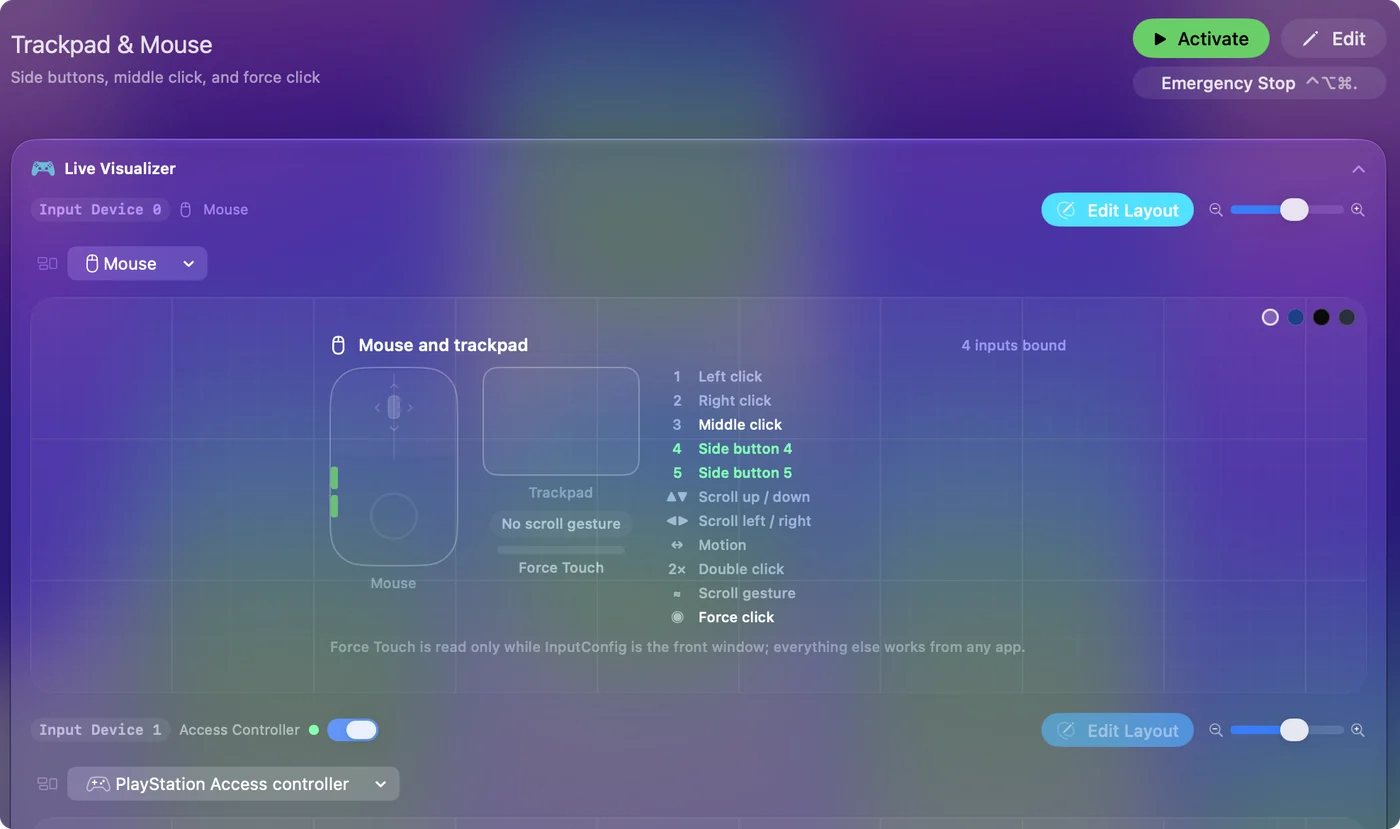
Bind the side buttons
- You: Add a row, set the device to This Mac's mouse or trackpad, press Scan and press the lower side button.
- InputConfig: Names it, probably Button 4, and lets you pick an output.
- Check: Choose Mission Control, Save, Activate and press the button. Mission Control opens.
Logitech's page gives examples such as copy and paste for the side buttons, and undo and redo, volume and OS navigation also appear in Logitech's list. With InputConfig the same two buttons can also run Mac-only outputs like Start Dictation, Lock Screen or a screenshot. Mouse side buttons on a Mac has the full steps.
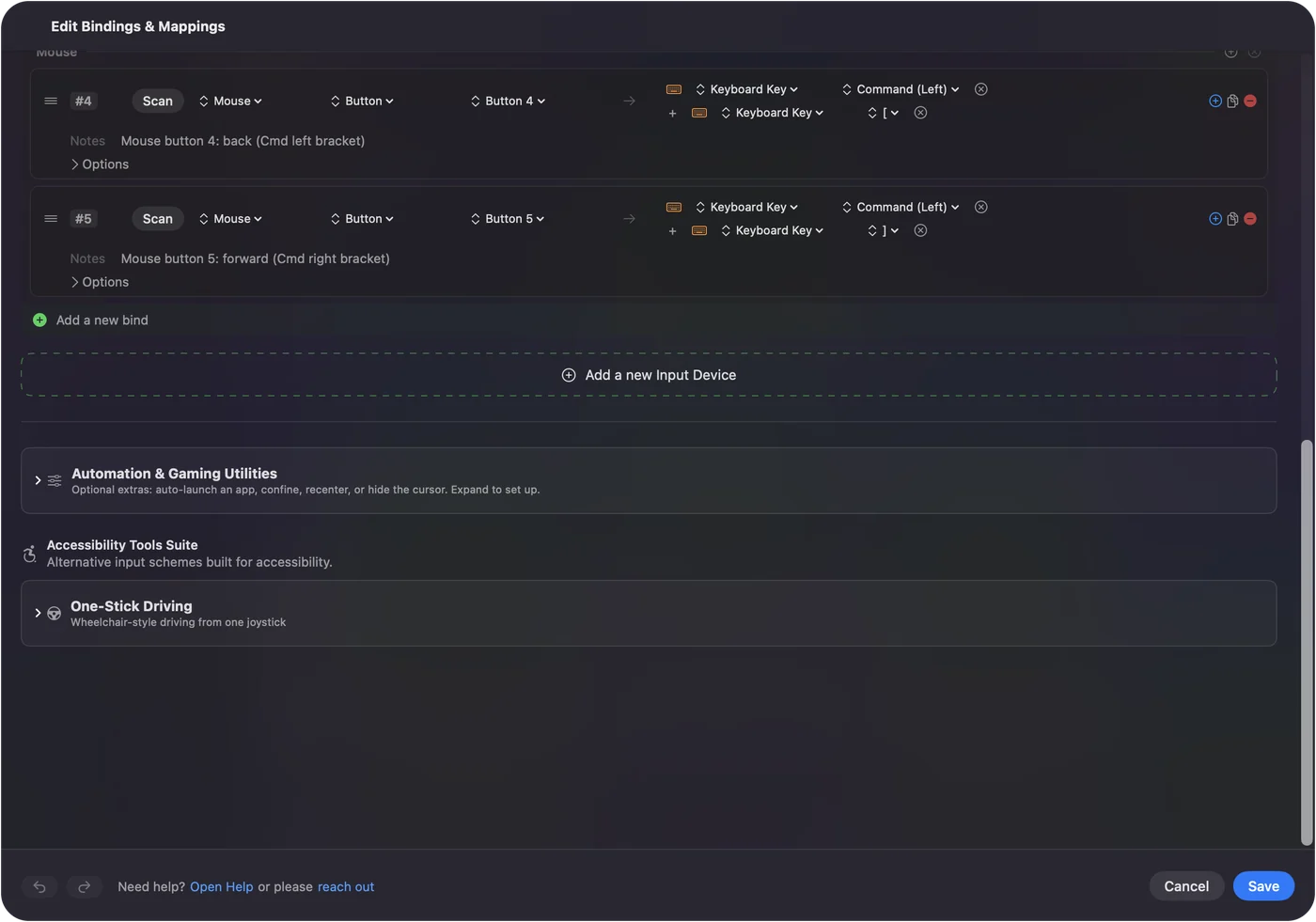
Make three buttons do more
A mouse with two side buttons and a middle click has only a few inputs, so hold and double tap matter. Each row can have a hold action and a double tap action. A side button can go back on a tap, close the tab on a double tap and open Mission Control on a hold. The middle click can paste on a double tap. Block the button's own action for the side buttons and the middle button, so apps stop seeing the original press.
A Mouse row of the kind Double click fires on the second click of a pair, which can save a double click when it is tiring. A macro adds more: in the row's Options, tick Run a sequence of steps (macro) and add key, shortcut and click steps, each with a wait. Hold and double tap shows the timing.
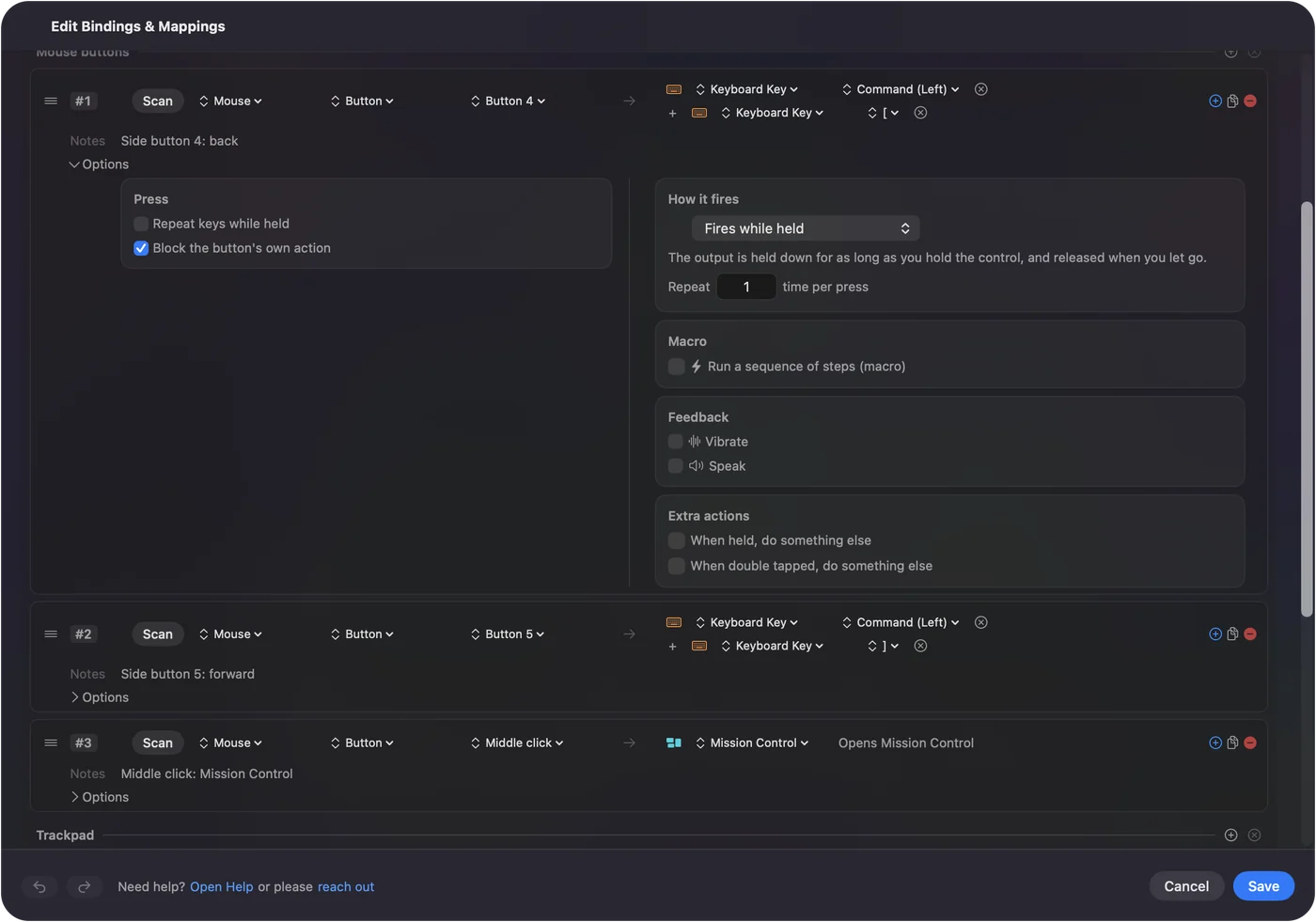
Per-app layouts and the Options+ overlap
Logitech says Options+ can set different actions per app, such as muting in Zoom. InputConfig does it with presets: list an app under Automation & Gaming Utilities, then turn on Switch presets when the front app changes in Settings, Advanced. Only one preset runs at a time, and Control Option Command period is the emergency stop. If a button has a job in Options+ and a row in InputConfig, both may fire, so give a button one owner. Block the button's own action helps. Logi Options+ alternative for Mac covers the choice.
Ideas for these mice
- Office and email. Put Copy and Paste on the M650's side buttons.
- Reading and research. Back and forward on a tap, tab close on a double tap.
- Travel. The Pebble is flat and quiet. Use Options+ for the middle button only, and keep the rest simple.
- Left-handed. The M650L has the side buttons on the right, so Scan will name them the same way.
If something is off
Climb this ladder, smallest step first:
- Check the battery. A weak AA causes stuttering, and Logitech's LED shows a pulsing red at a critical level.
- Pair it again. Remove it in System Settings, Bluetooth and pair it fresh.
- Quit Options+ and scan again. It may hold a button.
- Activate the preset. Rows only fire while it runs.
- Check Accessibility. InputConfig needs it.
What it cannot do
- Add buttons. The Pebble has a middle click and nothing else to map.
- Change DPI or the scroll feel. Options+ or System Settings does that.
- Read buttons that stay in the mouse. The connect button does not reach apps.
- Tell two mice apart. Every mouse counts as one.
The short version
- Pair and go. No software needed for the basics.
- Buttons. Scan, bind and add hold and double tap.
- Options+. Only for what the Mac cannot see.
Two side buttons are enough if each has a tap, a hold and a double tap.
Questions
Does the Logitech Signature M650 work on a Mac?
Yes, over Bluetooth Low Energy or a Logi Bolt receiver. Logitech lists macOS as supported.
How do I change the side buttons on the Logitech M650 on a Mac?
Install Logi Options+, open Buttons and pick a function for each side button, or use InputConfig.
Does the Logitech Pebble have side buttons?
The Pebble Mouse 2 M350s listings I read describe three buttons with a customizable middle click, so there are no side buttons to map.
Does the Logitech Pebble work with Mac?
Yes. Listings say Bluetooth with macOS 11 or later.
Is there a left-handed Signature M650?
Yes, the M650L puts the side buttons on the right.
Related
This page in other languages: العربية, Čeština, Dansk, Deutsch, Español, Suomi, Français, עברית, Magyar, Bahasa Indonesia, Italiano, 日本語, 한국어, Norsk, Nederlands, Polski, Português, ไทย, 繁體中文, 简体中文
Completely free. You don't have to make an account, there are no subscriptions, and nothing is locked. Optimized for Apple silicon. Open source on GitHub.
Updated