Does the Razer Tartarus work on a Mac?
 InputConfig is completely free on the Mac App Store. You don't have to make an account, there are no subscriptions, and nothing is locked. Optimized for Apple silicon.
Yes, as a keyboard: a Tartarus types its keys on a Mac with nothing installed. The catch is the same as on any keypad, which is that every key arrives as a keyboard key, so a Mac sees you typing. To give those keys jobs of their own, set eight of them to F13 to F20, which type nothing, in Razer's software or the keypad's memory, and then bind those keys.
I make InputConfig, a free Mac app that listens to the keyboard alongside macOS and gives any key a job. I have checked it with a Razer mouse, and I have not tested a Tartarus myself, so the keypad specifics here come from Razer's pages. No Tartarus is on the Razer Synapse for Mac list quoted on Razer mouse on a Mac.
On this page: 11 sections
Steps
- Plug in the Tartarus and check that its keys type in a text editor.
- Set eight keys you want to use as buttons to F13 to F20 in Razer Synapse, on a Windows PC if you have one.
- Open InputConfig, add a Keyboard input, press Scan and press each of those keys.
- Choose what each F key sends, then Save and Activate the preset.
- Make a preset for each app and switch layouts by the front app.
What the Tartarus does on a Mac, and what Synapse does
I read Razer's pages for the Tartarus V2 and Tartarus Pro on October 21, 2026.
| Model | Keys | Thumb pad | Notable |
|---|---|---|---|
| Tartarus V2 | 32 programmable keys | 8-way directional thumb pad | Mecha-Membrane keys |
| Tartarus Pro | 32 programmable keys | 8-way directional thumb pad | Analog optical switches, actuation 1.5 to 3.6 mm, up to 8 profiles switched with a side button |
Neither model is on the Synapse for Mac list I read, so a Mac cannot run Razer's settings screen for them, and the Tartarus types its default keys. Razer's V2 page did not mention onboard memory in what I read. If you want to change what the keys send, you need Synapse on a Windows PC, and the question is whether the keypad remembers the change when you plug it into the Mac.
Find out what each key sends
A Tartarus is a keyboard, so there are no Button 4 or Button 9 names here. Scan will name a key.
- You: In InputConfig, make a preset, click Add a new Input Device, choose a keyboard, add a Keyboard Key row, press Scan, and press one Tartarus key.
- InputConfig: Names the key it received, such as a letter, a number or an arrow.
- Check: A key name means the key types in every app. InputConfig lists every keyboard as one, so the Tartarus 1 and the 1 on your main keyboard are the same to it.
| Control | How it reports | What to do |
|---|---|---|
| Main keys | Keyboard keys, usually the letters and numbers a game expects | Move your eight favorites to F13 to F20 |
| Thumb pad, eight directions | Razer calls it an 8-way directional pad, so I expect keys, press Scan on each direction | Bind the ones that scan |
| Thumb button | Probably a key too, Scan to see | Bind it |
| Analog depth on the Pro | Handled inside the keypad, a Mac sees a key or nothing | Do not expect depth |
| Profile switch on the Pro | Talks to the keypad | Use it on the keypad |
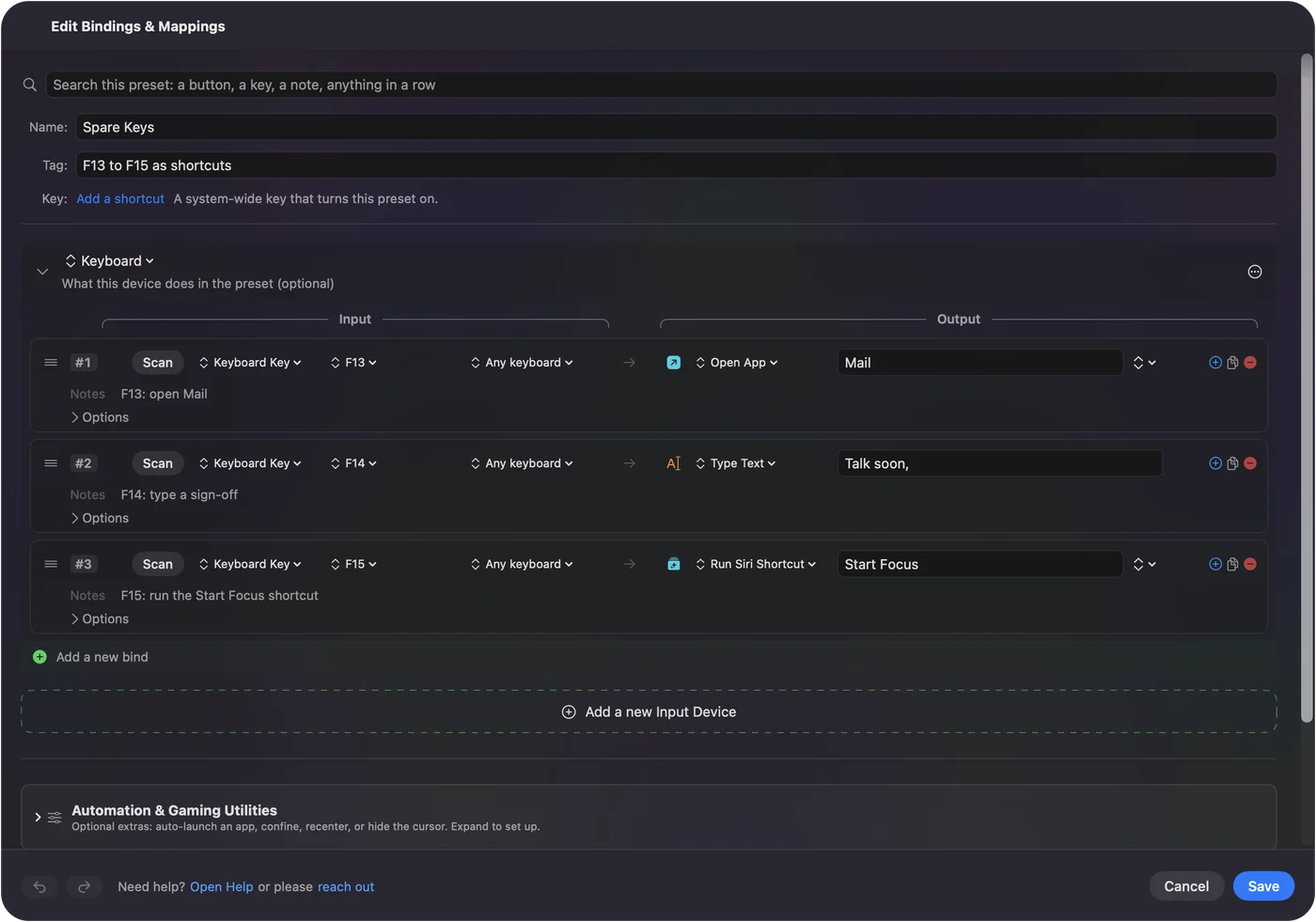
The F13 to F20 plan
InputConfig does not block or remap a key itself, so a Tartarus key that types a letter still types it while a row also fires. The cure is to send a key that types nothing. F13 to F20 are the eight that Mac apps do not use, and F21 to F24 are not passed to apps by macOS, so skip those. F13 to F19 on a Mac explains why.
If you have no Windows PC, Karabiner-Elements is a free Mac remapper, and Mac users have used it with a Tartarus because a Mac treats the pad as a plain keyboard. One guide I read shows the keys typing their defaults until remapped. Styxpad is a free Mac app built for the Tartarus Pro with key remapping and macros. I have tried neither, and both can run beside InputConfig.
Step 1: Change the keys
- You: In Razer Synapse, on a Windows PC or wherever your model is supported, assign F13 to F20 to the eight keys you most want as buttons.
- InputConfig: Nothing yet. This is the keypad's own step.
- Check: Plug the keypad into the Mac and press one in a text editor. Nothing should type.
Step 2: Scan and bind
- You: In InputConfig, add a Keyboard Key row, press Scan and press the key. Choose the output, such as Open App, Type Text, a shortcut or a system function. Save and Activate.
- InputConfig: Runs the row each time that F key arrives, in every app.
- Check: Press the Tartarus key and see the result.
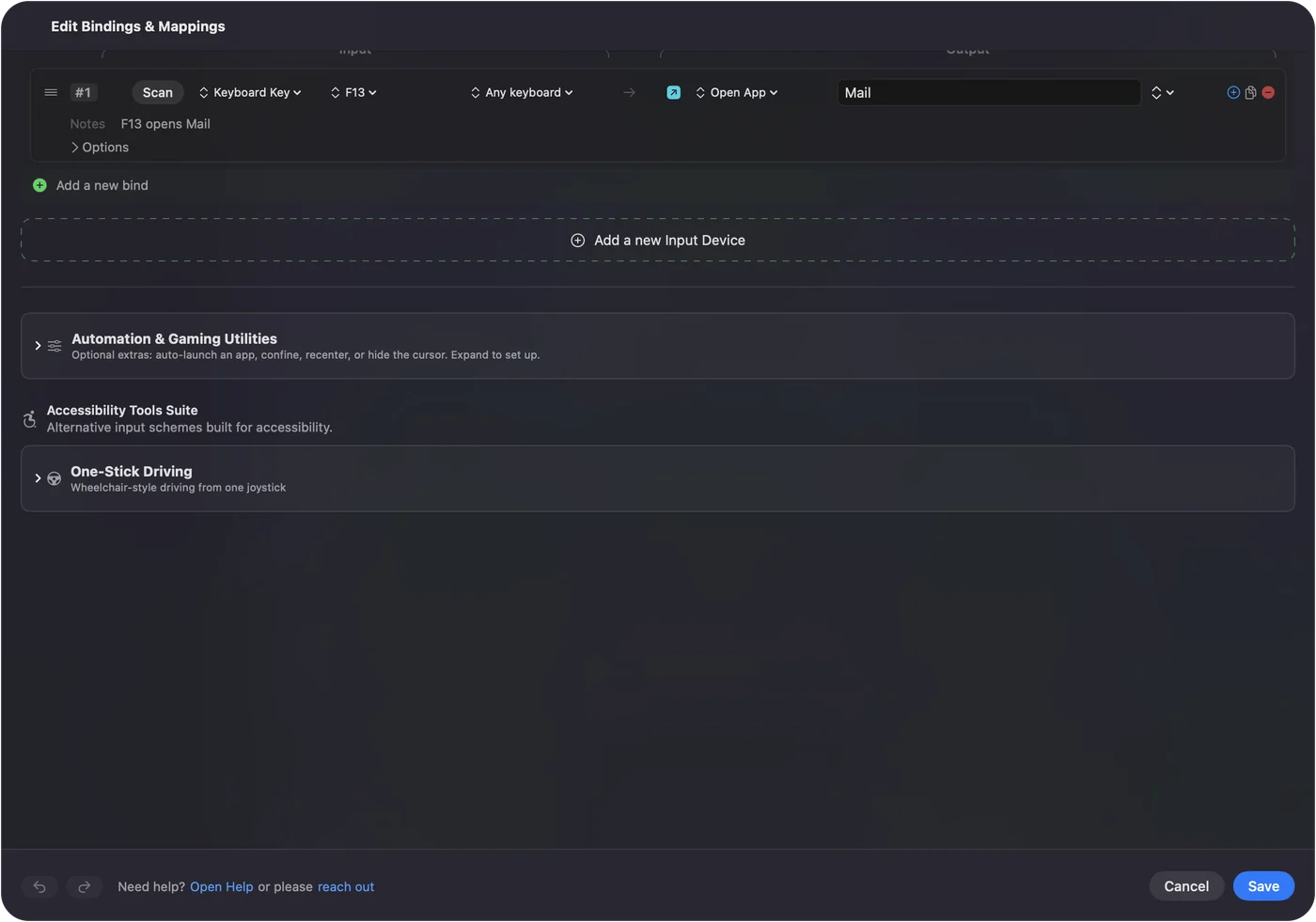
Thirty-two keys do not fit into eight, so choose the eight that matter and leave the rest typing.
Macros and multi-step jobs
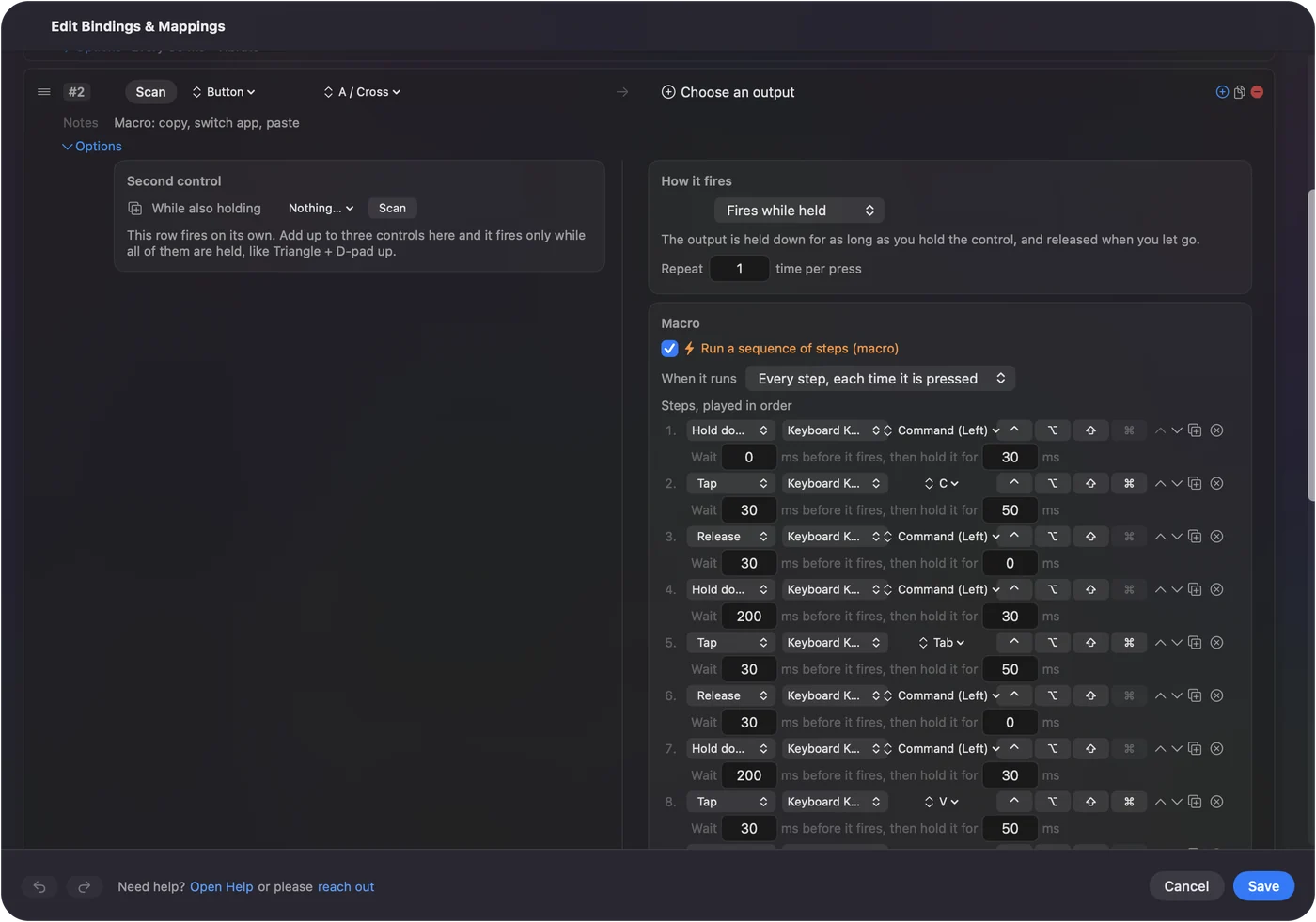
A key can run a macro, a sequence of key, shortcut and click steps with a wait and a hold time on each. Tick Run a sequence of steps (macro) in the row's Options. How to make a macro on a Mac has the step by step.
- Editing. Command Z, Shift Command Z and a cut command on keys under your fingers.
- Writing. Type Text for a signature or a stock reply.
- Launching. Open App for the five programs you use all day.
- Chains. Copy, switch app and paste, with a wait between steps.
Options that make a keypad better
- Hold and double tap. A row can have a hold action and a double tap action, each a full second output, so eight F keys can be twenty-four jobs.
- A second control. The While also holding control makes a combo, so a key plus a held key gives a new layer.
- Repeat while held. A row can repeat while you hold the key.
- Per app. List apps under Automation & Gaming Utilities and turn on Switch presets when the front app changes. Only one preset runs at a time, so each app gets a complete layout.
- Emergency stop. Control Option Command period.
Block the button's own action applies to mouse buttons, and it does not apply to a key, which is why the F13 to F20 plan matters.
Ideas for people who use a Tartarus
- Players on a Mac. A game reads the keys it already knows, so a row can send 1 to 5 from F13 to F17 while a Mac app sees nothing.
- Editors and designers. A left-hand keypad for undo, brush size and tool changes, with the right hand on the mouse.
- One-handed users. A thumb pad and 32 keys in one hand replace most of a keyboard. See the one-handed Mac guide.
- Data entry. Type Text on keys for the phrases you type all day.
If a key does not do what you expect
Climb this ladder, smallest step first:
- Scan it. If nothing scans, the keypad kept the key.
- Look for a letter. If the key types in a text editor, it is not on F13 to F20 yet. Redo the Synapse step.
- Check the keypad. A change made on another computer may not have stayed in the keypad.
- Allow Accessibility. System Settings, Privacy & Security, Accessibility.
- Activate the preset. Rows only fire while their preset runs.
If a key names an F key in Scan, it is ready to bind. Keys and mouse buttons as inputs has the background.
What it cannot do
- Change keys. InputConfig does not remap or block a key. Razer's software or the keypad's memory changes what a key sends.
- Analog depth. The Pro's adjustable actuation and Rapid Trigger are Synapse features.
- Two keyboards apart. Every keyboard counts as one, so it cannot give the Tartarus and your main keyboard different jobs for the same key.
- Lighting. Chroma lighting is Razer's.
The short version
- Works. It types on a Mac.
- F keys. Move eight keys to F13 to F20.
- Bind. Scan, choose an output, Save and Activate.
Pick eight keys, move them, and give each a job before you touch the other twenty-four.
Questions
Does the Razer Tartarus work on a Mac?
Yes, as a keyboard, and its keys type their defaults. No Tartarus is on the Synapse for Mac list I read.
Can I remap the Razer Tartarus on a Mac?
Not with Razer's software on a Mac, because Synapse for Mac does not list it. Set keys to F13 to F20 in Synapse on a Windows PC, then bind those keys in InputConfig.
How do I use the Tartarus thumb pad on a Mac?
Razer describes an 8-way directional pad. Press Scan on each direction to see which key it sends, then bind it.
Why do Tartarus keys type letters on a Mac?
A keypad is a keyboard, so each key types. InputConfig cannot block a key, so move the ones you want as buttons to F13 to F20.
Can I use Karabiner-Elements with a Tartarus on a Mac?
Mac users do, to turn the keypad's keys into other keys. I have not tested it, and InputConfig can then bind the F keys it produces.
Does the Tartarus Pro work on a Mac?
It types as a keyboard. Its analog depth and Rapid Trigger belong to Razer Synapse, which is not on Mac for this keypad.
Related
This page in other languages: العربية, Čeština, Dansk, Deutsch, Español, Suomi, Français, Magyar, Bahasa Indonesia, Italiano, 日本語, 한국어, Norsk, Nederlands, Polski, Português, 繁體中文, 简体中文
Completely free. You don't have to make an account, there are no subscriptions, and nothing is locked. Optimized for Apple silicon. Open source on GitHub.
Updated