Does a Bluetooth scroll ring remote work on a Mac?
 InputConfig is completely free on the Mac App Store. You don't have to make an account, there are no subscriptions, and nothing is locked. Optimized for Apple silicon.
Sometimes. Most of these rings are sold for phones and tablets, and the listings I read name iOS and Android, not macOS. Whether one works on a Mac depends on what it pretends to be when it pairs: a keyboard, a media remote, a mouse or a phone touch device. The only way to know is to pair it and test it. If its buttons arrive as keys or as mouse buttons, InputConfig, the free Mac app I make, can give each one a job, such as an arrow key, a volume change, a shortcut or a macro.
The ring facts are from retail and seller listings that I read on October 21, 2026, and one AliExpress guide that is marked as third party content. I could not find a review of a ring remote on a Mac, and I have not tested one myself, so this page is a test plan more than a promise. Press Scan to see what yours sends.
On this page: 10 sections
Steps
- Switch the ring on, open System Settings, Bluetooth, and pair it when it appears in the list.
- Test each button on a web page and in a text field, and see whether it scrolls, types, or changes the volume.
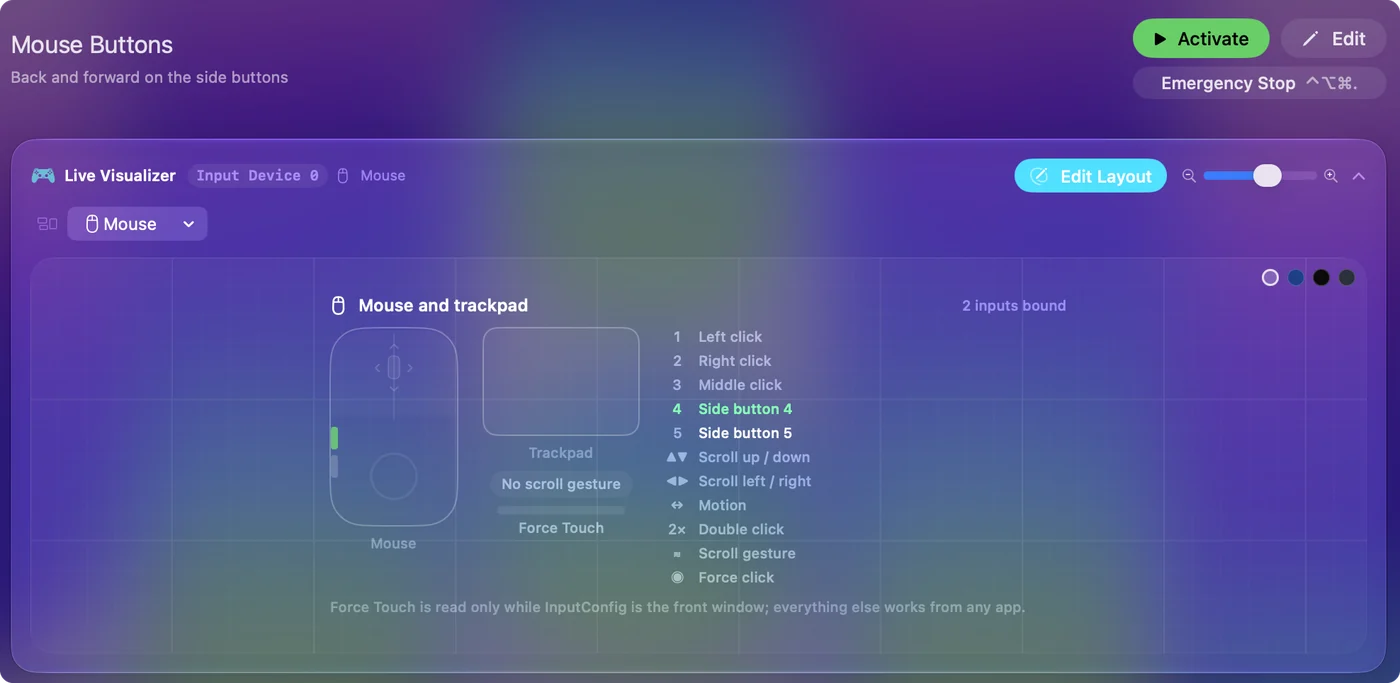
- In InputConfig, add a row, press Scan on the keyboard device, and press a ring button. Then do the same on This Mac's mouse or trackpad.
- Give each button that arrives an output, press Save, then Activate.
- If nothing arrives, the ring is a phone only remote, and a page turner or a clicker is a safer buy for a Mac.
Know what a ring remote is, and which kind you have
A ring remote is a small Bluetooth control that you wear on a finger. The listings call it a TikTok scrolling ring, a page turner ring or a camera shutter ring, and they describe the same short list of buttons:
- Scrolling. Scroll up and down, and swipe left and right, which is the TikTok trick of flicking to the next video.
- Play and pause, and volume. Several listings add play or pause, volume up and down, and a like button.
- A camera shutter. Most rings double as a shutter button for a phone camera.
There are two kinds, and the listings do not always say which they are selling. The first is a phone ring, with iOS 15 and Android 8 as the system requirements on the pages I read. One seller's FAQ says that on an iPhone you must switch on AssistiveTouch before connecting, which hints that the ring behaves like a pointing device on the phone. That is my guess, not something the seller says. The second is a ring mouse, and a TikTok page and an Amazon listing for a dual mode ring mouse name Mac among the systems it works with. If the listing does not name macOS, treat the ring as a phone remote until a test says otherwise.
Pair it and see what it does with nothing installed
Switch the ring on and put it in pairing mode, then open System Settings, Bluetooth and choose it from the list. The Keyboard Setup Assistant may open, which asks you to press keys. You can close it. A ring that works as a keyboard types a key when you press it, a ring that works as a mouse moves or scrolls, and a ring that is only a phone touch device may do nothing at all.
- Scroll and swipe. Open a long web page and press the up and down buttons. If the page moves, the ring sends scroll or arrow keys.
- Volume. Play a song and press the volume buttons. A media remote changes the Mac's volume.
- Play and pause. Press it with a song playing.
- The shutter button. Many rings send a volume key for the shutter, which is why it changes the volume on a Mac, as the page turner page explains.
The Bluetooth page turner or camera remote page covers that shutter trick and the other cheap remotes in more detail, and this page is the one for the scroll rings.
Find out what each button sends
The ring may send keys, mouse input, or something InputConfig cannot read. Check both devices, one after the other:
- You: Open InputConfig, add a row, set the input to Keyboard Key, press Scan, and press a ring button. If nothing appears, set the input device to This Mac's mouse or trackpad, press Scan, and press the button again.
- InputConfig: Names the key or mouse button that arrived.
- Check: A name means the button can carry a job. If neither device shows anything but the page scrolled, the ring may be sending scroll events that Scan does not list as a button.
| Ring button | What it may send | Where to look |
|---|---|---|
| Scroll up or down | An arrow key, Page Up and Page Down, or scroll wheel input | Scan the keyboard first, then the mouse |
| Swipe left or right | An arrow key, or sideways scroll | Scan the keyboard, then the mouse |
| Play or pause | A media key | Scan the keyboard |
| Volume up or down | A media key | Scan the keyboard |
| Like or double tap | A tap on a phone screen, which a Mac may ignore | Probably nothing readable |
| Shutter | A volume key | Scan the keyboard |
Bind the buttons that arrive
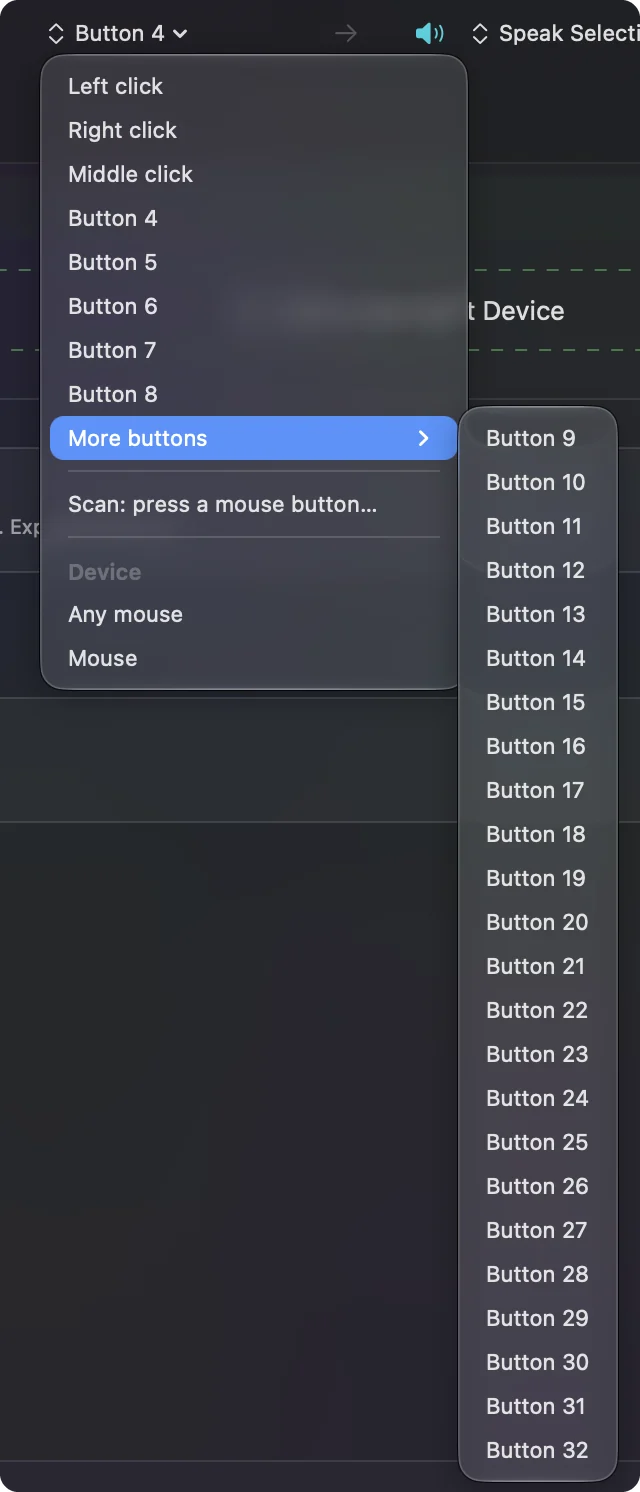
- You: Add a new bind, choose the input that Scan found, then choose an output.
- InputConfig: Shows the row with the key or mouse button the ring sent.
- Check: Press Save, then Activate, and press the ring button.
InputConfig listens to the keyboard alongside macOS and does not block a key. A ring button that sends an arrow key still moves the page, and a job you add runs on top. A button that sends a volume key still changes the volume. So I would use the ring for jobs it does not already do, such as these:
- A swipe button as Mission Control. A System Function output, so a flick opens every window.
- Play and pause as a push to talk or dictation key. Bind it to Start Dictation as a second job.
- A double tap action. A hold or double tap on a button gives it a second output, which a ring cannot do alone.
- A macro. A step by step job such as copy, switch app, paste, with a wait between steps.
Use it for jobs people buy these for
- Reading and scrolling. Page Down and arrow keys scroll a web page or a PDF from across the room.
- Slides. If the ring sends arrow keys, it moves slides, though a clicker is easier to carry, and the presentation clicker page has the details.
- Sheet music. A ring on a musician's finger turns a PDF score, if it sends keys the score app takes.
- Recording and photos. A shutter button that sends a volume key can start a recording in apps that listen for it.
- Reading from a distance. A ring helps when you read with the laptop propped up, and a hold or double tap on one button can go back a page.
The presentation clicker page and the sheet music page turner page go further on those uses.
If the ring does nothing on a Mac
Climb this ladder, smallest step first:
- Charge it and switch it on. A low ring may pair and then go quiet.
- Put it in pairing mode and pair it again. Remove it in System Settings, Bluetooth, then add it again. A listing for one ring says to keep it within range and put it into pairing mode if it will not connect.
- Check for a mode switch. Some rings, including dual mode ring mice, have a button that changes between a phone mode and a computer mode. Read the manual for a mouse or HID mode.
- Press Scan on both devices. If neither shows a name, the ring is sending phone touch events that a Mac does not read.
- Check InputConfig. Accessibility permission, the preset active, and Control Option Command period as the emergency stop.
If a ring will not work after all that, I would return it and buy a page turner or a clicker that names macOS.
What it cannot do
- Make a phone only ring work on a Mac. If the ring sends phone touch events, there is nothing for a Mac app to read.
- Block a key. A button that sends Page Down or a volume key still sends it.
- Block left click. If the ring is a mouse, left and right click cannot be blocked.
- Tell two keyboards apart. Every keyboard counts as one device, so the ring's arrow key is the same input as your keyboard's.
The short version
- Pair it and test it. Scroll, swipe, volume and play will tell you what it is in a minute.
- Scan the keyboard and the mouse. Whatever arrives can carry a job.
- Do not buy on the TikTok label. Look for a listing that names macOS.
A ring that arrives as keys is a free remote for the whole Mac, and a ring that does not is easy to return.
Questions
Does a TikTok scroll ring work on a Mac?
Some do. Most listings name iOS and Android only, so pair it, test the buttons and press Scan in InputConfig to see whether the Mac receives keys or mouse input.
How do I connect a Bluetooth ring remote to a Mac?
Put the ring in pairing mode, open System Settings, Bluetooth and choose it from the list. If it does not appear, check for a computer mode on the ring.
Why does my ring remote only change the volume on my Mac?
Many rings send a volume key for the shutter and for volume buttons. Press Scan to see which keys arrive, and bind them in InputConfig.
Can a ring remote turn pages on a Mac?
Only if it sends keys the app takes, such as arrow keys or Page Down. Press Scan to see, or use a page turner that names macOS.
Why does my ring remote do nothing on my MacBook?
It may send phone touch events that a Mac does not read. Look for a mode switch, pair it again, and press Scan on the keyboard and the mouse.
Related
This page in other languages: العربية, Čeština, Dansk, Deutsch, Español, Suomi, Français, עברית, Magyar, Bahasa Indonesia, Italiano, 日本語, 한국어, Norsk, Nederlands, Polski, Português, Русский, Slovenčina, Svenska, ไทย, Türkçe, Українська, Tiếng Việt, 繁體中文, 简体中文
Completely free. You don't have to make an account, there are no subscriptions, and nothing is locked. Optimized for Apple silicon. Open source on GitHub.
Updated