How do I set up a Logitech M720 Triathlon on a Mac?
 InputConfig is completely free on the Mac App Store. You don't have to make an account, there are no subscriptions, and nothing is locked. Optimized for Apple silicon.
Pair it over Bluetooth or plug in the Unifying receiver and it works on a Mac, with the pointer, clicks, wheel and tilt. Logitech's page says Logi Options+ customizes the side buttons on macOS and Windows, and that button customization is not available on Linux. For giving the buttons Mac jobs like Mission Control or Start Dictation, InputConfig is the free Mac app I make, and it works with any button the Mac can see.
I read Logitech's M720 Triathlon page on October 21, 2026. It describes two side buttons programmed for back and forward, a hidden thumb button, an Easy-Switch button for up to three devices, and a dual-mode wheel that switches between fast and precise scrolling. It did not say what the thumb button sends by default or whether Options+ can remap it on a Mac, and I have not tested the mouse. A review I read lists the device-switching button as one that cannot be remapped.
On this page: 11 sections
Steps
- Turn the mouse on and pair it in System Settings, Bluetooth, or plug in the Unifying receiver.
- Press the Easy-Switch button to pick which of the three devices the mouse talks to.
- Install Logi Options+ if you want Logitech's own button and scroll settings.
- Open InputConfig, add a row, press Scan and press a side or thumb button.
- Pick an output, then Save and Activate.
Know what works with nothing installed
The M720 is a multi-device mouse for people who move between a Mac, a PC and an iPad. Logitech's page lists a battery rated up to 24 months, Bluetooth or a Unifying receiver that can serve up to six Logitech devices, and use with macOS, ChromeOS, Linux and iPadOS.
- Pointer and clicks. Work right away. System Settings, Mouse sets tracking speed.
- Wheel. Logitech says it has fast and precise modes, and a tilt wheel scrolls sideways.
- Side buttons. Programmed for back and forward. Many Mac apps treat Button 4 and Button 5 that way.
- Thumb button. The hidden extra button under the thumb. A review calls it the gesture button and notes it is easy to press by accident.
The Easy-Switch button belongs to the mouse, so the other three buttons are what a Mac app can use.
Find out what each button sends
Press Scan in InputConfig and press each button, with Logi Options+ quit.
| Button | How it reports | What to do |
|---|---|---|
| Left and right click | Standard clicks | InputConfig cannot change these |
| Wheel click | Middle click, unless Options+ gives it another job | Bind it |
| Wheel tilt left and right | Likely sideways scroll | Scan it, see the tilt wheel page |
| Back and forward | Probably Button 4 and Button 5 | Bind them |
| Thumb button | Not sure, since it may be a gesture button handled by Options+ | Press Scan and see |
| Easy-Switch | Handled inside the mouse | Not an input for Mac apps |
I have not tested an M720 myself. If Scan names the thumb button, you can bind it, and if it stays empty, it belongs to Options+. The mouse tester shows the same in a browser.
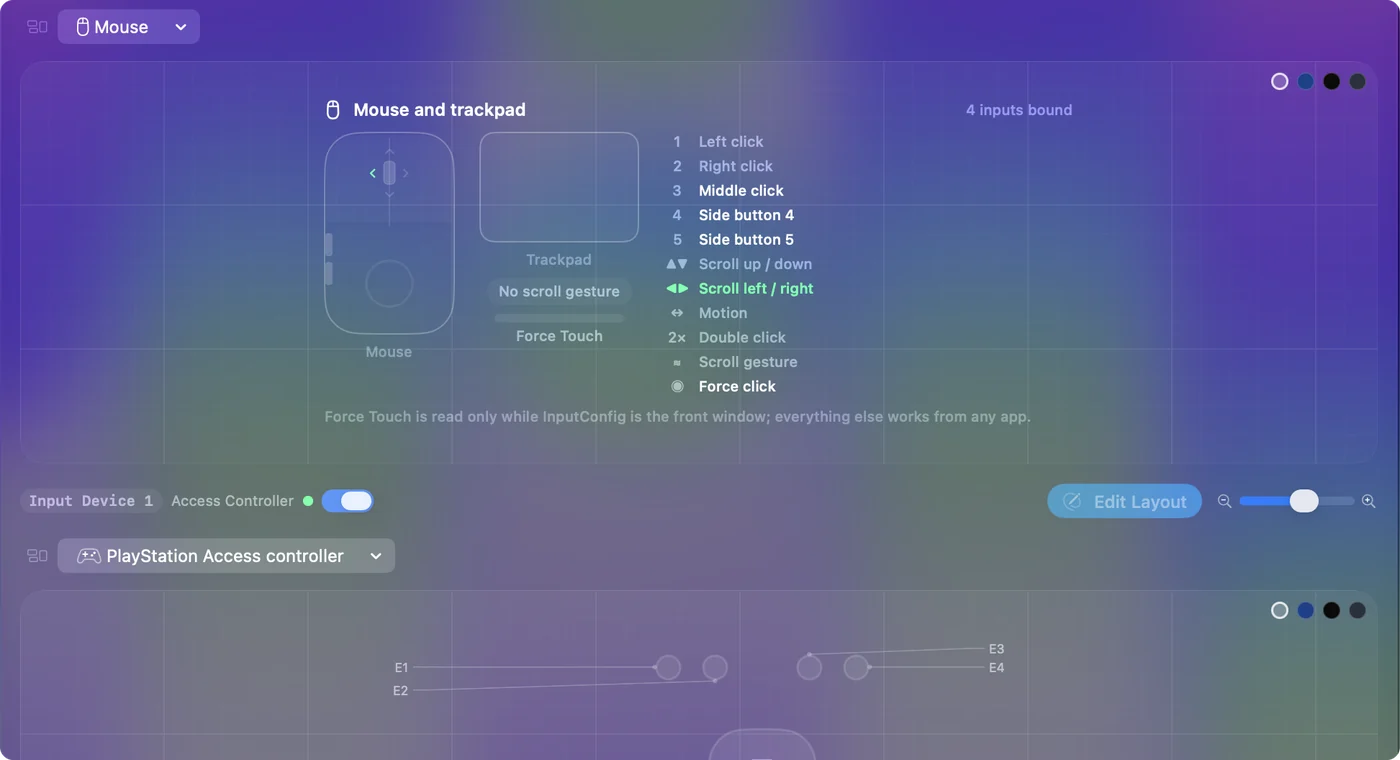
Bind the side and thumb buttons
- You: Add a row, set the device to This Mac's mouse or trackpad, press Scan and press the thumb button.
- InputConfig: Names it if the Mac receives it, and lets you pick an output.
- Check: Choose Mission Control, Save, Activate and press the button. Mission Control opens.
With back and forward on the side buttons, a thumb button on Mission Control or Start Dictation is a good split. Mouse side buttons on a Mac has the full setup.
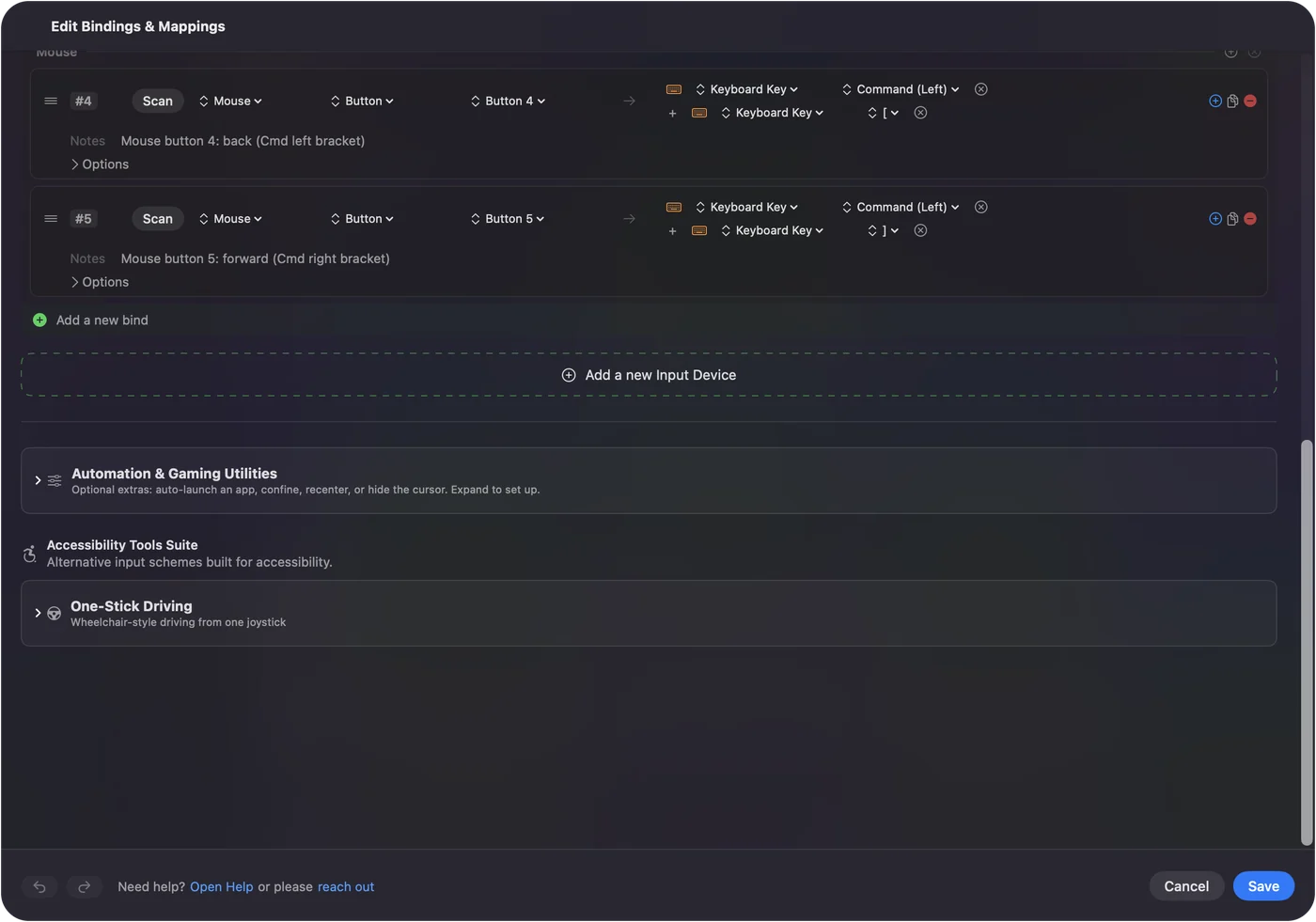
Tilt wheel and the fast scroll wheel
The M720 has a tilt wheel, so sideways scroll can be an input as well. How to use a mouse tilt wheel on a Mac shows exactly how it is described. Tilt left and right can switch tabs or desktops. The fast and precise scroll modes are the mouse's own feature, so a row cannot change the speed. What a row can do is add a job to a wheel click or tilt. Whether a wheel click also toggles the mode on your mouse, I do not know, so check before binding it.
Macros, holds and per-app layouts
A macro runs several steps from one press. In the row's Options, tick Run a sequence of steps (macro) and add key, shortcut and click steps, each with a wait. Each row can have a hold action and a double tap action. A side button can go back on a tap, close the tab on a double tap and show Mission Control on a hold. Block the button's own action stops apps seeing the original press. For per-app layouts, list an app under Automation & Gaming Utilities and turn on Switch presets when the front app changes in Settings, Advanced. Only one preset runs at a time, and Control Option Command period is the emergency stop.
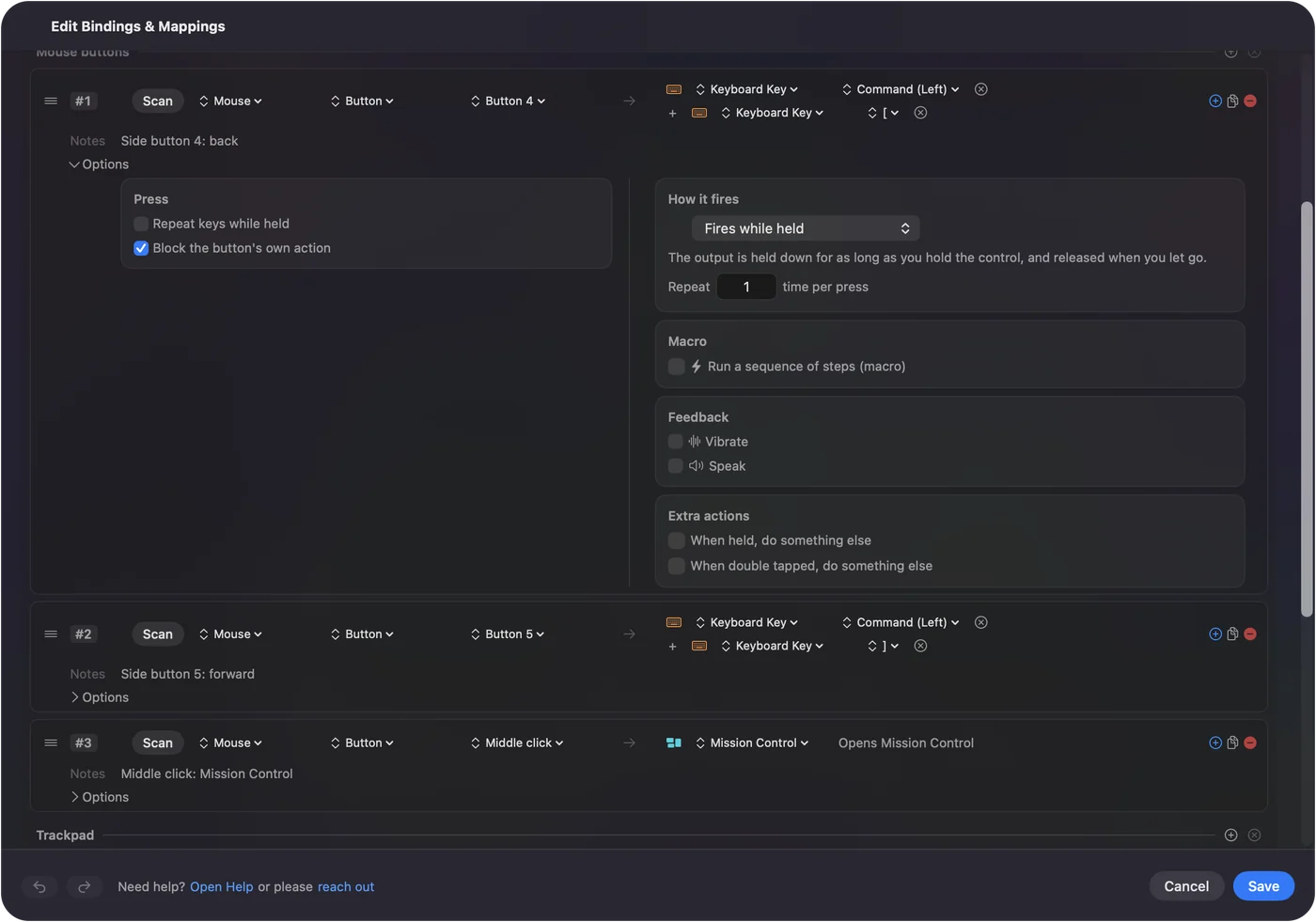
Ideas for M720 users
- A Mac and a PC. Easy-Switch moves the mouse, but InputConfig runs only on the Mac, so the layout applies when the mouse talks to it.
- Presentations. Back and forward on a tap can step slides.
- Spreadsheets. Tilt for tab changes and a thumb button for paste values.
- Long documents. Use the fast wheel to travel and the precise one to read.
If something is off
Climb this ladder, smallest step first:
- Check the channel. Press Easy-Switch until the light shows the Mac's number.
- Pair it again. Remove it in System Settings, Bluetooth and add it fresh.
- Quit Options+ and scan. It may own the thumb button.
- Check the battery. It takes a battery and a weak one causes stutter.
- Activate the preset. Rows only fire while it runs.
- Check Accessibility. InputConfig needs it.
What it cannot do
- Remap Easy-Switch. It switches devices inside the mouse.
- Change the scroll feel. The mode is the mouse's own.
- Read a gesture that stays in Options+. If Scan stays empty, no Mac app can read it.
- Tell two mice apart. Every mouse counts as one.
The short version
- Pair and go. No software for the basics.
- Buttons. Scan, bind and add hold and double tap.
- Thumb button. Bind it only if Scan names it.
Scan the thumb button first, because it decides how much of this mouse a Mac app can use.
Questions
Does the Logitech M720 Triathlon work on a Mac?
Yes, over Bluetooth or the Unifying receiver. Logitech lists macOS.
Can I remap the M720 thumb button on a Mac?
Logitech says the side buttons are customizable in Options+. Press Scan in InputConfig to see whether the thumb button reaches the Mac.
How does Easy-Switch work on the M720?
It switches between up to three paired devices with one button.
Does the M720 have hyper-fast scrolling?
Logitech describes a dual-mode wheel that switches between fast and line-by-line scrolling.
Does the M720 work with Logi Options+ on Mac?
Yes, Logitech says Options+ customizes the side buttons on macOS and Windows.
Related
This page in other languages: العربية, Čeština, Dansk, Deutsch, Español, Suomi, Français, עברית, Magyar, Bahasa Indonesia, Italiano, 日本語, 한국어, Norsk, Nederlands, Polski, Português, ไทย, 繁體中文, 简体中文
Completely free. You don't have to make an account, there are no subscriptions, and nothing is locked. Optimized for Apple silicon. Open source on GitHub.
Updated