Questions
How to use a mouse tilt wheel on a Mac
Yes, with no driver: in an app that scrolls sideways, a tilt scrolls sideways. A tilt wheel is a scroll wheel that also rocks left and right, and in an app with nothing to scroll sideways it does nothing, because macOS has no setting to give it another job.
InputConfig, the free app I make, reads each tilt as an input of its own, so left and right can switch tabs, change Spaces, or run any shortcut.
On this page: 8 sections
Know what macOS does on its own
Most mice report a tilt as sideways scrolling, and macOS passes it to the app under the pointer. Wide spreadsheets, editing timelines, maps and pages wider than the window move left and right. Without a tilt wheel, holding Shift while you turn the wheel scrolls sideways in many apps.
Neither does anything where there is nothing to scroll sideways, which is why a tilt can seem broken when the mouse is fine.
Give each tilt a job
Install InputConfig from the Mac App Store and allow Accessibility access first.
- You: Make a preset, add a row, press Scan, and tilt the wheel to the left. Choose the output, then add a second row the same way for the right tilt, and activate the preset.
- InputConfig: Records a Mouse input of the kind Scroll X, with the direction of that tilt.
- Check: Tilt left and right; each runs its own row.

A thumb wheel, the sideways wheel on the side of some mice, scans as Scroll X too when the mouse reports it as sideways scrolling.
 InputConfig is free on the Mac App Store. macOS 14 or later, no account, no tracking, open source.
Pick good jobs for a tilt
- Browser tabs. Control Shift Tab on the left tilt and Control Tab on the right, the previous and next tab in Safari and Chrome.
- Spaces. Control Left Arrow and Control Right Arrow move one desktop left or right.
- Volume. The Volume Down and Volume Up system functions.
- Music. Previous Track and Next Track.
- Undo and redo. Command Z and Shift Command Z in an editor.
Pairs of opposites suit a tilt best, because left and right already mean back and forward.
Know three things first
- The tilt keeps scrolling sideways. InputConfig listens alongside macOS and cannot hold the scroll back; Block the button's own action applies to mouse buttons, not to the wheel. In an app with a wide page, a tilt both scrolls and runs its row, so give tilts jobs where a little sideways scroll does no harm, or leave those apps out with auto-switch.
- Every mouse and trackpad counts as one. A two-finger sideways swipe on a trackpad or Magic Mouse is sideways scrolling as well, so it fires the same Scroll X rows. On a MacBook whose trackpad you use all day, keep tilt rows in a preset for when the mouse is plugged in, or in apps where you rarely swipe sideways.
- A held tilt may repeat. Many tilt wheels keep sending while you hold them, the way a held key repeats, and each burst can fire the row again, so holding the tilt may step through several tabs.
Tilt and let go for one step.
If a tilt does nothing at all
Climb this ladder, smallest step first:
- Watch it arrive. Open the Live Visualizer, pick Mouse from the panel's menu, and tilt. If the sideways arrows light, the Mac receives the tilt and InputConfig can use it.
- Check the mouse maker's app. A tool such as Logi Options+ can give the tilt its own job, and then it may never reach macOS as scrolling. Set it back to horizontal scrolling there, or quit the app, and try again.
- Bind the button instead. Some mice send a tilt as a button. If Scan records a Button number instead of Scroll X, bind that button; the extra mouse buttons page covers it.
- Activate the preset. Rows only fire while their preset runs.
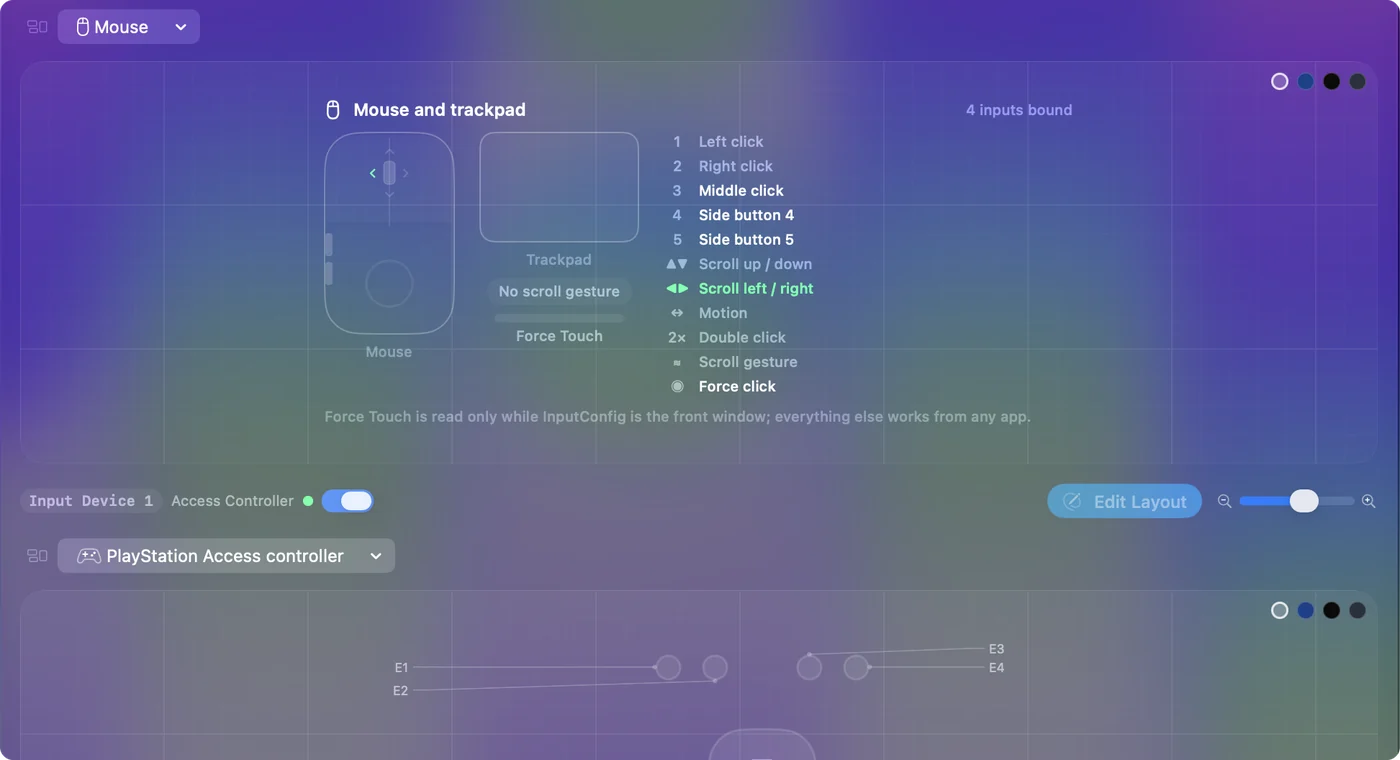
If the Mouse map lights, the tilt reaches the Mac and a row can use it.
What it cannot do
InputConfig adds a job without taking the scroll away, and it cannot tell a tilt from a sideways trackpad swipe. The mouse maker's own software is the place to change what the tilt itself does.
The short version
- Sideways scrolling. Works already, with no driver.
- Another job. Scan each tilt onto a row in InputConfig.
- Watch out for. The scroll still happens, and trackpad swipes fire the same rows.
Tabs on the tilt is the setup I would try first.
Questions
Does a mouse tilt wheel work on a Mac?
Yes, for sideways scrolling in apps that scroll sideways, with no driver. To give each tilt another job, an app such as InputConfig reads it as its own input.
Can the tilt wheel switch browser tabs on a Mac?
Yes. Bind the left tilt to Control Shift Tab and the right tilt to Control Tab in InputConfig. Those are the previous and next tab in Safari and Chrome.
Can I stop the tilt from scrolling sideways?
Not with InputConfig, which adds a job without taking the scroll away. The mouse maker's own software is the place to change what the tilt itself does.
Why does swiping sideways on my trackpad fire my tilt rows?
macOS reports a sideways swipe and a tilt the same way, as sideways scrolling, and every pointing device counts as one. Use the tilt rows in a preset for when the mouse is in use, or in apps where you do not swipe sideways.
Related
Free. macOS 14 or later. No account, nothing leaves your Mac. Open source on GitHub.