How to change and close tabs with a mouse button in Safari and Chrome on a Mac
 InputConfig is completely free on the Mac App Store. You don't have to make an account, there are no subscriptions, and nothing is locked. Optimized for Apple silicon.
Yes, you can switch and close browser tabs with mouse buttons on a Mac, and the work is to send each browser the shortcut it uses. Safari takes Control Tab for the next tab, and Chrome's own list uses Command Option Right Arrow. InputConfig, the free Mac app I make, can send either from a mouse button, and it can switch layouts by itself when Safari or Chrome comes to the front.
Back and forward are a separate pair, and the built-in Trackpad & Mouse preset already puts them on Button 4 and Button 5. This page is about tabs.
On this page: 10 sections
The shortcuts the browsers use
I read Apple's Safari shortcut page and Google's Chrome shortcut page on October 21, 2026. They agree on most of it and differ on the arrows:
| Job | Safari | Chrome |
|---|---|---|
| Next tab | Control Tab or Shift Command ] | Command Option Right Arrow |
| Previous tab | Control Shift Tab or Shift Command [ | Command Option Left Arrow |
| Close the tab | Command W | Command W |
| Reopen the last closed tab | Shift Command T | Shift Command T |
| Go to tab one to eight | Command 1 to Command 8 | Command 1 to Command 8 |
| Go to the last tab | Command 9 | Command 9 |
A mouse alone can click a tab and its close mark, and Command-click opens links in a new tab. Many mice also treat the wheel press as a middle click that closes a tab in Chrome. I would test that in Safari before you rely on it. The shortcuts do the same thing in each browser, so one layout can work in both if you pick the pair they share.
Find out what your button sends
Press Scan on a row and click the button. These are the usual choices:
| Button | Job | Why |
|---|---|---|
| Button 4 and Button 5 | Previous and next tab | The thumb buttons, a pair that matches left and right. |
| Middle click | Close tab | Block its own action so it does not also open a link. |
| Button 6 and higher | Reopen and tab one | A thumb grid button nothing else uses. |
| Tilt left and right | Previous and next tab | See the tilt wheel page. |
A button that scans as a key has to be set to F13 to F20 in the maker's software, and a DPI or profile button that never scans cannot be bound.
Put next and previous tab on two buttons
Step 1: Next tab
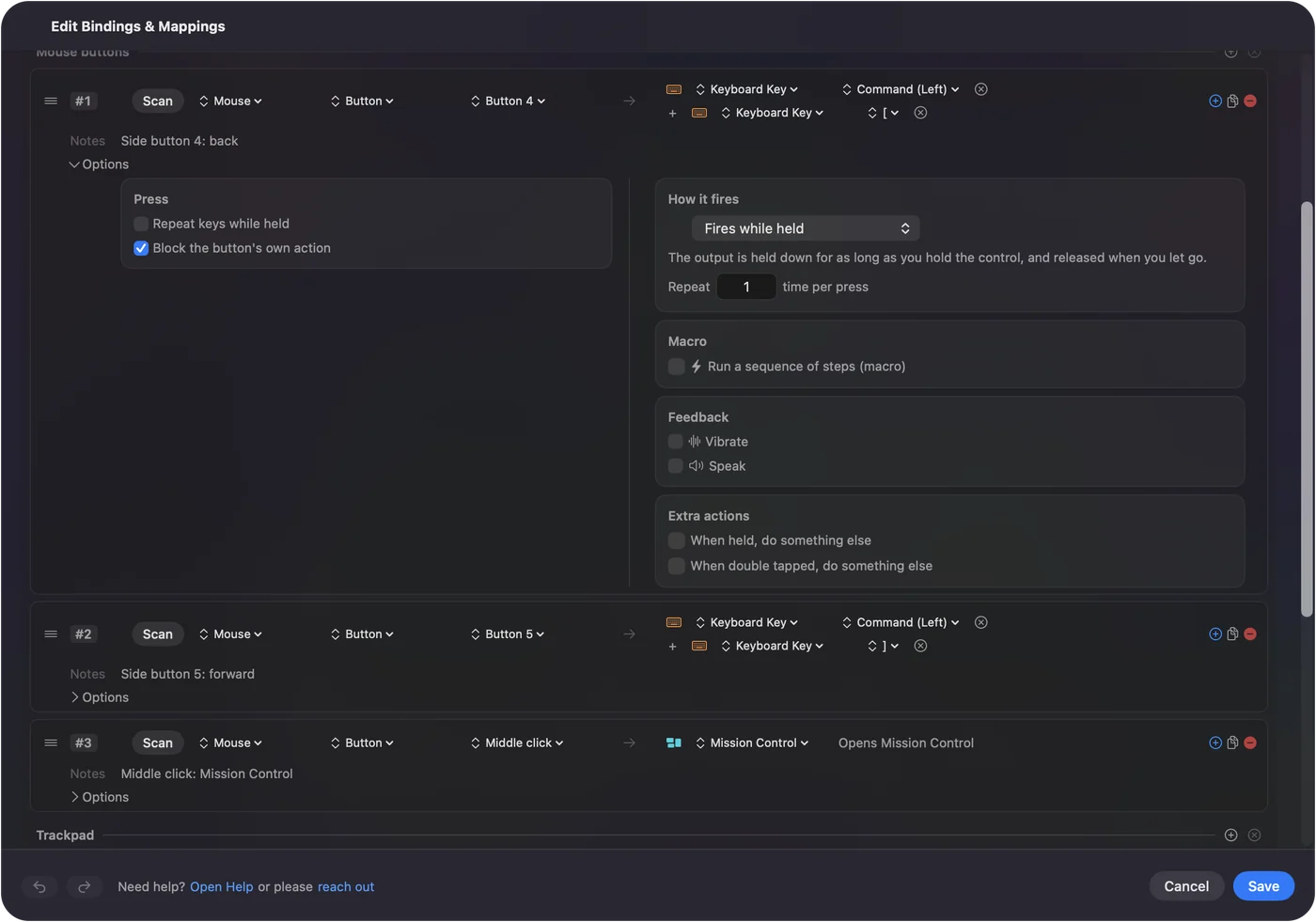
- You: Add a row, set the device to This Mac's mouse or trackpad and the input to Mouse, press Scan and click Button 5. Set the output to Keyboard Key, pick Control and add Tab.
- InputConfig: Presses Control and Tab together each time the button fires.
- Check: Open three Safari tabs and press the button. The next tab comes to the front.
Step 2: Previous tab
- You: Add a row for Button 4 with Control, Shift and Tab. Tick Block the button's own action in Options on both rows.
- InputConfig: Presses the three keys together and stops Safari going back as well.
- Check: Press each button. The tab moves one way each time and the page does not change.
Give each browser its own layout
Chrome wants Command Option arrows, so a Safari layout may not move Chrome's tabs. The fix is per-app presets. Make one preset for Safari and one for Chrome, expand Automation & Gaming Utilities in the editor, and list the browser under Activate when these apps are in front. Then turn on Switch presets when the front app changes in Settings, Advanced. Only one preset runs at a time, and the right one takes over when you click into the other browser.
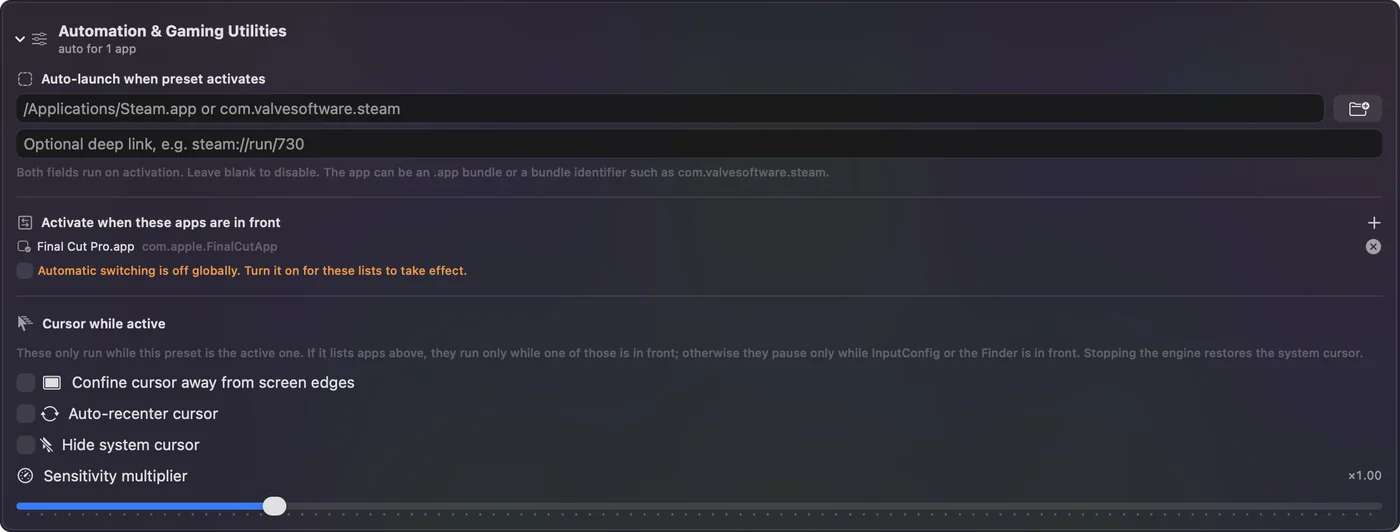
I have not tested every browser. Arc, Firefox and Edge have their own lists, so look them up and make a preset for each. Leave one preset with no apps for the rest of the Mac, so the buttons always have a home.
Close tabs safely
Close is the button you will press by accident. Two guards help:
- A hold. In Options, Extra actions lets a tap do one thing and a hold do another. Put next tab on the tap of a thumb button and Command W on the hold, so closing needs a deliberate press of about 400 ms. See double click and hold actions.
- A reopen. Keep Shift Command T on a nearby button so a closed tab is one press from coming back.
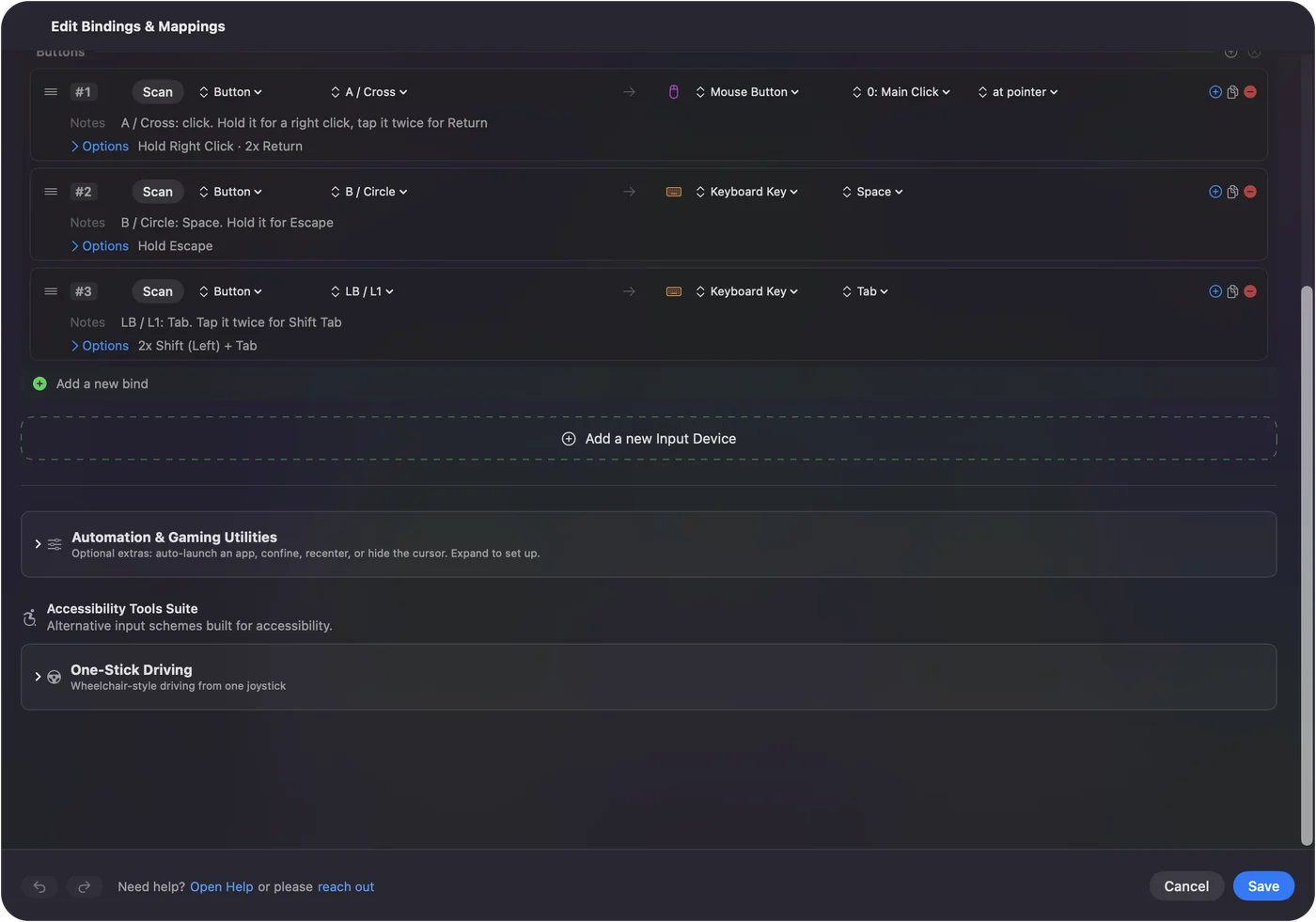
A double tap makes the single press wait for the window to close, so for the fast next tab button I would put reopen on its own button and keep the double tap off.
Ideas for tab heavy days
- Researchers. Next and previous on the side buttons, and close on a hold of the wheel press.
- People with many tabs. Command 1 on a thumb button for the pinned first tab, and Command 9 for the last.
- Wheel lovers. Hold a thumb button and roll the wheel to step through tabs, so a plain roll keeps scrolling. I have not timed how many rows a fast spin fires.
- Both browsers. One layout per browser, switched by the front app. See per-app mouse buttons.
If the tab does not change
Climb this ladder, smallest step first:
- Press the keys on the keyboard. If Control Tab does nothing in Chrome, use the Command Option arrows its page lists.
- Check the preset is on. Rows do nothing until you click Activate, and InputConfig needs Accessibility in System Settings, Privacy & Security.
- Check which preset runs. With auto-switch on, the front app decides. The activity log shows each switch.
- Check the button scans. If it shows a key, set it to F13 to F20 in the maker's software.
- Look for a keyboard focus trap. A page with a text box in focus can eat Tab, so click the page background first.
What it cannot do
- Make one shortcut fit every browser. The tab arrows differ, so a layout per browser is the safe way.
- Remove the old job without Block. A side button keeps back and forward until you tick it.
- Tell two mice apart. Every connected mouse counts as one device.
- Read private buttons. A DPI button handled by the maker's software never arrives.
The short version
- Safari. Control Tab and Control Shift Tab on Button 5 and Button 4.
- Chrome. Command Option Right and Left Arrow, in a preset for Chrome.
- Close. Command W on a hold, with Shift Command T on a nearby button.
Start with next and previous tab on the side buttons, and add close once those feel automatic.
Questions
How do I switch tabs with a mouse button in Safari on a Mac?
Bind a button to Control Tab for the next tab and Control Shift Tab for the previous one. InputConfig can send both from any mouse button.
What is the Chrome shortcut for the next tab on a Mac?
Command Option Right Arrow for the next tab and Command Option Left Arrow for the previous, according to Chrome's shortcut list.
How do I close a tab with a mouse button?
Bind a button to Command W. Put it on a hold if you press the button by accident, and keep Shift Command T on another button to bring the tab back.
Can I use a side button for tabs and still go back?
Yes, with a preset per job. Tick Block the button's own action so back and forward stop firing, and keep back and forward on another button.
Why does my mouse button change tabs in Safari but not Chrome?
Chrome's tab shortcut is different. Make a second preset for Chrome and list the browser so the right one runs when it is in front.
Related
This page in other languages: العربية, Čeština, Dansk, Deutsch, Español, Suomi, Français, עברית, Magyar, Bahasa Indonesia, Italiano, 日本語, 한국어, Norsk, Nederlands, Polski, Português, Русский, Slovenčina, ไทย, Türkçe, Tiếng Việt, 繁體中文, 简体中文
Completely free. You don't have to make an account, there are no subscriptions, and nothing is locked. Optimized for Apple silicon. Open source on GitHub.
Updated