A free DualSense app for the Mac
 InputConfig is completely free on the Mac App Store. You don't have to make an account, there are no subscriptions, and nothing is locked. Optimized for Apple silicon.
Sony does not make a DualSense app for the Mac, so the light bar, the touchpad, the gyroscope, the Mute button and the Edge's paddles sit unused in most Mac games. InputConfig is a free Mac app that puts all of them to work: it sets the light bar color, vibrates the controller on any press, turns the touchpad into a trackpad, aims with the gyroscope, and maps every button to keys, clicks, shortcuts or macros.
I make InputConfig. It is free on the Mac App Store, open source, needs no account, and nothing in it is locked behind a paid tier. This page lists what it does with a DualSense, and what it does not.
On this page: 12 sections
Steps
- Pair the DualSense in System Settings, Bluetooth, or plug it in with a USB-C cable.
- Open InputConfig and pick a preset, or make one with the Smart Preset Maker.
- Click the controller at the top of the sidebar to set the light bar color.
- Open a row's Options to add rumble, or add Touchpad and Motion rows.
- Click Activate.
See what you get, feature by feature
| DualSense feature | In InputConfig |
|---|---|
| Every button, both sticks, both triggers, the D-pad | Each one can send a key, a click, a shortcut, a macro, typed text, pointer movement or scrolling |
| Light bar | Any color, a color per preset, brightness, or off |
| Rumble | A buzz on any press, with its own strength and duration |
| Touchpad | A trackpad for the pointer, or tap zones that each do a job |
| Gyroscope | Tilt to aim or to move the pointer |
| Mute button | A button like any other |
| Battery | Shown at the top of the sidebar |
| Edge back paddles and FN buttons | Bindable like any button, over Bluetooth or USB |
| Adaptive trigger resistance | Not changed. The triggers are read as analog triggers |
| Sony's finer haptic effects | Not available. InputConfig uses rumble |
| Firmware updates | Not possible on a Mac. Use a PS5 or a Windows PC |
Every row in that table is free, and none of it needs an account.
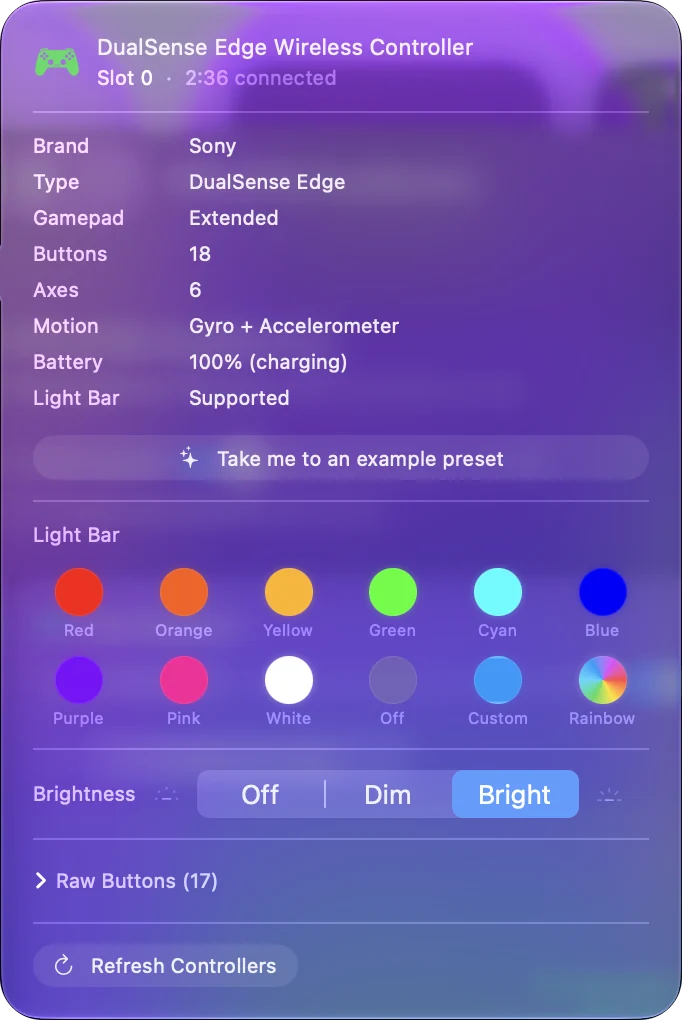
Set it up in a minute
- You: Pair the DualSense in System Settings, Bluetooth, or plug it in with a USB-C cable. Open InputConfig and pick a preset, such as Desktop Navigation.
- InputConfig: Shows the controller at the top of the sidebar and draws it in the Live Visualizer.
- Check: Click Activate and move the left stick. The pointer moves.
macOS asks for the Accessibility permission the first time, because that is what lets any app send keys and clicks. Pairing is covered on how to connect a PS5 controller to a Mac.
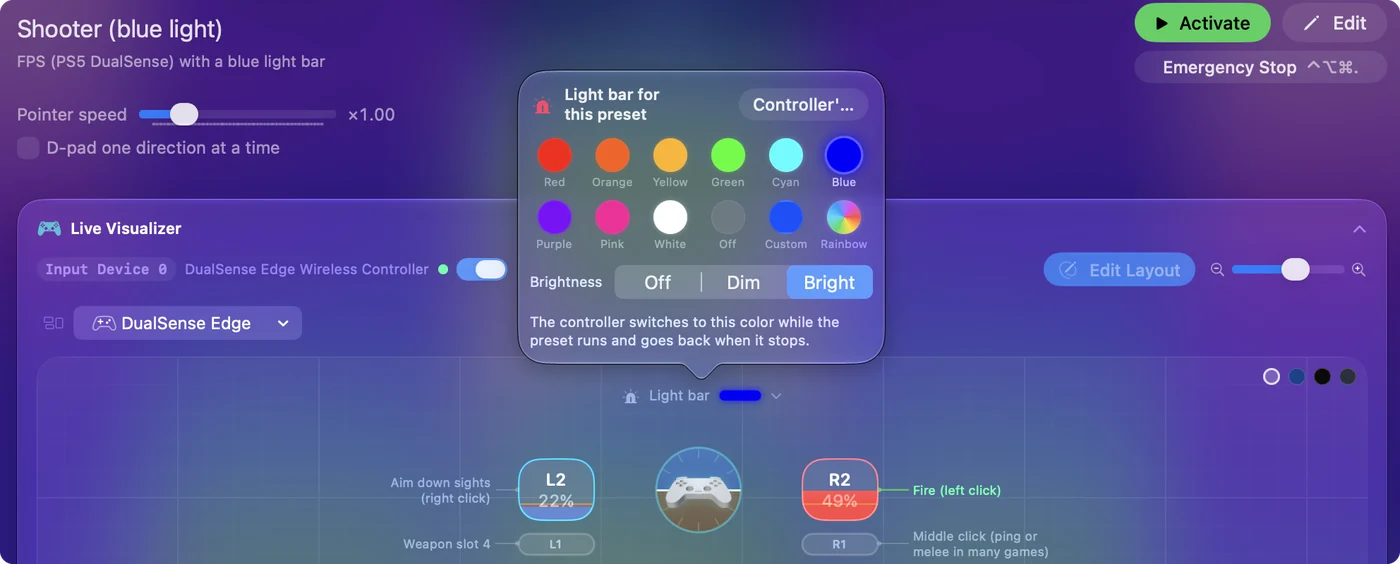
Change the light bar
Click the controller at the top of the sidebar and pick a swatch, or open the color picker for any color you like. A preset can carry its own color, so the controller tells you which layout is running. The light color page has every step, and turning it off has its own.
Add rumble to a press
- You: Open a row's Options and tick Vibrate in the Feedback box. Set Strength and Duration.
- InputConfig: Buzzes the controller each time that row fires.
- Check: Press the button and feel it.
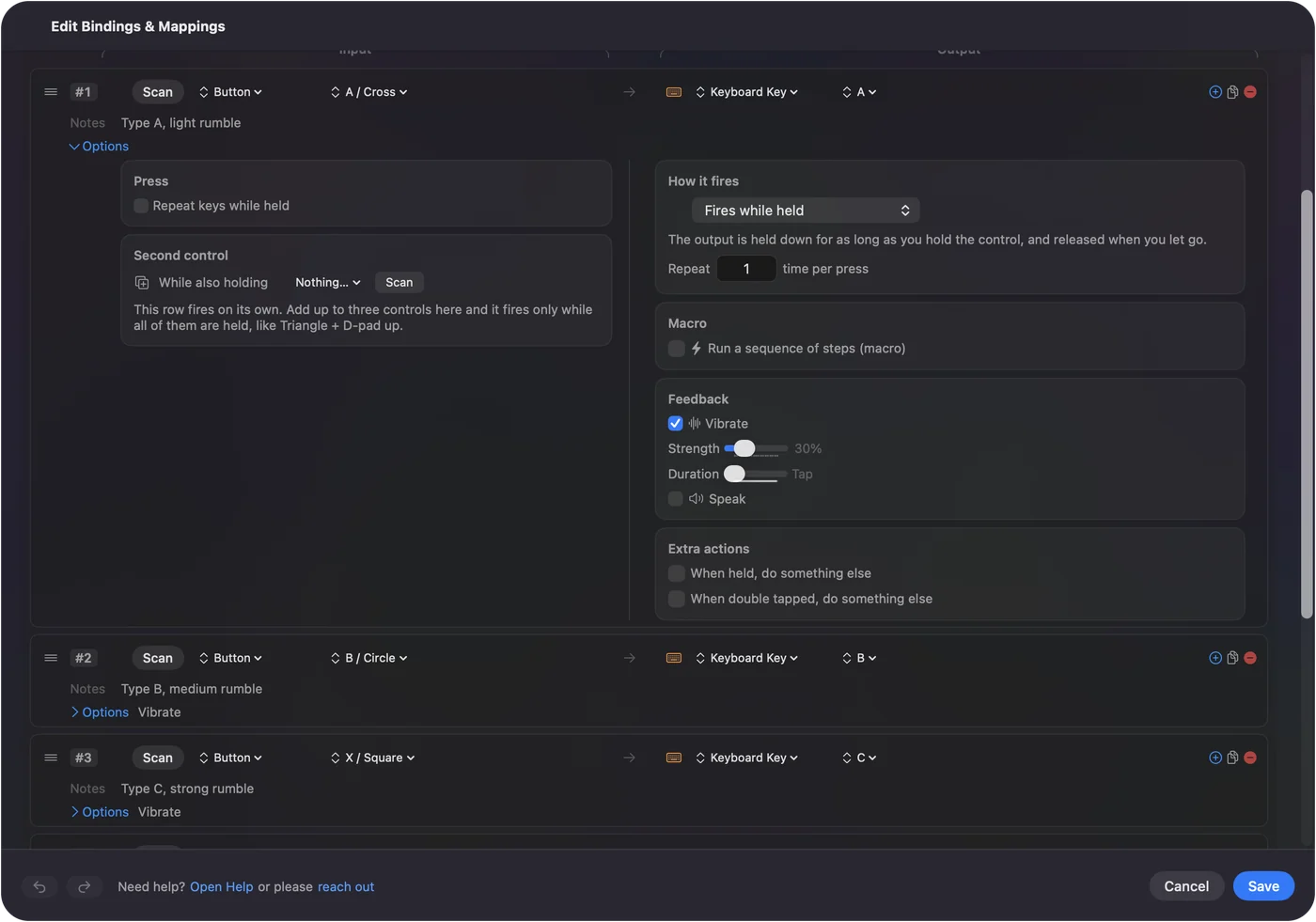
This is plain rumble. It is not the textured haptics of a PS5 game, and it does not stiffen the triggers. Make a controller vibrate on a Mac walks through it.
Use the touchpad and the gyroscope
- Touchpad as a trackpad. One finger moves the pointer, two fingers scroll, and a tap clicks. See touchpad as a trackpad.
- Touchpad as buttons. Split it into zones and give each zone a shortcut. See touchpad zones.
- Gyro aim. Tilt the controller to aim in any game that aims with a mouse. See gyro aim on a Mac.
Map the Edge's paddles and FN buttons
Most Mac games ignore the DualSense Edge's two back paddles and two FN buttons. InputConfig reads all four, over Bluetooth and USB, and each can send anything a face button can.
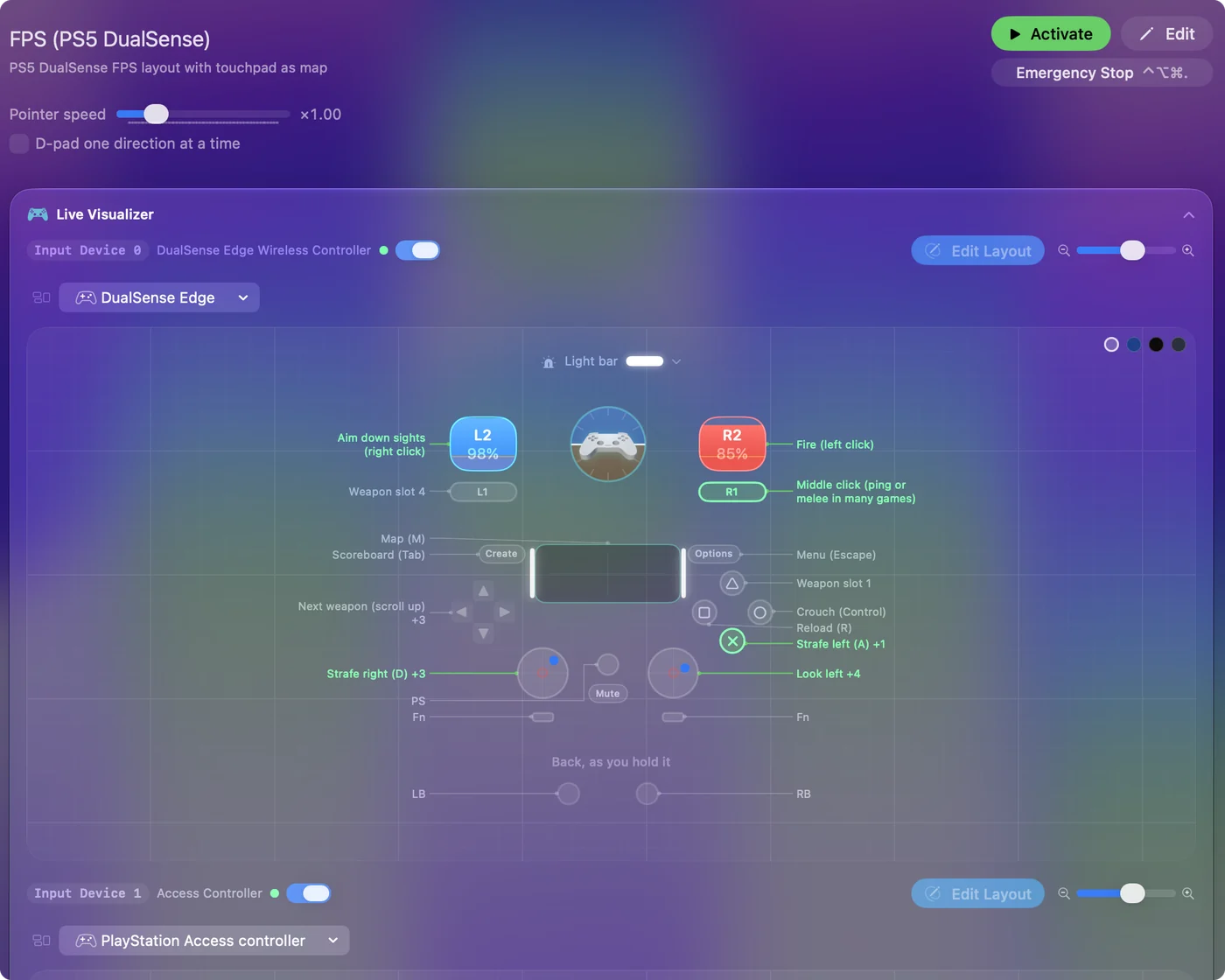
The DualSense Edge page has the details.
Start from a ready layout
You do not have to build a layout from nothing. The Smart Preset Maker has ready layouts for more than 450 games and apps: search for the title, pick the DualSense, and the preset is made with a note on every row. Controller profiles for Mac games shows how.
Use it with your other controllers too
The same app and the same presets work with a DualShock 4, Xbox controllers, a Switch Pro Controller, Joy-Cons, 8BitDo pads and most other gamepads a Mac can read. A layout made for the DualSense can be converted for another controller family from the preset's menu. It runs on Apple silicon and Intel Macs with macOS 14 or later.
What it does not do
- Adaptive triggers. It does not set trigger resistance. That works only in games that support it themselves.
- Fine haptics. It drives rumble, not Sony's textured effects.
- Firmware. It never touches the controller's firmware or an Edge's stored profiles.
- A virtual controller. It sends keys and mouse movement. It does not make the DualSense appear to a game as a different controller.
Adaptive triggers on a Mac says more about the first two.
The short version
- Free. Mac App Store, open source, no account, nothing locked.
- What it adds. Light bar, rumble on a press, touchpad, gyro, Mute, Edge paddles, and every button mapped to keys and mouse.
- What it leaves alone. Adaptive triggers, fine haptics and firmware.
A DualSense has more on it than Mac games use, and this is the app I built to use the rest.
Questions
Is there a DualSense app for Mac?
Sony does not make one. InputConfig is a free Mac app that sets the DualSense light bar, adds rumble to any press, uses the touchpad and gyroscope, and maps every button and Edge paddle to keys and mouse.
Is InputConfig really free?
Yes. It is free on the Mac App Store and open source, with no account and no paid tier. Every feature is available to everyone.
Does it work with the DualSense Edge?
Yes. The back paddles and FN buttons are read over Bluetooth and USB and can be bound like any other button.
Does it work with a PS4 controller or an Xbox controller?
Yes. The same app works with a DualShock 4, Xbox controllers, Switch controllers, 8BitDo pads and most other gamepads a Mac can read.
Can it control the adaptive triggers?
No. InputConfig reads the triggers as analog triggers and does not set their resistance. Adaptive triggers work on a Mac only in games that support them.
Related
Completely free. You don't have to make an account, there are no subscriptions, and nothing is locked. Optimized for Apple silicon. Open source on GitHub.
Updated