Ready-made controller profiles for Mac games
 InputConfig is completely free on the Mac App Store. You don't have to make an account, there are no subscriptions, and nothing is locked. Optimized for Apple silicon.
You do not have to build a controller layout from a blank page. InputConfig comes with ready layouts for more than 450 games and apps: type the title, pick the controller in your hands, and a complete profile appears with a note on every button. It is free, and every profile is yours to change.
I make InputConfig, a free Mac app that maps a controller to keys and mouse. In the app a profile is called a preset. I built the library because the hardest part of any mapper is knowing where to start.
On this page: 10 sections
Steps
- Open the Smart Preset Maker from the welcome screen or the wand button in the sidebar.
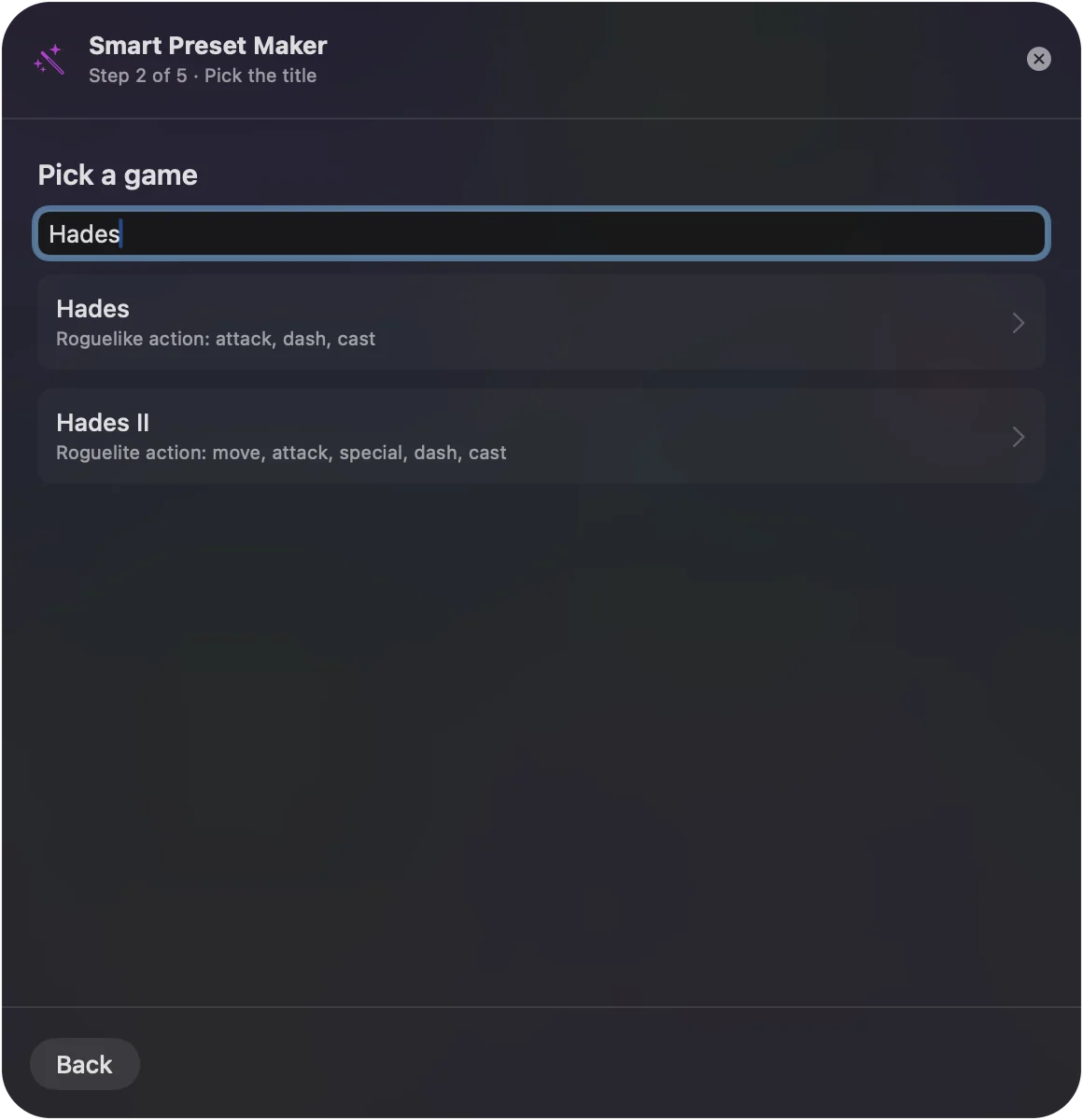
- Type the name of the game or app.
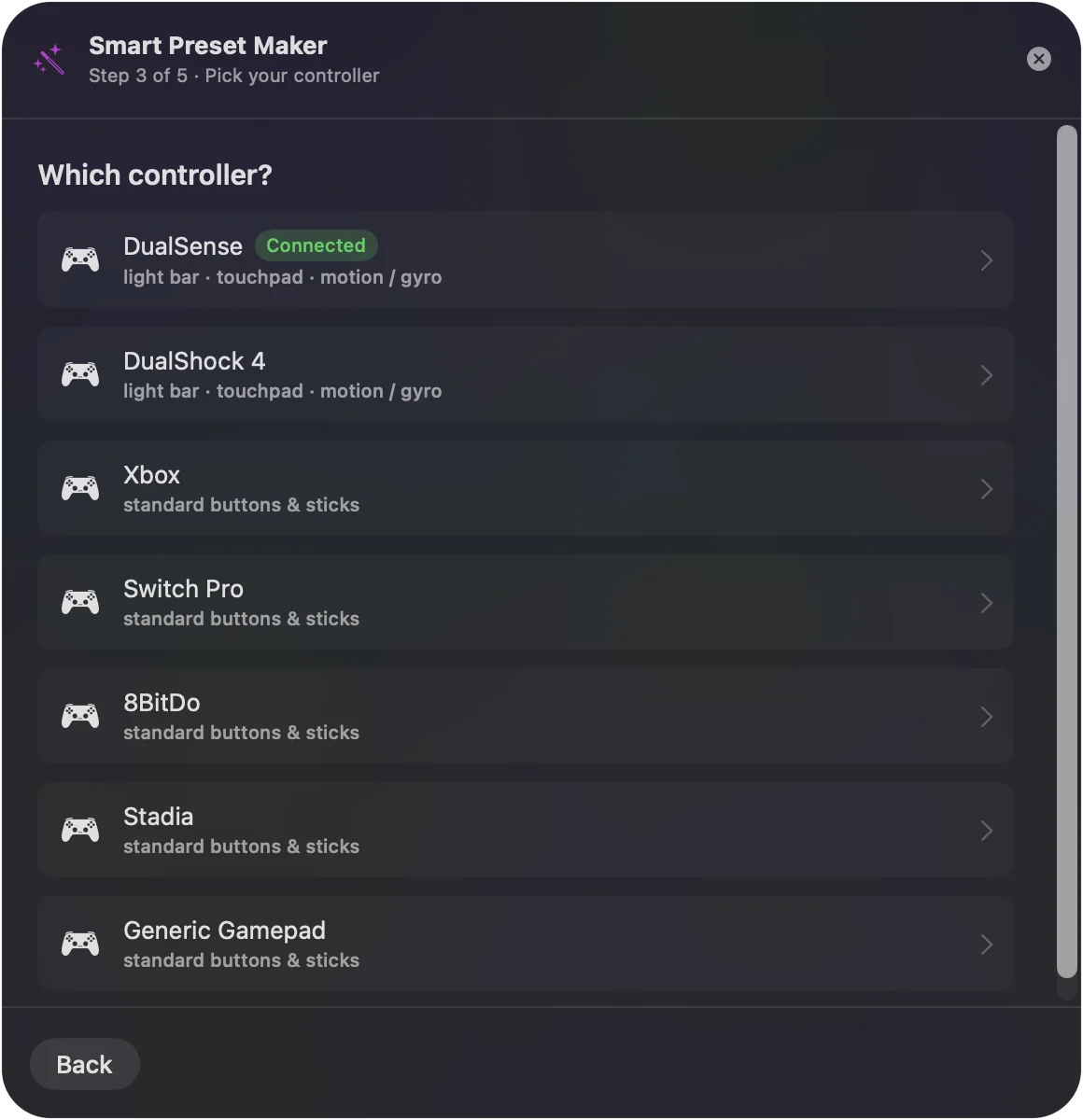
- Pick your controller.
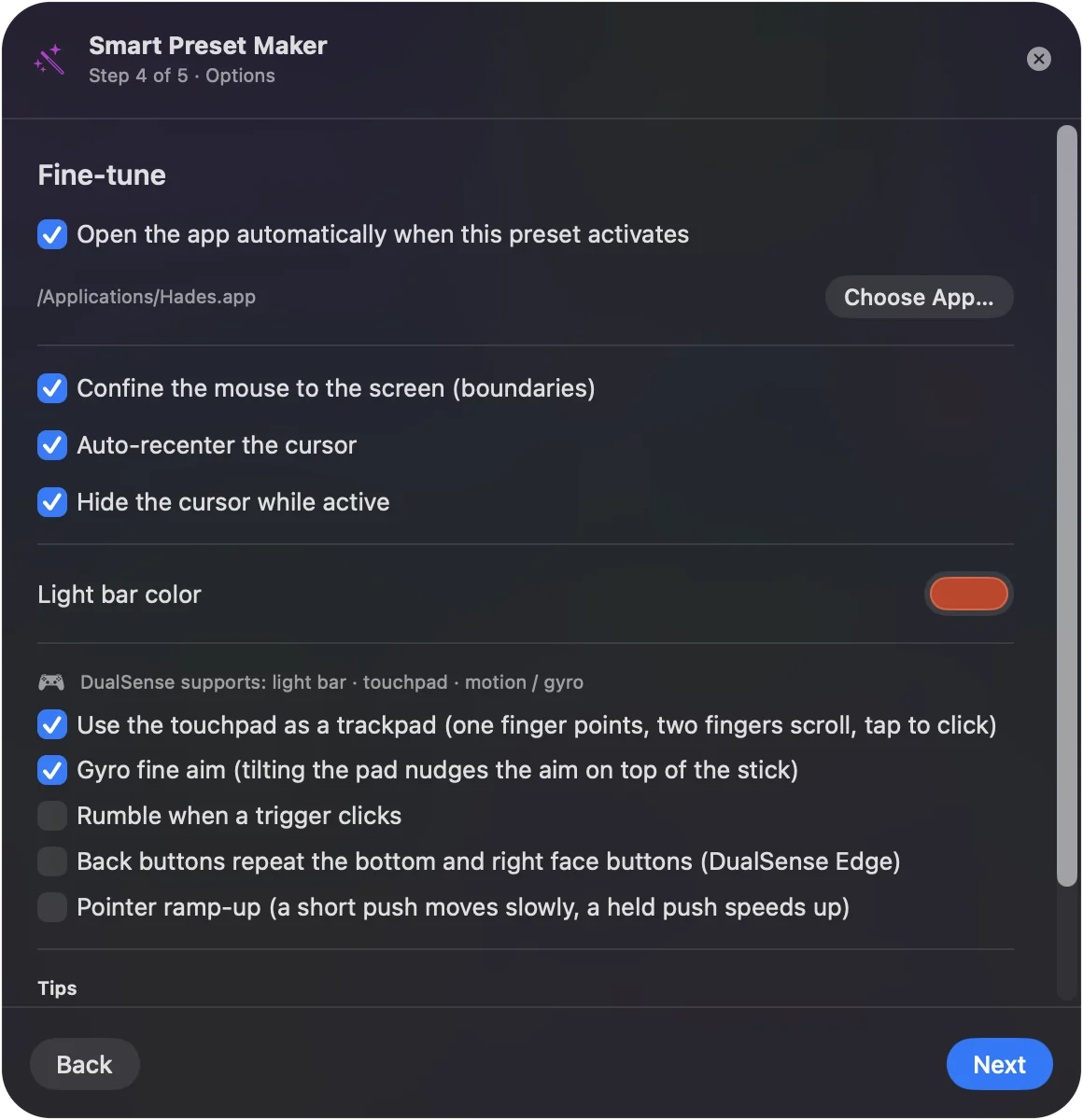
- Turn on any extras in the Fine-tune step.
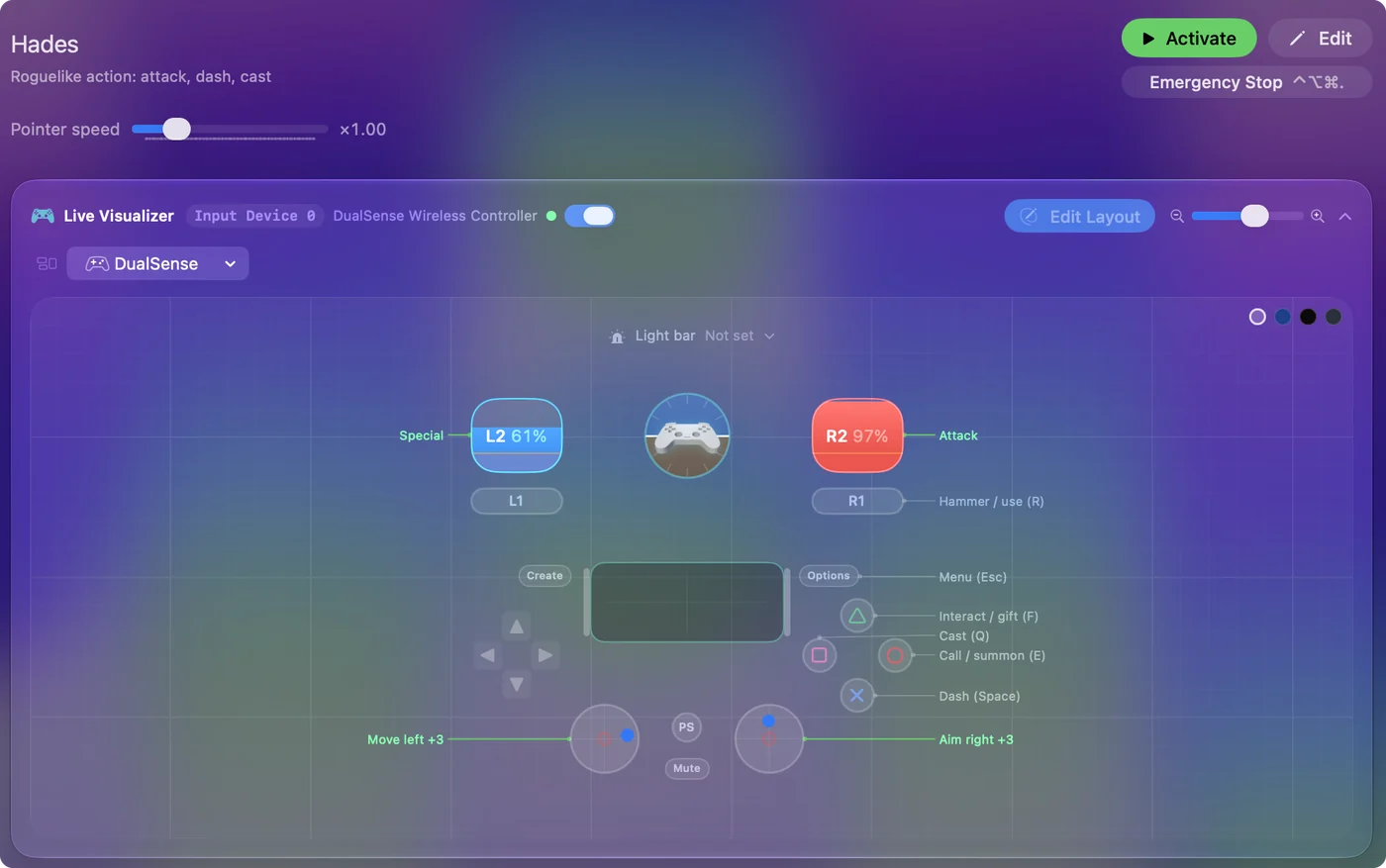
- Click Create, select the new preset, and click Activate.
Get a profile for your game
- You: Open the Smart Preset Maker from the welcome screen or the wand button in the sidebar. Type the game or app.
- InputConfig: Lists the title if it has a ready layout.
- Check: Pick it, then pick your controller so the button names match.
Click Create, select the new preset, and click Activate. Each row carries a note saying what it does in that game.
Look before you download anything
The preset library on this site lists every title with its full button map, so you can read a layout before you make it. Games, creative apps, browsers, editors and accessibility layouts are all there.
Add the extras for your controller
The Fine-tune step offers only what fits the game and the controller you picked:
- Touchpad as a trackpad. On a pad with a touchpad.
- Gyro fine aim. On a pad with motion sensors, in a game that looks with the mouse.
- Rumble when a trigger clicks. A short buzz on each trigger row that clicks the mouse.
- Back paddles. Filled in on a pad that has them.
- A light bar color. For a PlayStation controller.
Change anything you like
A ready profile is an ordinary preset from the moment it exists. Click Edit to scan a row to another button, change what it sends, add a hold or a double tap, or delete a row you do not want. Nothing about it is locked.
Switch profiles automatically
A preset can be tied to one or more apps. With automatic preset switching turned on in Settings, Advanced, the game's profile turns on when the game comes to the front, and your previous one comes back when you leave. Presets and folders covers it.
Share a profile, or use someone else's
- Export. A preset's menu writes it to a file you can send to a friend.
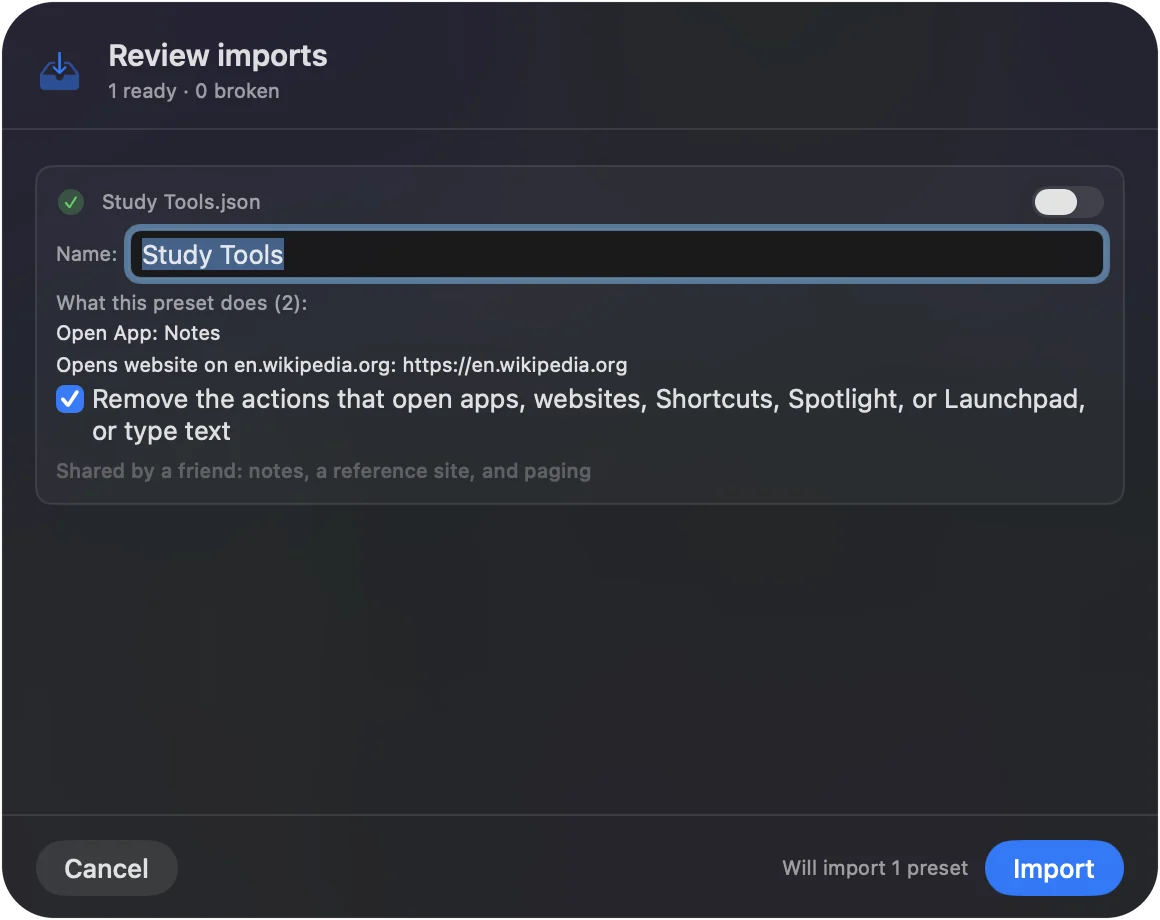
- Import. Open a preset file, or drop it on the Dock icon. The import sheet lists everything the preset does before it is added.
- Convert. Convert To makes a copy for another controller family, so a PlayStation layout gets an Xbox twin.
When your game is not in the list
- Pick the closest title. A game in the same genre usually needs the same controls.
- Start from a shape. There are FPS presets per controller family, a Racing Game preset, and Minecraft.
- Duplicate and rename. Then scan only the rows that differ.
Play any Mac game with a controller walks through building one by hand.
The short version
- Search. More than 450 games and apps have a ready profile.
- Pick your controller. PS5, PS4, Xbox, Switch, 8BitDo and more.
- Edit freely. It is your preset, and it is free.
Let the app write the first draft, then make it yours.
Questions
Where can I download controller profiles for Mac games?
InputConfig, free on the Mac App Store, has ready layouts for more than 450 games and apps built in. Search for the title in the Smart Preset Maker and pick your controller.
Do the profiles work with a PS5 controller?
Yes. Pick the DualSense when you make the preset and the rows use PlayStation button names. The same titles are available for Xbox, Switch and other controllers.
Can I edit a ready-made profile?
Yes. It is an ordinary preset. Change any row, add new ones, or delete what you do not need.
Can I share a profile with someone else?
Yes. Export writes a preset to a file, and Import adds one. The import sheet shows what the preset does before it is added.
What if my game is missing?
Pick a game in the same genre, or start from a general preset such as FPS or Racing Game, and change the rows that differ.
Related
Completely free. You don't have to make an account, there are no subscriptions, and nothing is locked. Optimized for Apple silicon. Open source on GitHub.
Updated