Do DualSense adaptive triggers work on a Mac?
 InputConfig is completely free on the Mac App Store. You don't have to make an account, there are no subscriptions, and nothing is locked. Optimized for Apple silicon.
Only in games that add support for them. Apple's game controller framework lets a Mac game set the DualSense trigger resistance, so it depends on the game. InputConfig does not drive adaptive triggers or the finer haptic effects. It drives the rumble motors, with a strength and a duration on each row.
I make InputConfig, a free Mac app that maps a controller to keys and mouse. This page says plainly what works, so you do not spend an evening looking for a setting that is not there.
Know what each part needs
| Feature | On a Mac |
|---|---|
| Buttons, sticks, triggers | Read by macOS and by InputConfig, over Bluetooth or USB |
| Touchpad and motion sensors | Read by InputConfig, and by games that use them |
| Light bar | Set by InputConfig, to any color |
| Rumble | Driven by InputConfig per row, and by games that support it |
| Adaptive trigger resistance | Only in games that support it. Not in InputConfig |
| Fine haptic effects | Not in InputConfig |
Use rumble as feedback instead
- You: Expand Options on a row and tick Vibrate in the Feedback box. Set Strength and Duration.
- InputConfig: Buzzes the controller each time that row fires.
- Check: Press the button. You feel a short buzz.
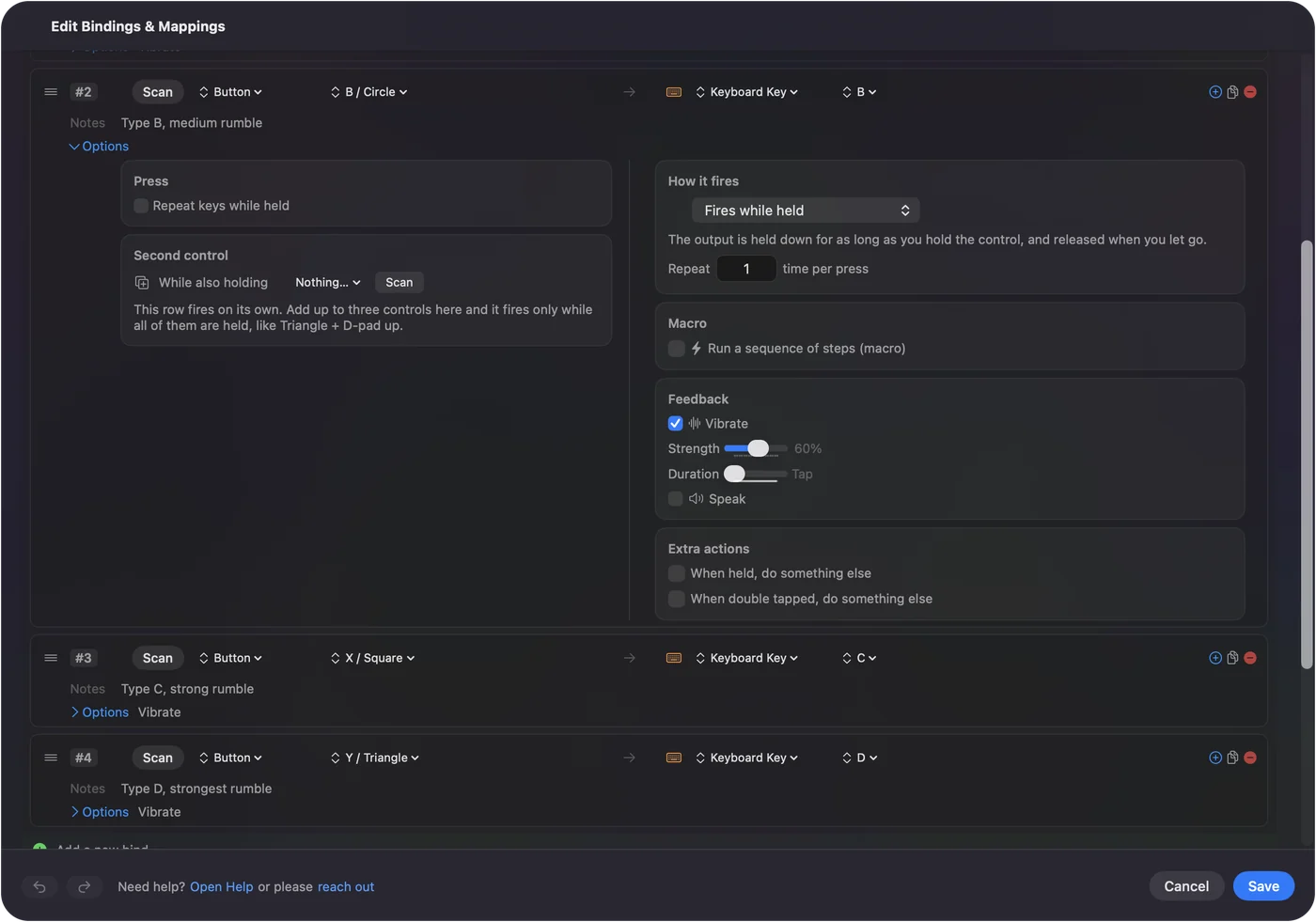
A buzz on a press tells your hand the button fired, which is most of what people want from haptics outside a game.
If a game should support the triggers and does not
Try the controller on a USB-C cable, and check the game's own controller settings for a haptics or trigger effect switch. I have not tested which Mac games use the triggers, so I will not list any here.
The short version
- Adaptive triggers. They work only where the game supports them.
- InputConfig. It drives rumble and the light bar, and not trigger resistance.
Questions
Does InputConfig support DualSense adaptive triggers?
No. InputConfig drives the rumble motors only, with a strength and duration per row. Trigger resistance and the finer haptic effects are not part of it.
Can a Mac game use adaptive triggers?
Yes, if the game adds support through Apple's game controller framework. Whether a given game does is up to that game.
Can I make the DualSense rumble on a Mac?
Yes. In InputConfig, tick Vibrate in the Feedback box of a row's Options, and set its strength and duration.
Related
Completely free. You don't have to make an account, there are no subscriptions, and nothing is locked. Optimized for Apple silicon. Open source on GitHub.
Updated