MIDI output: send MIDI from any controller
 InputConfig is completely free on the Mac App Store. You don't have to make an account, there are no subscriptions, and nothing is locked. Optimized for Apple silicon.
A controller, a keyboard or a MIDI device can send MIDI from a Mac through InputConfig: notes, CC, pitch bend, program changes and the transport, in any music app. It goes out through a virtual MIDI port named InputConfig that exists whenever the app runs. Give a row a MIDI output, enable the InputConfig input in your music app, and play.
On this page: 8 sections
Steps
- Open the DAW and find its MIDI input or control surface settings.
- Enable InputConfig as an input. GarageBand and Logic take every source on their own.
- Arm a track that listens to it and activate a preset with MIDI outputs.
Pick a MIDI output
- MIDI Note. One note while the control is pressed, with velocity and channel. MIDI: Drum Pad puts a kit on the face buttons with turbo on, so holding a button rolls.
- MIDI CC. From a stick or trigger, the value follows its position, 0 to 127, shaped by the row's response curve, and reaches the full range past the deadzone. From a button, it sends the value you set on press and 0 on release.
- Pitch Bend. Bind a stick axis and the bend follows the stick. From a button, it bends fully up while held and returns to center on release.
- Program Change. Recalls a patch by number, once per press.
- Transport. Real-time Start, Stop and Continue, once per press, for DAWs that follow external transport.
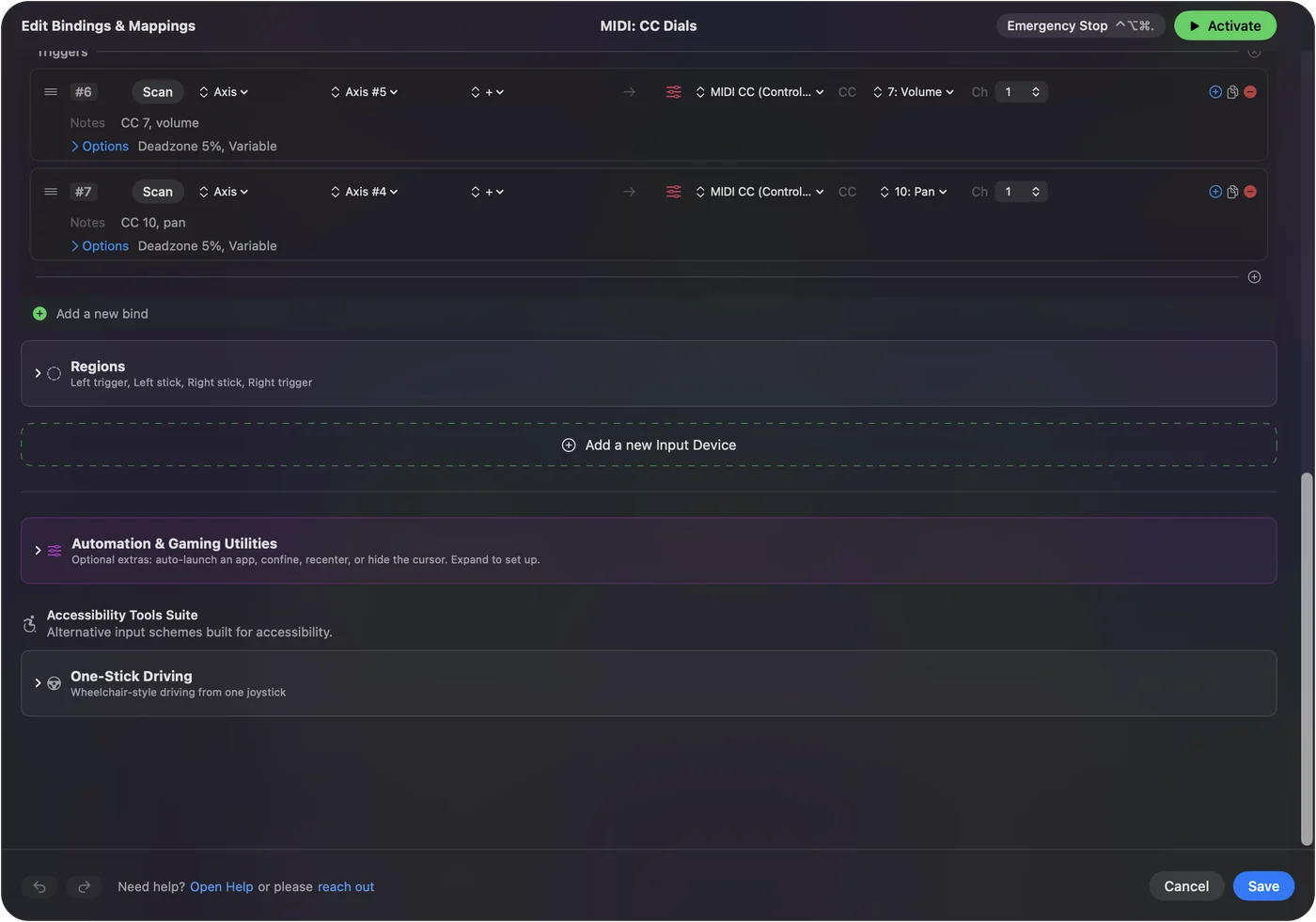
Sticks and triggers make the best CC sources, because they send every value in between.
Set it up in your music app
| App | What to do |
|---|---|
| Logic Pro and GarageBand | Nothing. They listen to every MIDI source, InputConfig included. Arm a software instrument track and press a button. |
| Ableton Live | In Settings (Preferences in older versions), Link, Tempo and MIDI, switch on Track for the InputConfig input to play notes and Remote to map controls with MIDI Map Mode. |
| FL Studio, Reaper, Bitwig, others | Enable the InputConfig input in the app's MIDI settings. |
The port keeps the same identity every time the app starts, so once a DAW has it switched on it stays on. You do not need the IAC Driver. The gamepad to MIDI guide has a ready instrument preset and the MIDI learn steps for Logic and Ableton, and MIDI: CC Dials turns both sticks and both triggers into knobs. Switch the InputConfig input on once, and the DAW remembers it.
If the music app hears nothing
Climb this ladder, smallest step first:
- Check InputConfig is running. The port exists only while the app runs, and the preset must be active. An emergency stop halts everything until you activate the preset again.
- Watch the Live Visualizer. Press the button. If it does not light, the Mac is not reading the controller; see connecting controllers.
- Enable the input. Make sure the InputConfig input is enabled in the music app and the track is armed or monitoring.
- Match channels. If the track or instrument listens to one channel, set the row's channel to the same number.
Most silent setups are a track that is not armed, or an input that is not switched on.
What happens to held notes
When a preset deactivates, the app sends note-off for every note it holds, and the emergency stop does the same. The app never listens to its own output port, so MIDI in and MIDI out can share a preset without looping. A stopped preset never leaves a note hanging.
What it cannot do
Buttons are not velocity sensitive: each MIDI Note output plays at the velocity set in its row, from 1 to 127. For dynamics, use a trigger on CC 11. Velocity comes from the row, so put expression on a trigger.
The short version
- Add a MIDI output. Note, CC, Pitch Bend, Program Change or Transport.
- Enable the input. Logic and GarageBand need nothing; other apps need the InputConfig input switched on.
- Arm a track. Then press a button.
Any controller can be a MIDI instrument while InputConfig runs.
Questions
Can I play chords?
Give one row several MIDI Note outputs and they sound together.
Latency?
The message goes out the moment the input arrives.
Does it work with Ableton Live?
In Ableton, switch on Track and Remote for the InputConfig input in Preferences, Link, Tempo and MIDI. GarageBand and Logic take it on their own.
Are buttons velocity sensitive?
No. Each MIDI Note output plays at the velocity set in its row, from 1 to 127. Use a trigger on CC 11 for dynamics.
Related
Completely free. You don't have to make an account, there are no subscriptions, and nothing is locked. Optimized for Apple silicon. Open source on GitHub.
Updated