Questions
How to hold a key down with a controller on a Mac
Bind the key to a button and hold the button, or set the row to toggle so one press latches the key down and the next lets it go. Holding suits a game's walk, sprint or aim key. Latching lets your thumb rest during a long walk, a held Shift or a drag.
InputConfig, the free mapper I make, does both from any button.
On this page: 9 sections
Hold the button to hold the key
This is the default, Fires while held.
- You: Add a row, press Scan, press the button, and choose the key.
- InputConfig: Puts the key down when you press and lets it up when you let go, as one long press with no repeats, the same as holding the key on a keyboard in a game.
- Check: Hold the button in a game and your character keeps walking.
- A mouse button. A Mouse Button output works the same way: hold the button and the click stays down, so you can drag a window or select text with the stick.
- Several keys. Keys on one row are held together, so one button can hold Shift and W for running forward.
Holding is the default, so for most games there is nothing to change.
 InputConfig is free on the Mac App Store. macOS 14 or later, no account, no tracking, open source.
Press once to hold it, press again to let go
- You: Set How it fires to Toggles on and off.
- InputConfig: Puts the output down on one press and leaves it there; the next press lets it go.
- Check: Press once and let go of the button; the key stays down.
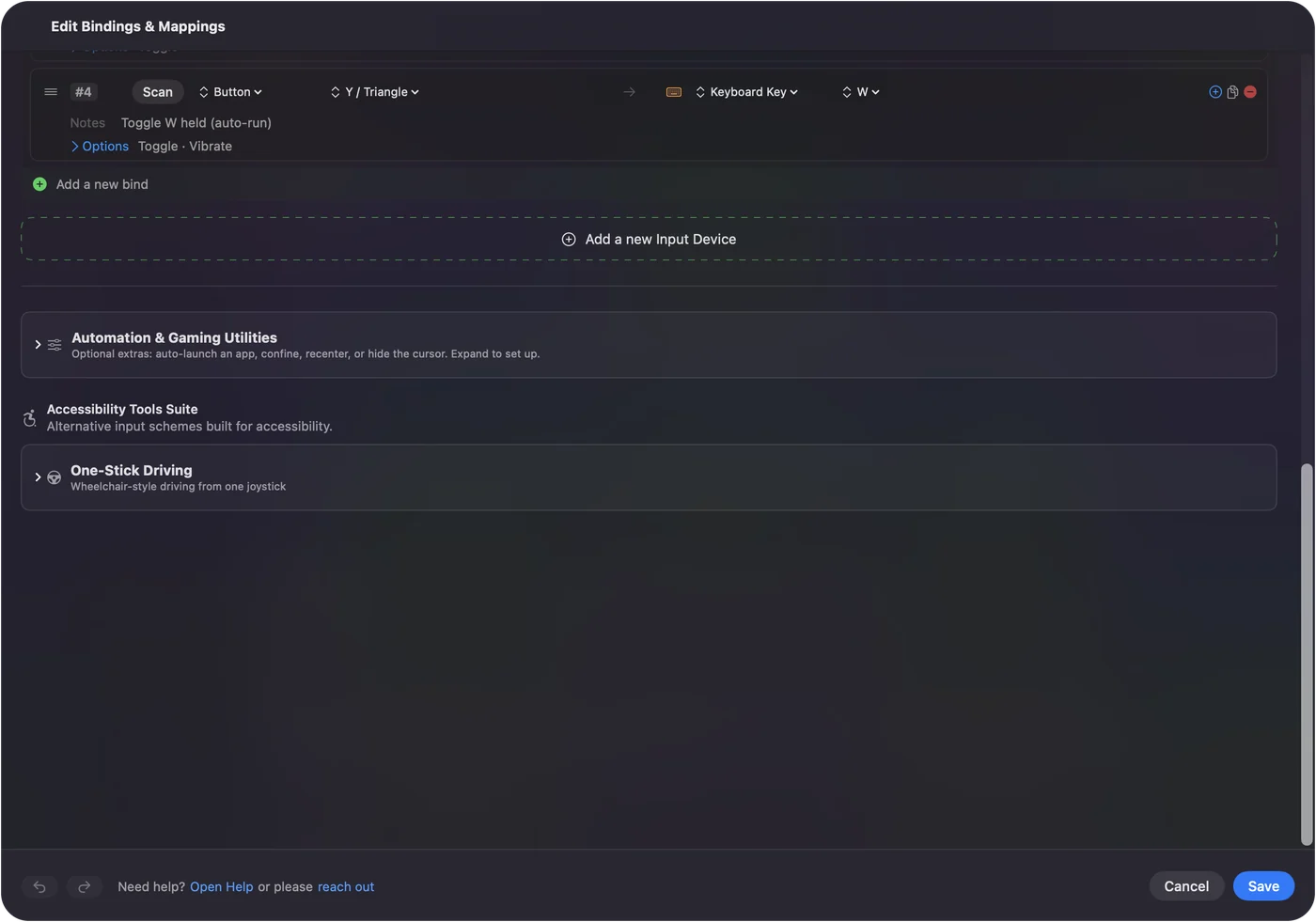
- Toggle Mode. The built-in Toggle Mode preset shows four: A holds Shift, B holds Command, X holds F10, and Y holds W for auto-run, and a short buzz confirms the latch on controllers with rumble.
- Easy Browse. Easy Browse uses the same idea for dragging: press the left stick to grab a window, a file or a run of text, move it with the stick, press again to drop.
A toggle is kind to a tired hand and to a switch on an adaptive controller, where holding is the hard part.
Hold a modifier for the other buttons
A row that sends only Shift, Command, Option or Control holds that modifier while you hold the button, and keys that other buttons send meanwhile carry it.
- Selecting text. Hold LB set to Shift and the D-pad's arrows select text.
- Shortcuts. Hold a Command button and the X button's C becomes Command C.
- A sticky key. A modifier on its own button with Toggles on and off.
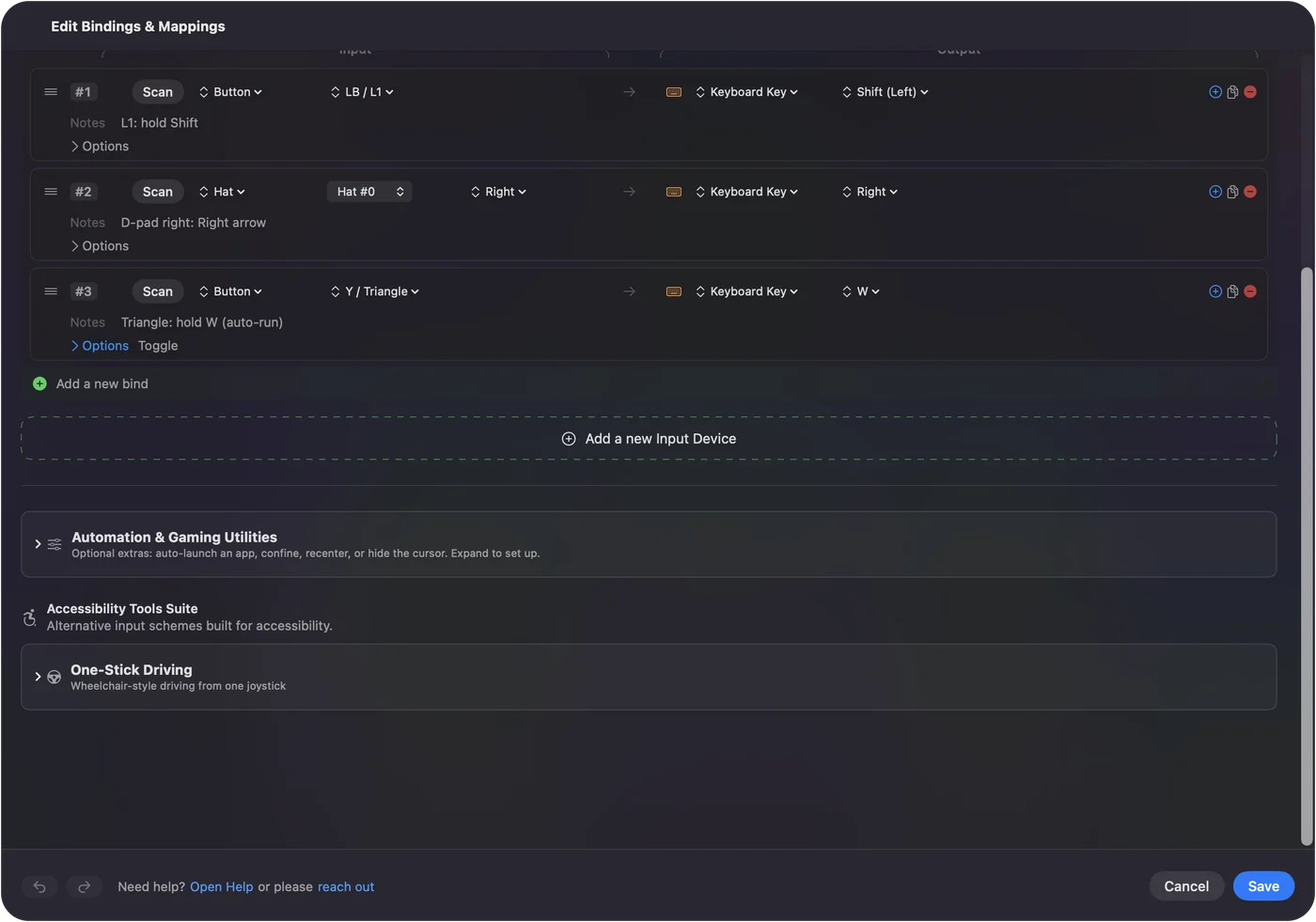
In 1.6 a key otherwise carries only its own row's modifiers, so a quick press of a Command V button followed by a Space button no longer comes out as Command Space.
Do not confuse it with a different action when held
The press menu also has Different action when held. That one does not hold a key: it gives a button a second output that fires once you have held it past a set time, while a quick tap sends the first. It is how one switch does two jobs. See hold and double tap. The tap goes out on release as a short press, so do not use it on a key you need to hold, such as W.
Use keyboard keys and other buttons
The same press modes work on a key of your Mac's keyboard, a mouse button, a MIDI pad or a switch plugged into an adaptive controller.
- A key keeps its job. InputConfig listens alongside macOS and cannot take a key away, and keys from every keyboard count as the same key.
- Modifier Holds. The built-in Modifier Holds preset turns that into a feature: hold Right Command on its own for Spotlight, Right Option for Dictation, Right Shift for Mission Control, and each still works in every shortcut. See the right Command and Option keys.
Pick a key that does nothing alone, and its new job never gets in the way.
If a key stays down
Climb this ladder, smallest step first:
- Press the button again. If it is a toggle, that lets go.
- Open the editor, or pause. Opening the preset editor, pausing outputs, locking the Mac or letting it sleep also lets go of everything held.
- Use the emergency stop. The emergency stop lets go of every key and button the app holds: Control Option Command period, or hold Back and Start together for three seconds.
1.6 fixed keys and mouse buttons that could stay held after a crash, a forced quit, or when two buttons shared a key.
Use the game's own toggle when it has one
Many games have their own Hold or Toggle setting for sprint, crouch and aim, and if the game offers it, that is the cleaner answer for that game. Minecraft Java has it for sneak and sprint in Options, Controls. Use InputConfig's toggle when the game has no such option, or when you want the same behavior in every app.
Some games treat automated input as cheating. A held or latched key is one press, but check the rules of anything played online.
The short version
- Hold to hold. Fires while held, the default.
- Press to latch. Toggles on and off.
- Stuck. Press again, or Control Option Command period.
A latched W is the easiest way to rest your thumb on a long walk.
Questions
How do I make a controller button hold W for auto-run on a Mac?
Bind W to the button and set How it fires to Toggles on and off. One press holds W, the next lets it go. The built-in Toggle Mode preset has it on Y.
Does a held button repeat the key?
No, it stays down as one press, which is what games expect. To make it repeat like a keyboard key, tick Repeat keys while held on the row (new in 1.6).
Can a button hold the mouse button down for dragging?
Yes. Give it a Mouse Button output: hold to drag, or set it to Toggles on and off so one press grabs and the next drops, as Easy Browse does on the left stick press.
Can I hold Shift on one button while pressing keys on others?
Yes. A row with only Shift holds it while the button is held, and keys from other buttons carry it.
Related
Free. macOS 14 or later. No account, nothing leaves your Mac. Open source on GitHub.