Controller macros, turbo, and toggle on a Mac
 InputConfig is completely free on the Mac App Store. You don't have to make an account, there are no subscriptions, and nothing is locked. Optimized for Apple silicon.
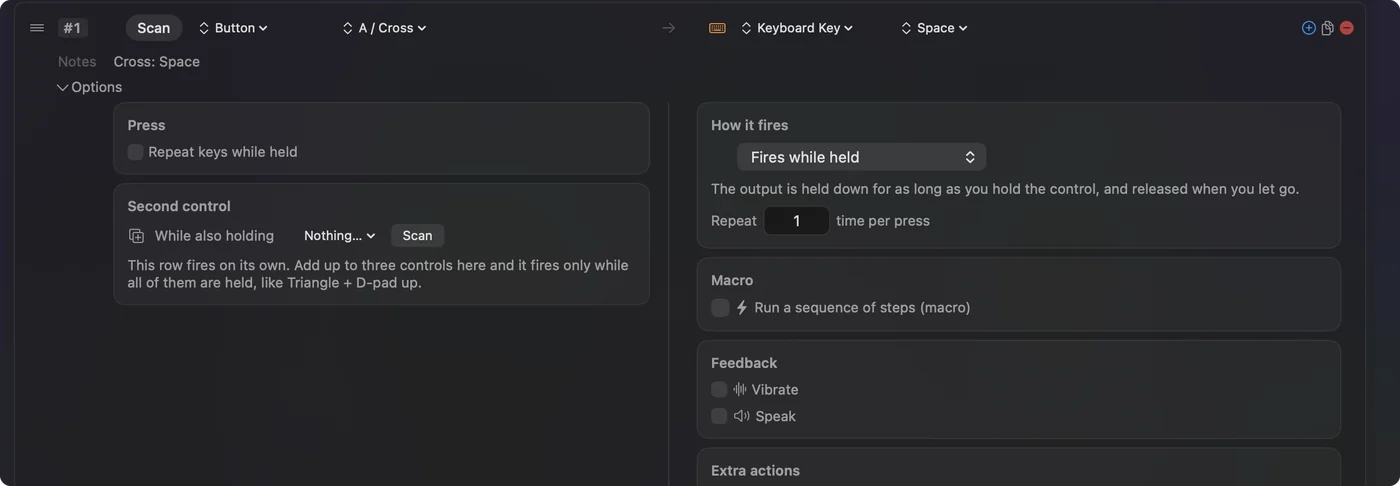
The press menu in a row's Options decides what a press means: Fires while held, Toggles on and off, Repeats while held (turbo, rapid fire), Repeats until pressed again (an auto clicker), or Different action when held. Beside it, Repeat fires a set number of times per press, and a macro replaces the output with a timed sequence of steps. All of it works on any controller button, key or pad. To stop a repeat that keeps going, see the ladder.
On this page: 9 sections
Toggle
One press turns the output on and holds it; the next releases it. It suits sticky Shift, push-to-talk that stays on, auto-run, and a held mouse button for one-handed dragging. The Toggle Mode preset shows four variations. Toggle turns any hold into two taps.
Turbo and repeat
- You: Choose Repeats while held, then set Every, the gap in milliseconds, from 5 ms to a minute.
- InputConfig: Presses and releases the output over and over while the control is held, and shows the rate the gap works out to.
- Check: Hold the control and watch the output repeat at that rate; let go and it stops.
- Vary by up to. Adds a random plus or minus to each gap.
- Stop after. Ends the run after a number of presses.
- Repeat. Fires a fixed number of times per press, with a wait between them.
The Macros & Turbo preset fires the space bar at 12 presses a second from RB. Turbo and toggle combine: rapid fire that stays on until pressed again.
Build a macro
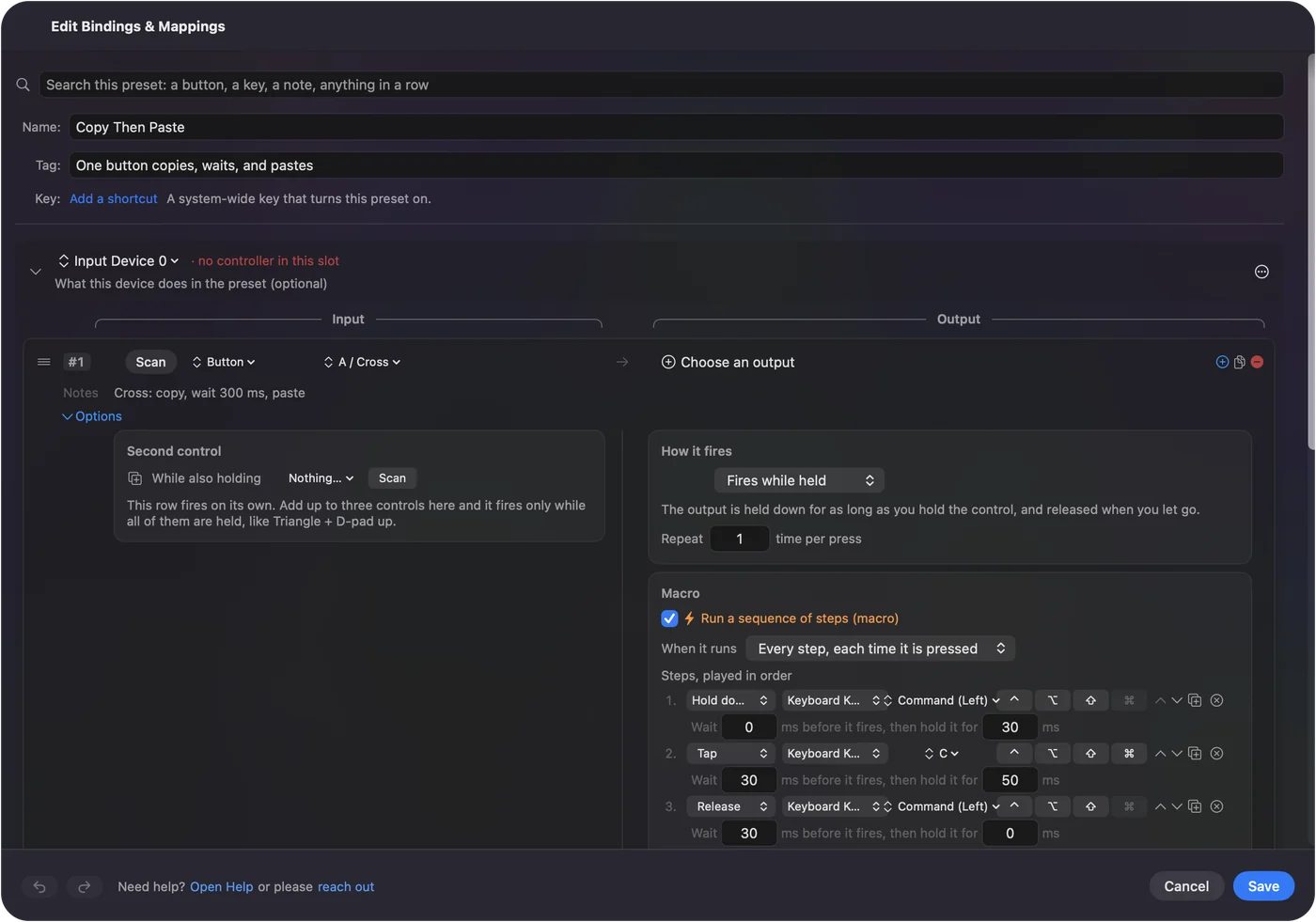
A macro is a list of steps, and each step is an output with how long to wait before it fires and how long to hold it.
- Tap. Presses and releases a key.
- Hold down. Keeps a key held while later steps run, which is how Command C style chords are built.
- Release. Lets a held key go.
- When it runs: Only while held. Ends the macro the moment the control is let go.
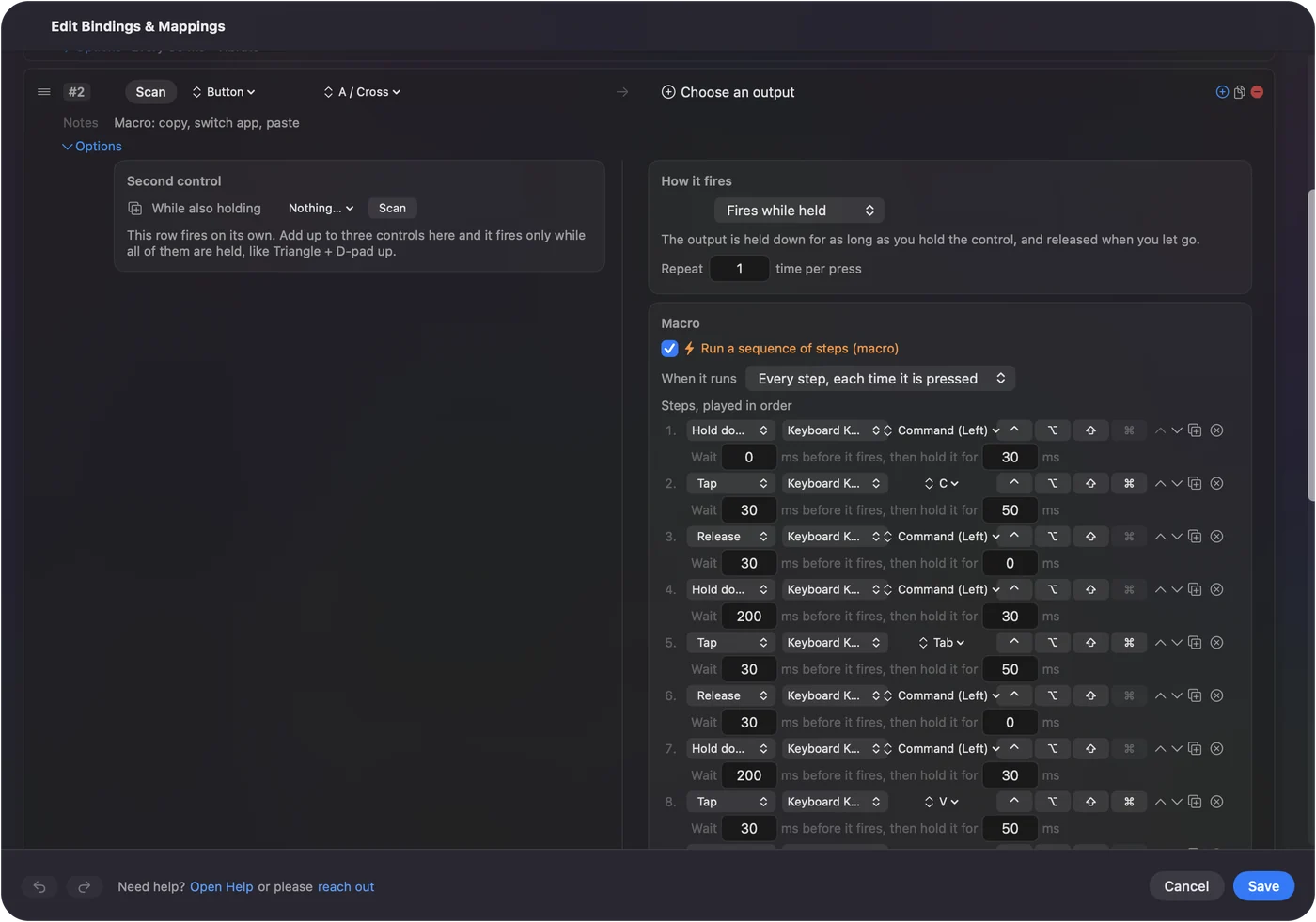
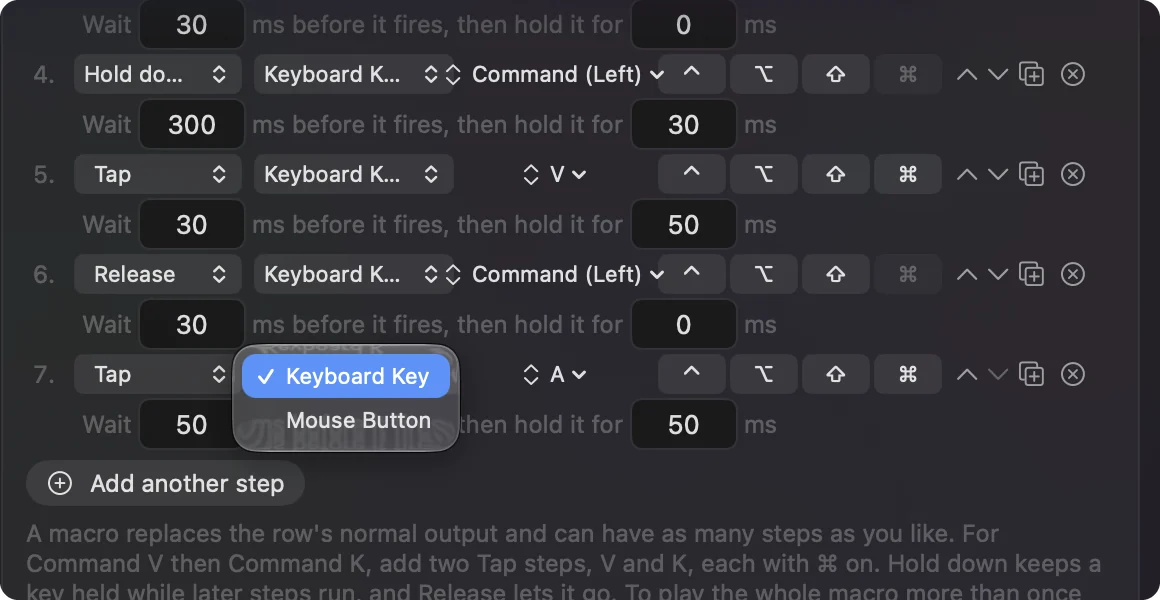
Steps are keys, with any shortcut modifiers, and mouse buttons. To type a sentence or run a System Function from the same press, put Type Text or the System Function on the row as a stacked output beside the macro. Macros & Turbo's A button runs copy, switch app, paste as one macro. If you do it the same way every time, it can be one macro.
Get the timing right
Most apps read a keystroke with a 30 to 50 ms hold and a 50 ms gap. App switching needs 300 to 500 ms before the next step. A repeating macro waits between passes. For turbo and auto click gaps, the CPS calculator turns presses per second into the Every value in milliseconds. If a macro drops characters, lengthen the wait before the step that misses.
Make an auto clicker
- You: Choose Repeats until pressed again and put a Mouse Button output on the row.
- InputConfig: One press starts the output firing at the gap you set; the next press, or the Stop after limit, ends it.
- Check: Press once and clicks start; press again and they stop.
A click can land wherever the pointer is, or at a fixed point: choose At a fixed point in the output's menu, move the pointer to the spot, and after a spoken three-second countdown the position is taken. Or type the spot in the X and Y fields. The auto clicker page walks through a full setup, and the auto key presser page does the same for keys. For a ready-made one, activate the built-in Auto Clicker preset: fn F6 or a controller's right trigger starts and stops left clicks, and the auto clicker guide tunes it step by step. Use a control that types nothing, such as a side button or F13, so starting it never types.
If it keeps going, or never starts
Climb this ladder, smallest step first:
- Press the control again. That ends a toggle, an auto clicker or a repeat.
- Use the emergency stop. Control Option Command period releases every key and button the app is holding.
- Check it is on. While this preset is off, Activate is at the top of the editor. Choose it to try a row while you edit; a preset that is on keeps working, and a warning at the top recommends turning it off with Deactivate.
The emergency stop ends any runaway repeat at once.
What turbo on a controller can and cannot do
Turbo repeats the outputs a row sends: keys, clicks, scroll steps and MIDI notes. It does not make a controller button itself fire faster inside a game that reads the controller directly, because InputConfig sends keyboard, mouse and MIDI, not a virtual controller. So controller turbo works in games played with keyboard and mouse controls and in apps; for a game that reads the pad natively the turbo has to come from the game or from a turbo controller. Tournaments do not allow macros, and online play follows each game's rules; where macros help is practice, and hands that cannot press two buttons at the same instant. Turbo repeats what InputConfig sends, not what the controller sends.
The short version
- Toggle. One press on, one press off.
- Turbo. Repeats while held, with the gap you set.
- Macro. Timed steps, from a shortcut to a whole sentence.
- Auto clicker. Repeats until pressed again, with a Mouse Button output.
Pick the press mode first, then the output.
Questions
Can a macro type a sentence?
Add Type Text to the row as a stacked output; macro steps are keys and mouse buttons.
Can turbo and toggle combine?
Rapid fire that stays on until pressed again.
Can I put a macro on an arcade stick or fight stick button?
You can when InputConfig reads the stick. Any button can send two keys at once, turbo, or a timed macro, the same as a pad button. Tournaments do not allow macros and online play follows each game's rules; where it helps is practice, and hands that cannot press two buttons at the same instant.
How do I stop a turbo or auto clicker that keeps going?
Press the control again, or use the emergency stop, Control Option Command period, which releases every key and button the app is holding.
Why does nothing repeat while I am setting it up?
The preset is probably off: Activate is then at the top of the editor. Choose it and the row works as you edit it. A preset that is on keeps working while the editor is open, so the warning at the top recommends turning it off with Deactivate when you are done trying it.
Related
Completely free. You don't have to make an account, there are no subscriptions, and nothing is locked. Optimized for Apple silicon. Open source on GitHub.
Updated