How to add a turbo button to a controller on a Mac
 InputConfig is completely free on the Mac App Store. You don't have to make an account, there are no subscriptions, and nothing is locked. Optimized for Apple silicon.
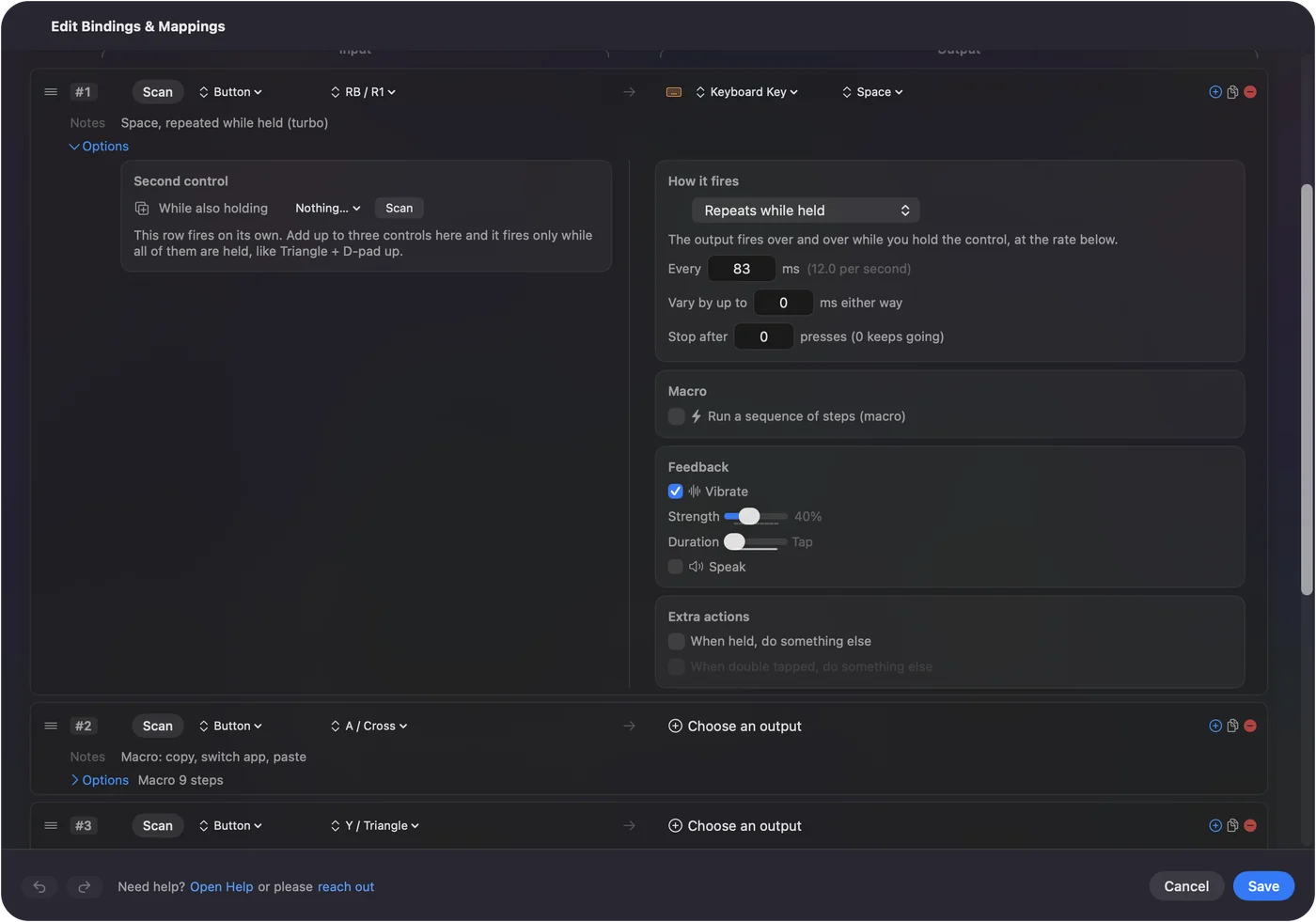
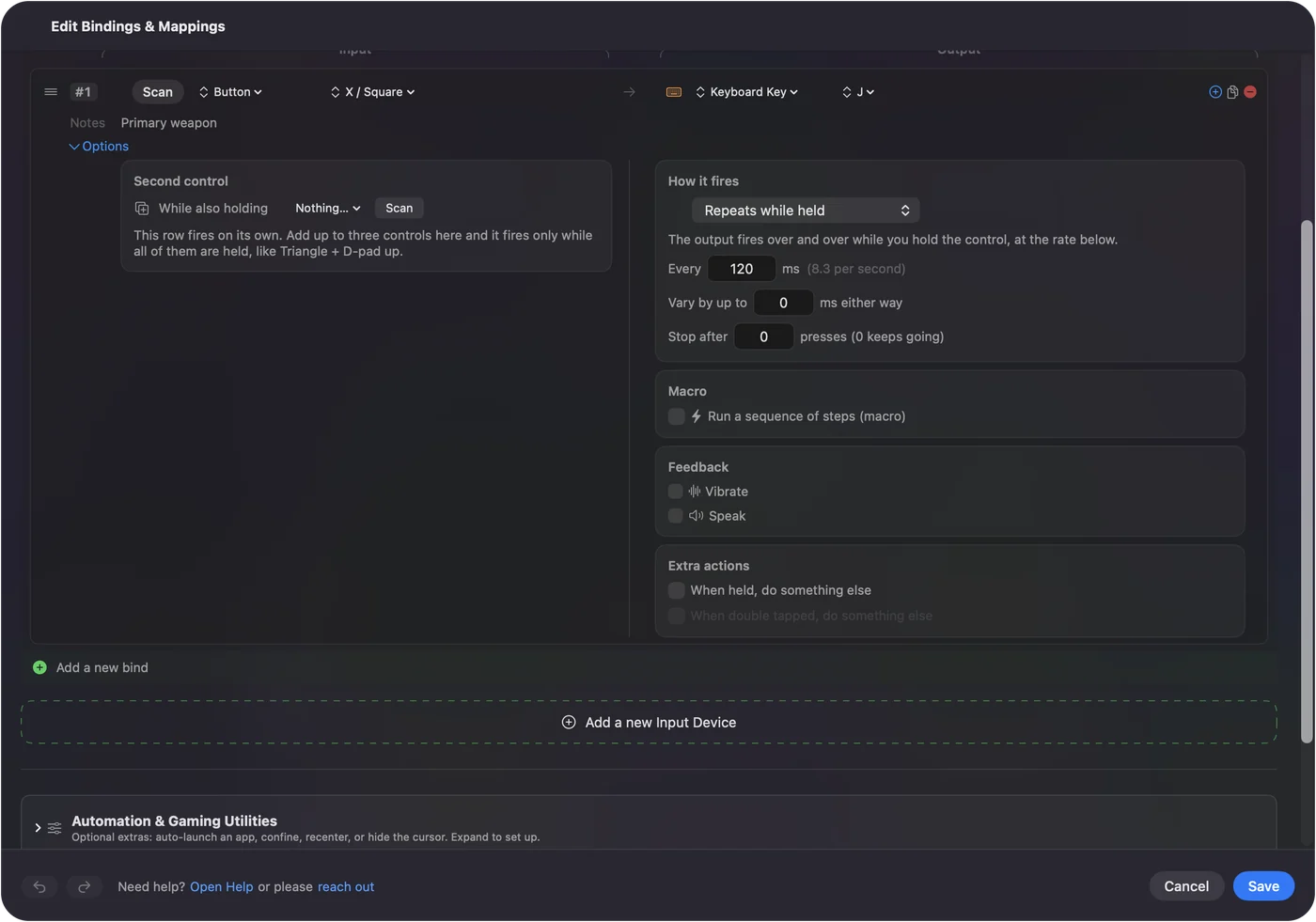
Any button can be a turbo button on a Mac. In InputConfig, open the row's Options, set How it fires to Repeats while held, and set how often in the Every field. Hold the button and the key or click repeats until you let go.
I make InputConfig, a free Mac app that maps a controller to keys and mouse. Turbo works on controllers that never had a turbo switch, and on mouse buttons and keys too.
Steps
- Open the preset in InputConfig and click Edit.
- Expand Options on the button's row.
- Set How it fires to Repeats while held.
- Type the gap in the Every field, such as 50 ms for 20 times a second.
- Click Save and hold the button in the game.
Set it up
- You: Expand Options on the row and set How it fires to Repeats while held. Type a number of milliseconds in the Every field.
- InputConfig: Repeats the row's output for as long as the button is held, and shows the rate per second beside the field.
- Check: Hold the button. The key or click fires over and over, and stops when you let go.
Start at 100 ms and go faster only if the game keeps up. Some games drop presses that arrive too quickly.
Pick the kind of repeat
- Repeats while held. This is classic turbo. It fires for as long as you hold.
- Repeats until pressed again. This is auto fire. Press once to start and once to stop.
- Toggles on and off. This holds the key down, for a charge or a sprint, until you press again.
Keep the normal button too
Many players want both a normal press and a turbo press. Add a second row for the same output on another button, and set only that row to repeat. A chord works as well: the row fires as turbo only while you also hold a bumper.
What it can and cannot do
InputConfig repeats the key or click the row sends. It does not make the controller's own button pulse, so it helps in games you play through keys and mouse, and it does nothing for a game that reads the controller directly. Some online games do not allow turbo or macros, so check the rules before you use it there.
The short version
- Turbo. Options, How it fires, Repeats while held.
- How fast. The Every field, in milliseconds.
- Auto fire. Repeats until pressed again.
Questions
Can I add turbo to a PS5 or Xbox controller on a Mac?
Yes. In InputConfig, set the button's row to Repeats while held and choose the gap in milliseconds. It repeats the key or click that row sends.
How fast can turbo go?
The Every field takes the gap in milliseconds, and the rate per second shows beside it. 50 ms is 20 times a second. Some games drop presses that come faster than they can read.
Is a turbo button allowed in online games?
Some games and servers forbid turbo and macros. Check the game's rules. For single-player games it is your choice.
Related
Completely free. You don't have to make an account, there are no subscriptions, and nothing is locked. Optimized for Apple silicon. Open source on GitHub.
Updated