Does Razer Synapse work on a Mac?
 InputConfig is completely free on the Mac App Store. You don't have to make an account, there are no subscriptions, and nothing is locked. Optimized for Apple silicon.
Yes, on Apple silicon Macs, for a short list of devices. Razer Synapse for Mac is still labeled a preview, it supports thirteen mice and a set of BlackWidow, Huntsman and other keyboards, and it does not run on Intel Macs. Razer's pages disagree on the minimum macOS: its support articles say macOS 13 Ventura, and its download page says macOS 15 Sequoia. I read all of them on October 22, 2026.
A Razer mouse works on any Mac as a mouse with nothing installed, and its buttons do not need Synapse to have jobs. I make InputConfig, a free Mac app, and I have checked it with a Razer mouse: the buttons scan and bind like any other mouse's.
On this page: 11 sections
Steps
- Check Razer's Synapse for Mac supported device list for your model.
- On an Apple silicon Mac, install the Synapse for Mac preview from Razer's download page.
- Grant every permission it lists, Driver Extensions included, and turn off Karabiner-Elements if you use it.
- To remove it, open Applications, Razer, and run Razer Uninstaller.
- For any Razer mouse, press Scan on an InputConfig row, press a button, and choose what it sends.
Know what Razer offers on a Mac today
Razer's Mac app is called Razer Synapse for Mac, and its download page still labels it a preview. That page and Razer's support articles describe what it does: device settings for supported mice and keyboards, macros bound to keys or buttons, profiles that switch when an app or game opens, Chroma lighting through a separate Chroma app preview, and cloud sync with a Razer ID. Razer's FAQ says you need internet the first time you log in, and the download page offers Continue as guest.
- Apple silicon only. Every Razer page I read says Synapse for Mac supports Macs with Apple silicon.
- The macOS minimum is disputed. Razer's support article, updated May 8, 2026, and its Mac OS support page, updated August 13, 2026, say macOS 13 Ventura and later. The download page says macOS 15 Sequoia and later.
- A curated device list. Razer's FAQ says it will add support for a curated selection of devices, so a model missing today is not promised later.
I read all of these on October 22, 2026. If you are on macOS 13 or 14, expect that Razer may require Sequoia, and check the download page before you buy for the software.
Check the supported device list
Razer's list of Synapse for Mac supported devices was updated on August 21, 2026, and I read it on October 22, 2026. It has no headsets, no Tartarus keypad and no Naga V3 Pro.
| Category | Models on Razer's list |
|---|---|
| Mice | Basilisk Mobile, Basilisk V3 35K, Basilisk V3 Pro, Basilisk V3 Pro 35K, Cobra Pro, DeathAdder V3 Pro, DeathAdder V4 Pro, Naga V2 Pro, Pro Click V2, Pro Click V2 Vertical Edition, Viper V3 Pro, Viper V3 Pro SE, Viper V4 Pro |
| Keyboards | BlackWidow V4, V4 75%, V4 75% Barebones, V4 Low-profile HyperSpeed, V4 Low-profile Tenkeyless HyperSpeed, V4 Pro, V4 Pro 75%, V4 Tenkeyless HyperSpeed, Huntsman Signature Edition, Huntsman V3 Pro 8KHz, Huntsman V3 Pro Mini, Huntsman V3 Pro Tenkeyless 8KHz, Joro, Pro Type Ergo |
| Mats | Firefly V2 Pro |
| Accessories | HyperPolling Wireless Dongle, Mouse Dock Pro and Wireless Charging Puck, Thunderbolt 5 Dock Chroma |
| Content creation | Kiyo V2 |
Razer adds that special colorways and licensed editions of a listed device are only partly supported and show up as the standard edition. Razer's supported device page is the one to check before you buy. Thirteen mice made the list, so most Razer mice on a Mac run without Razer's app.
Intel Macs and older Synapse versions
Razer's Mac OS support page has an end of support notice. Cloud features of Razer Synapse 2.0 stopped on October 28, 2025, and the same notice says updates and cloud services for Synapse 3 ended on February 3, 2026. Razer says Synapse 2.0 keeps running where it is installed, with local profiles and macros, and it lists Synapse 2.0 support only for Mac OS X 10.6 through 10.14 Mojave.
- An Apple silicon Mac. Synapse for Mac, if your model is on the list.
- An Intel Mac on a current macOS. Razer lists no Synapse for it. The mouse still works as a mouse, and its buttons can be bound by an app that is not Razer's.
- An Intel Mac on Mojave or older. Synapse 2.0, for certain devices, without cloud features.
On an Intel Mac, the plan for a Razer mouse is onboard memory plus a mapper, not Synapse.
If Synapse for Mac does not see your mouse
Climb this ladder, smallest step first:
- Check the list. A model that is not on it will not be configured, however you install the app.
- Grant every permission. Razer's permissions article lists Driver Extensions, Input Monitoring, Bluetooth, Accessibility, Screen & System Audio Recording, Full Disk Access and Notifications. Click the System Permission Needed icon in Synapse and follow it until each one has a green check. Razer says a device may not be detected without them.
- Turn off Karabiner-Elements. Razer says Karabiner-Elements causes a driver conflict that stops Razer devices from being detected. Open System Settings, General, Login Items & Extensions, scroll to Driver Extensions and turn Karabiner-Elements off, or uninstall it.
- Plug in directly. Use the cable or the HyperSpeed dongle in the Mac itself, not a hub, and check the mouse's switch is set to the connection you are using.
- Reinstall. Remove it the way the next section shows, restart, and install the current preview from Razer's download page.
Driver Extensions and the Karabiner conflict are the two causes people miss, because Mac apps rarely ask for either.
Uninstall Synapse for Mac
Razer ships its own uninstaller. Its uninstall article, updated November 2, 2025, gives these steps:
- Open Finder and go to Applications.
- Open the Razer folder.
- Double-click Razer Uninstaller.app.
- Click Uninstall and follow the dialog.
The same uninstaller removes the Razer Chroma app. Use Razer Uninstaller rather than dragging Synapse to the Trash, because it is the route Razer documents. Afterward, the mouse still works as a mouse.
Know what works without Synapse
- Pointer, clicks and scroll. Every Razer mouse is a standard mouse to a Mac, listed or not.
- Tracking speed. System Settings, Mouse sets it. The mouse's DPI button still steps through the levels stored in the mouse.
- Side buttons. They usually reach the Mac as Button 4 and Button 5, and any app can give them a job.
- Onboard profiles. On models Razer says keep profiles in the mouse, buttons set up in Synapse on another computer keep working on the Mac.
- Lighting. Without Synapse or the Chroma app, the Mac cannot change it.
Synapse only matters for lighting, DPI levels and what the mouse itself stores. Razer mouse on a Mac covers the basics for every family.
Bind Razer buttons in InputConfig
I make InputConfig, a free Mac app that runs on Apple silicon and Intel Macs with macOS 14 or later. I have checked it with a Razer mouse, and its buttons scan and bind like any other mouse's.
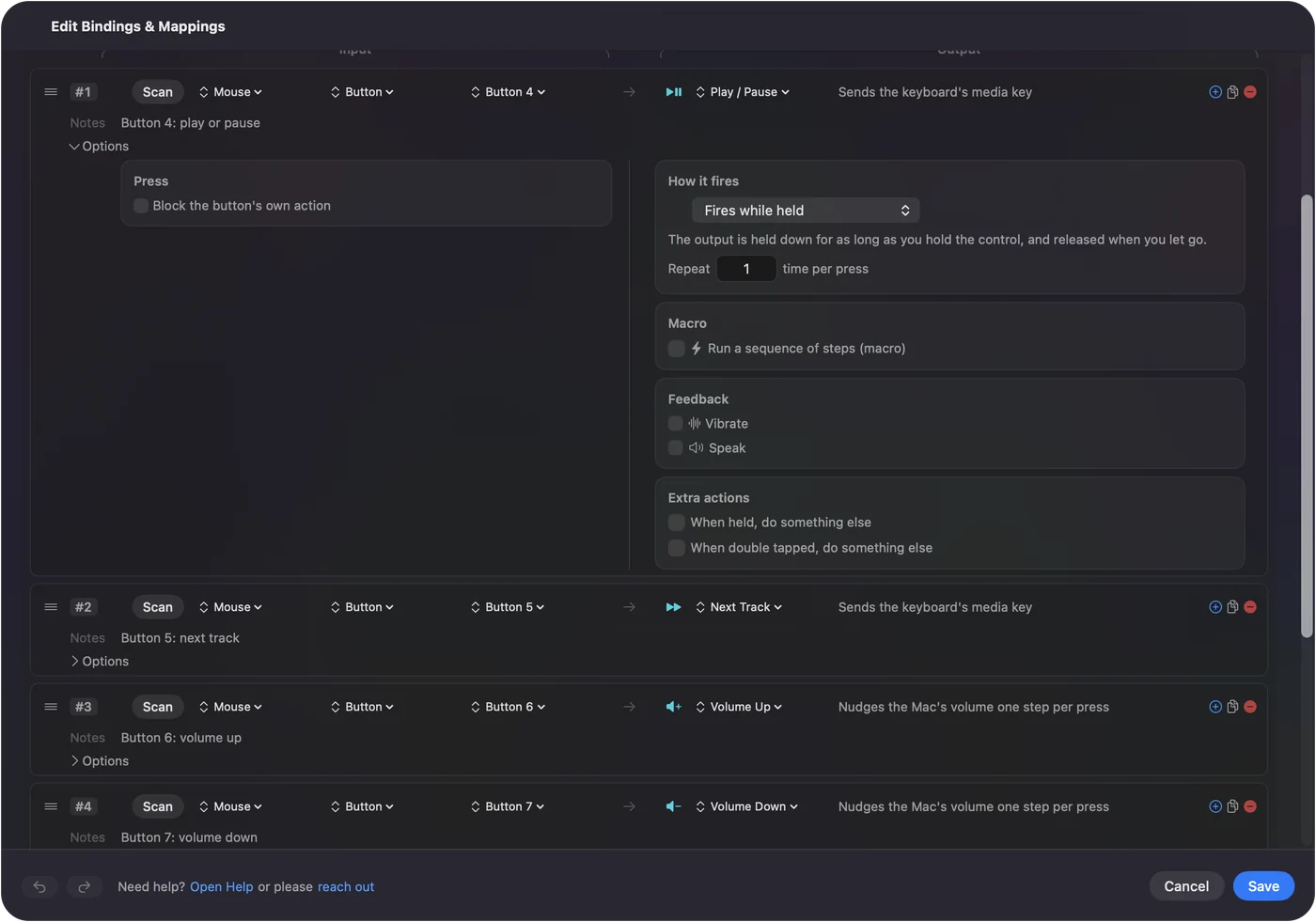
- You: Add an input device set to This Mac's mouse or trackpad, add a row, press Scan, and press a side button.
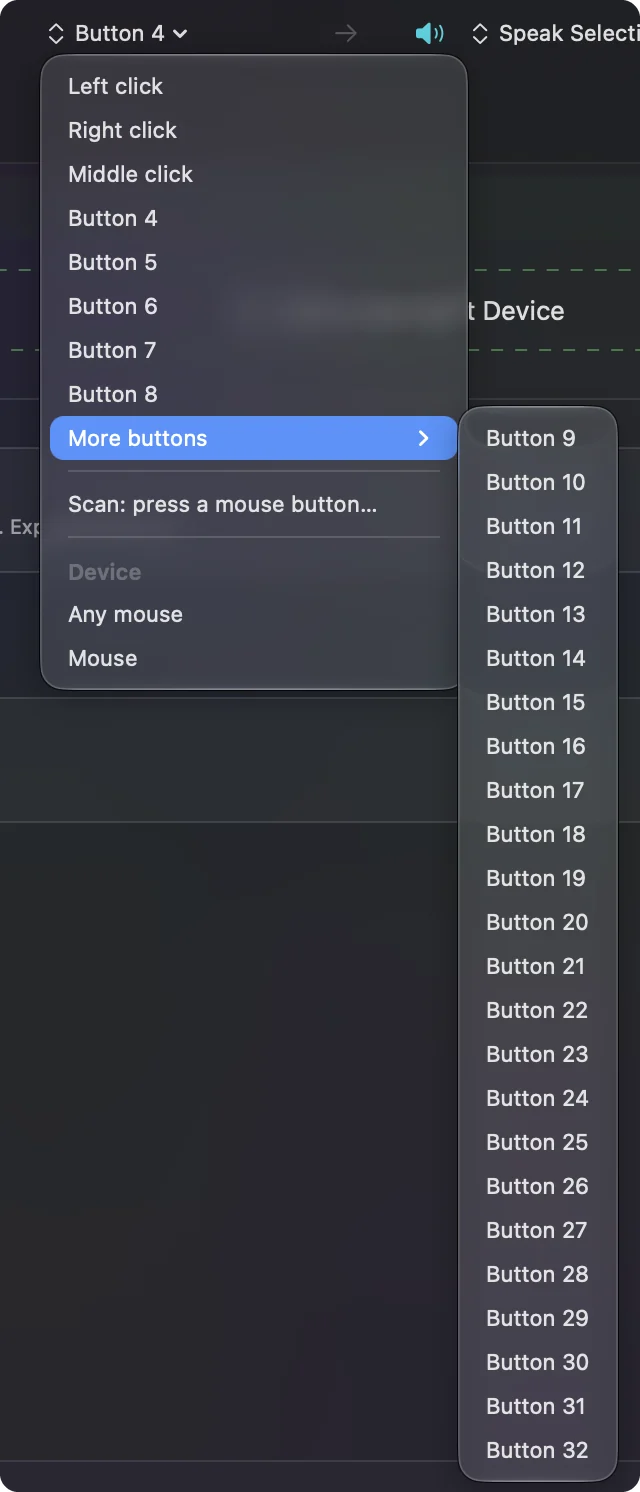
- InputConfig: Names it, Button 4, Button 5 or a higher number, up to Button 32.
- Check: Choose what it sends, Save and Activate, then press the button. If the button already did something, turn on Block the button's own action in the row's Options.
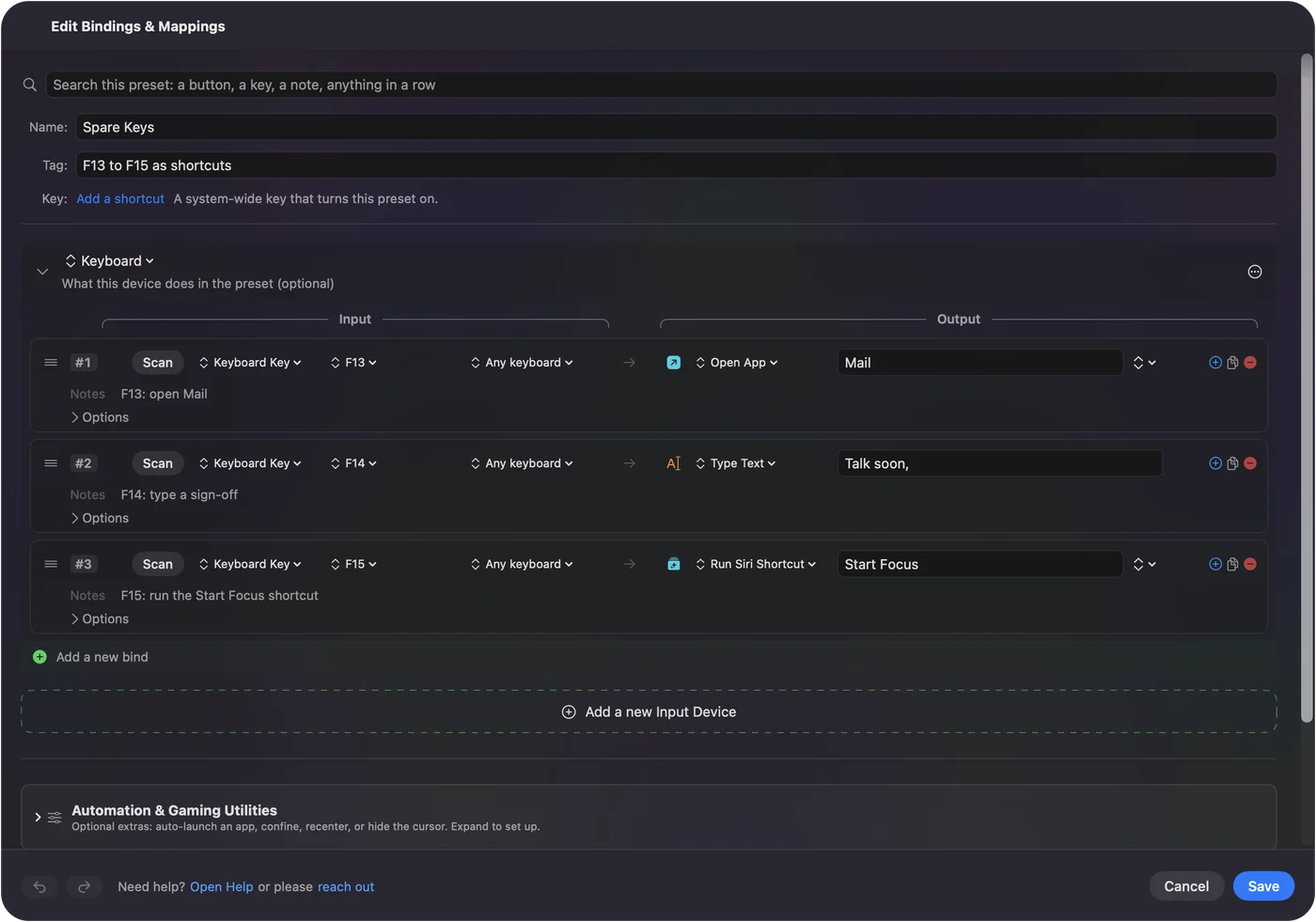
A Naga thumb grid is different, because it usually sends the number row as keys, and InputConfig listens to keys without blocking them. Set the grid to F13 to F20 in Synapse, on this Mac for a Naga V2 Pro or on another computer for a model with onboard memory, then bind those keys. F21 to F24 are not passed to apps by macOS. Buttons that scan as mouse buttons need nothing from Razer, and only keys in disguise need Synapse once.
The model pages go further: Naga, Basilisk, DeathAdder, Viper, Pro Click, Orochi and Cobra, Atheris and the Tartarus keypad.
What it cannot do
- Hardware settings. InputConfig does not change DPI, polling rate, lighting or acceleration. Synapse or the mouse's own memory does.
- Buttons the mouse keeps to itself. A DPI or profile button sends nothing to macOS, so nothing scans.
- Blocking keys. A thumb key that types 1 still types 1, which is why the F13 to F20 change matters.
- Two mice apart. Every mouse connected counts as one.
Let Razer handle what lives in the mouse, and let a mapper handle what the Mac receives.
The short version
- Apple silicon and a listed model. Synapse for Mac, still a preview.
- Intel Mac or an unlisted model. No Synapse, and the mouse still works.
- Synapse will not see it. Grant Driver Extensions and the other permissions, and turn off Karabiner-Elements.
- The buttons. Scan them in InputConfig and give each one a job.
Check Razer's list first, and if your mouse is not on it, you have not lost much.
Questions
Does Razer Synapse work on a Mac?
Razer Synapse for Mac runs on Apple silicon Macs and supports the models on Razer's list, which had thirteen mice when it was updated on August 21, 2026. Razer still calls it a preview.
Does Razer Synapse work on an Intel Mac?
Not the current version. Razer says Synapse for Mac supports Apple silicon only, and the older Synapse 2.0 is listed only up to macOS 10.14 Mojave.
Which macOS does Razer Synapse for Mac need?
Razer's support articles say macOS 13 Ventura or later, while its download page says macOS 15 Sequoia or later. Check the download page before installing.
Why does Razer Synapse not detect my mouse on a Mac?
Check the model is on Razer's list, grant every permission it asks for, including Driver Extensions, and turn off Karabiner-Elements, which Razer says conflicts with its driver.
How do I uninstall Razer Synapse on a Mac?
Open Applications, open the Razer folder, double-click Razer Uninstaller.app and click Uninstall.
Related
Completely free. You don't have to make an account, there are no subscriptions, and nothing is locked. Optimized for Apple silicon. Open source on GitHub.
Updated