Does the Razer DeathAdder work on a Mac?
 InputConfig is completely free on the Mac App Store. You don't have to make an account, there are no subscriptions, and nothing is locked. Optimized for Apple silicon.
Yes, as a mouse: the pointer, the clicks and the wheel work on any Mac with nothing installed. The DeathAdder is one of the simpler Razer mice, so there is little to map beyond the two side buttons and the wheel click, and those arrive as ordinary mouse buttons. The DPI button on the underside does not, because it talks to the mouse only.
I make InputConfig, a free Mac app that gives any mouse button a job, and I have checked it with a Razer mouse. Which DeathAdders Razer Synapse for Mac supports is on Razer mouse on a Mac. This page is for the buttons you can actually bind.
On this page: 11 sections
Steps
- Plug in the DeathAdder, or its dongle if it is a wireless model, and use it at once.
- Open InputConfig, add a Mouse row, press Scan and press each side button.
- Choose what each side button sends, such as Command [ and Command ] for back and forward.
- Save and Activate the preset, then press the buttons in a browser to check.
- Change DPI with the button underneath or with Razer Synapse, and leave tracking speed to System Settings.
What the DeathAdder does on a Mac, model by model
Every DeathAdder is a standard mouse to a Mac. The differences are in button count, connection and what the mouse remembers. I read Razer's pages for the V3, V3 Pro, V4 Pro and Essential on October 21, 2026.
| Model | Programmable buttons | Connection | What it stores | Synapse for Mac list I read |
|---|---|---|---|---|
| DeathAdder Essential | Five | Wired | Onboard memory, software needed to set up | No |
| DeathAdder V3 | Eight controls, six fully configurable | Wired | Up to five profiles plus the last Synapse profile | No |
| DeathAdder V3 Pro | Eight controls | HyperSpeed wireless | One onboard profile | Yes |
| DeathAdder V4 Pro | Eight controls | HyperSpeed wireless, Gen-2 dongle | One onboard profile | Yes |
The last column is the Synapse for Mac list quoted on the Razer mouse page linked above. A DeathAdder that Synapse for Mac does not list still has side buttons that work, because the Mac receives them as mouse buttons.
Find out what each button sends
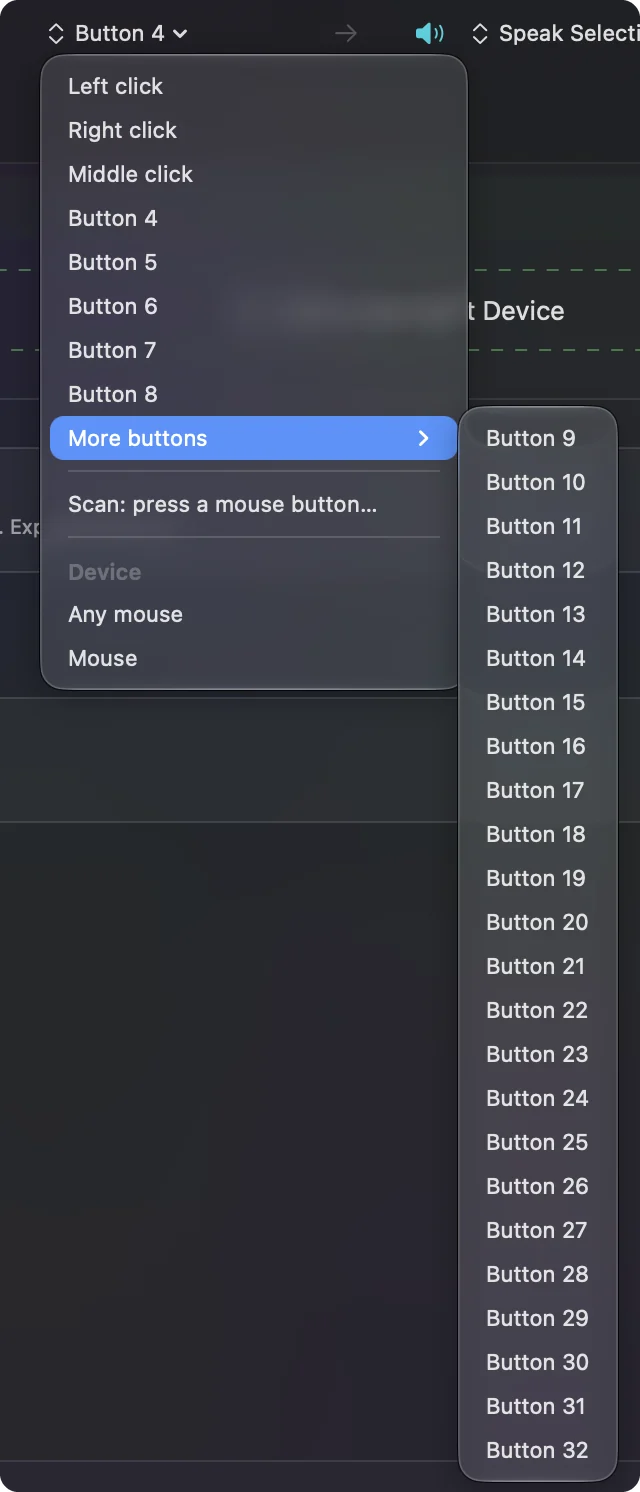
- You: In InputConfig, add a Mouse row, press Scan, and press the left side button, then the other side button, then click the wheel.
- InputConfig: Names each button, for example Button 4 and Button 5 for the two side buttons, and Middle click for the wheel.
- Check: A button name means it is yours to bind. If one does not scan, it belongs to the mouse.
| Control | How it reports | What to do |
|---|---|---|
| Two side buttons | Usually Button 4 and Button 5, press Scan to confirm | Bind back and forward, or anything else |
| Wheel click | Middle click | Bind it and block its own action if you like |
| Wheel | Scroll up and down | Leave to macOS |
| DPI button underneath | Cycles DPI inside the mouse, nothing arrives | Press it on the mouse, or use Synapse |
Razer says the underneath button cycles five factory DPI stages, 400, 800, 1600, 3200 and 6400 on the Pro models, and that holding it for three seconds turns a wireless model on or off. On the V4 Pro Razer says Synapse can reprogram that button, so if you change it there, Scan again to see whether it now sends anything. The one button that stays private is the one under the mouse, and that is fine, because you rarely need to press it.
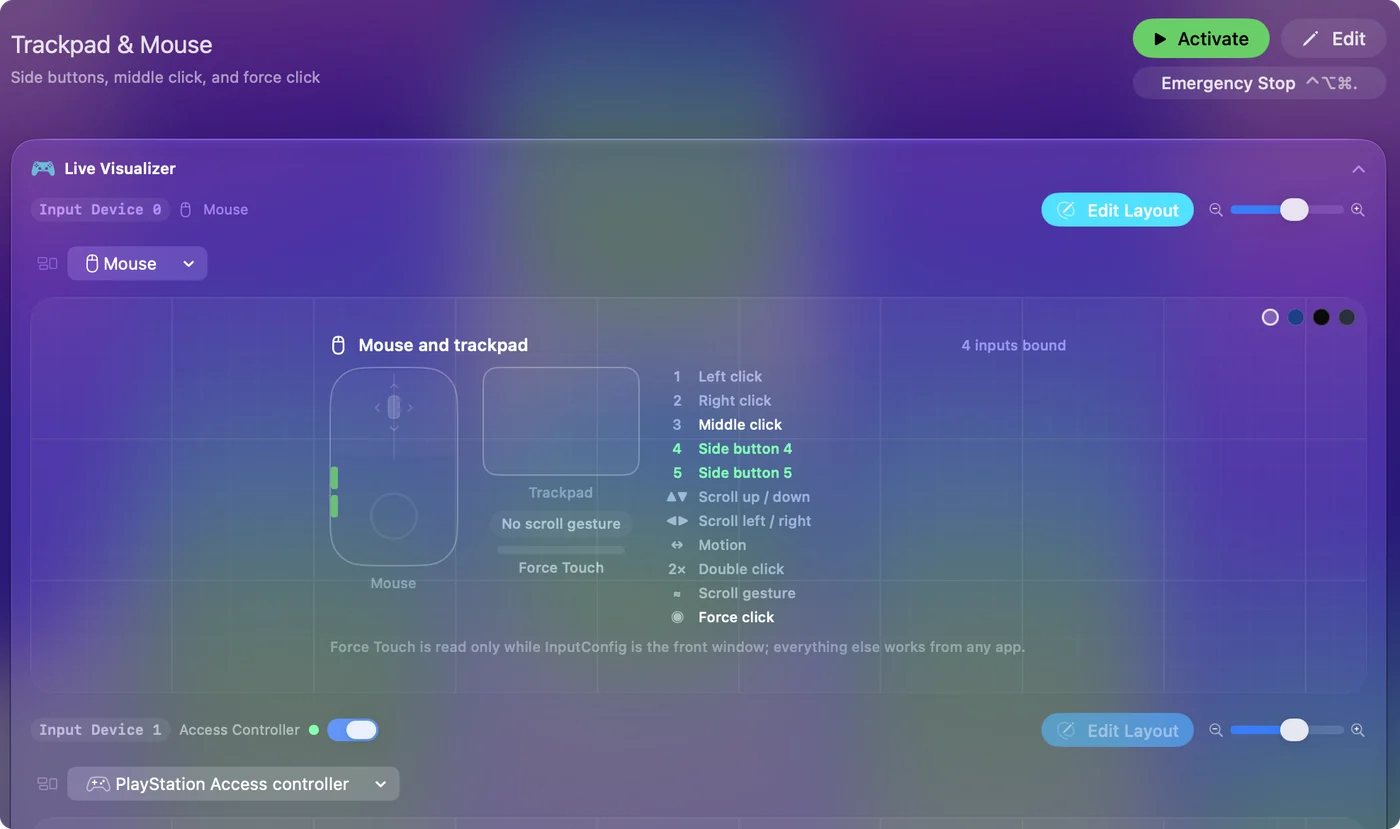
Bind the side buttons
- You: Make a preset and click Add a new Input Device. Set the device to This Mac's mouse or trackpad. Add a row, press Scan, press a side button, and choose Keyboard Key with Command and the left bracket.
- InputConfig: Sends Command [ every time that button is pressed, in every app.
- Check: Open a browser, go to a second page, press the button. The page goes back.
Do the same on the other button with Command and the right bracket for forward. The built-in Trackpad & Mouse and Keyboard & Mouse Input presets already do this if you would rather start from one. After that the buttons are free for anything: Mission Control, Start Dictation, a screenshot, a Siri Shortcut or text you type often.
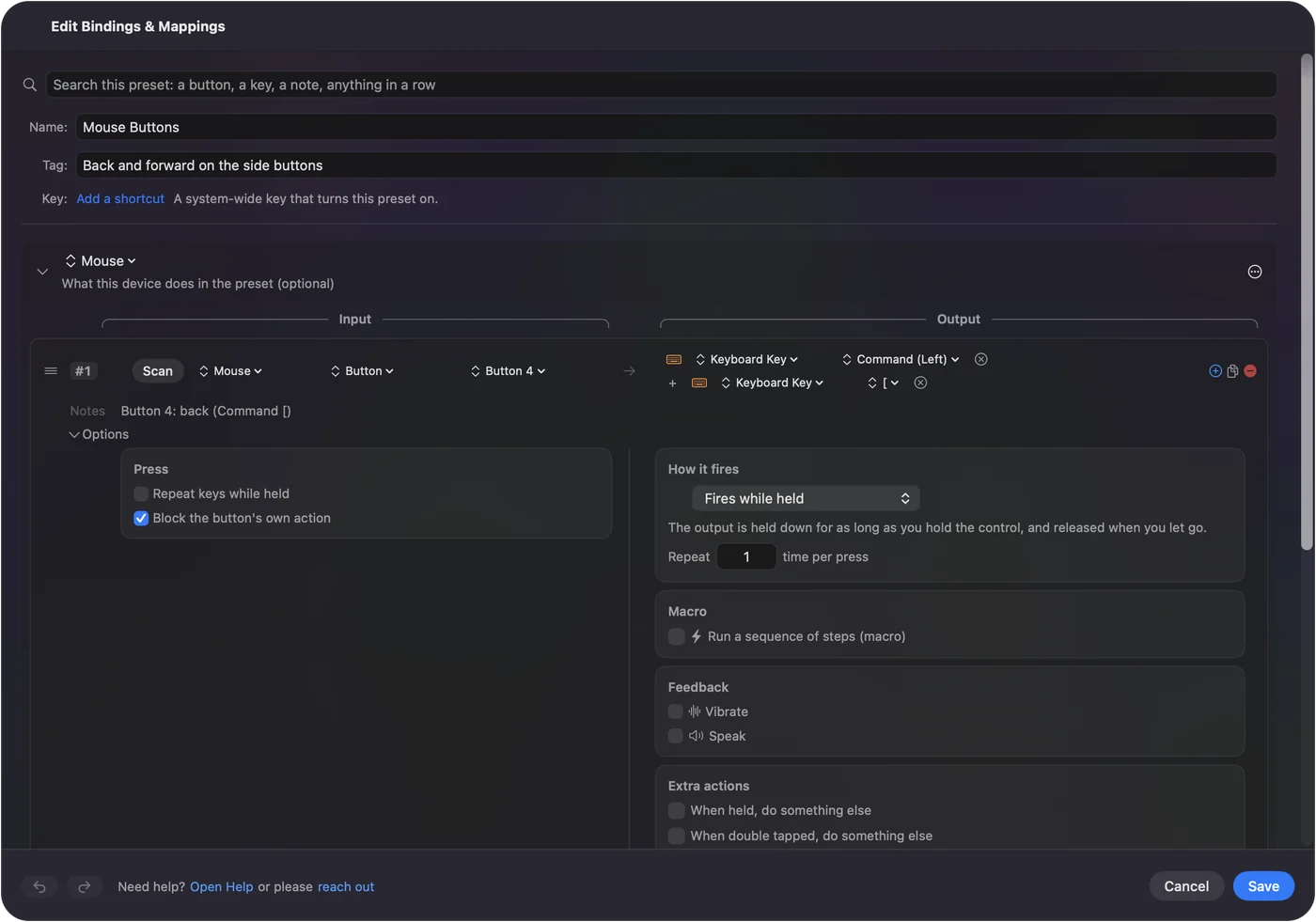
Stop an app from also using the button
InputConfig listens alongside macOS, so a side button keeps its old job and your new one happens on top. Many Mac apps ignore Button 4 and Button 5, but a browser may not.
- You: Open the row's Options, and in the Press box tick Block the button's own action.
- InputConfig: While the preset runs, apps stop seeing that button, so it only does what the row says.
- Check: Stop the preset and the button works as it did before.
This is offered for the middle button and the side buttons, not for left and right click, so you cannot lock yourself out.
Macros, hold and double click on two buttons
A DeathAdder has few buttons, so each one should do more than one thing.
- Hold. Tap a side button for back, hold it for Mission Control. A row can have a hold action and a double tap action, each a full second output. Hold and double tap has the details.
- Macro. Tick Run a sequence of steps (macro) in the row's Options for a timed list of key, shortcut and click steps. How to make a macro shows one.
- Second control. A row can also wait for a second control held with it, which gives a combo, for example the side button while a held modifier is down.
- Per app. A preset can list apps, and Switch presets when the front app changes makes the layout follow the app in front.
Ideas for DeathAdder users
- Players who want the lightest mouse. Razer says the V3 weighs 59 g, the V3 Pro 64 g and the V4 Pro 57 to 58 g, so side buttons for the Mac can be a bonus beside the aiming.
- Right-handed users. The DeathAdder is a right-handed ergonomic shape, so the side buttons sit under the thumb.
- Budget buyers. The Essential has five buttons and a wire, and it works on a Mac with no setup at all.
- People who miss back and forward. Two thumb buttons make browsing and Finder navigation fast.
If a button does nothing
Climb this ladder, smallest step first:
- Scan it. If nothing scans, the button is private to the mouse.
- Check the connection. A wireless DeathAdder works with the dongle, and it may have powered off, which Razer says holding the underneath button for three seconds does.
- Activate the preset. Rows only fire while their preset runs.
- Allow Accessibility. System Settings, Privacy & Security, Accessibility.
- Check Synapse. If Razer's software gave the button another job, set it back.
If the Mouse map lights, the button reaches the Mac and a row can use it. Mouse back button not working covers the common causes.
What it cannot do
- DPI. InputConfig does not change DPI, polling rate or lighting. The button underneath and Razer Synapse do, and System Settings, Mouse sets tracking speed.
- The private button. The DPI button sends nothing the Mac can read.
- Two mice apart. Every mouse counts as one.
- Setting DPI from the Mac. Free menu bar apps such as Mac-Razer-DPI-Switcher and MacRazer say they change a Razer mouse's DPI without Synapse. I have not tried them, so read their pages first.
- Pointer feel. LinearMouse, Mac Mouse Fix or SteerMouse change acceleration, and they run alongside InputConfig.
The short version
- Works. The DeathAdder is a normal mouse on a Mac.
- Side buttons. They arrive as mouse buttons, so bind them.
- DPI. It stays on the underside and in Synapse.
Two good buttons are enough if each one has a tap, a hold and a double tap.
Questions
Does the Razer DeathAdder work on a Mac?
Yes, as a mouse. Razer's Synapse for Mac list I read includes the DeathAdder V3 Pro and V4 Pro, and the V3 and Essential work for pointing and clicking.
How do I use the DeathAdder side buttons on a Mac?
They reach the Mac as mouse buttons. In InputConfig, press Scan, press a side button and choose what it sends, such as Command [ for back.
Where is the DeathAdder DPI button?
On the V3 Pro and V4 Pro Razer puts it on the bottom of the mouse, where it cycles five DPI stages. It sends nothing the Mac can read, so InputConfig cannot bind it.
Can I change DeathAdder DPI on a Mac without Synapse?
Yes with the DPI button on the mouse, which steps through stored levels. InputConfig does not change DPI, and some free menu bar apps say they can, which I have not tested.
Does the DeathAdder Essential work on a Mac?
It works as a mouse with no setup, and its side buttons can be bound by an app. Razer says it needs software for settings, and the Essential is not on the Synapse for Mac list I read.
Related
This page in other languages: العربية, Čeština, Dansk, Deutsch, Español, Suomi, Français, Magyar, Bahasa Indonesia, Italiano, 日本語, 한국어, Norsk, Nederlands, Polski, Português, 繁體中文, 简体中文
Completely free. You don't have to make an account, there are no subscriptions, and nothing is locked. Optimized for Apple silicon. Open source on GitHub.
Updated