Stardew Valley with a controller on a Mac, and when it will not work
 The Stardew Valley layout is built into InputConfig, free on the Mac App Store. You don't have to make an account, there are no subscriptions, and nothing is locked. Optimized for Apple silicon.
On a Mac: Native on macOS with real gamepad support built in. Use the game's own controller mode first. This layout is for controllers the game does not recognize, and for people who prefer a mouse-style cursor on the right stick.
Stardew Valley runs natively on the Mac and supports controllers on its own, so try the game's gamepad mode first: it snaps the tool to the tile in front of you, pages the inventory, and handles the fishing rod. On a keyboard, WASD walks, left click uses the tool, right click checks and talks, and E opens the menu. The full list is at the end.
This layout is for the two cases the game does not cover: a controller the Mac sees but Stardew does not, and playing the mouse way, aiming a tool at a tile across the fence, from a sofa or a MacBook with no mouse. The right stick is a mouse cursor, and the game sees a keyboard and a mouse.
On this page: 9 sections
- The layout, control by control
- How the layout thinks
- Tune it to how you play
- If your controller does nothing in Stardew Valley
- Stardew Valley's keyboard controls on a Mac
- Stardew Valley controller support: controller or keyboard
- Get it in two clicks
- Stardew Valley controls: every button and the key it sends
- Questions
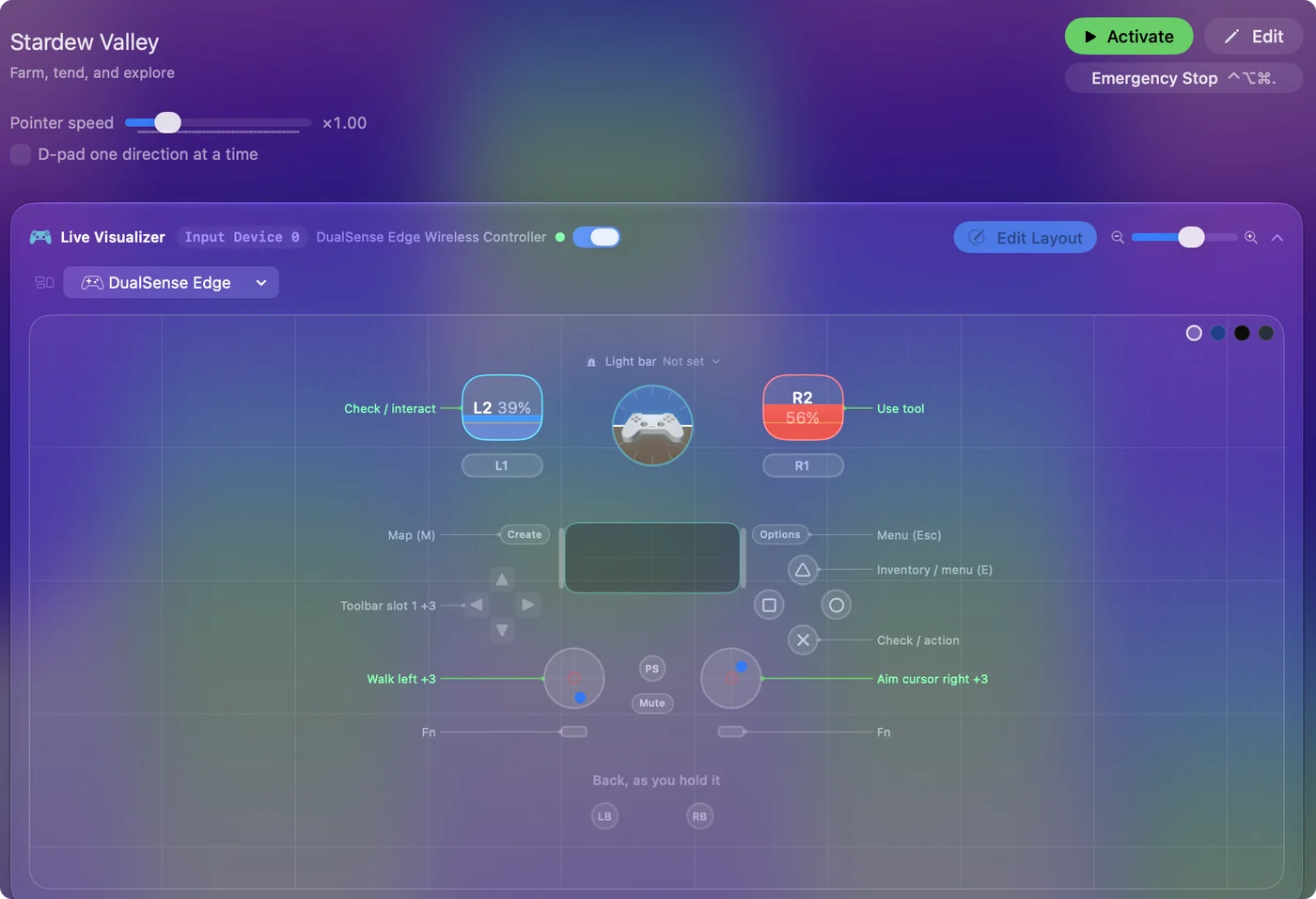
The layout, control by control
How the layout thinks
- Walk and aim. The left stick walks. The right stick is the mouse cursor, so wherever it points is where the tool lands, the hoe digs and the seed goes.
- Use and check. The right trigger uses the tool (left click). The left trigger checks and interacts (right click): talk to a villager, open a chest, pet the cat, harvest the crop. The bottom face button is right click too, for checking with a thumb.
- Toolbar. The D-pad is slots 1 to 4, clockwise from up.
- Menus. The top face button opens the inventory (E), Create opens the map (M), and Options is the menu.
Nothing is bound that the game does not need, because Stardew is a game about not having many buttons.
Tune it to how you play
- The whole toolbar. There are twelve slots and four are on the D-pad. Put 5 to 8 behind a chord with While holding set to L1, and 9 to 12 behind R1. Or bind the bumpers to Scroll up and Scroll down, the toolbar's mouse wheel, one slot per press.
- Cursor speed. The cursor rows are at speed 16, which is calm. Farming wants calm. Combat in the mines wants a little more. Raise it, or use the Aggressive curve, which keeps small aims slow and big sweeps fast.
- Fishing and charged tools. The minigame and a charged tool are a held click on the right trigger. If holding hurts, set that row to Toggles on and off: one pull holds the click down, the next lets it go. How Toggle works.
- Walk. Stardew runs by default and Shift walks. Bind the left stick click to Shift if you like walking for lining up sprinklers.
- Two styles. Some people switch: the game's gamepad mode for the farm, this layout for the mines, where mouse aim is better against a room full of slimes.
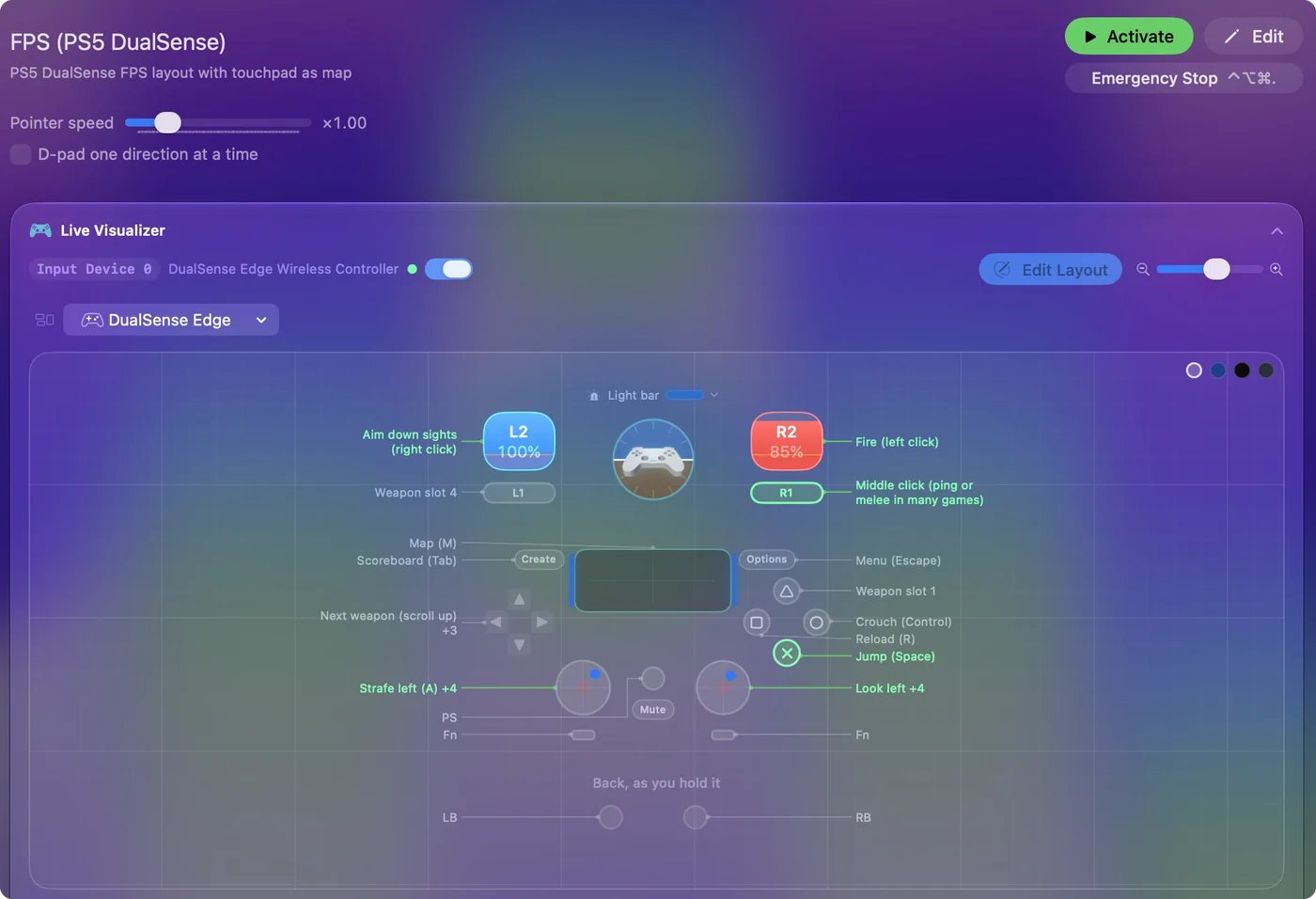
Toggle on the right trigger turns a long cast into two taps.
If your controller does nothing in Stardew Valley
Stardew's gamepad support is solid, so a pad that does nothing is almost always one of these cases. Climb this ladder, smallest step first, because each rung rules something out:
- Check that the pad reaches the Mac. Open System Settings and click Game Controllers in the sidebar. If it is not listed, no game will see it. That page covers why. In InputConfig, the Live Visualizer draws your controller and lights every button that arrives, which tells a dead pad from a game ignoring a live one.
- Relaunch with the pad awake. Stardew may only look for controllers when it starts. Quit it, press a button on the pad, and open the game again.
- Change Steam Input. Right-click Stardew Valley in the library, open Properties, then Controller, and change the override. Relaunch after each try. Why it matters.
- Try one launch without SMAPI. A mod loader sits between the game and its input, and one plain launch rules it out.
- Check the 8BitDo mode. An 8BitDo pad in the wrong mode can show up as something the game does not treat as a gamepad. InputConfig's main window says when an 8BitDo is in a mode macOS cannot read. 8BitDo modes on a Mac.
- Send it keys. The keyboard is never undetected. Pick Stardew Valley in the Smart Preset Maker and press Activate.
If the game does see your pad, leave the preset off. InputConfig does not hide the controller from the game, so with both running a press can arrive twice, once as a button and once as the key or click. Test with one button: if it does two things, pick one.
Stardew Valley's keyboard controls on a Mac
These are the game's defaults, and every one can be changed in the game's Options.
| Action | Key |
|---|---|
| Walk | W A S D |
| Use tool, place an item | Left click, or C |
| Check, talk, harvest, open | Right click, or X |
| Run or walk | Left Shift |
| Menu and inventory | E or Escape |
| Journal (quests) | F |
| Map | M |
| Toolbar slots | 1 to 0, minus, equals |
| Next toolbar row | Tab |
| Emotes | Y |
| Chat | T or / |
On a MacBook trackpad, right click is a two-finger click: turn on Secondary click in System Settings, Trackpad. X does the same job from the keyboard, and it is easier than a two-finger click on a crop.
Stardew Valley controller support: controller or keyboard
Steam's store page lists full controller support for Stardew Valley, so the game was made to be played on a controller, menus included. A keyboard and mouse work as well, and the choice is yours. On a Mac, use the game's own controller support first when it sees your pad; this layout is for a pad it does not see, or for buttons it will not let you move. Full support listed means the controller is a first-class way to play Stardew Valley.
From Steam's listing, checked in October 2026. Every game's listing is in Mac games with controller support.
Get it in two clicks
- Get InputConfig free on the Mac App Store, open it, and click Smart Preset Maker on the welcome screen.
- Search for Stardew Valley and pick it. The layout is created as a preset in your sidebar, named and ready.
- Press Activate. Every row can be changed afterwards: the editor's Scan button rebinds any control the moment you touch it.
To check the controller itself first, the gamepad tester shows every button and stick live in your browser.
Stardew Valley controls: every button and the key it sends
The Sends column is Stardew Valley's default keyboard and mouse controls, as this layout expects them. If you changed a key in the game's settings, change the same row in InputConfig.
| Controller | Sends | What it does |
|---|---|---|
| Left stick left | A | Walk left |
| Left stick right | D | Walk right |
| Left stick up | W | Walk up |
| Left stick down | S | Walk down |
| Right stick right | Mouse motion right (speed 18) | Aim cursor right |
| Right stick left | Mouse motion left (speed 18) | Aim cursor left |
| Right stick down | Mouse motion down (speed 18) | Aim cursor down |
| Right stick up | Mouse motion up (speed 18) | Aim cursor up |
| Right trigger | Left click | Use tool |
| Left trigger | Right click | Check / interact |
| A / Cross | Right click | Check / action |
| Y / Triangle | E | Inventory / menu (E) |
| Back / Share / Select | M | Map (M) |
| Start / Options | Escape | Menu (Esc) |
| D-pad up | 1 | Toolbar slot 1 |
| D-pad right | 2 | Toolbar slot 2 |
| D-pad down | 3 | Toolbar slot 3 |
| D-pad left | 4 | Toolbar slot 4 |
Button names follow the Xbox / PlayStation pair shown in the editor, so A / Cross is the bottom face button on either pad. On a Switch Pro Controller the bottom button is labeled B; the mapping still fires on position.
Questions
Why is my Xbox or PS5 controller not working in Stardew Valley on Mac?
Check that System Settings, Game Controllers shows it and lights up when you press a button. Then quit and relaunch the game with the pad awake, and change the Steam Input override for Stardew in Properties, Controller. If you use SMAPI, try once without it. If it still does nothing, map the pad to the game's keys with this free layout.
What are the Stardew Valley controls on a Mac keyboard?
WASD to walk, left click or C to use a tool, right click or X to check and talk, E or Escape for the menu, F for the journal, M for the map, and 1 to 0, minus and equals for the toolbar. On a trackpad, right click is a two-finger click.
Can I get all twelve toolbar slots on a controller?
Yes. Four are on the D-pad by default. Add the rest with chords, or bind the bumpers to the scroll wheel to step through the toolbar.
Does Stardew Valley have controller support?
Yes. Steam lists full controller support for Stardew Valley, so every part of the game can be played on a controller.
Is Stardew Valley better with a controller or a keyboard?
Both work. Steam lists full controller support for Stardew Valley, so it was made to be played on a controller, and a keyboard and mouse work as well.
Can I play Stardew Valley on an M1 Mac or a MacBook Air?
Stardew Valley has a native Mac version, and its minimum requirements are listed on its Steam store page, so check your Mac against that list. I have not tested it on each Mac. The controller layout itself works the same on any Mac that runs InputConfig.
Related
Completely free. You don't have to make an account, there are no subscriptions, and nothing is locked. Optimized for Apple silicon. Open source on GitHub.
Updated