Online metronome
 InputConfig is completely free on the Mac App Store.
Set a tempo and press Start, or just hit the space bar. You'll hear a steady click with a higher one on the first beat of each bar.
Set the tempo
Space starts and stops it. The arrow keys change the tempo by one.
Pick a tempo
- Slow, 60 to 76 BPM. Ballads and slow practice. One click a second is 60 BPM.
- Medium, 80 to 120 BPM. Most pop and rock sits here, and 120 is the usual default in music apps.
- Fast, 130 to 180 BPM. Dance music, punk and fast runs.
Those ranges are a rough guide. Practice at the tempo you can play cleanly, and raise it a few BPM at a time.
Turn a tempo into time
The BPM to ms calculator gives the length of each beat and note in milliseconds, which is what delay and reverb settings ask for. To read the tempo of music you are listening to, the tap tempo page counts your taps.
How this fits with InputConfig
These pages are for practice in the browser. InputConfig adds the Mac side: a MIDI keyboard or pad can press shortcuts and turn pages, and a game controller can play MIDI notes and CC into GarageBand or Logic Pro.
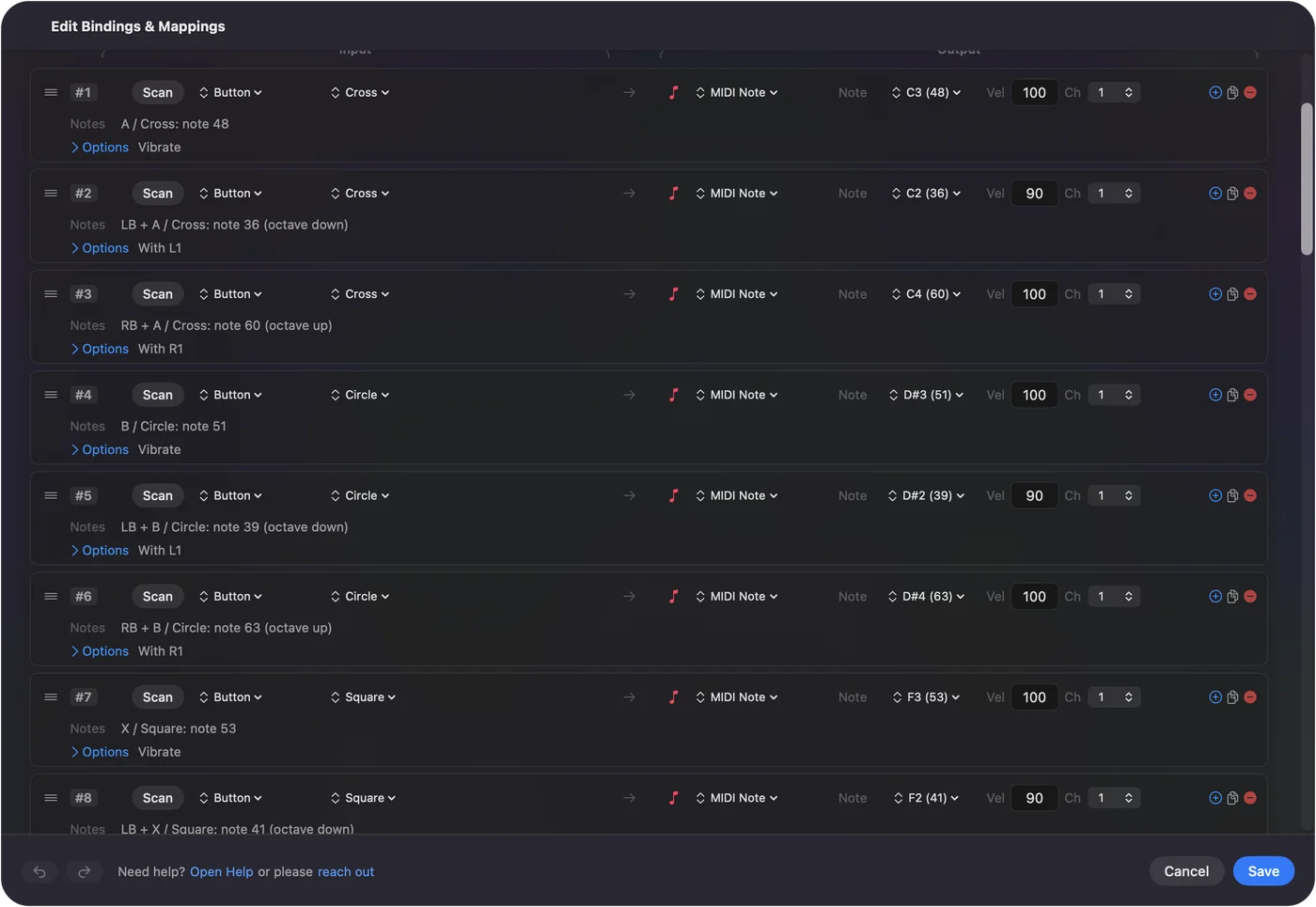
Play a game controller as a MIDI instrument shows it step by step. InputConfig is free on the Mac App Store.
More music practice
Questions
How do I use an online metronome?
Set the tempo in beats per minute, pick how many beats are in a bar, and press Start or the space bar. The first beat of each bar sounds higher so you can hear where the bar begins.
Is this metronome accurate?
The clicks are scheduled on the browser's audio clock, not on a page timer, so the tempo stays steady even when the page is busy.
What BPM should I practice at?
Start slow enough to play the passage cleanly, then raise the tempo a few BPM at a time. That is a common practice method, not a rule.
How do I find the BPM of a song?
Tap along on the tap tempo page and it reads out the BPM, then type that number here.
Related
Completely free. You don't have to make an account, there are no subscriptions, and nothing is locked. Optimized for Apple silicon. Open source on GitHub.
Updated