Virtual drums
 InputConfig is completely free on the Mac App Store.
Hit the pads with your keyboard, the mouse or a touch screen. Space is the kick, F is the snare, and every pad shows its key.
BPM
Keys work while this page is in front.
The key map
| Key | Drum | General MIDI note |
|---|---|---|
| Space | Kick | 36 |
| F | Snare | 38 |
| D | Clap | 39 |
| G | Rim | 37 |
| J | Closed hi-hat | 42 |
| K | Open hi-hat | 46 |
| U, I, O | High, mid and floor toms | 48, 45, 41 |
| Q | Crash | 49 |
| P | Ride | 51 |
| L | Cowbell | 56 |
Keep your thumb on Space for the kick, a left finger on F for the snare, and a right finger on J for the hi-hat, and most beats fall under your hands. Turn on the click track and play along at a slow tempo first.
Play it with something else
MIDI drum pads play the drums directly in Chrome and Edge, louder when you hit harder. The full list of drum note numbers is in the General MIDI drum map. To build a beat one step at a time and save it as a MIDI file, use the drum machine. And with InputConfig, a foot pedal or a controller button can press Space for a kick pedal of your own.
How this fits with InputConfig
These pages are for practice in the browser. InputConfig adds the Mac side: a MIDI keyboard or pad can press shortcuts and turn pages, and a game controller can play MIDI notes and CC into GarageBand or Logic Pro.
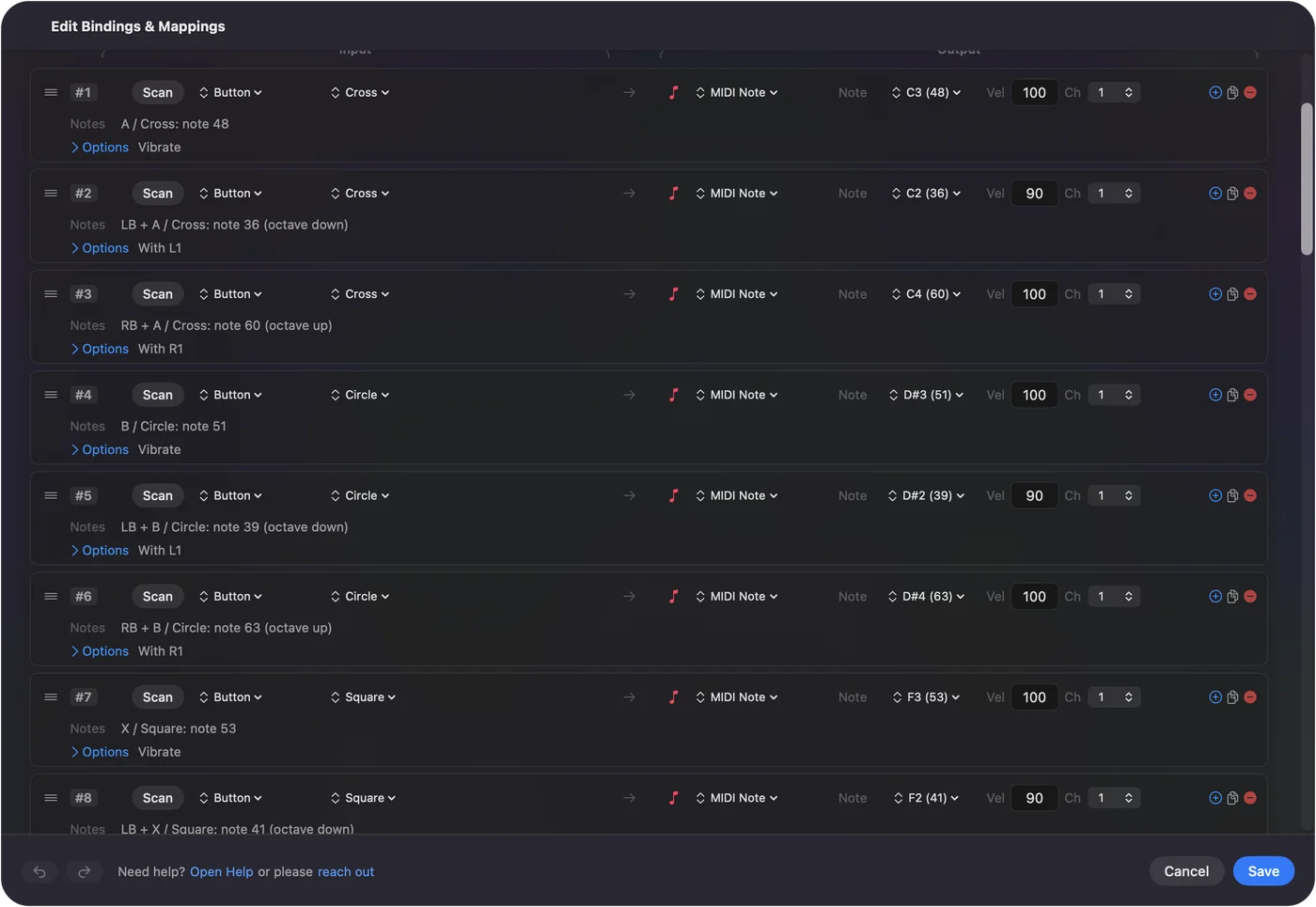
Play a game controller as a MIDI instrument shows it step by step. InputConfig is free on the Mac App Store.
More music practice
Questions
How do I play drums on my keyboard?
Each pad shows its key. Space is the kick, F the snare, J the closed hi-hat and K the open one. Press several keys together to play them at once.
Can I use MIDI drum pads?
Yes, in browsers with Web MIDI, such as Chrome and Edge. Pads that send the standard General MIDI drum notes, such as 36 for the kick and 38 for the snare, play the matching drum, and harder hits play louder.
Why is there a delay between the key and the sound?
Browsers add a little audio delay, more on some setups than others. Wired headphones or the Mac's own speakers usually have less delay than Bluetooth ones.
Can I record a beat?
Press Record, play, then press Play to hear it back. For a beat built step by step, use the drum machine.
Related
Completely free. You don't have to make an account, there are no subscriptions, and nothing is locked. Optimized for Apple silicon. Open source on GitHub.
Updated