Circle of fifths
 InputConfig is completely free on the Mac App Store.
Click any key on the circle. You'll see its sharps or flats, its relative minor, its notes and its chords, and you can hear the three main chords.
Neighbors on the circle share six of their seven notes, which is why chords from them sound good together.
How to read the circle
- Clockwise. Each step goes up a fifth and adds one sharp. C has none, G has one, D has two.
- Counterclockwise. Each step goes up a fourth and adds one flat. F has one, Bb has two.
- Inside ring. The relative minor of each major key. They share the same key signature and the same seven notes.
The three keys lit together, your key and its two neighbors, give you the I, IV and V chords of your key.
Use it to play and write
To change key smoothly, move to a neighbor on the circle, because it shares six of your seven notes. To find a song's key, count the sharps or flats in the key signature and find that count on the circle. The piano scales page shows any of these keys on a keyboard, and the chord progression generator builds progressions from them.
How this fits with InputConfig
These pages are for practice in the browser. InputConfig adds the Mac side: a MIDI keyboard or pad can press shortcuts and turn pages, and a game controller can play MIDI notes and CC into GarageBand or Logic Pro.
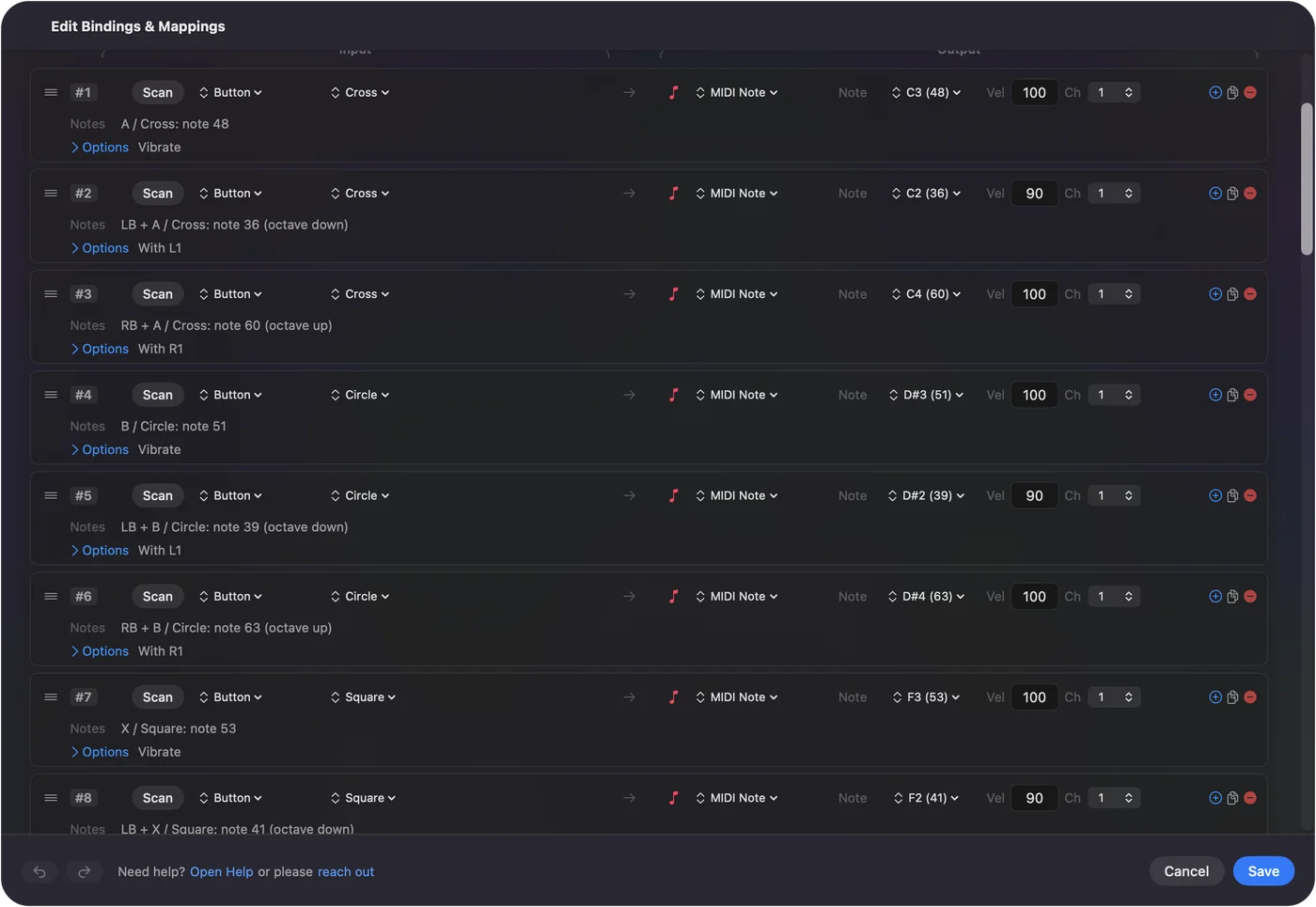
Play a game controller as a MIDI instrument shows it step by step. InputConfig is free on the Mac App Store.
More music practice
Questions
What is the circle of fifths?
It arranges the 12 major keys so that each one is a fifth above the one before it. Going clockwise adds one sharp to the key signature, and going counterclockwise adds one flat.
How do I find the relative minor?
It is the inner label next to each major key. A minor is the relative minor of C major, and they share the same notes and key signature.
How do I use the circle to write songs?
The keys next to yours on the circle share most of their notes, so chords from them fit well. In any major key, the I, IV and V chords sit side by side on the circle.
Why are some keys shown twice?
At the bottom of the circle, F# major and Gb major are the same keys on a piano with different names. The page shows the name used most often.
Related
Completely free. You don't have to make an account, there are no subscriptions, and nothing is locked. Optimized for Apple silicon. Open source on GitHub.
Updated