Note reading trainer
 InputConfig is completely free on the Mac App Store.
A note appears on the staff. Name it by clicking a letter, pressing that letter on your keyboard, or playing it on a MIDI keyboard.
Letter keys A to G answer too.
The lines and spaces
| Clef | Lines, bottom to top | Spaces, bottom to top |
|---|---|---|
| Treble | E G B D F | F A C E |
| Bass | G B D F A | A C E G |
Middle C sits on one ledger line below the treble staff and one above the bass staff. Learn a few landmark notes, such as middle C and the clef's own line, and read the rest as steps from them.
Practice with a MIDI keyboard on a Mac
Plug in a USB MIDI keyboard and open this page in Chrome or Edge. The browser asks once for MIDI access. Then play each note you see, and it counts as your answer. If nothing happens, the MIDI tester shows whether your keyboard is sending notes.
How this fits with InputConfig
These pages are for practice in the browser. InputConfig adds the Mac side: a MIDI keyboard or pad can press shortcuts and turn pages, and a game controller can play MIDI notes and CC into GarageBand or Logic Pro.
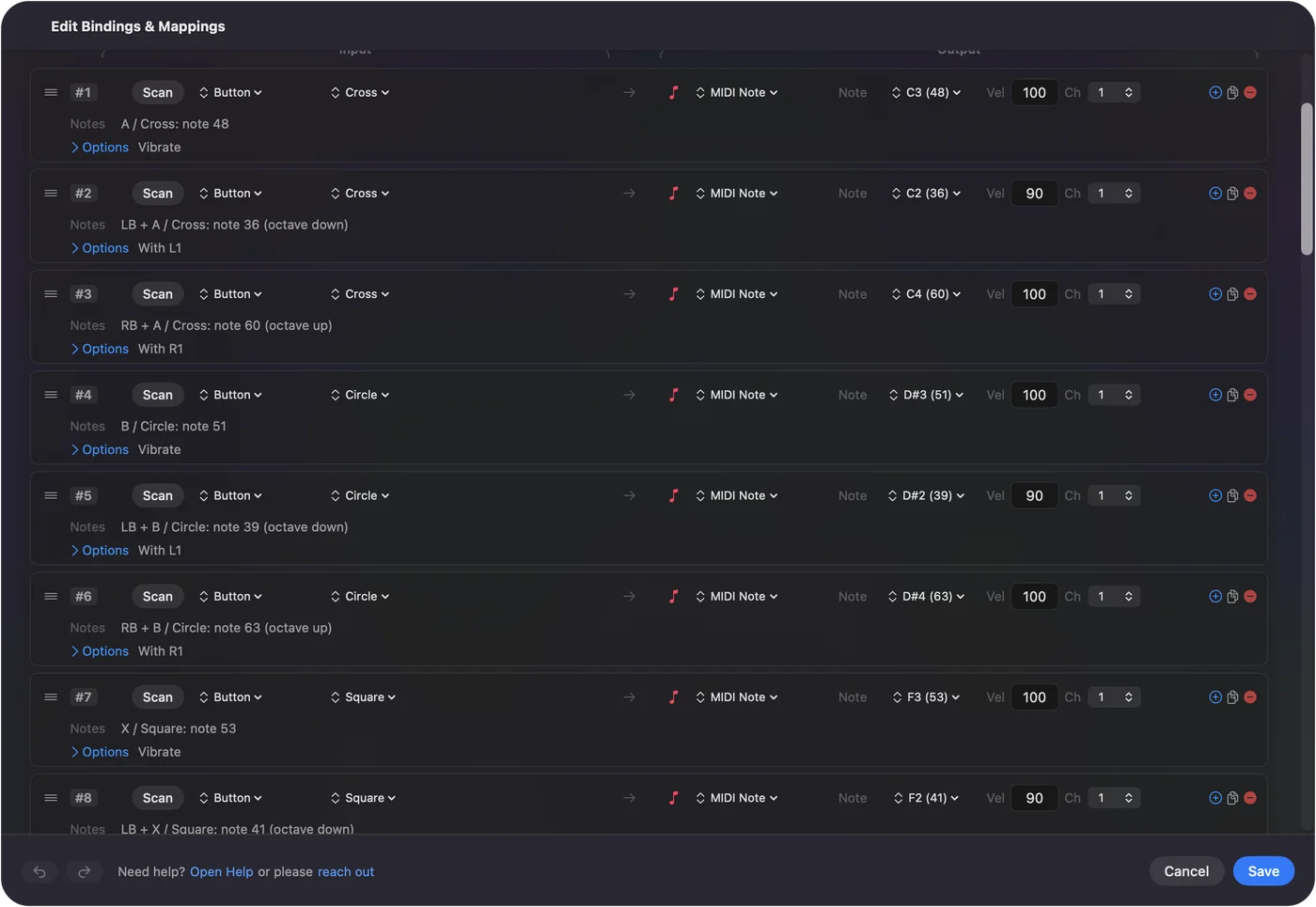
Play a game controller as a MIDI instrument shows it step by step. InputConfig is free on the Mac App Store.
More music practice
Questions
How do I learn to read notes faster?
Practice a few minutes a day and aim for speed only after you are accurate. Start with the notes on the lines and spaces inside the staff, then add ledger lines.
What are the treble clef notes?
The lines from bottom to top are E, G, B, D and F. The spaces are F, A, C and E.
What are the bass clef notes?
The lines from bottom to top are G, B, D, F and A. The spaces are A, C, E and G.
Can I answer with my MIDI keyboard?
Yes, in browsers that support Web MIDI, such as Chrome and Edge. Play the note shown, at any octave or at the exact pitch, depending on the setting.
Related
Completely free. You don't have to make an account, there are no subscriptions, and nothing is locked. Optimized for Apple silicon. Open source on GitHub.
Updated