Online piano
 InputConfig is completely free on the Mac App Store.
Press A on your keyboard and you'll hear a C. This piano plays from your computer keyboard, the mouse or a touch screen, right in the page.
Play it from your keyboard
- Press A for C, then S, D, F, G, H and J for the rest of the white keys.
- Press W, E, T, Y and U for the black keys above them.
- Press Z or X to move an octave down or up.
- Move the Velocity slider, or press C and V, to play softer or harder.
The home row is the white keys and the row above holds the black ones, laid out like a piano.
Play it with a real piano keyboard
A USB or Bluetooth MIDI keyboard can play this piano in Chrome, Edge and Firefox. Press Send to a MIDI output and allow MIDI, and the notes you play light the keys and sound through the page. The virtual MIDI keyboard page covers sending these notes on to a music app.
Learn a first tune
- Find C. It is the white key just left of each pair of black keys, and it is the A key on your keyboard here.
- Play a scale. Press A, S, D, F, G, H, J in order. That is C major, one white key after another.
- Play a chord. Hold A, D and G together. That is C major, and the chord identifier names any chord you hold.
How this fits with InputConfig
These pages are for practice in the browser. InputConfig adds the Mac side: a MIDI keyboard or pad can press shortcuts and turn pages, and a game controller can play MIDI notes and CC into GarageBand or Logic Pro.
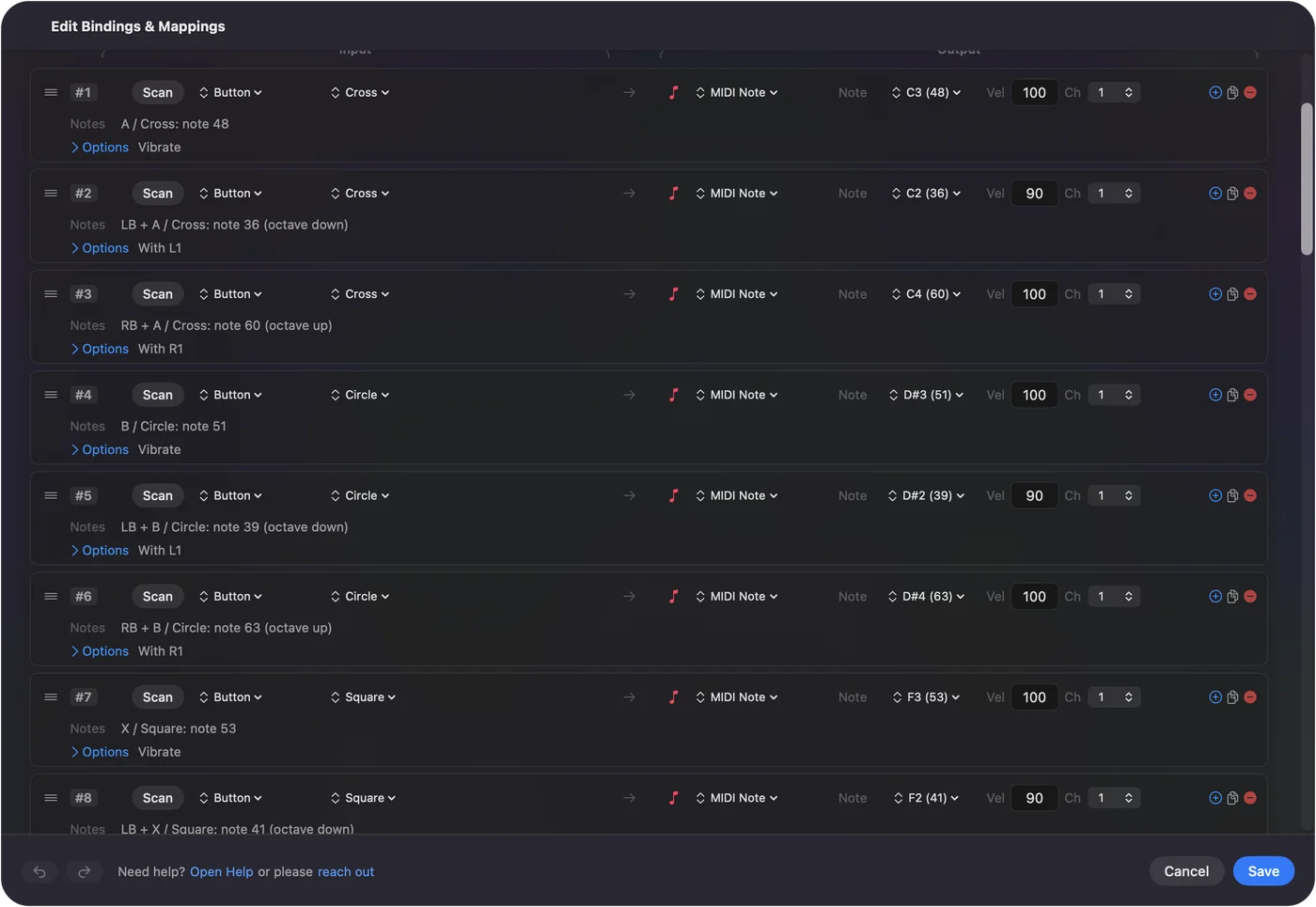
Play a game controller as a MIDI instrument shows it step by step. InputConfig is free on the Mac App Store.
More music practice
Questions
How do I play piano on my computer keyboard?
Press the letter keys. A, S, D, F, G, H and J are the white keys starting from C, and W, E, T, Y and U are the black keys above them. Z and X move down and up an octave.
Is this online piano free?
Yes. It runs in the page with no download, no account and nothing to pay for.
Can I play the virtual piano with a real MIDI keyboard?
Yes, in Chrome, Edge and Firefox. Press Send to a MIDI output and allow MIDI. Notes from a connected keyboard then light the keys and play through the page. Safari does not offer MIDI to web pages.
Does the online piano work on a phone or tablet?
Yes. Tap the keys on a touch screen. A computer keyboard gives you more keys at once.
Related
Completely free. You don't have to make an account, there are no subscriptions, and nothing is locked. Optimized for Apple silicon. Open source on GitHub.
Updated