DSX for Mac: what it does, and when InputConfig fits better
 InputConfig is completely free on the Mac App Store. You don't have to make an account, there are no subscriptions, and nothing is locked. Optimized for Apple silicon.
Yes, there is a DSX for Mac now, and InputConfig is the free, open-source Mac alternative that also covers every other controller. DSX, the DualSense app many people know as DualSenseX on Windows, came to the Mac App Store on October 1, 2026 as DSX - Gamepad Companion. It works with the DualSense and the DualSense Edge only, needs macOS 14.6 or later, and is free to download with an optional DSX+ purchase. I make InputConfig, so the bias is stated up front, and everything below about DSX comes from its own App Store listing, read on October 25, 2026.
On this page: 10 sections
Steps
- Decide which controllers you use: DSX covers the DualSense and DualSense Edge, while InputConfig also reads Xbox, Switch, 8BitDo, the PlayStation Access controller, mice and MIDI devices.
- If you only need a firmware update or audio haptics on a DualSense, use DSX for that job.
- For keys, mouse control, macros and per-app layouts on any controller, install InputConfig from the Mac App Store and grant the Accessibility permission.
- Pair the controller in System Settings, Bluetooth, then pick a built-in preset in InputConfig and press Activate.
- Let only one app map a given button, so a press never does two things at once.
The short answer for each controller
The biggest difference is how many devices each app reads. DSX is a DualSense companion. InputConfig is a general mapper for almost anything you can plug into a Mac.
| Device | DSX for Mac | InputConfig |
|---|---|---|
| DualSense | Yes | Yes |
| DualSense Edge | Yes | Yes, paddles and Fn buttons included |
| DualShock 4 and DualShock 3 | Not listed | Yes |
| Xbox, Elite and Adaptive | Not listed | Yes |
| Switch Pro, Joy-Con, Switch 2 pads | Not listed | Yes, Switch 2 over Bluetooth as an experimental setting |
| PlayStation Access controller | Not named in its listing | Yes, every socket by name |
| 8BitDo, wheels, flight sticks, arcade sticks | Not listed | Yes |
| Mice, MIDI devices, pen tablets, SpaceMouse, ShuttlePRO | No | Yes |
If you own anything besides a DualSense, InputConfig is the one that covers it.
Compare the DualSense features side by side
On a DualSense, both apps do a lot. Here is where each one stands, from the DSX listing and from InputConfig 1.8.
| Feature | DSX for Mac | InputConfig |
|---|---|---|
| Adaptive triggers | 10 trigger modes | Trigger feel: Light, Medium or Firm per trigger, a steady resistance while a preset runs |
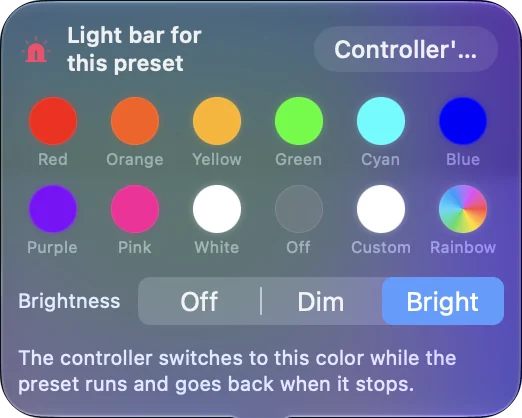
| Light bar | Yes | Yes, a color per preset, over Bluetooth or USB |
| Touchpad as the cursor | Yes | Yes, plus touchpad zones, taps and swipes as buttons |
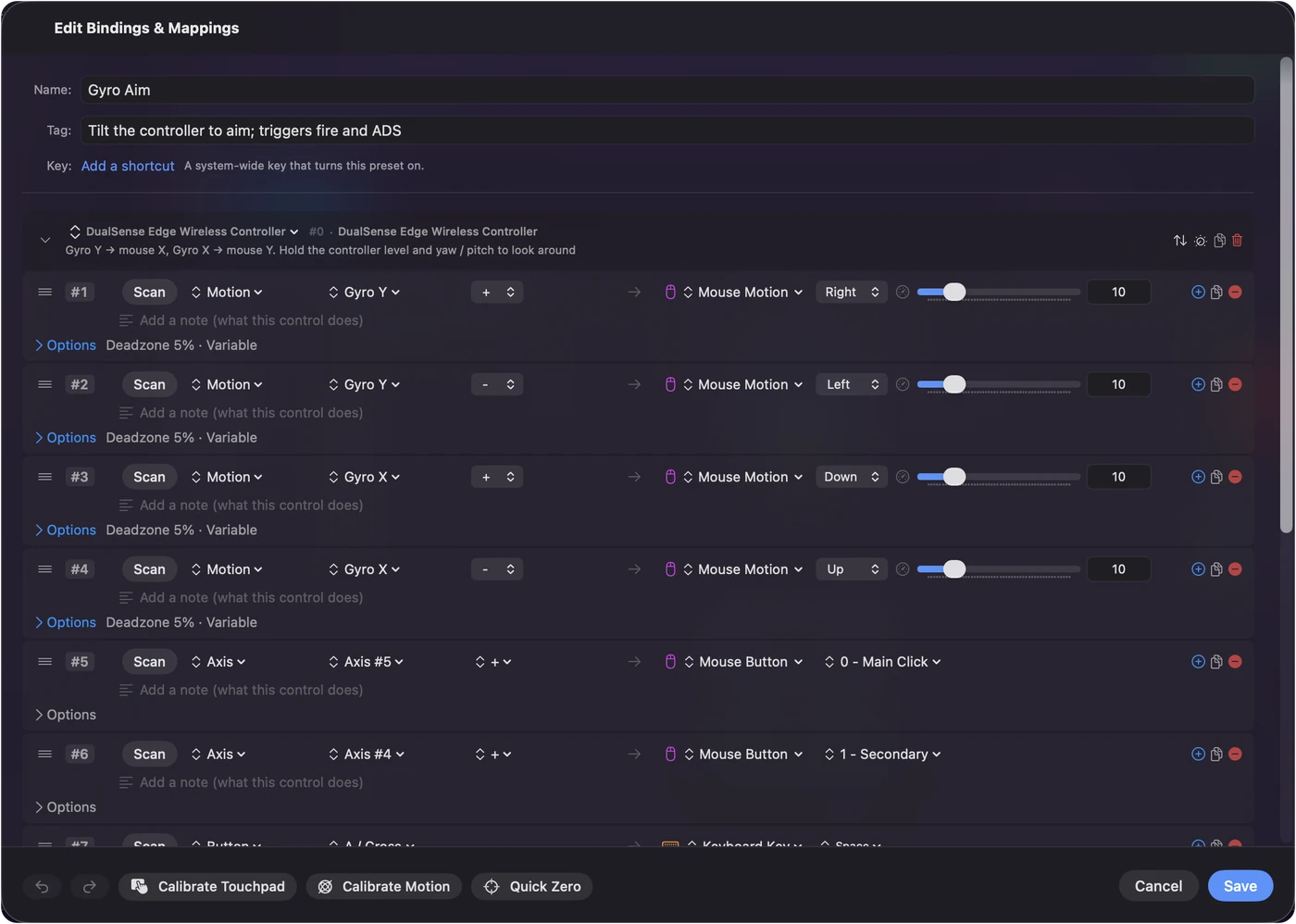
| Motion | Motion to keyboard keys | Gyro aim to the pointer, and motion rows to keys |
| Buttons to keys and shortcuts | Yes | Yes, plus macros, chords, hold, double and triple tap |
| Per-app profiles | Yes | Yes, switching on its own when the front app changes |
| Edge stored profiles | Create and edit | Lists the four profiles over USB-C, does not edit them |
| Firmware updates | Yes, on a Mac | No |
| Audio to haptics | Yes, on macOS 15 | No, a short rumble on a press instead |
| MIDI output | Not listed | Yes |
| Languages | English | 27 languages |
| Price and source | Free download, DSX+ in-app purchase, closed source | Free, no in-app subscription, open source under the MIT license |
| macOS | 14.6 or later | 14 or later |
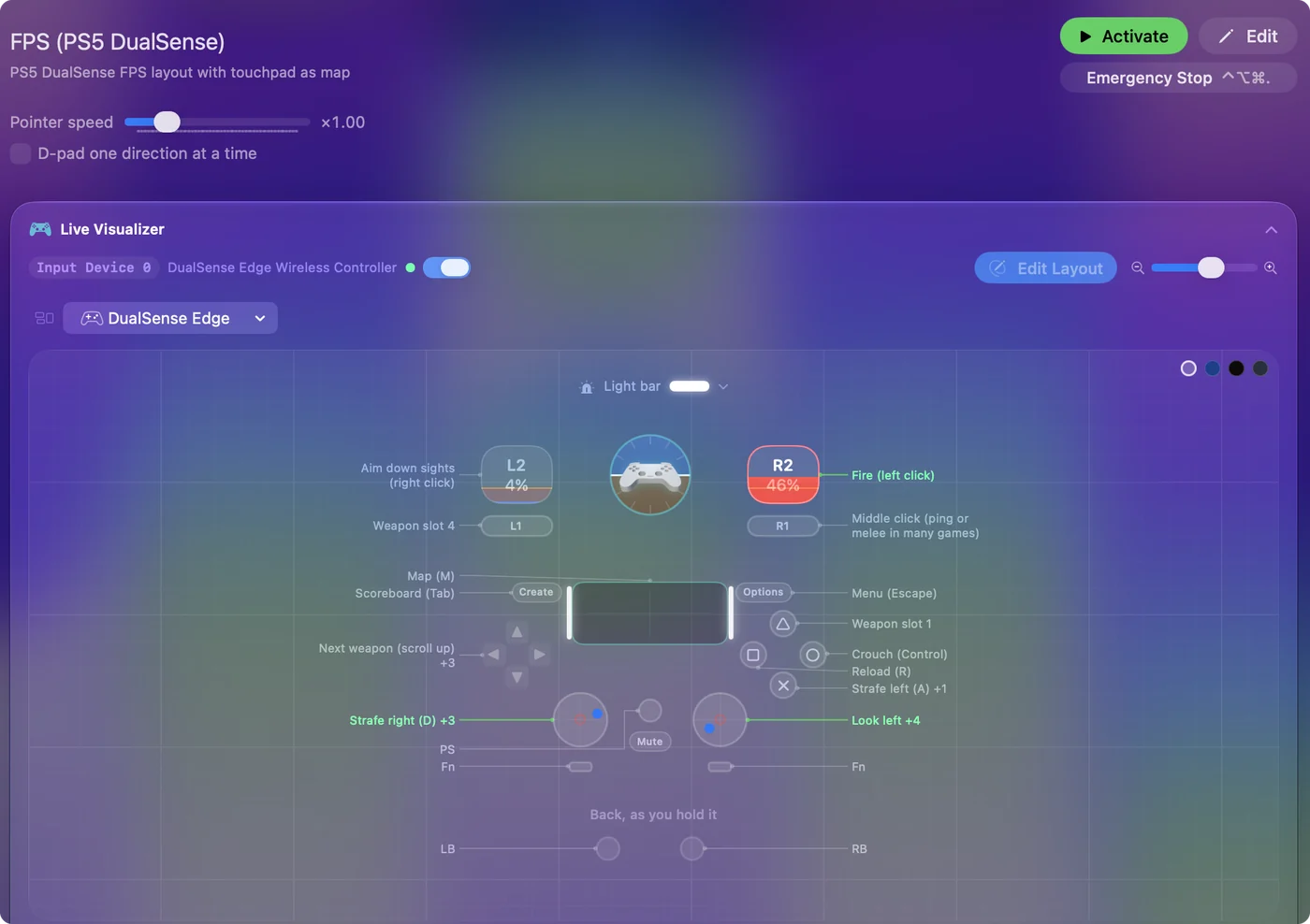
DSX goes deeper on DualSense effects, and InputConfig goes wider on what a controller can do on a Mac.
When DSX is the better pick
I would rather you pick the right tool than the one I make. DSX is the better fit when all of these are true:
- You only use a DualSense or an Edge. DSX does not list any other controller.
- You want firmware updates on the Mac. Its listing says it updates the DualSense and the Edge, which Sony itself only does on a PS5 or a Windows PC. InputConfig does not update firmware.
- You want audio through the haptics. DSX can play system audio as haptics on macOS 15. InputConfig cannot.
- You want shaped trigger effects. Its 10 trigger modes go beyond InputConfig's steady Light, Medium and Firm.
- You want to edit the Edge's own profiles. InputConfig lists them but does not change them.
For a firmware update alone, DSX is worth having even if InputConfig does your mapping.
When InputConfig is the better pick
- You have other controllers. Xbox, Switch, 8BitDo, the Access controller, wheels and flight sticks all map the same way.
- You want a controller to run the Mac. Built-in layouts turn the stick into the pointer and the buttons into clicks, keys, Mission Control, dictation and Siri Shortcuts, in every app.
- You need macros and multi-step jobs. One button can run a list of steps with waits and hold times.
- Accessibility matters. I built InputConfig because my hands do not work well, and it reads the PlayStation Access controller socket by socket, one-stick driving included.
- You want it free and open. No account, no telemetry, and the code is on GitHub for anyone to read.
Use both on one Mac
They can live on the same Mac. The rule that keeps it calm is one job per app:
- Firmware in DSX. Update the controller there, then quit it if you do not need its other features.
- Mapping in one app. If InputConfig maps a button, do not give the same button a shortcut in DSX, or one press does two things.
- Triggers in one app. Both can set trigger resistance, and the last one to write wins. Set the feel in only one of them.
- Light bar in one app. The same goes for the color: let one app own it while the other runs.
Set up a DualSense in InputConfig
- You: Pair the DualSense in System Settings, Bluetooth, holding Create and PS until the light bar flashes. Open InputConfig and grant Accessibility when it asks.
- InputConfig: Shows the controller at the top of the sidebar with its battery level, and draws it in the Live Visualizer.
- Check: Press a button and watch it light up.
- You: Pick a built-in preset, such as Mouse + Scroll or Gyro Aim, and press Activate. Click L2 or R2 in the Live Visualizer to give each trigger a feel.
- InputConfig: Runs the layout in every app and applies the trigger feel and light bar color while it runs.
- Check: Move the stick and the pointer moves. Pull a trigger and feel the resistance.
What InputConfig cannot do
- Firmware. It never touches the controller's firmware.
- Audio haptics and textured effects. It sends rumble, not Sony's fine haptic patterns.
- Shaped trigger effects. Trigger feel is a steady resistance, not a game's bow tension or click point.
- Editing Edge profiles. It shows them over USB-C and leaves them as they are.
The short version
- DSX for Mac exists since October 1, 2026, for the DualSense and the Edge.
- InputConfig is the free, open-source alternative for every controller, mouse and MIDI device, with macros, per-app layouts and accessibility first.
- Use DSX for firmware and audio haptics, InputConfig for mapping, and give each button to one app.
Questions
Is there a DSX for Mac?
Yes. Paliverse released DSX - Gamepad Companion on the Mac App Store on October 1, 2026, for the DualSense and DualSense Edge. InputConfig is the free alternative that also covers Xbox, Switch, 8BitDo, mice and MIDI devices.
Is DualSenseX on Mac the same as DSX?
DualSenseX is the older name of DSX on Windows, and the Mac app is called DSX - Gamepad Companion. Paliverse's earlier Mac app, DualSenseM, did not show up in a Mac App Store search on October 25, 2026.
Is DSX free on Mac?
It is free to download, and DSX+ is an in-app purchase for its agent tools that create and edit profiles. InputConfig is free with no subscription.
Does DSX for Mac work with Xbox or Switch controllers?
Its listing names only the DualSense and DualSense Edge. For Xbox, Switch, 8BitDo or the PlayStation Access controller on a Mac, InputConfig reads them all.
Can I use DSX and InputConfig at the same time?
Yes, as long as each button, the triggers and the light bar belong to one app. A common split is firmware updates in DSX and mapping in InputConfig.
Related
This page in other languages: العربية, Čeština, Dansk, Deutsch, Español, Suomi, Français, עברית, Magyar, Bahasa Indonesia, Italiano, 日本語, 한국어, Norsk, Nederlands, Polski, Português, Русский, Slovenčina, Svenska, ไทย, Türkçe, Українська, Tiếng Việt, 繁體中文, 简体中文
Completely free. You don't have to make an account, there are no subscriptions, and nothing is locked. Optimized for Apple silicon. Open source on GitHub.
Updated