How do I use mouse side buttons in Baldur's Gate 3 on a Mac?
 InputConfig is completely free on the Mac App Store. You don't have to make an account, there are no subscriptions, and nothing is locked. Optimized for Apple silicon.
Open the game's Keybindings screen, click an action and press the side button, and if it takes it, you are finished. If not, make the button send a key, and bind that. Baldur's Gate 3 has a native Mac build for Apple silicon, so you play it with the Steam app. InputConfig is the free Mac app I make, and for this game its most useful trick is holding a key for as long as you hold a side button, which is how the game wants Shift and Alt to work.
I could not find a Mac specific guide from Larian for side buttons, and a 2023 Steam thread I read on October 21, 2026 reports that binding a mouse button to Shift in the game's own menu did not work, with the fix being to bind Shift in the mouse's software. That is the gap this page fills.
On this page: 11 sections
Steps
- Open the Keybindings screen in Baldur's Gate 3 and try binding an action to a side button.
- If it does not stick, add a Mouse row in InputConfig, press Scan, and press the side button.
- Choose Keyboard Key and Left Shift or Left Alt, and set the row to fire while held.
- Tick Block the button's own action and add Baldur's Gate 3 to the preset's app list.
- Press Activate and hold the button while you click on a character, a door or the ground.
What works with nothing installed
The default controls, which I took from a Shacknews table that may be older than the current patch, put almost everything on the mouse. Left click interacts and moves. Right click opens the context menu. The middle button turns the camera, and the wheel rotates a held item. Q and E turn the camera, W, A, S and D move it, and Home centers it on the character.
The modifier keys carry a lot. Left Alt shows tooltips and item labels. Left Control is Prepare Main Attack and Toggle Info. Left Shift toggles climbing, shows sneak cones and holds to split an item stack. The hotbar uses 1 to 0, minus and equals, though a Steam thread says those keys act on the Custom hotbar tab. Space ends your turn, and Z jumps. The fiddly part of this game is holding Shift, Alt or Control while you click, which is what a side button is good at.
I would check every key in the game's Keybindings screen, because my table is a third party list.
Find out what each button sends
- You: Open InputConfig, add a Mouse row, choose This Mac's mouse or trackpad, press Scan, and press the button.
- InputConfig: Names it, for example Button 4. For a thumb grid, use a Keyboard Key row and press the grid button.
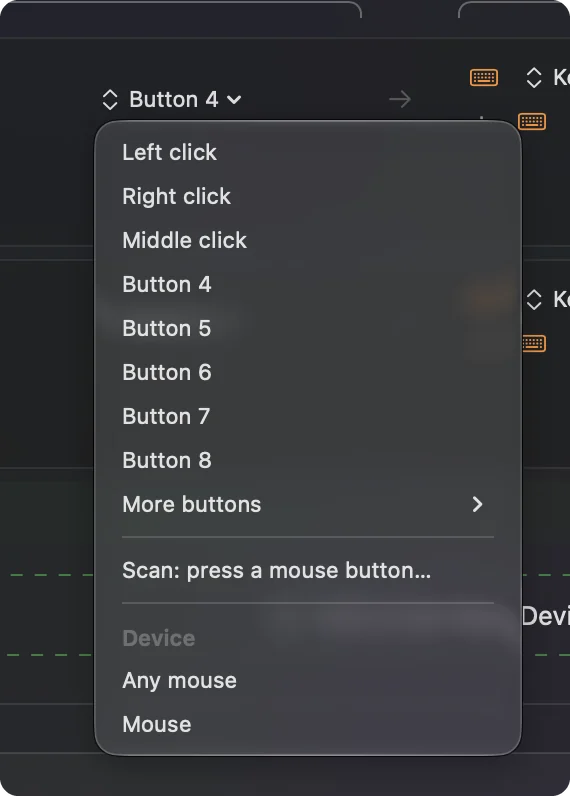
- Check: A side button scans as Button 4 or 5. A grid button that scans as a number is a typed key.
| Button | How it reports | Idea in this game |
|---|---|---|
| Button 4 | Mouse button | Hold Left Shift. |
| Button 5 | Mouse button | Hold Left Alt for item labels. |
| Wheel press | Middle click | Leave it. It rotates the camera. |
| Thumb grid | Number row keys on most MMO mice | Hotbar slots 1 to 12. |
| DPI and profile buttons | Often nothing | Nothing to bind. |
Hold a modifier from a side button
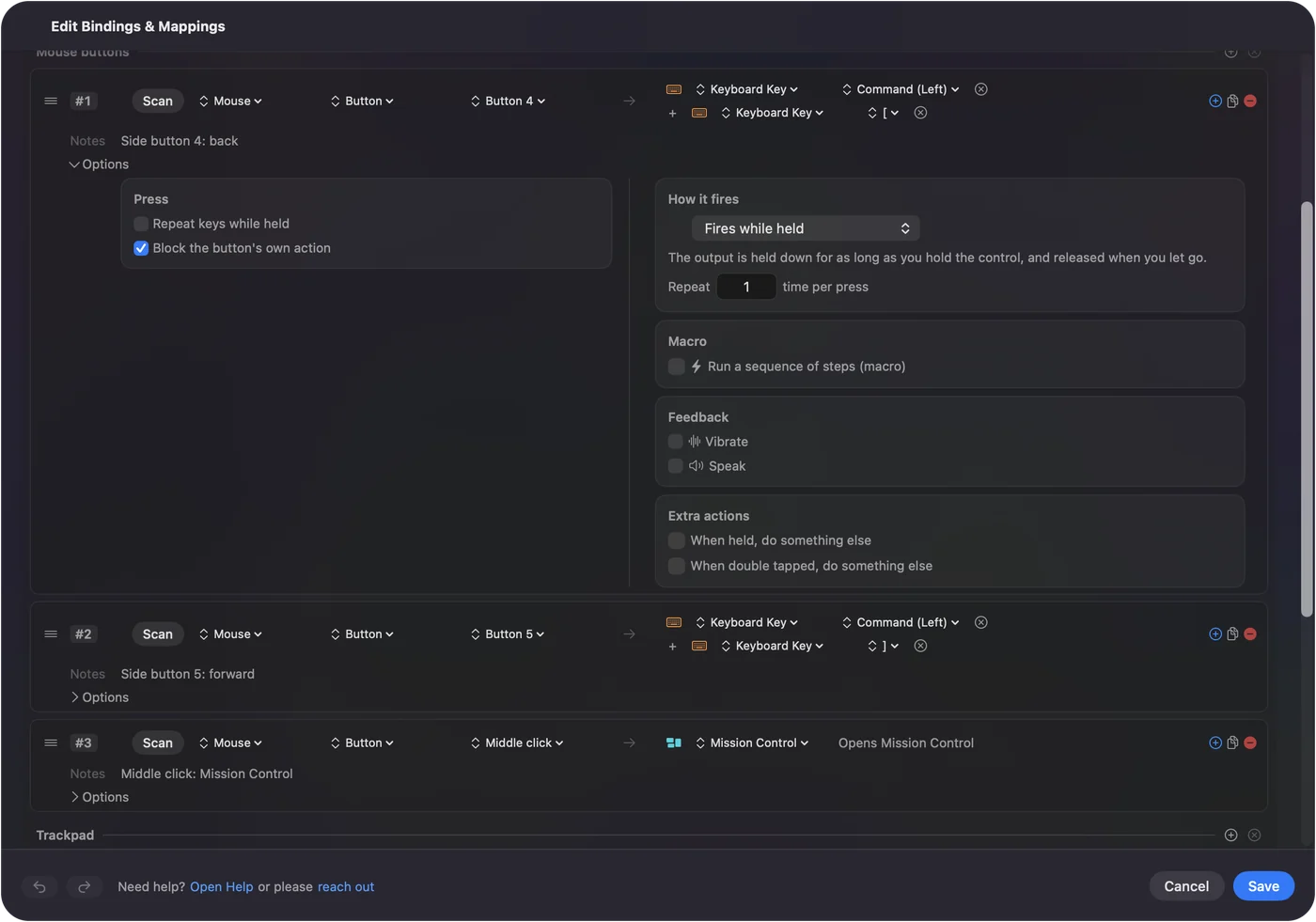
A row's Options has a How it fires menu. Fires while held holds the output down for as long as you hold the button. That is what Shift and Alt want in this game, and it is the fix the Steam thread describes, done without extra mouse software.
- You: Add a Mouse row for Button 4, press Scan, press it, choose Keyboard Key and Left Shift, set How it fires to Fires while held, and tick Block the button's own action. Do the same for Button 5 with Left Alt.
- InputConfig: Holds the key while you hold the button and lets go when you do.
- Check: Hold Button 5 and see item labels appear in a scene. Hold Button 4 and click to climb or see sneak cones.
One thing I have not tested is how Baldur's Gate 3 treats Left Control plus a click on a Mac, where Control with a click is a right click at the system level. If Prepare Main Attack misbehaves, move that bind to another key in the game, and send that key from the button.
Put hotbar slots, camera turns and quicksave on a grid
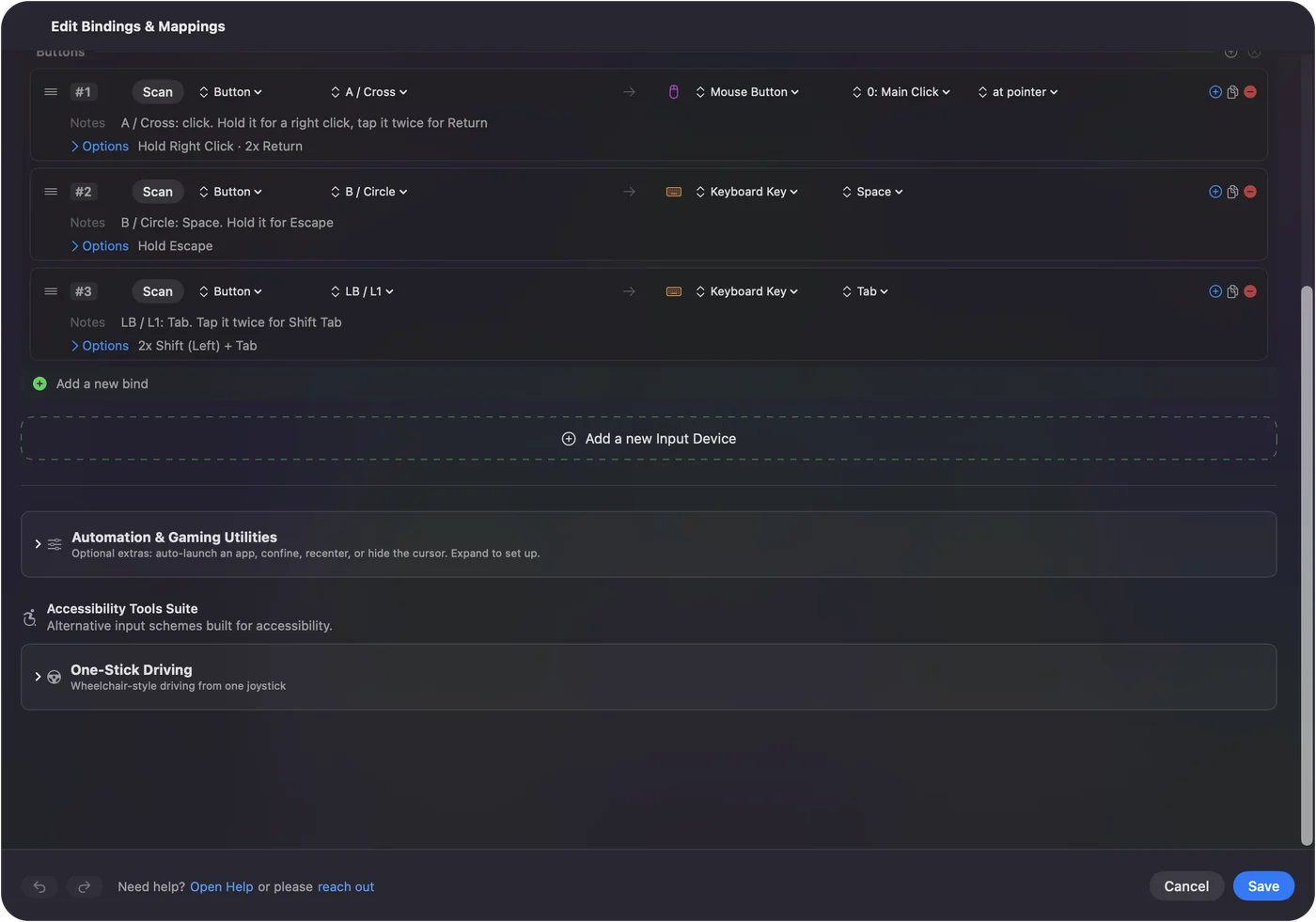
A thumb grid that types the number row already fires hotbar slots 1 to 9 and 0, which suits this game, as long as your abilities sit on the Custom hotbar tab. For the buttons the grid cannot reach, set the rest to F13 to F20 in the mouse's software, since F21 to F24 are not passed to apps by macOS. The MMO mouse on a Mac page walks through that setup.
- Slots 11 and 12. Minus and equals, on the two last grid buttons.
- Camera turns. Q and E on a side button pair, so the camera swings without touching the keyboard.
- Quicksave and quickload. F5 and F8, as a hold and a double tap on one button, so you never hit them by accident. On a MacBook, a plain F key needs fn held unless you change that in System Settings, Keyboard.
- End turn. Space on a hold, so a stray press cannot end your turn.
Macros and the options that help
A row's Options can run a macro with key, shortcut and click steps, each with a wait and a hold time. In a turn based game there is no rush, so a macro is worth it for a chore such as Quicksave then a short wait then a screenshot. I would not use one for anything the game wants you to decide each time. For rules about automation in single player games I do not expect an issue, but I have not read Larian's terms, and I have not used macros in multiplayer.
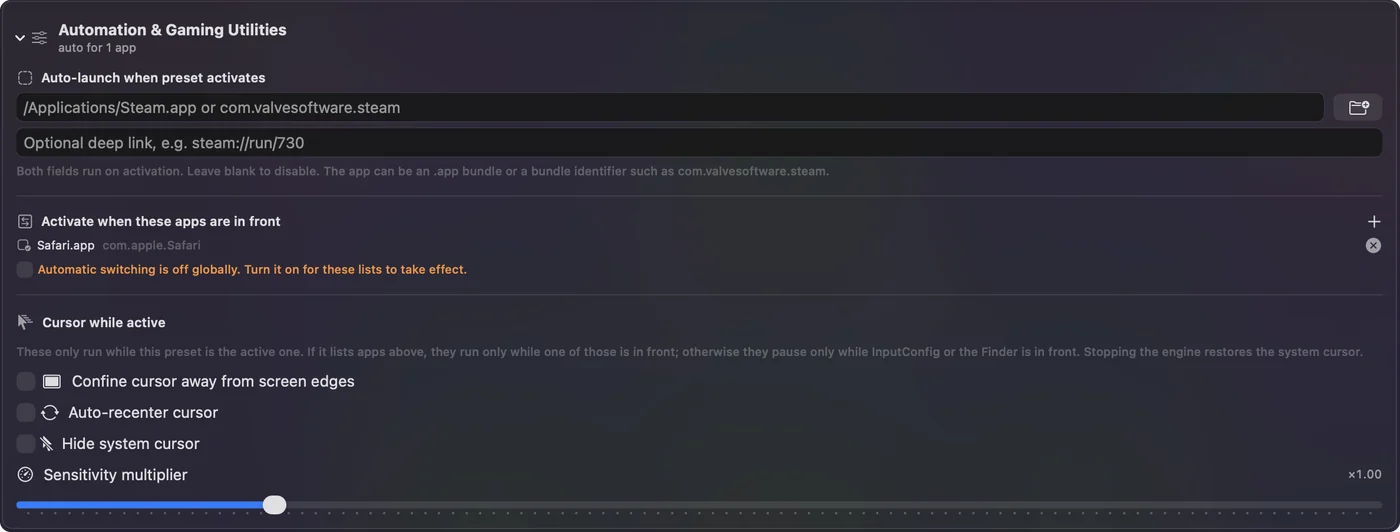
- Per app. List Baldur's Gate 3 under Automation & Gaming Utilities, in Activate when these apps are in front. Then Button 4 and 5 are Shift and Alt in the game and Back and Forward elsewhere.
- Block the original. In the row's Press box, so apps stop seeing Button 4 and 5 while the preset runs.
- The emergency stop. Control Option Command period turns the preset off if a key ever feels stuck.
Ideas for real players
- Players with tired hands. Holding Shift or Alt while you click takes two hands working together, so a held side button is the change I would make first. I built InputConfig because my hands are hard to use.
- Controller players. The game has its own controller mode. See MMOs, MOBAs and strategy games with a controller and the Baldur's Gate 3 layout.
- Spellcasters. A grid of 12 slots covers a full bar with no number row reach.
- Mouse only players. Two side buttons and the wheel cover most of the modifiers a turn needs.
If a button does nothing in the game
Climb this ladder, smallest step first:
- Press Scan. See whether it is a mouse button, a key or nothing.
- Check the Keybindings screen. Click the action and press the key. If the game does not show it, the button is not arriving.
- Check the hotbar tab. Number keys only fire slots on the Custom tab, according to a Steam thread.
- Check Accessibility. InputConfig must be listed and on in System Settings, Privacy & Security.
- Check Fires while held. A modifier that is only tapped lets go at once.
- Stop the preset. Control Option Command period turns it off.
What it cannot do
- Block a typed key. InputConfig listens to the keyboard and does not block it.
- Read profile buttons. DPI and profile buttons talk only to the maker's software.
- Change DPI. The maker's app or a tool such as LinearMouse or Mac Mouse Fix does that.
- Rebind Larian's defaults. The game's Keybindings screen does that.
- Promise a perfect fit. I have not tested Baldur's Gate 3 with every mouse or the latest patch.
The short version
- Native. Baldur's Gate 3 runs on Apple silicon Macs through Steam.
- Hold the keys. Fires while held gives you Shift and Alt on a thumb.
- Grid for slots. Keep the number row and set the rest to F13 to F20.
A side button that holds Shift is worth more in this game than one that sends a spell.
Questions
Does Baldur's Gate 3 work on a Mac?
Yes, it has a native Mac build for Apple silicon, and you play it through Steam. Check the Steam page for the current requirements.
Can I bind a mouse side button in Baldur's Gate 3?
A 2023 Steam thread says binding a mouse button to Shift in the game's menu did not work, and suggests binding Shift in the mouse's software. On a Mac, InputConfig can hold Shift from a side button.
What does Left Alt do in Baldur's Gate 3?
A third party table of the PC defaults lists it for expanding tooltips and showing item labels. Check the Keybindings screen for your build.
Why do my hotbar number keys not work in Baldur's Gate 3?
A Steam thread says the number keys only fire abilities that sit on the Custom hotbar tab. Move abilities there.
Does Baldur's Gate 3 support a controller on a Mac?
The game has its own controller support. Steam lists it, and InputConfig has a ready layout for the keyboard and mouse version.
Related
This page in other languages: العربية, Čeština, Dansk, Deutsch, Español, Suomi, Français, עברית, Magyar, Bahasa Indonesia, Italiano, 日本語, 한국어, Norsk, Nederlands, Polski, Português, Русский, Slovenčina, Svenska, ไทย, Türkçe, Українська, Tiếng Việt, 繁體中文, 简体中文
Completely free. You don't have to make an account, there are no subscriptions, and nothing is locked. Optimized for Apple silicon. Open source on GitHub.
Updated