Mac keyboard shortcuts
 InputConfig is completely free on the Mac App Store.
Type what you want to do, like screenshot or force quit, and the list narrows as you type. The symbols are explained right under the search box.
⌘ Command ⌥ Option ⌃ Control ⇧ Shift fn Function or Globe
Make a shortcut of your own
macOS lets you give a menu item its own shortcut. Open System Settings, Keyboard, Keyboard Shortcuts, then App Shortcuts, click the plus button, pick the app and type the menu item's exact name.
If a shortcut is hard to press, map it to one key, a spare mouse button or a controller button instead. InputConfig does that for free, and the mapping can apply in one app only. The per-app shortcuts page shows how.
If a shortcut does nothing
- Check the app. Many shortcuts belong to the app in front, so the same keys can do different things in different apps.
- Check for a clash. In System Settings, Keyboard, Keyboard Shortcuts, a yellow warning marks two actions on the same keys.
- Check the keys. The Mac keyboard tester shows whether each modifier key registers.
How this fits with InputConfig
This page tests a keyboard in the browser. InputConfig works one step later: it can make any key, F13 to F19 and keys on gaming, ISO and Japanese keyboards included, send a shortcut, a click, typed text or a macro, in every app or only in one.
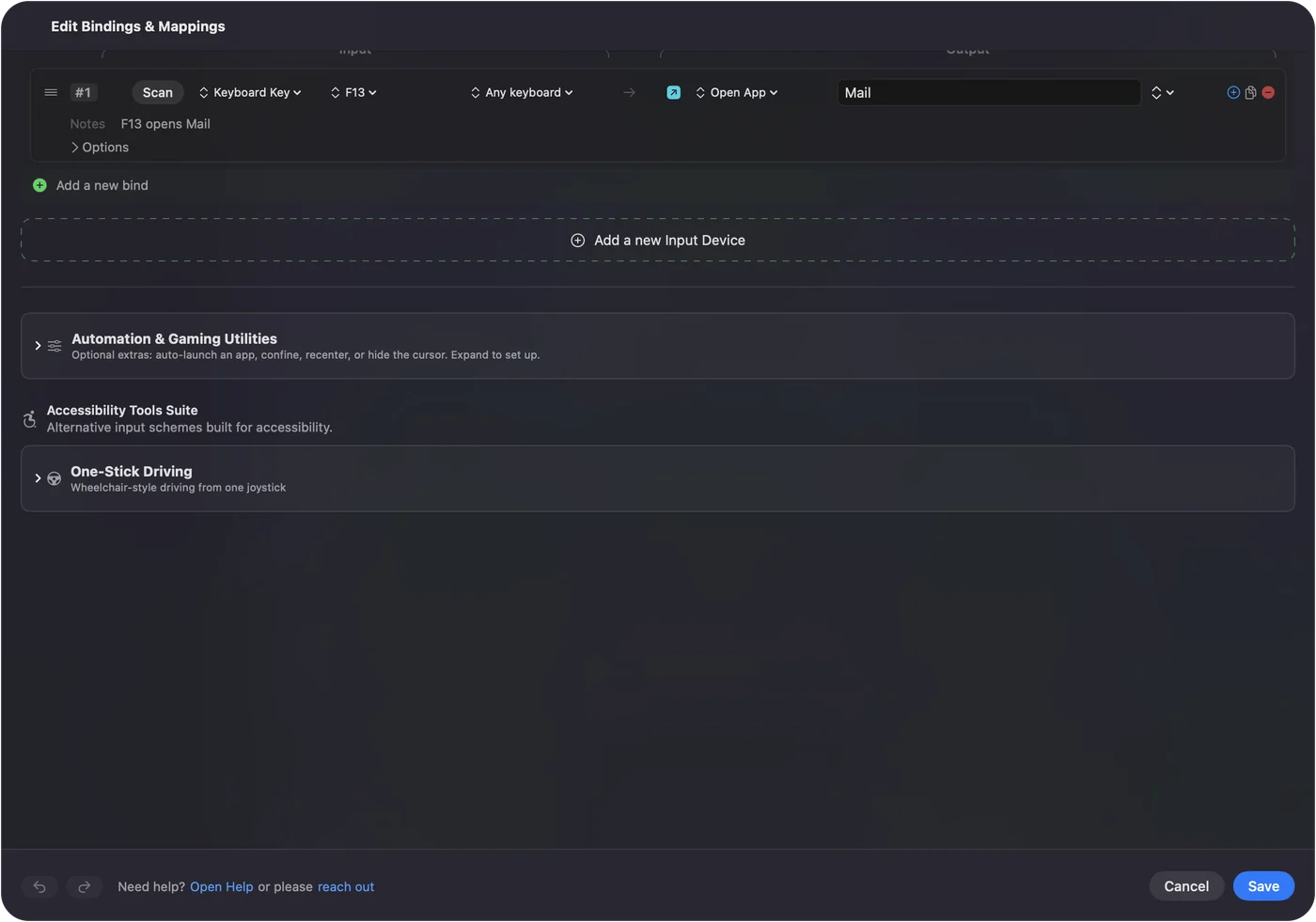
Per-app keyboard shortcuts on a Mac shows it step by step. InputConfig is free on the Mac App Store.
More keyboard tests
Questions
What do the Mac shortcut symbols mean?
⌘ is Command, ⌥ is Option, ⌃ is Control and ⇧ is Shift. fn is the Function key, which shows a globe on newer keyboards.
How do I take a screenshot on a Mac?
Press Shift Command 3 for the whole screen, Shift Command 4 for an area, or Shift Command 5 for the screenshot and recording tools.
How do I force quit on a Mac?
Press Option Command Esc, pick the app and click Force Quit.
How do I make my own shortcut?
For a menu item, open System Settings, Keyboard, Keyboard Shortcuts, App Shortcuts. To press a shortcut from a mouse button, a controller or a single key, InputConfig can map it for you.
Related
Completely free. You don't have to make an account, there are no subscriptions, and nothing is locked. Optimized for Apple silicon. Open source on GitHub.
Updated