Decibel meter
 InputConfig is completely free on the Mac App Store.
Press Start and allow the microphone. You'll see the sound level move live, with the loudest moment and the average kept for you.
To set an offset, play a steady sound, read it on a real sound level meter, and type the difference between that reading and the dBFS shown here.
What this is good for
- Comparing sounds. Is the fan quieter on the new setting, or the keyboard louder with new switches? Keep the microphone in one spot and compare the averages.
- Checking a microphone. A level that never moves points to a muted or wrong microphone. The mic test lets you pick it and hear it back.
- Spotting clipping. If the sample peak hits 0 dBFS, the input is too loud and the sound is distorting.
Use it to compare, not to measure. A computer microphone is not a calibrated meter.
Limits
The numbers come from your microphone through the browser with automatic gain turned off where the browser allows it. Microphones differ in sensitivity and in how they hear high and low sounds, and the page applies no weighting, so two devices can read the same room differently. For hearing safety or any rule you need to meet, use a calibrated sound level meter.
How this fits with InputConfig
InputConfig does not test sound, cameras or screens, so these pages fill that gap. Where the app meets them: any button can start dictation or read text aloud with the Speak option, and screen regions turn parts of the display into targets for the pointer.
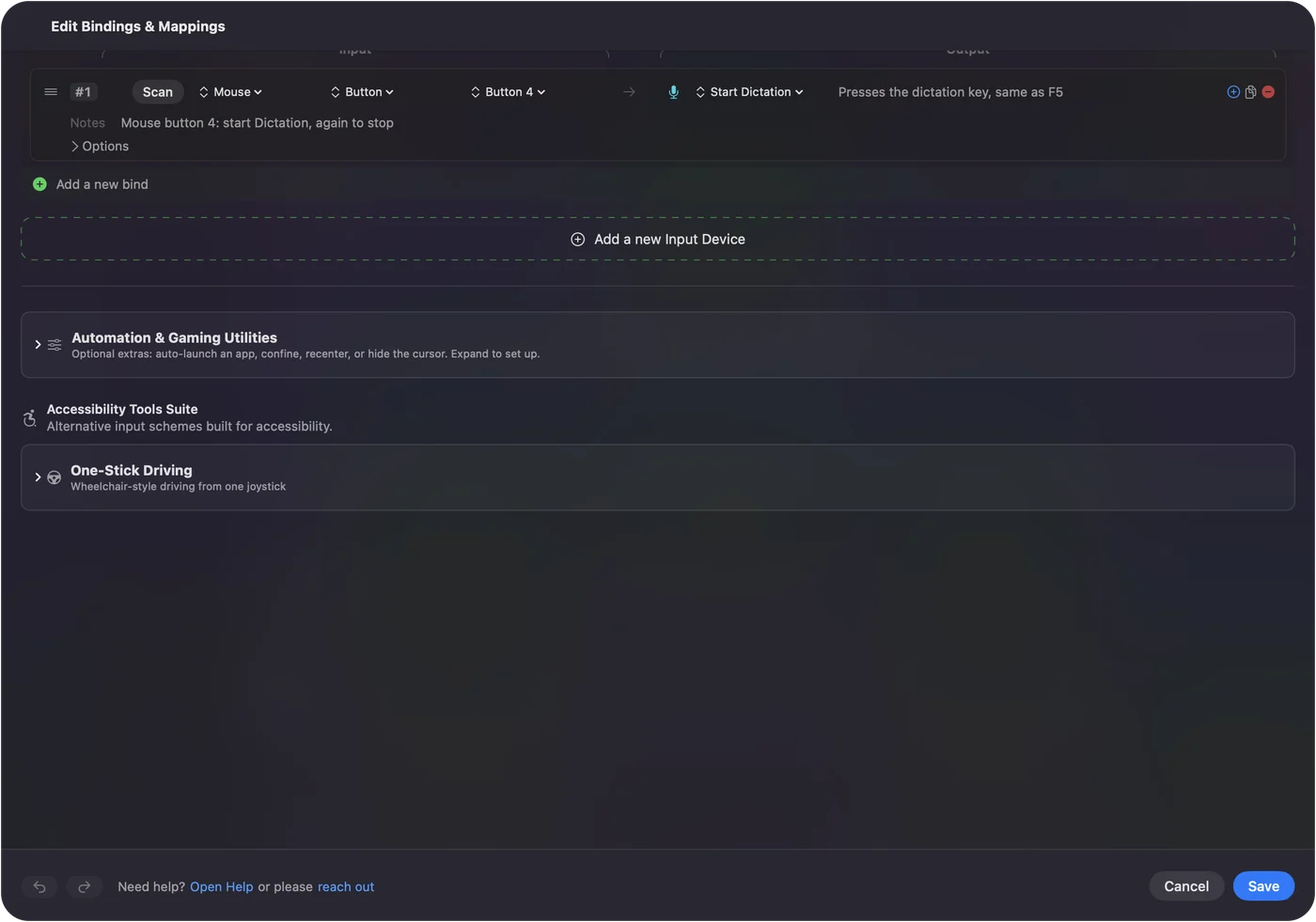
Start dictation from any button on a Mac shows it step by step. InputConfig is free on the Mac App Store.
More sound, camera and screen tests
Questions
Is an online decibel meter accurate?
Not as a true sound level meter. A computer microphone is not calibrated, and the system may adjust its gain. The page is good for comparing sounds with the same microphone, such as before and after you move a fan.
What do the numbers mean?
The level is shown in dBFS, decibels below the loudest sound the microphone can record, so 0 is the top and quieter sounds are negative. If you type an offset from a real meter, the page adds it to give an estimate in dB.
How loud is too loud?
Health agencies warn that long exposure to sound around 85 dB and above can damage hearing. Use a calibrated meter if you need to know a real level.
Is the sound recorded?
No. The page reads the level in your browser and keeps nothing.
Related
Completely free. You don't have to make an account, there are no subscriptions, and nothing is locked. Optimized for Apple silicon. Open source on GitHub.
Updated