Aim trainer
 InputConfig is completely free on the Mac App Store.
Click the target, then the next one, 30 times. You'll see how long each one took you on average and how many clicks missed.
Get more from each run
- Start with large targets. Get a clean run with no misses, then move down a size.
- Keep one setup. Use the same mouse speed and the same surface each time, or the numbers cannot be compared.
- Turn off pointer acceleration. It makes the pointer travel farther when you move fast. How to turn off mouse acceleration on a Mac has the steps.
Accuracy comes first, because a miss costs more time than a slower click.
Compare a mouse, a trackpad and a controller
Run the same size with each device and compare the averages. A controller stick moves the pointer once a mapper is running, and the controller as a mouse on a Mac page shows how to set one up.
How this fits with InputConfig
These pages run on the space bar, a click or a key. InputConfig can press those for you from something else, a foot pedal, a controller button or a MIDI pad, which turns a pedal into a stopwatch button or a Morse key.
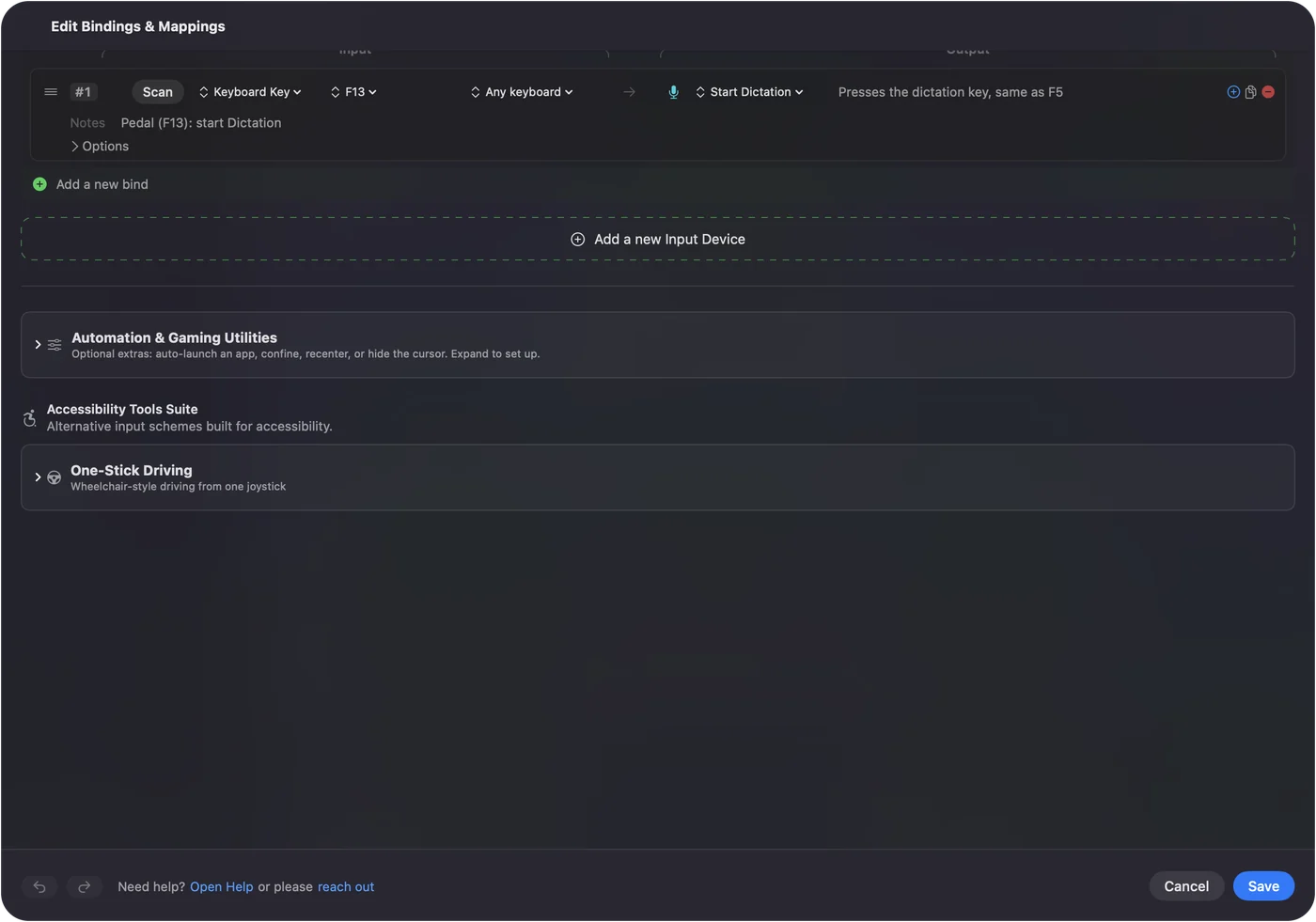
Foot pedal shortcuts on a Mac shows it step by step. InputConfig is free on the Mac App Store.
More timing and practice
Questions
How does the aim trainer work?
A target appears, you click it, and the next one appears somewhere else. After 30 targets the page shows your average time per target and how many clicks missed.
What is a good aim trainer score?
Many people land between 400 and 600 milliseconds per target at first. That is a rough guide, and it changes with target size and the mouse you use.
Does mouse acceleration affect aim?
Yes. With acceleration on, the same hand movement travels a different distance depending on speed, which makes aim harder to repeat. On a Mac it is on by default.
Can I use a trackpad or a controller?
Yes. Anything that moves the pointer and clicks works, so you can compare a mouse, a trackpad and a controller stick on the same test.
Related
Completely free. You don't have to make an account, there are no subscriptions, and nothing is locked. Optimized for Apple silicon. Open source on GitHub.
Updated