Cube timer
 InputConfig is completely free on the Mac App Store.
Scramble your cube with the moves shown. Hold the space bar until the time turns green, let go to start, and press any key to stop.
Solves
| # | Time | Scramble | Remove |
|---|
How the timer works
- Hold. Press and hold the space bar. The time turns red, then green after a moment.
- Let go. The clock starts the instant you release.
- Stop. Press any key, or tap the timer, when the cube is solved.
With inspection on, the first press starts a 15 second countdown. Going up to two seconds over adds a +2 penalty, and more than that is a DNF, the way competitions count it. Averages drop the best and worst solves, so one lucky or unlucky solve does not swing your number.
About the scrambles
Each scramble is 20 random face turns, with no face turned twice in a row and no three turns on one axis in a row. Official competitions use random-state scrambles made by special software, so these are fine for practice but not the same thing. Times stay in this browser only.
Want a bigger stop button? A foot pedal or a large USB button mapped to the space bar with InputConfig works as a stackmat-style pad.
How this fits with InputConfig
These pages run on the space bar, a click or a key. InputConfig can press those for you from something else, a foot pedal, a controller button or a MIDI pad, which turns a pedal into a stopwatch button or a Morse key.
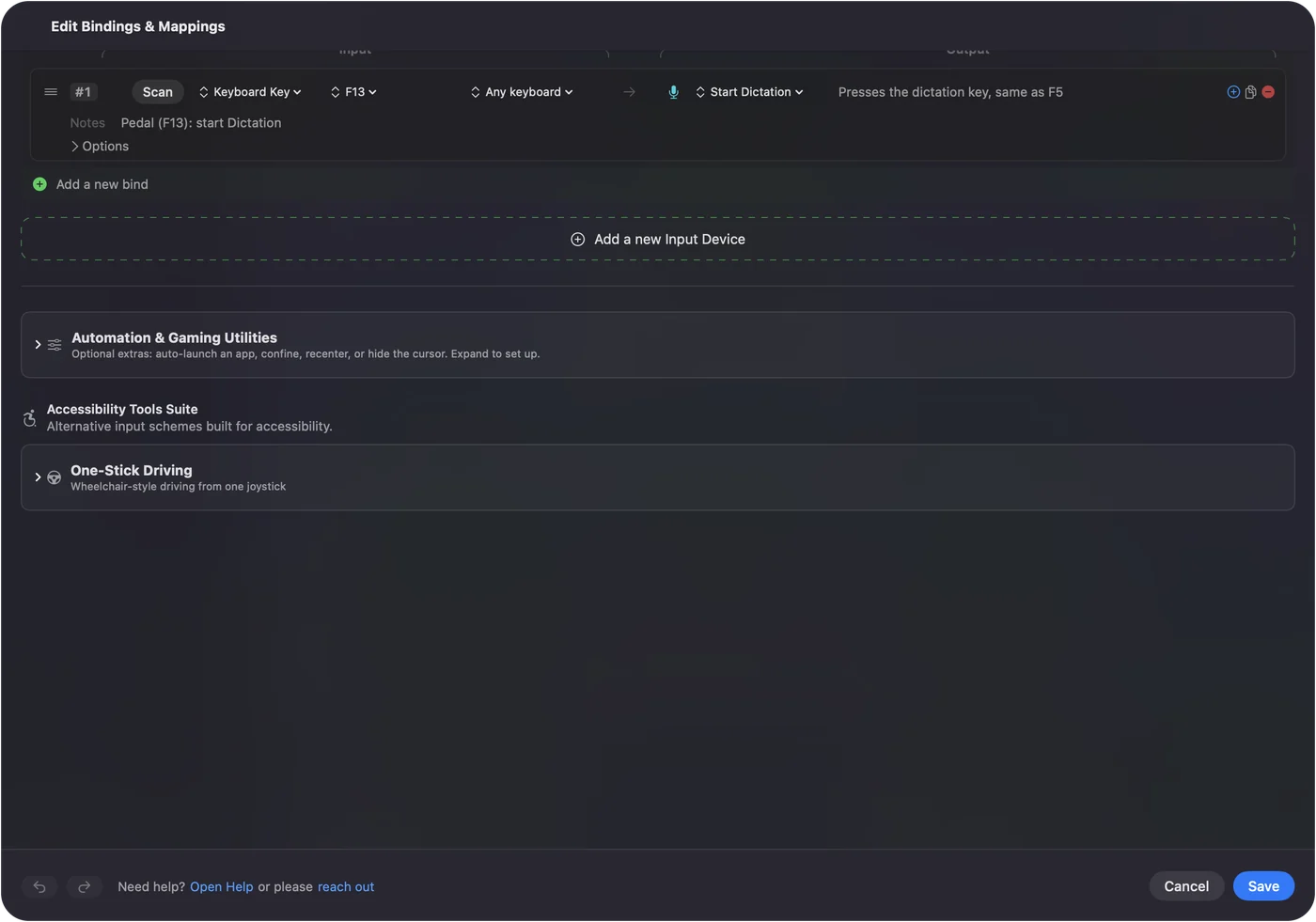
Foot pedal shortcuts on a Mac shows it step by step. InputConfig is free on the Mac App Store.
More timing and practice
Questions
How do I use a cube timer?
Scramble your cube with the moves shown. Hold the space bar until the time turns green, let go to start, and press any key to stop. A new scramble appears for the next solve.
What is an average of 5?
Your last five solves with the best and the worst dropped, and the middle three averaged. That is the way speedcubing competitions count it. An average of 12 drops the best and worst of twelve.
What do U, R and F mean in a scramble?
Each letter is a face: U up, D down, R right, L left, F front, B back. A letter alone turns that face clockwise, a letter with an apostrophe turns it counterclockwise, and a 2 turns it twice.
Are my times saved?
Yes, in this browser on this device only. Clearing the browser's site data removes them.
Related
Completely free. You don't have to make an account, there are no subscriptions, and nothing is locked. Optimized for Apple silicon. Open source on GitHub.
Updated