Joystick Mapper for Mac: the free alternative
 InputConfig is completely free on the Mac App Store. You don't have to make an account, there are no subscriptions, and nothing is locked. Optimized for Apple silicon.
There is a free alternative to Joystick Mapper: InputConfig, which is free and open source on the Mac App Store and which I make, so weigh that. Joystick Mapper costs $4.99. Its current version, 1.2, was released on 7 November 2019, and it lists macOS 10.9 as the minimum. I will go through how it works, what to check when it stops working, and the same setup in InputConfig.
On this page
Steps
- Install InputConfig and allow Accessibility access.
- Pair the controller and check it in the Live Visualizer.
- Start from Mouse + Scroll or Desktop Navigation, or search the Smart Preset Maker for the game.
- Press Scan on a row, touch the control, and choose what it sends.
- Press Activate.
Rebuild your Joystick Mapper setup in InputConfig
By its own App Store listing, Joystick Mapper maps any stick, D-pad or button to a key, mouse movement, a click or scrolling, maps each of a stick's four directions separately, and treats analog triggers as buttons. To send a combination such as Command+Q, the listing says to map two keys to the same input. It ships ready-made examples you can edit.
Presets do not transfer between the two apps, but most Joystick Mapper setups are a handful of rows: a stick to the mouse, a few buttons to keys.
- You: Start from the Mouse + Scroll or Desktop Navigation preset for desktop use, or search the Smart Preset Maker for the game. Press Scan on any row and touch the control you want to change.
- InputConfig: Binds the row to that control. It can send a key or a whole key combination in one row, mouse movement, a click, scrolling, a macro, or typed text.
- Check: The row names the control you touched. A stick row driving the pointer has Deadzone and Full push at and three response curves.
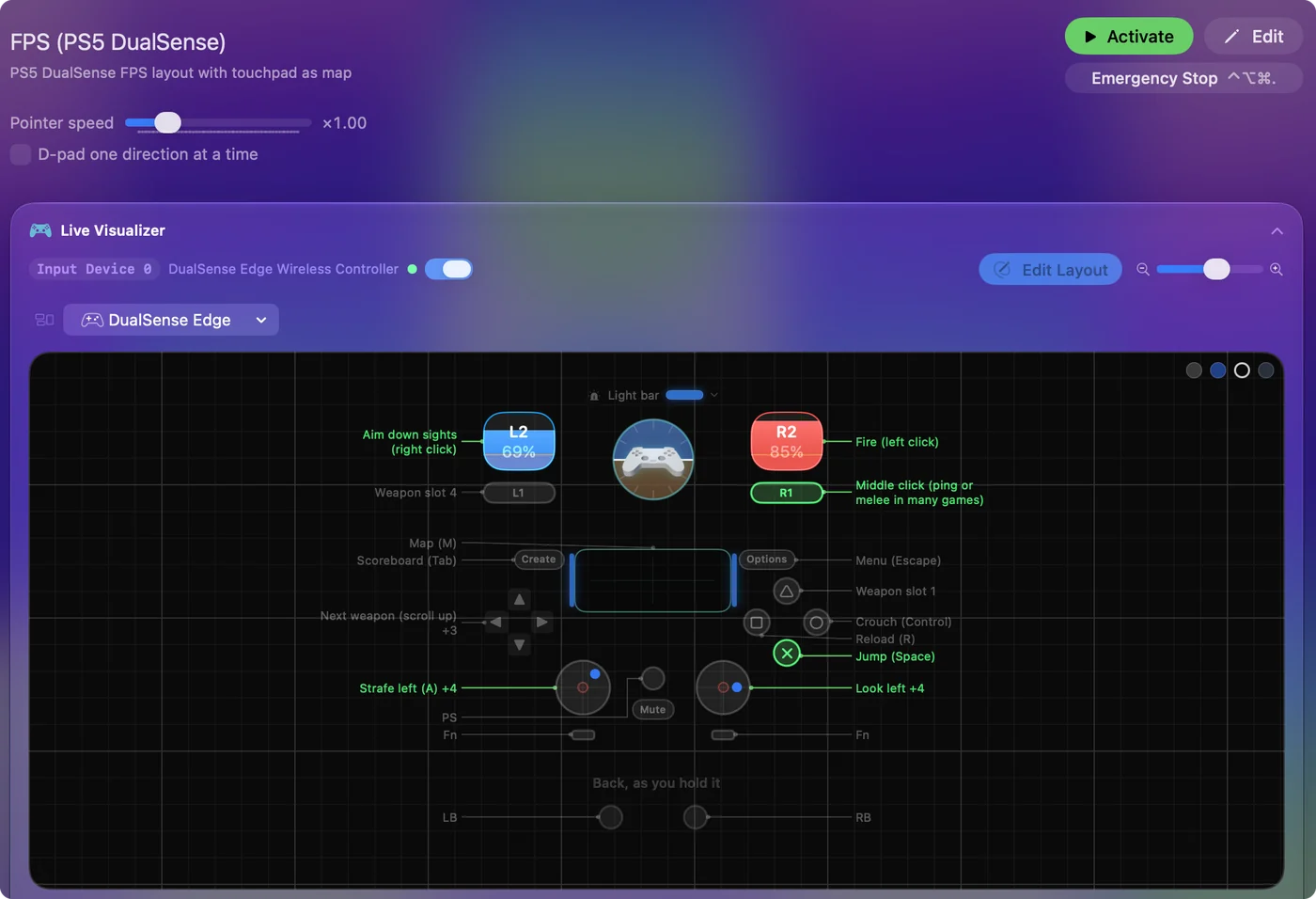
A key combination is one row in InputConfig, not two inputs stacked on one control.
Use the built-in Minecraft preset
Minecraft Java Edition on the Mac has no controller support, which is why so many people search for a Joystick Mapper Minecraft preset. InputConfig ships one built in: walk and look on the sticks, mine and place on the triggers, jump and sneak on the face buttons, and the hotbar on the bumpers. The Minecraft preset page has the full table, and playing Minecraft with a controller on a Mac covers the rest, including why Bedrock, the edition with controller support, is not sold for the Mac.
If Joystick Mapper stops working on a newer Mac
I have not tested Joystick Mapper on current macOS, so these are the checks its own listing and macOS point to. Climb this ladder, smallest step first:
- Permission. Any app that types or clicks for you needs System Settings, Privacy & Security, Accessibility. If it is on but nothing happens after a macOS update, switch it off and on again.
- Another mapper. The listing warns that similar apps can stop it working. Quit Steam, InputConfig or any other mapper while you test.
- The controller. The listing says it reads controllers that use the standard HID joystick interface, that Xbox controllers may need a third-party driver, and that a wireless Xbox 360 pad needs Microsoft's receiver because it does not use Bluetooth.
- The app itself. Its last release notes, from November 2019, say some issues were still to be fixed.
If it still does nothing, InputConfig reads the controllers macOS pairs, including DualSense, Xbox Series and Switch Pro, with no driver, and the Live Visualizer shows at once whether the Mac sees the controller at all.
When to keep Joystick Mapper
If you already own it, it runs on your Mac, and it does what you need, keep using it. InputConfig needs macOS 14 or later, so on an older Mac Joystick Mapper may be the one that installs.
The short version
- Price. Joystick Mapper is $4.99. InputConfig is free.
- Updates. Joystick Mapper's last version is from November 2019.
- Moving over. Start from Mouse + Scroll or a Smart Preset Maker layout and Scan the rows you want different.
If the Live Visualizer lights up, InputConfig can map it.
Questions
Is Joystick Mapper free?
No. It costs $4.99 on the Mac App Store. Its last update was version 1.2 in November 2019.
Is there a free Joystick Mapper download for Mac?
Joystick Mapper itself is paid, $4.99 on the Mac App Store, so a free download of it from another site is not the real app. The free route is a different app: InputConfig is free and open source, and the free list compares the others.
Is a cracked Joystick Mapper safe?
I would not use one, and that is caution rather than something I measured. A mapper needs Accessibility permission to type and click for you, so a modified copy from an unknown source is a bad thing to give that permission. Buy the App Store version, or use the free alternative.
Does Joystick Mapper work for Minecraft?
Minecraft Java Edition has no controller support, so a mapper has to turn the stick into the keys and mouse it expects. InputConfig has a Minecraft preset built in, and the Minecraft section above has the details.
The Joystick Mapper video tutorials are from 2013 and 2014. Do they still apply?
Partly. The idea is the same: pick a controller, map each button to a key, map a stick to the mouse. The screens are not: those videos show OS X System Preferences, and on a current Mac pairing is in System Settings, Bluetooth, with Game Controllers in the sidebar. InputConfig is free and does the same mapping, with a Scan button instead of a list of button numbers.
Does Joystick Mapper work with a PS5 or PS4 controller?
Its App Store listing names Xbox, Logitech, PS3, PS4, SteelSeries and Nintendo pads and does not mention the DualSense. I have not tested it. InputConfig supports the DualSense, DualSense Edge and DualShock 4, including the touchpad and gyro aim.
Related
This page in other languages: العربية
Updated