How to push to talk with a mouse button on a Mac
 InputConfig is completely free on the Mac App Store. You don't have to make an account, there are no subscriptions, and nothing is locked. Optimized for Apple silicon.
Yes, a mouse button can be your push to talk key on a Mac, and the way to do it is to have the button hold down the key the app listens for. In InputConfig, the free Mac app I make, a Mouse row set to Keyboard Key holds that key for as long as you hold the button and lets it go when you release, which is exactly what Discord, Zoom, Teams and most game voice chats want.
Some apps can record a mouse button as their own keybind and need nothing else, so try that first. This page covers the rest: the key to send, the permission that blocks it, and a latch version for long talks.
On this page: 10 sections
Check what the app offers first
Every app does this a little differently, and the setting names below come from the maker's own guides and community write-ups that I read on October 21, 2026. I have not tested every app, so treat the menu names as a guide and look for the matching entry in your version.
- Discord. In the desktop app, open User Settings, Voice & Video, set Input Mode to Push to Talk, and use Record Keybind or the Shortcut box to pick the key. There are also Priority Push to Talk, a Toggle VAD keybind and a Push to Talk Release Delay slider. Custom keybinds belong to the desktop app. In a browser tab, Discord's push to talk works only while that tab is in front.
- Zoom. Settings, Audio, then the option to press and hold Space to temporarily unmute. It works while Zoom is the front app, and it does nothing if the host has stopped participants from unmuting themselves.
- Teams. Settings, Privacy has a Keyboard shortcut to unmute switch. Hold Option Space on a Mac to unmute and let go to mute again. It is for the desktop app, not the browser.
- Games. Voice chat in a game has its own push to talk key in the game's audio or controls settings. Put whatever key it asks for on the mouse button.
If the app lets you record a mouse button directly, use that, and keep InputConfig for the apps that only take a key.
Find out what the button sends
Press Scan on a row and click the button. The usual homes for push to talk are these:
| Button | How good it is | Why |
|---|---|---|
| Button 4 or Button 5 | Best | A thumb button you can hold without moving the pointer. |
| Button 6 and higher | Best | A thumb grid button nothing else uses. |
| Middle click | Good | The wheel press, but a long hold is tiring and it may open tabs unless you block it. |
| Left and right click | Avoid | They cannot be blocked, so every normal click would also key your microphone. |
A thumb button that scans as a key already, such as a gaming mouse number grid, has to be set to F13 to F20 in the mouse maker's software first. If a DPI or profile button never scans, it talks only to the maker's software and nothing on the Mac can read it.
Make the button hold the key
Step 1: Scan the button and pick the key
- You: Add a row, set the device to This Mac's mouse or trackpad and the input to Mouse, press Scan, and click the button. Set the output to Keyboard Key and choose the key the app expects.
- InputConfig: Records the button and sends the key.
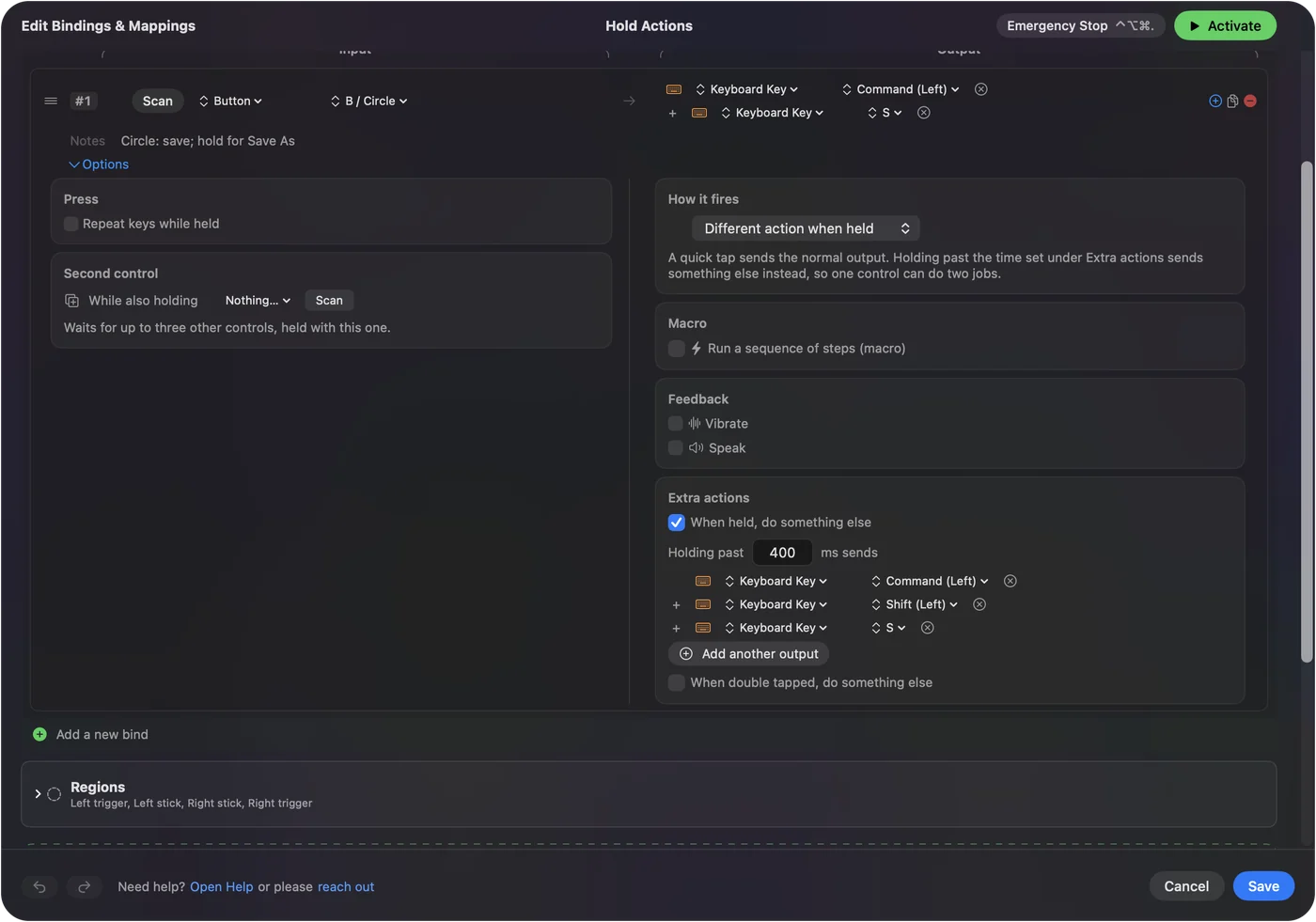
- Check: The row names your button and the key. A key with a modifier, such as Option Space, uses the plus button to add the second key.
Step 2: Keep it as a hold
- You: Open the row's Options and leave the press mode on Fires while held.
- InputConfig: Holds the output down for as long as you hold the button, and lets it go when you release.
- Check: Hold the button in a text box and the key repeats while held. In the voice app, the transmit light stays on only as long as you hold.
Pick a key that does not clash
If the app records the keybind by listening, the cleanest key is one that types nothing. F13 to F19 are good for that, and so is a key combination such as Option Space. In Discord, click Record Keybind, hold the mouse button, and see whether the key appears. If it does, you are done. If the box stays empty, try a different key and note that I have not tested every app's keybind box against a key pressed by another app.
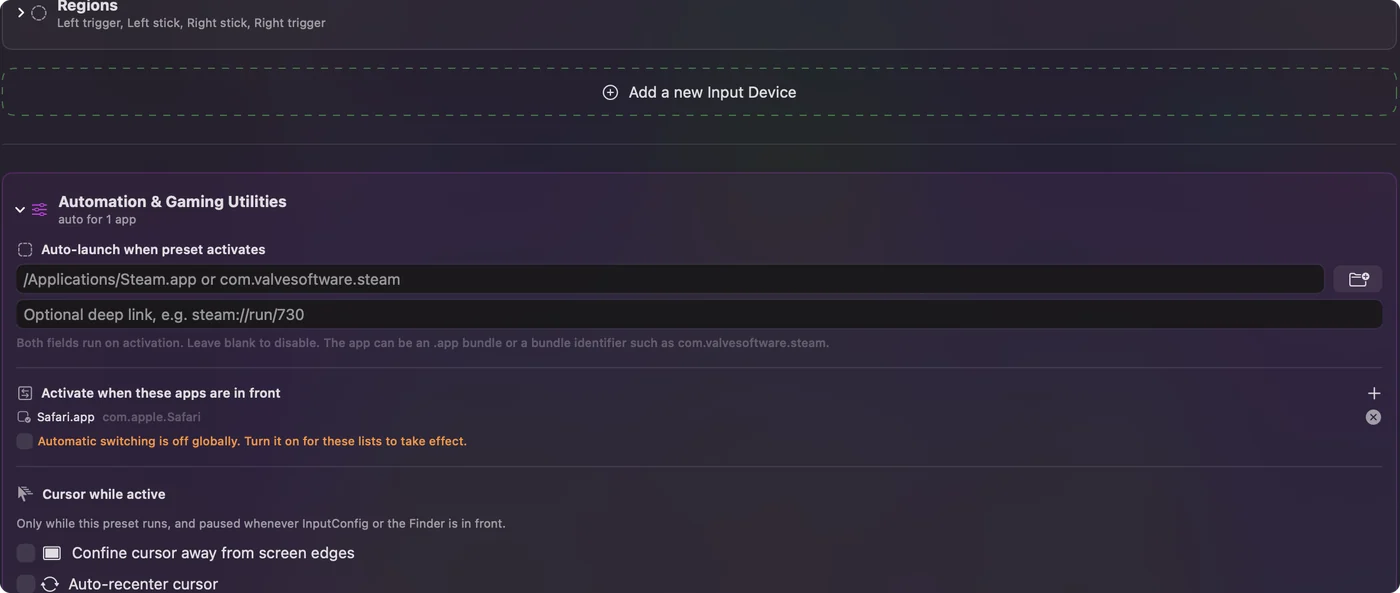
For Zoom, the key has to be Space and Zoom has to be the front app, which means a row holding Space would type spaces everywhere else. Put the row in a preset for Zoom: under Automation & Gaming Utilities, list Zoom in Activate when these apps are in front, and with Switch presets when the front app changes on in Settings, Advanced, the Space row runs only while Zoom is in front. See per-app mouse buttons.
Latch to talk, and mute toggles
Some people do not want to hold a button through a long answer. In the row's Options, the press menu has Toggles on and off: one press holds the key and the next press lets it go. That is push to talk that stays on, and it is a good fit for a presentation. Keep a second button on the plain hold for quick comments.
A mute toggle is a different job. Zoom's toggle is Command Shift A, so a thumb button can send that as a chord. Teams has its own mute chord, and Discord lets you set a mute keybind of your own. A hold means talk only while pressed, and a chord means flip the mute, so decide which you want before you pick the button.
Ideas for different players
- Gamers. A thumb button for voice and the other thumb button for a game action keeps both hands where they are. See the gaming mouse page.
- Callers on a desk. A hold on Button 5 for Zoom and Teams, with a latch on Button 4 for a long answer.
- Streamers and podcasters. A held button for Discord and a toggle for the recording app's mute.
- People with limited hand movement. A latch means one press instead of a long hold, and Toggle mode is built for that.
If the button does not key the microphone
Climb this ladder, smallest step first:
- Test in a plain app. Open Notes, hold the button and see whether the key types. If it does not, the row is the problem.
- Check the preset is on. Rows do nothing until you click Activate, and InputConfig needs Accessibility in System Settings, Privacy & Security.
- Check the app's permissions. Mac users in Discord's community report that push to talk starts working after Discord is allowed under Accessibility and Input Monitoring in System Settings, Privacy & Security, and Discord is quit and reopened. Those reports are from older macOS versions, so the entries may have moved.
- Use the desktop app. A browser version hears the key only while its tab is in front.
- Check the maker's software. A mouse app that grabs a button can hide it from the Mac, so a remapped button may reach nothing. Quit the app, or set the button back to normal there.
- Confirm the microphone. System Settings, Privacy & Security, Microphone has to list the app, or no key will help.
What it cannot do
- Work in every game. A game that reads input below macOS may not see a key sent by another app, and I have not tested that for any particular title.
- Remove the button's old job. Block the button's own action covers the middle and side buttons, and left and right click cannot be blocked.
- Tell two mice apart. Every connected mouse counts as one device.
- Change the microphone. Gain, noise suppression and the input device are the voice app's settings.
The short version
- Hold. A Mouse row with Keyboard Key, on Fires while held, is push to talk.
- Latch. Toggles on and off holds the key until the next press.
- Per app. Zoom wants Space, so keep that row in a Zoom only preset.
Try the app's own mouse button recording first, and use a held key when it only takes keys.
Questions
Can I use a mouse button for push to talk on a Mac?
Yes. Some apps record a mouse button directly. For the rest, InputConfig can hold the key they listen for while you hold the button.
Why is Discord push to talk not working on my Mac?
The usual reasons are missing permissions, using the browser version, or a key that never reaches Discord. Check Accessibility and Input Monitoring for Discord in Privacy and Security, restart it, and use the desktop app.
How do I push to talk in Zoom on a Mac?
Turn on the Audio setting that lets you hold Space to temporarily unmute, then hold the key while Zoom is the front app. A mouse button can hold Space for you.
Is there a push to talk in Microsoft Teams on a Mac?
Yes. Turn on Keyboard shortcut to unmute in Settings, Privacy, then hold Option Space to talk. It works in the desktop app.
Can one button toggle my mic instead of holding?
Yes. Set the row's press mode to Toggles on and off, so one press holds the key and the next releases it.
Related
This page in other languages: العربية, Čeština, Dansk, Deutsch, Español, Suomi, Français, עברית, Magyar, Bahasa Indonesia, Italiano, 日本語, 한국어, Norsk, Nederlands, Polski, Português, ไทย, 繁體中文, 简体中文
Completely free. You don't have to make an account, there are no subscriptions, and nothing is locked. Optimized for Apple silicon. Open source on GitHub.
Updated