Screen regions (custom hot corners), stick regions and gestures
 InputConfig is completely free on the Mac App Store. You don't have to make an account, there are no subscriptions, and nothing is locked. Optimized for Apple silicon.
A screen region is an area of a display that fires a shortcut while the pointer is inside it: a custom hot corner, a screen edge or a strip. macOS Hot Corners offer a fixed list of actions; a screen region runs anything, whatever moves the pointer. A stick region is the same idea on a stick's travel, so pushing a stick into its upper-right corner can be one command and its right edge another. A screen region is its own input, Screen region in a row's input menu. A stick region is drawn once in the device's Regions card in the editor, then picked in a stick or trigger row's direction menu, beside plus and minus.
On this page: 9 sections
Draw a screen region
- You: Add a row with the input type Screen Region, then choose Edit screen regions in its menu and draw it in the device's Regions card. Or, in the Live Visualizer's Screen view, choose Draw a screen region.
- InputConfig: Saves the region with the preset, measured as a share of its display, and fires the row while the pointer is inside it.
- Check: Move the pointer into the region and the output fires. The Live Visualizer's Screen template shows the display, centered, with the preset's regions and the live pointer.
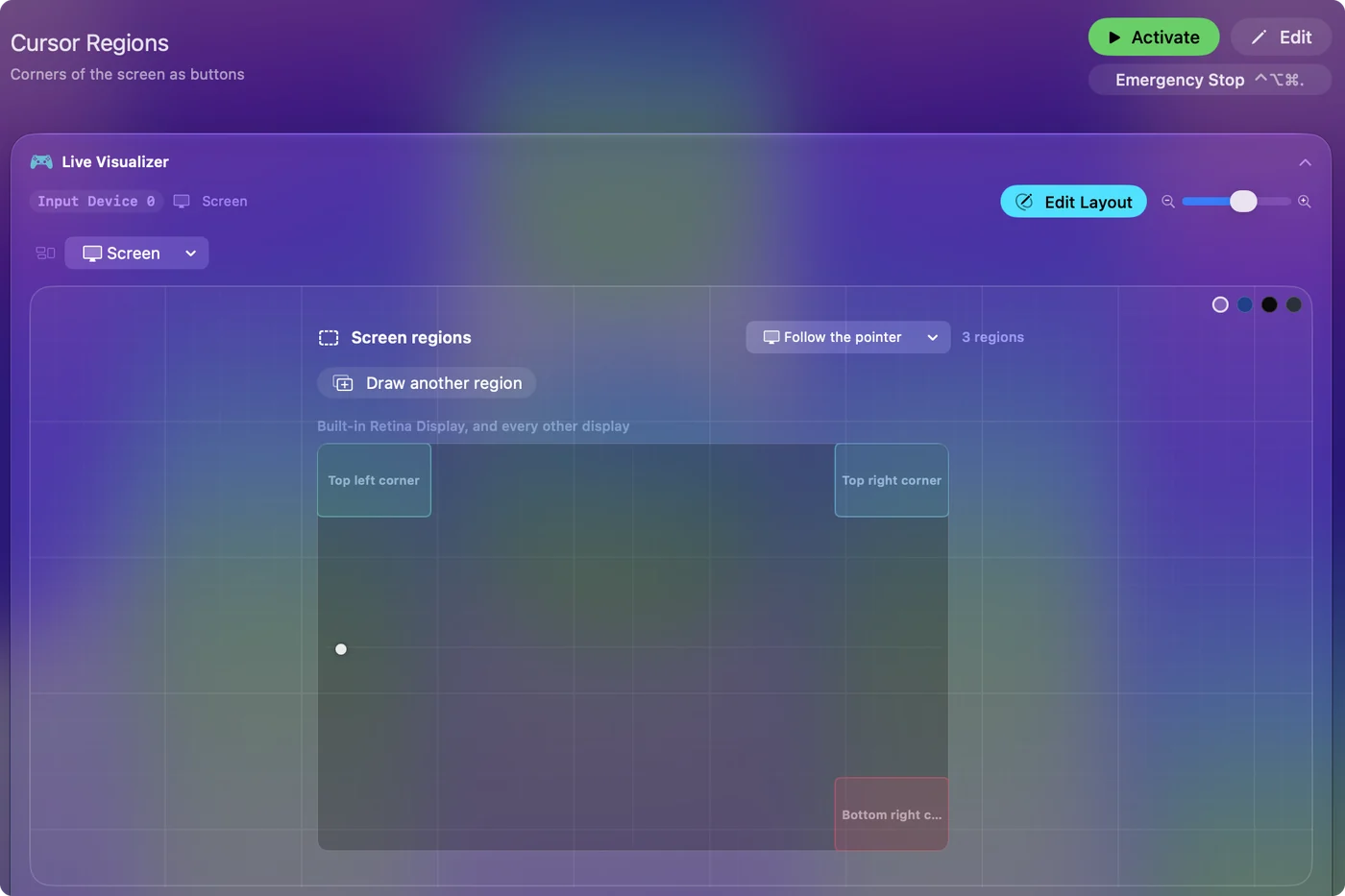
A region can also be placed by number: the Left, Top, Width and Height fields take percent of the display. The editor has a display picker: a region can belong to one display or to every display, and it is drawn in each display's real shape. Displays are recognized by their hardware identity, so a region survives unplugging. A corner that locks the screen is the classic first region.
Know how regions behave
- Like a button. Pressed when the pointer enters, released when it leaves. Turbo repeats the output while the pointer stays.
- Sixteen per preset. They are saved with the preset, so the same corner can mean something different in another preset.
- Any display size. A region is a rectangle measured as a share of its display, so an every-display region lands in the same place on a laptop screen and on a wide monitor.
- Edges count. A region drawn right against an edge still counts while the pointer is pushed against that edge.
- No permission. Knowing where the pointer is needs none. The app checks it 60 times a second, and only while a preset with regions is running or this editor is open.
- A held key. A region can wait for a held key: in Options, Second control, press Scan and press the key.
- No controller needed. A preset of only screen regions runs with nothing connected, and any pointer fires it.
A region is a button you press by moving the pointer.
Use regions with a head pointer, a joystick mouse or a wheelchair
Screen regions read the real pointer, so they work however the pointer is moved: the macOS head pointer, a joystick mouse, a power wheelchair in Bluetooth mouse mode, or a stick mapped in InputConfig. For someone who can move the pointer but has few buttons or none, every region is a command that costs only a movement: a corner for dictation, an edge for Return, another for Mission Control. Turn on spoken feedback for each row so it announces what fired. See clicking with head pointer and a wheelchair joystick as a Mac mouse. If you can move the pointer, you can run commands with no buttons at all.
Draw a stick region
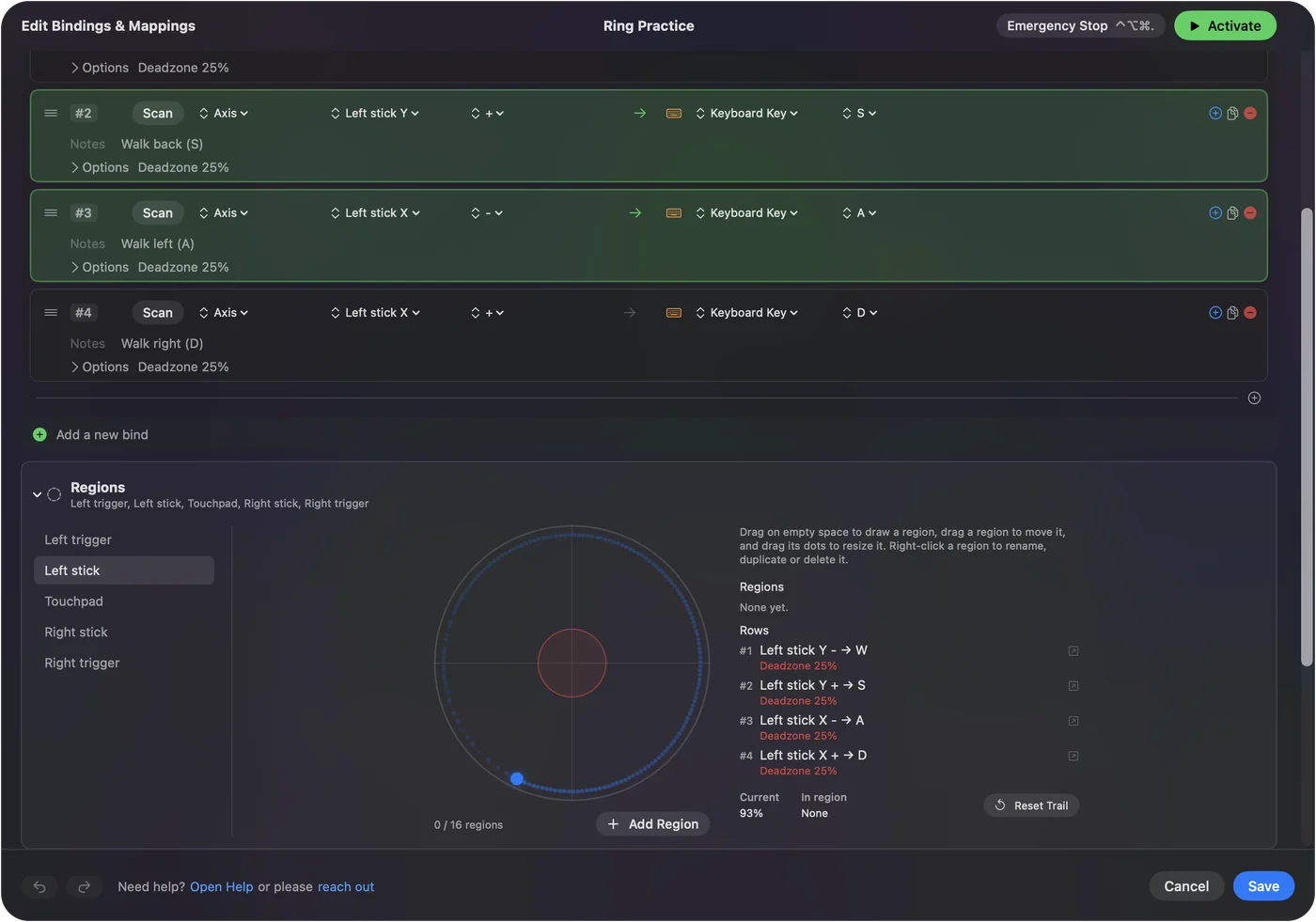
- You: Set a row to Axis, open its direction menu (the plus or minus) and pick a region, or choose Draw a region on this stick or trigger there. Draw the region on the stick's travel in the Regions card, or type its Inner and Outer distance and its From and To directions.
- InputConfig: Fires the row when the stick is pushed into that region.
- Check: Push the stick into the region and the output fires. Leave the middle clear so the center stays neutral.
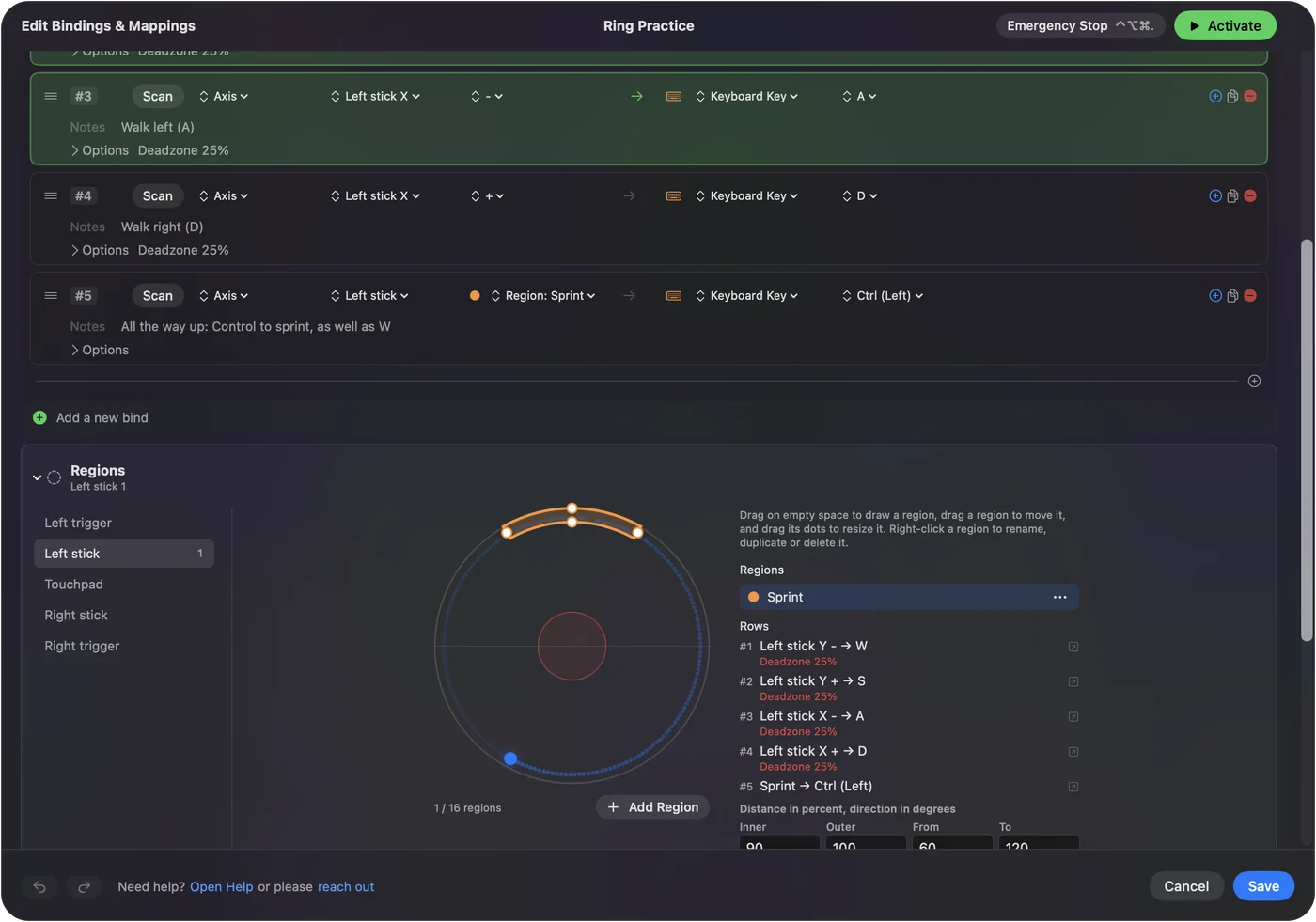
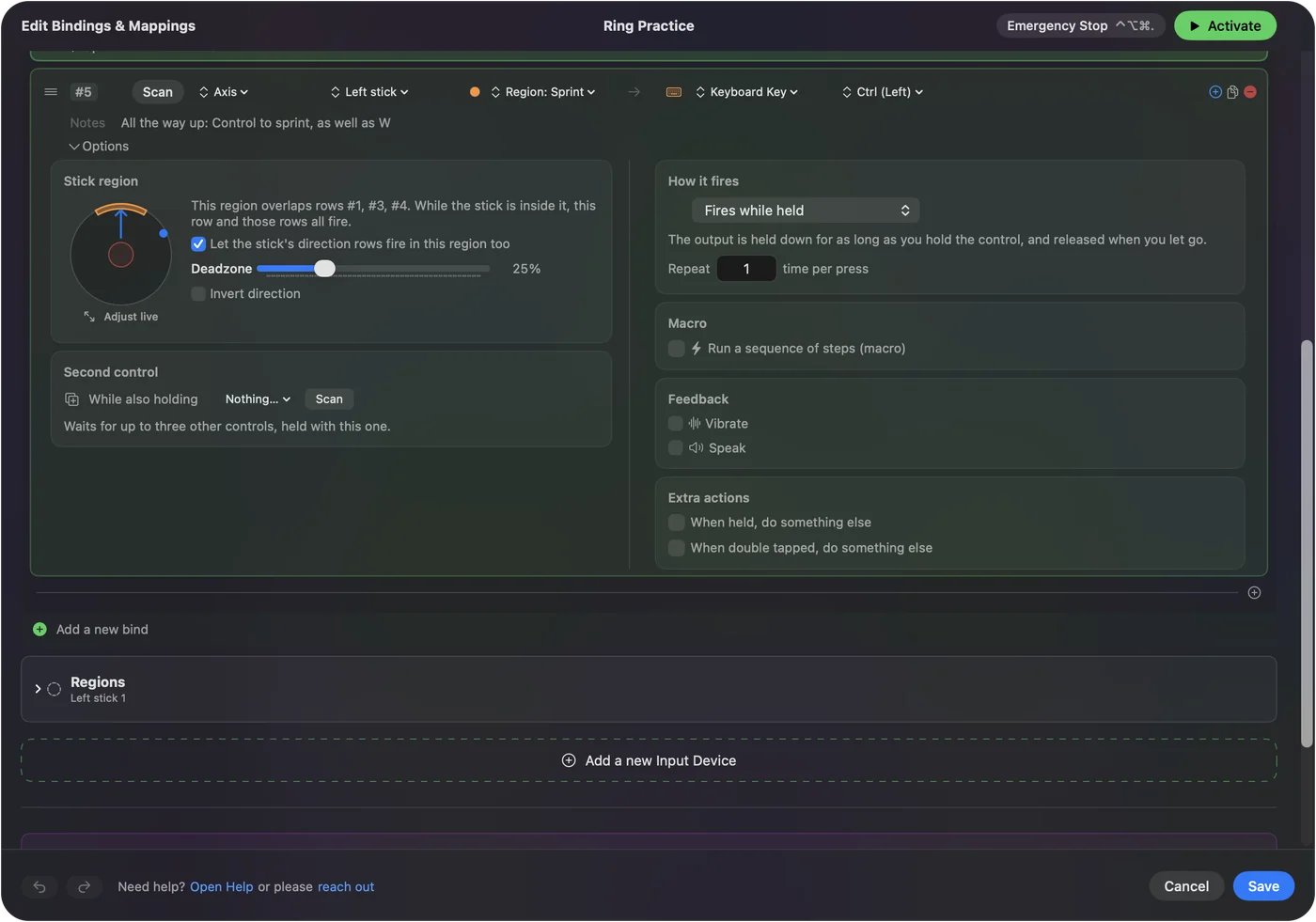
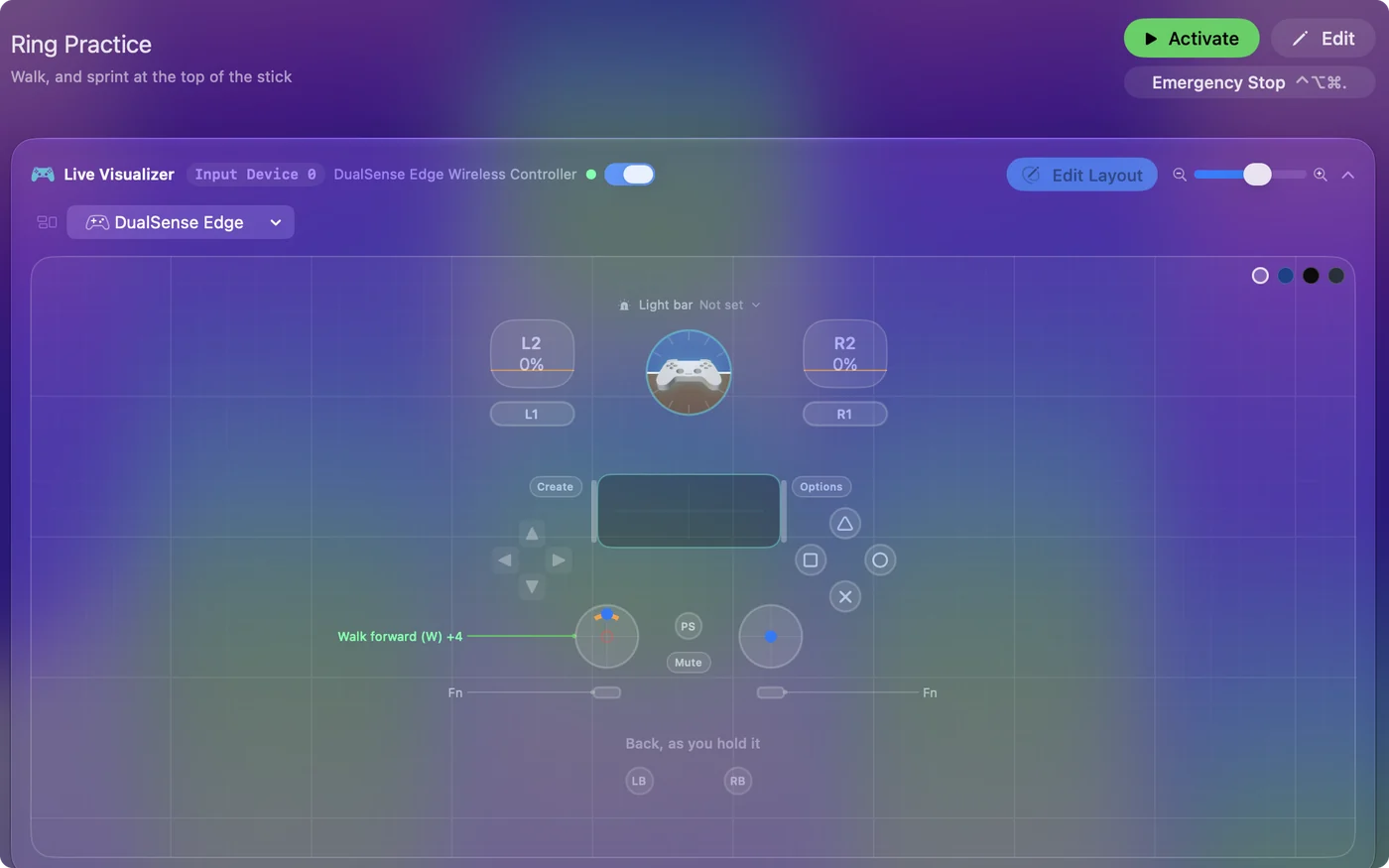
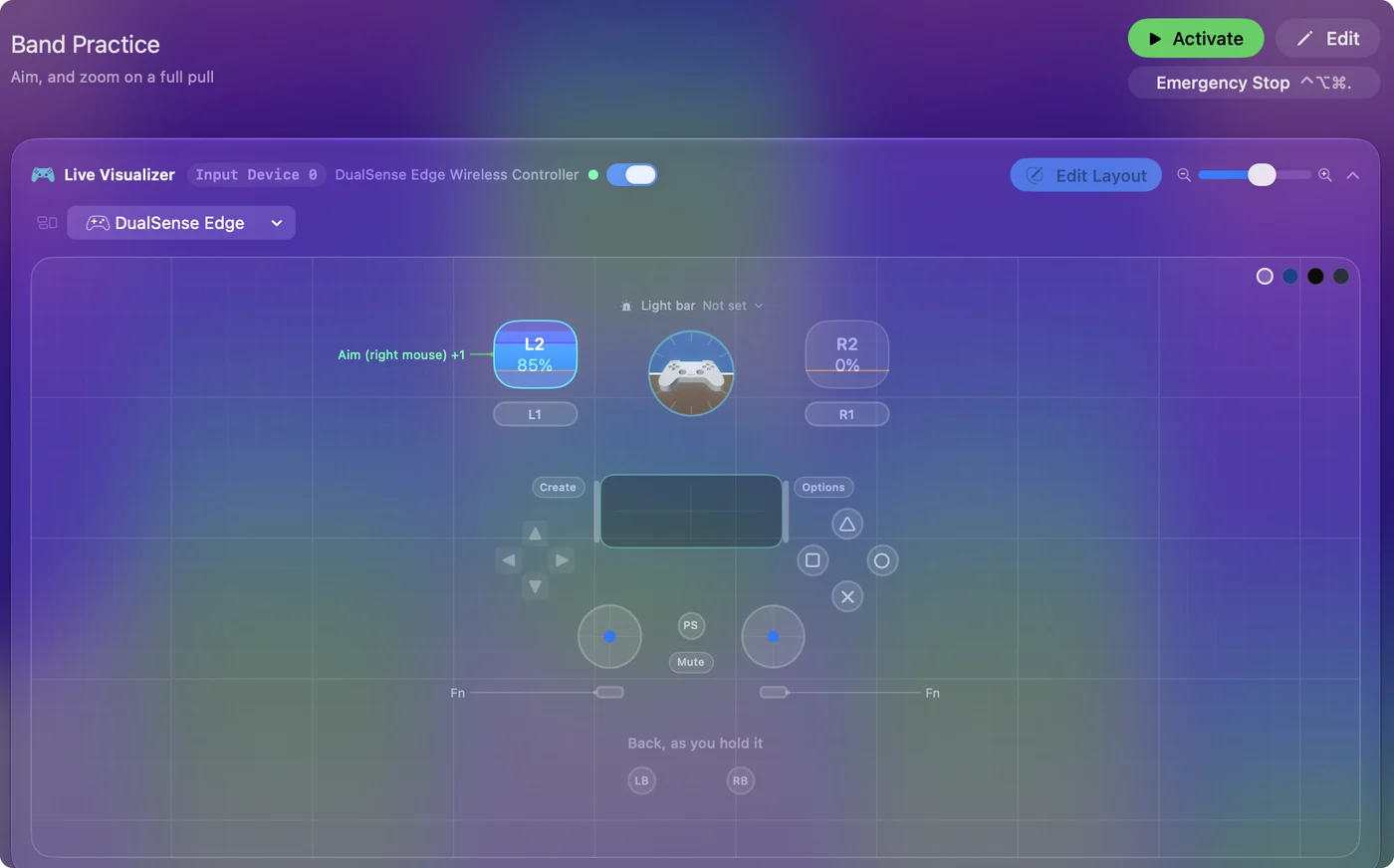
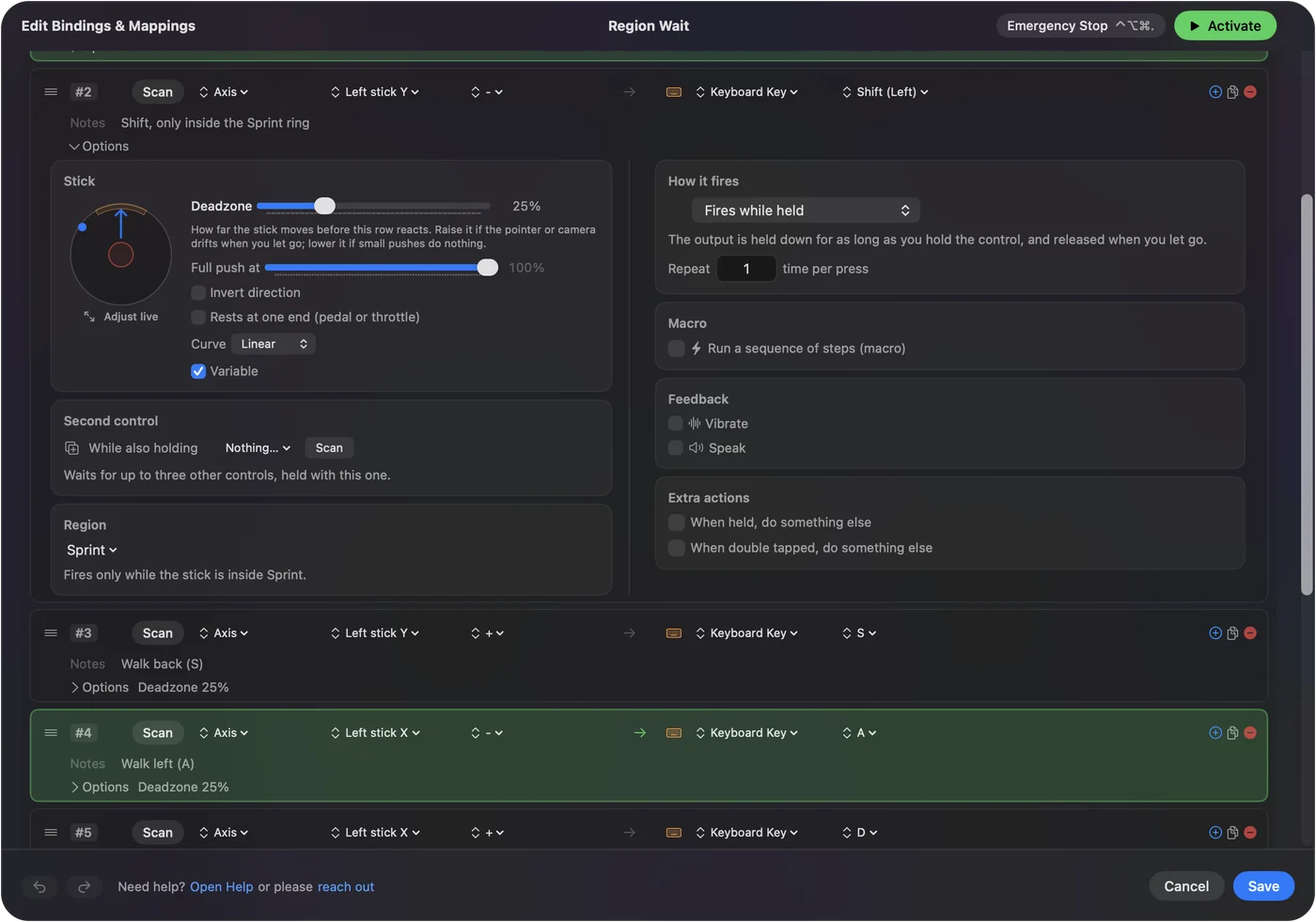
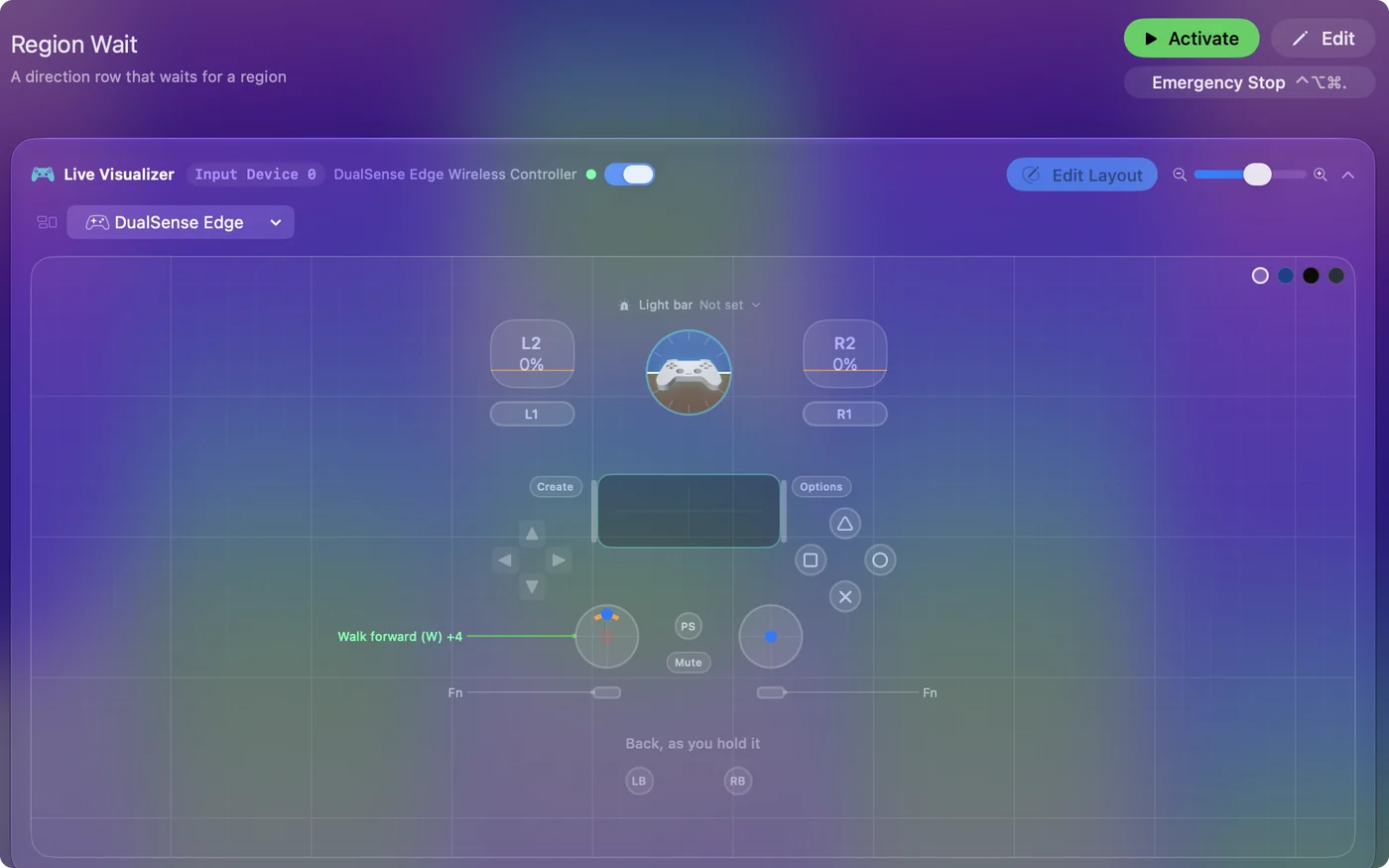
While the stick is inside a region, that region's row fires and the stick's direction rows wait, the way a chord takes over its button's plain row; the region row's Options name the rows it overlaps. Turn on Let the stick's direction rows fire in this region too when both should fire, such as a sprint ring at the top of a walking stick. Four corners and four edges on one stick make an eight-way menu, with a rumble on each so you can feel it land. A row's Options show the stick live, with its deadzone, the part of the stick that fires it and the regions; click it for the full view. A region answers which part of the stick, a direction answers which way.
Use rings and trigger bands
- Ring. Drag on the stick's drawing from one corner of the ring to the other, or type Inner and Outer in percent and From and To in degrees (0 is right, 90 is up). Drag straight out for a whole ring.
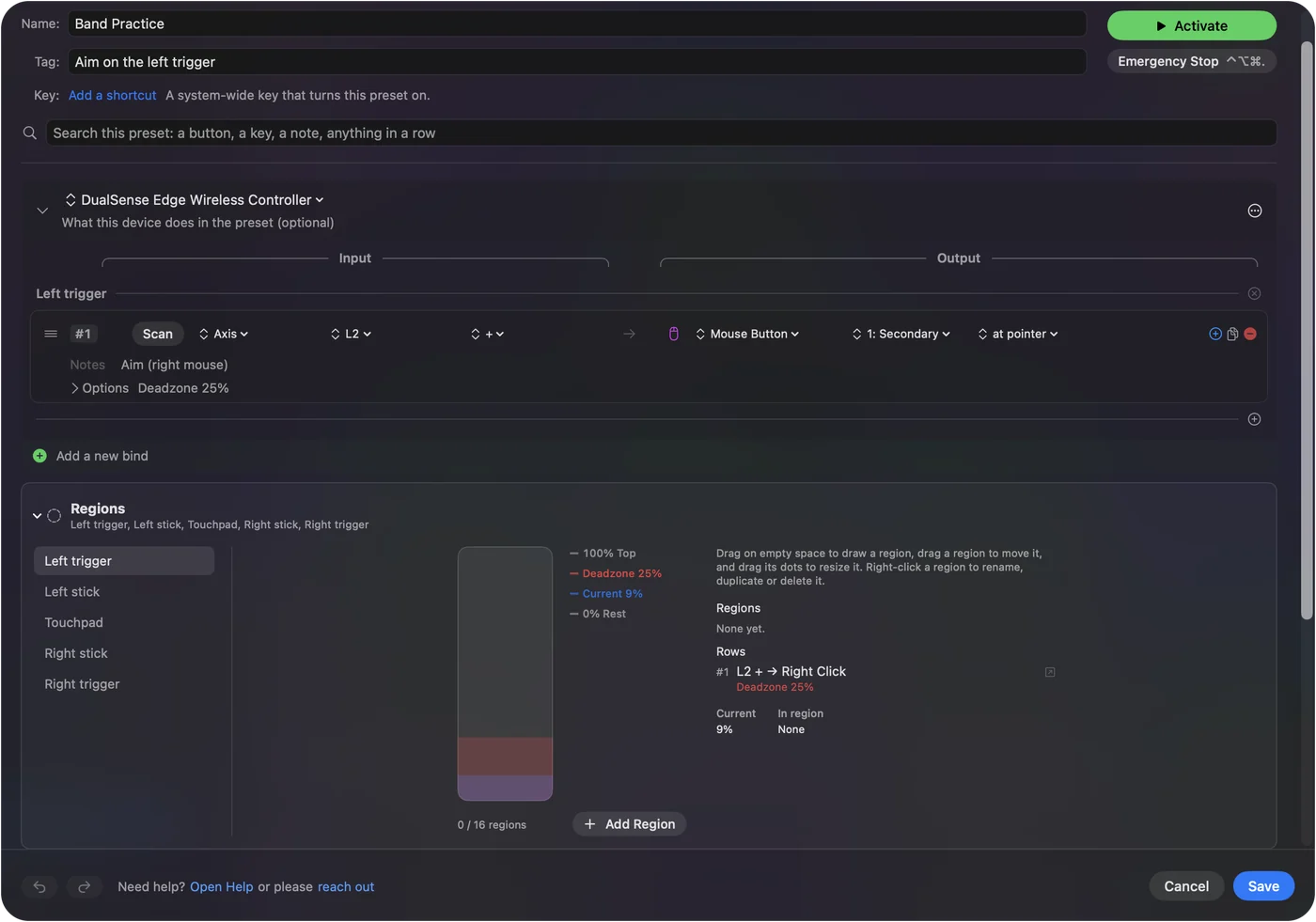
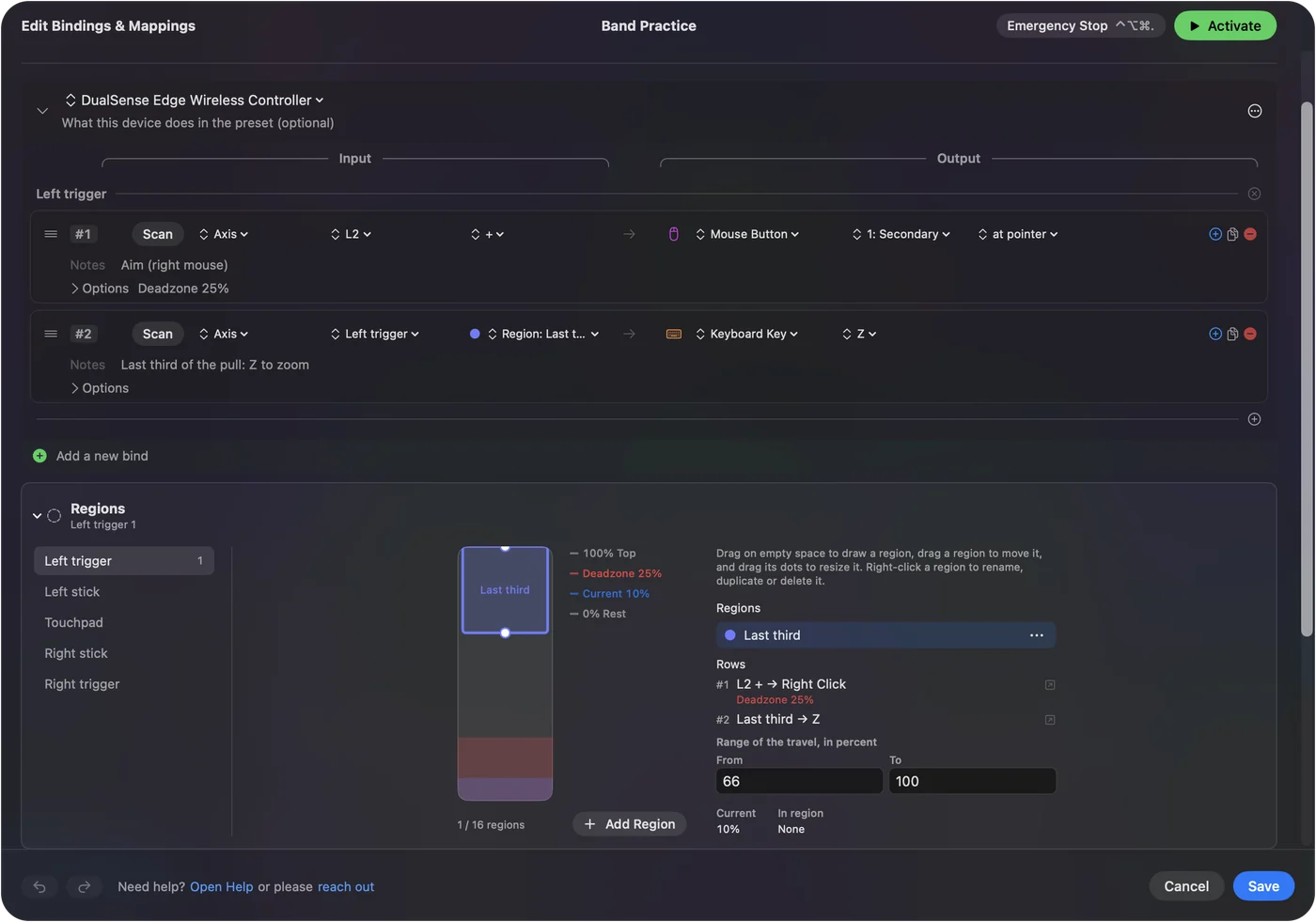
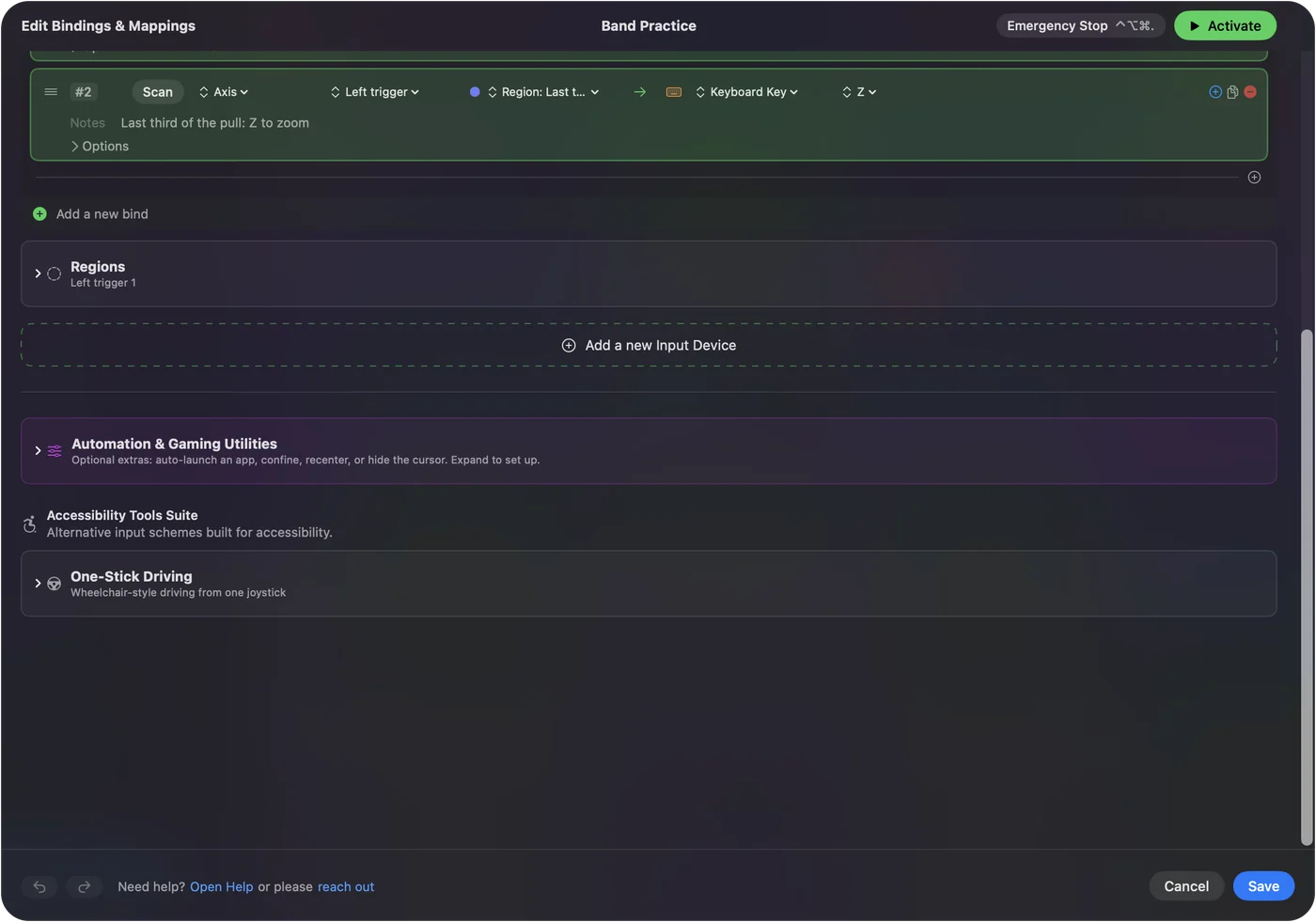
- Band. Pick the trigger or axis in the device's Regions card and drag up or down on its bar, or type From and To in percent. A band is its own threshold, so its row has no deadzone.
- Check: The live dot or line shows where the control is, and the Live Visualizer and the deadzone sheet draw the same regions.
A ring region is part of a ring around the center, so pushing the stick past half way up can be one command and all the way up another. A band is a range of one trigger's or axis's travel, such as the last third of a trigger pull. Regions that share an edge are never both pressed on it. Distance and direction are the two things a ring adds to a rectangle.
Make a stick gesture
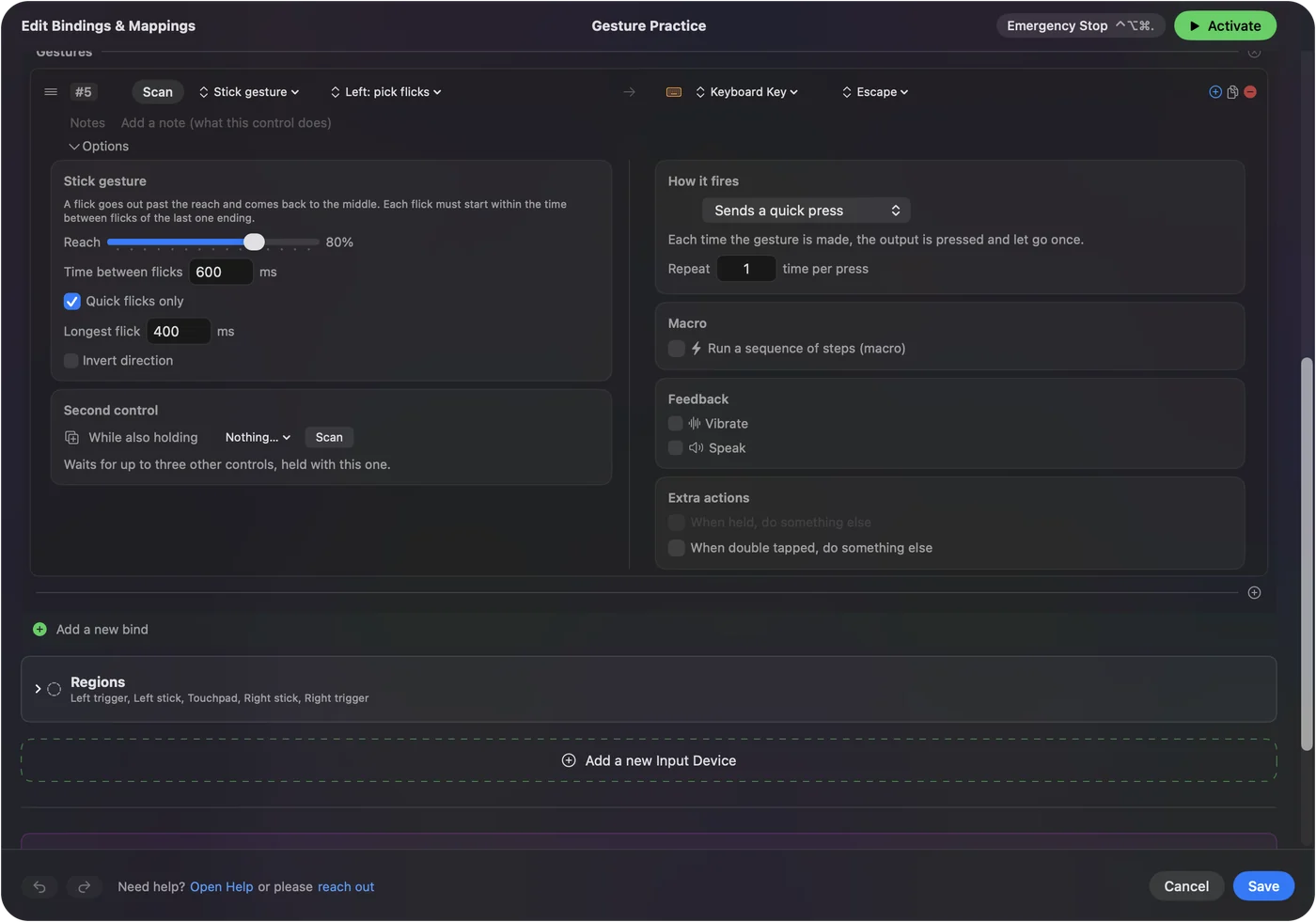
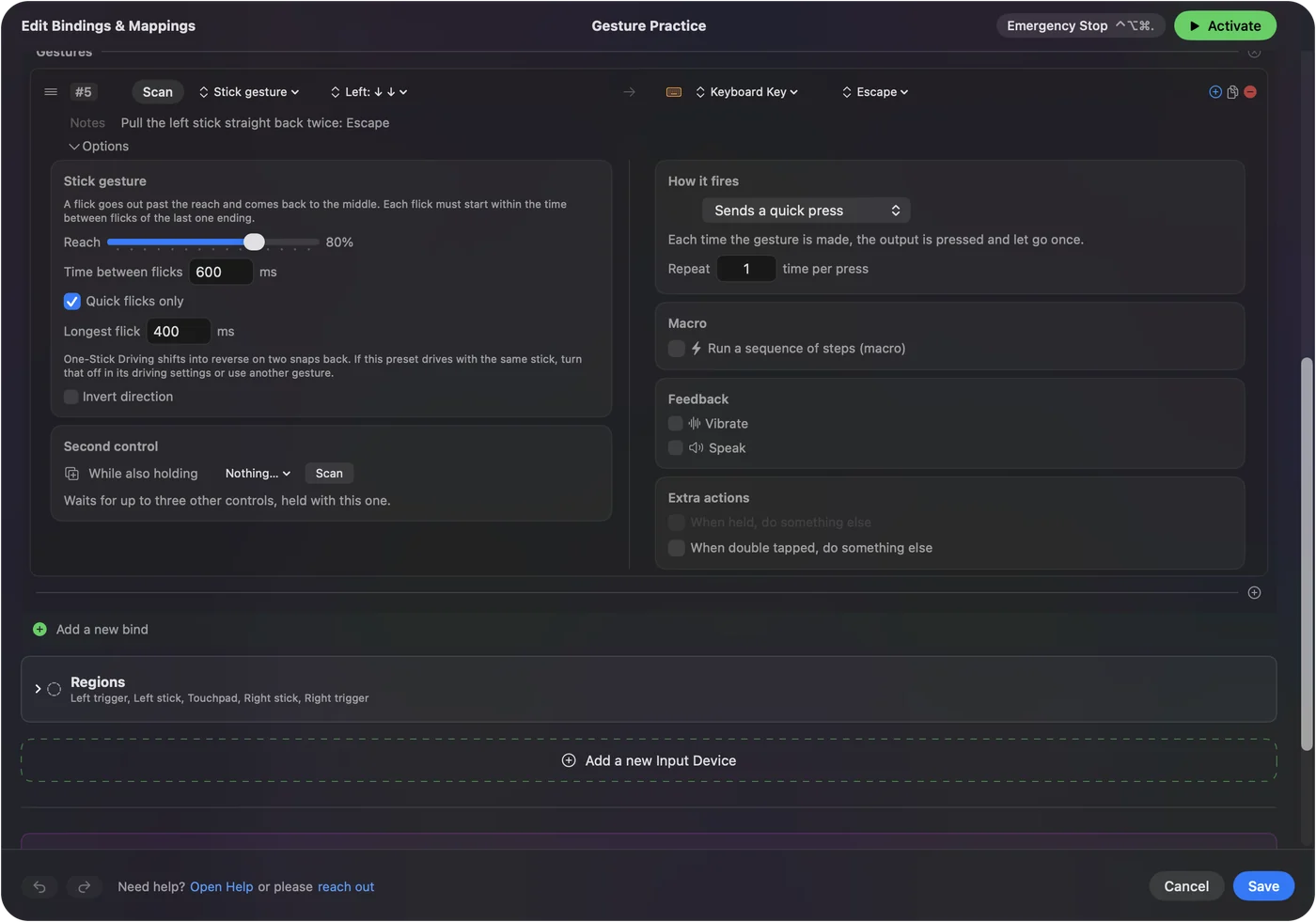
- You: Set a row's input to Stick Gesture and add flicks from its menu, such as Down and Down, or choose Record a gesture and make it.
- InputConfig: Fires the row like a quick press when the last flick lands. A flick goes out past the Reach and back to the middle; each flick must start within the Time between flicks.
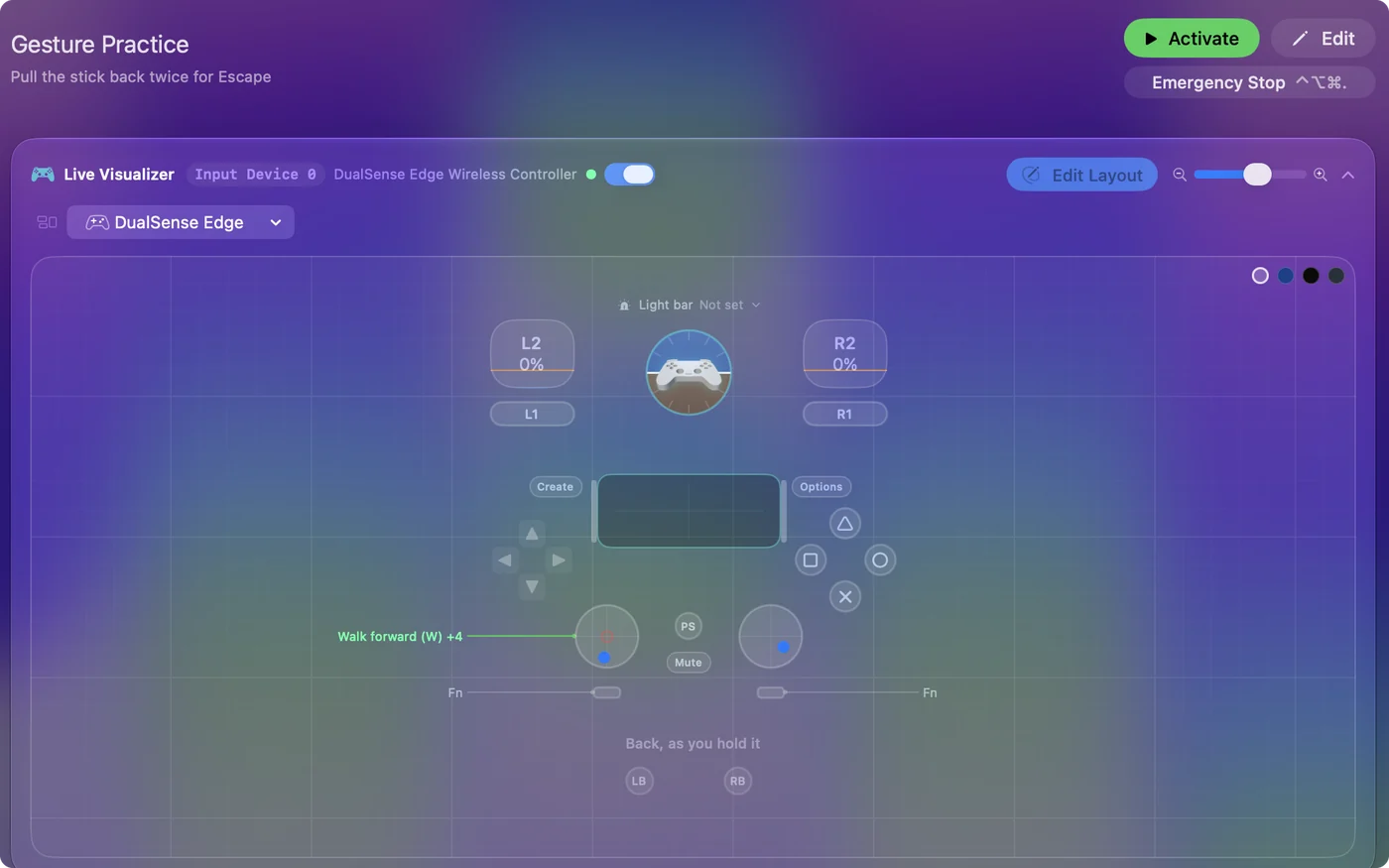
- Check: With the editor open, the row lights when you make the gesture.
Pulling the stick straight back twice, or slamming it right twice, can be its own button. With Quick flicks only on, a push held out is a push, not a flick, so steering, driving or pointing with the same stick never sets a gesture off. A flick can also go into one of your stick regions. One-Stick Driving shifts into reverse on two snaps back, so turn that off in its driving settings if a gesture on the drive stick uses Down twice. A gesture turns a stick into extra buttons without taking any of its movement.
If a region fires too often, or never
Climb this ladder, smallest step first:
- Shrink it. Keep regions small and tight to the edges so ordinary pointer travel does not set them off.
- Check the display. A region for the external monitor is silent on the laptop screen. Pick every display if you want it on both.
- Check the preset is running. Regions are read only while a preset with regions runs, or while the editor is open.
Most misfires are a region that is too big.
The short version
- Screen region. An area of a display; it fires while the pointer is in it.
- Stick region. A ring on a stick's travel, picked in an Axis row's direction menu; it fires when the stick is pushed there, and the stick's direction rows wait unless it shares the stick.
- Trigger band. A range of a trigger's or axis's travel.
- Stick gesture. Flicks of a stick in order, such as back twice.
- Keep them small. Tight to the edges, clear of everyday movement.
Corners and edges are free buttons on every screen.
Questions
Does a screen region fire repeatedly while the pointer sits in it?
It behaves like a button: pressed when the pointer enters, released when it leaves. Add turbo for repetition.
What about the touchpad?
Areas of a controller's touchpad are Touchpad Regions, a separate input on its own page.
Does a screen region need a controller?
No. A preset with only screen region rows runs with nothing connected, and any pointer fires it: a mouse, the trackpad, a controller stick, or the macOS Head Pointer.
How many screen regions can one preset have?
Sixteen. Each preset has its own set, so a game preset and a desktop preset can use the same corner for different things.
Related
Completely free. You don't have to make an account, there are no subscriptions, and nothing is locked. Optimized for Apple silicon. Open source on GitHub.
Updated