Speed AutoClicker for Mac
 InputConfig is completely free on the Mac App Store. You don't have to make an account, there are no subscriptions, and nothing is locked. Optimized for Apple silicon.
There is no Mac version of Speed AutoClicker. It is free Windows software, so a download that claims to be Speed AutoClicker for Mac is something else. On a Mac, InputConfig, free on the Mac App Store, clicks on a timer with a hotkey to start and stop, and its shortest gap is 5 milliseconds, which is about 200 clicks a second.
Steps
- Install InputConfig from the Mac App Store.
- Allow it in System Settings, Privacy & Security, Accessibility.
- Activate the built-in Auto Clicker preset.
- Set Every to the gap you want, down to 5 ms.
- Press fn F6 to start and stop.
Know how fast a Mac auto clicker can go
Speed AutoClicker is known for very high click rates on Windows. InputConfig's gap goes from 5 milliseconds to a minute, so its top speed is about 200 clicks a second. That is faster than most games and apps count clicks. The auto clicker test shows the rate your Mac really sends, and the CPS calculator turns clicks per second into the gap to type. Measure the real rate before you chase a bigger number, because many games ignore clicks that arrive too close together.
Set it up like Speed AutoClicker
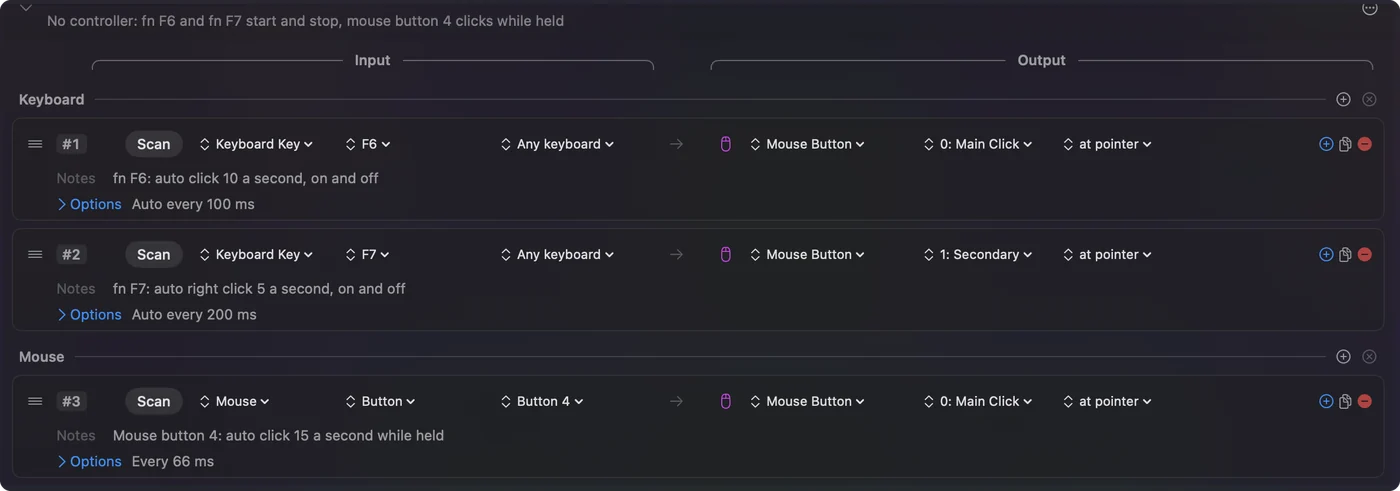
- Activation key. The built-in preset starts and stops with fn F6, and Scan sets any other key, mouse button or controller button.
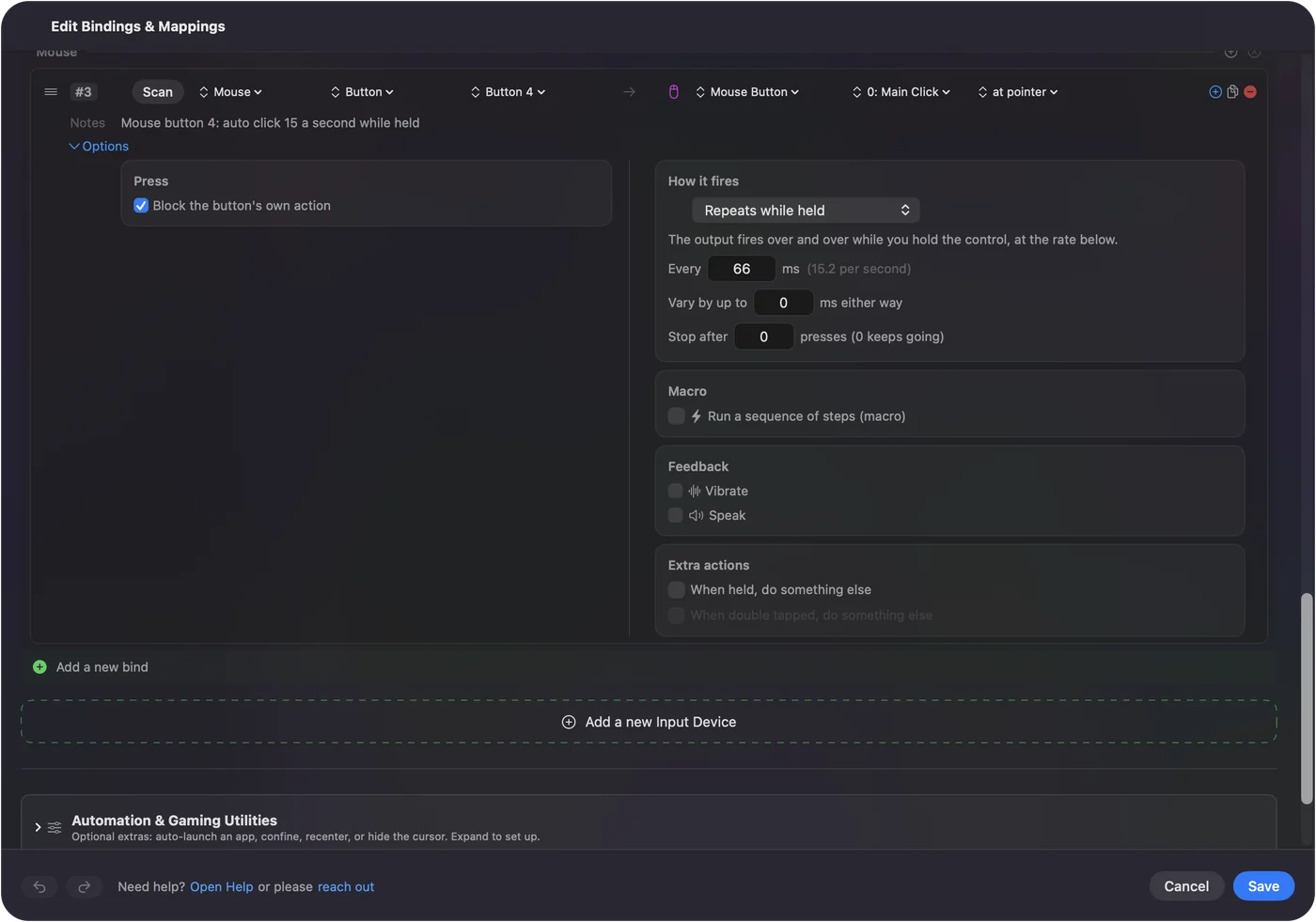
- Hold or toggle. Repeats while held clicks only while you hold the control. Repeats until pressed again turns it on and off.
- Click rate. Every sets the gap in milliseconds.
- Left, right or middle. The Mouse Button output picks the button.
The emergency stop, Control Option Command period, ends any clicking at once.
The short version
- Speed AutoClicker. Windows only.
- On a Mac. InputConfig's Auto Clicker preset, free, down to a 5 ms gap.
- Other options. Mac auto clickers compared lists the rest.
Questions
Is Speed AutoClicker available for Mac?
No. Speed AutoClicker runs on Windows only. InputConfig is a free Mac auto clicker with a gap down to 5 milliseconds.
What is the fastest auto clicker for Mac?
InputConfig's shortest gap is 5 milliseconds, about 200 clicks a second. Test what your Mac really sends with the auto clicker test before relying on a number.
Related
Completely free. You don't have to make an account, there are no subscriptions, and nothing is locked. Optimized for Apple silicon. Open source on GitHub.
Updated