Blur Auto Clicker for Mac
 InputConfig is completely free on the Mac App Store. You don't have to make an account, there are no subscriptions, and nothing is locked. Optimized for Apple silicon.
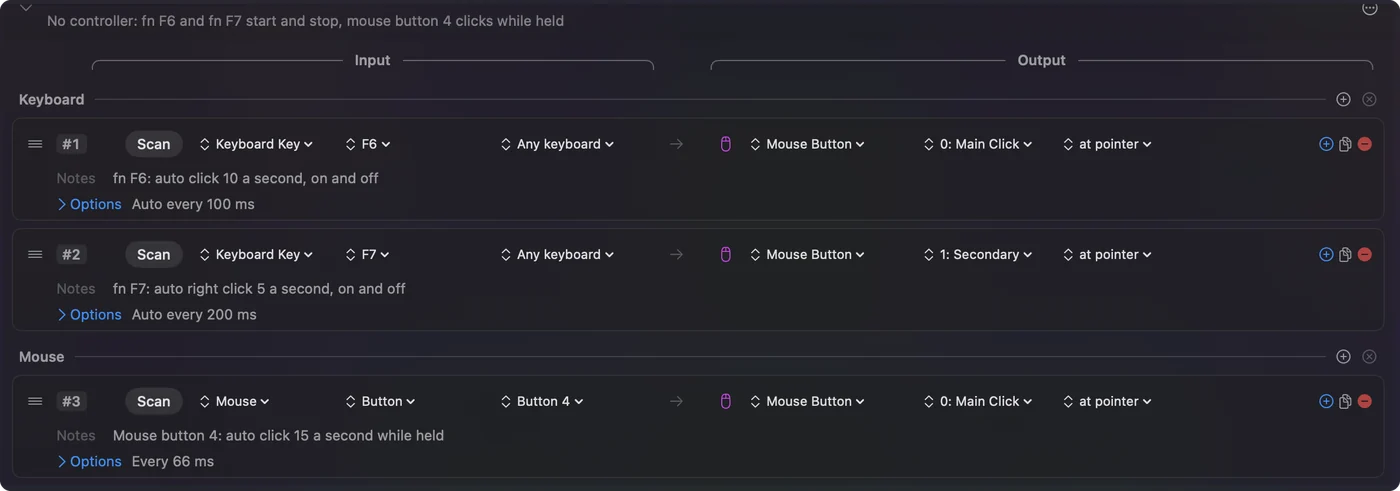
Blur Auto Clicker is a Windows app, published on GitHub and installed through Windows tools, and I found no Mac version. On a Mac, InputConfig is free and open source too, and it covers the same ground: clicks on a timer, random variation in the timing, a click limit, and a key to start and stop.
Steps
- Install InputConfig from the Mac App Store.
- Allow it in System Settings, Privacy & Security, Accessibility.
- Activate the built-in Auto Clicker preset.
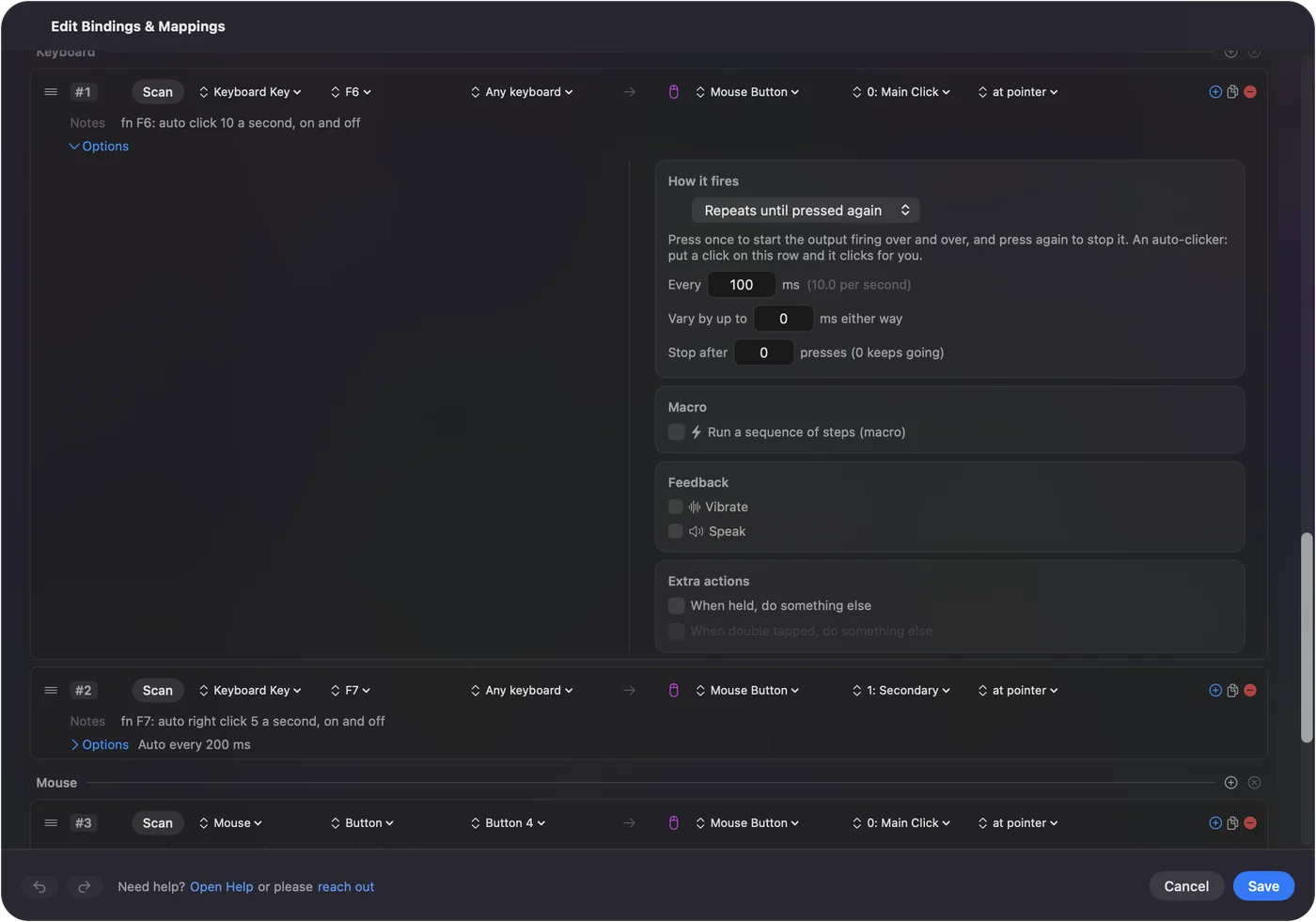
- Set Every, Vary by up to and Stop after in the row's Options.
- Press fn F6 to start and stop.
Match the settings you used
| In Blur Auto Clicker | In InputConfig |
|---|---|
| Click speed | Every, the gap in milliseconds, from 5 ms to a minute |
| Randomization and speed variation | Vary by up to, a random plus or minus on each gap |
| A click limit | Stop after |
| Toggle or hold | Repeats until pressed again, or Repeats while held |
| Keybinds | Any key, mouse button or controller button, set with Scan |
I have not found a match in InputConfig for every Blur option, so check the list above against what you use. The auto clicker test shows the real rate and spread, so you can tune the Mac to what you had.
Open the auto clicker test to measure it.
The short version
- Blur Auto Clicker. Windows.
- On a Mac. InputConfig, free and open source, with random timing and a click limit.
The full setup is on the free auto clicker for Mac page.
Questions
Is there a Blur Auto Clicker for macOS?
I found no Mac version. Blur Auto Clicker is published for Windows. InputConfig is a free, open-source Mac auto clicker with random timing and a click limit.
Related
Completely free. You don't have to make an account, there are no subscriptions, and nothing is locked. Optimized for Apple silicon. Open source on GitHub.
Updated