Does a ROCCAT Kone mouse work on a Mac?
 InputConfig is completely free on the Mac App Store. You don't have to make an account, there are no subscriptions, and nothing is locked. Optimized for Apple silicon.
Yes, as a mouse. A Kone plugs into a Mac and the pointer, clicks and wheel work, but I could not find a Mac version of Swarm, the software that sets its buttons and Easy-Shift layer, and ROCCAT is now part of Turtle Beach. What the mouse has stored keeps working, and the buttons that reach the Mac can be bound there.
I searched Turtle Beach's support pages and ROCCAT's pages on October 21, 2026 and found no Mac build of Swarm or Swarm II, so treat that as what I could not confirm, not as a rule. I make InputConfig, a free Mac app that reads a mouse's extra buttons and gives each one a job.
On this page: 12 sections
Steps
- Plug in the mouse or its dongle. The pointer, clicks and wheel work at once.
- Check Turtle Beach's support page for your model to see whether Swarm II runs on a Mac.
- If it does not, save your settings once from a Windows PC.
- Open InputConfig, add a row, press Scan and press a thumb button.
- Bind each button, then press Activate.
See what Swarm does on a Mac
Swarm is the software for ROCCAT mice, and Swarm II is Turtle Beach's new version. I found no statement that either runs on macOS. A Turtle Beach support answer I found for a different mouse, the Burst II Air, says Swarm II is on PC only and that on a Mac the mouse works as a generic mouse. I have not seen that wording for the Kone, so ask Turtle Beach about your exact model.
| Mouse | What I know |
|---|---|
| Kone XP | A shift button called Easy-Shift sits in the thumb groove and adds a second layer of button functions, according to a review I read. |
| Kone Pro | Part of the same Kone line. I did not confirm its button count. |
| Kone II | An older mouse. I could not confirm its software for a Mac. |
Swarm may not run on your Mac, but the mouse works and the buttons that reach macOS can still be bound.
Know what works with nothing installed
- Pointer, clicks and wheel. A Kone is a standard mouse on a Mac.
- DPI. The mouse steps through stored levels with its own button, and no Mac app sees that button.
- Easy-Shift. It is a layer inside the mouse. Whether it does anything depends on what Swarm stored.
- Side and thumb buttons. They reach a Mac as mouse buttons, or as keys if the profile says so.
Find out what each button sends
- You: Open InputConfig, add a row, press Scan and press each button.
- InputConfig: Names each button that arrives and lights it in the Live Visualizer.
- Check: Press the Easy-Shift button with another. If the second press reports a different button or key, the layer works. If nothing reports, the layer lives only in the mouse.
| Button | How it reports | Use it for |
|---|---|---|
| Left, right, wheel | Left click, Right click, Middle click | Wheel click as Mission Control. |
| Side buttons | Button 4 and up | Back, Forward, shortcuts. |
| Easy-Shift | Probably nothing alone | Press Scan to check. |
| Tilt wheel | Sideways scroll | See the tilt wheel page. |
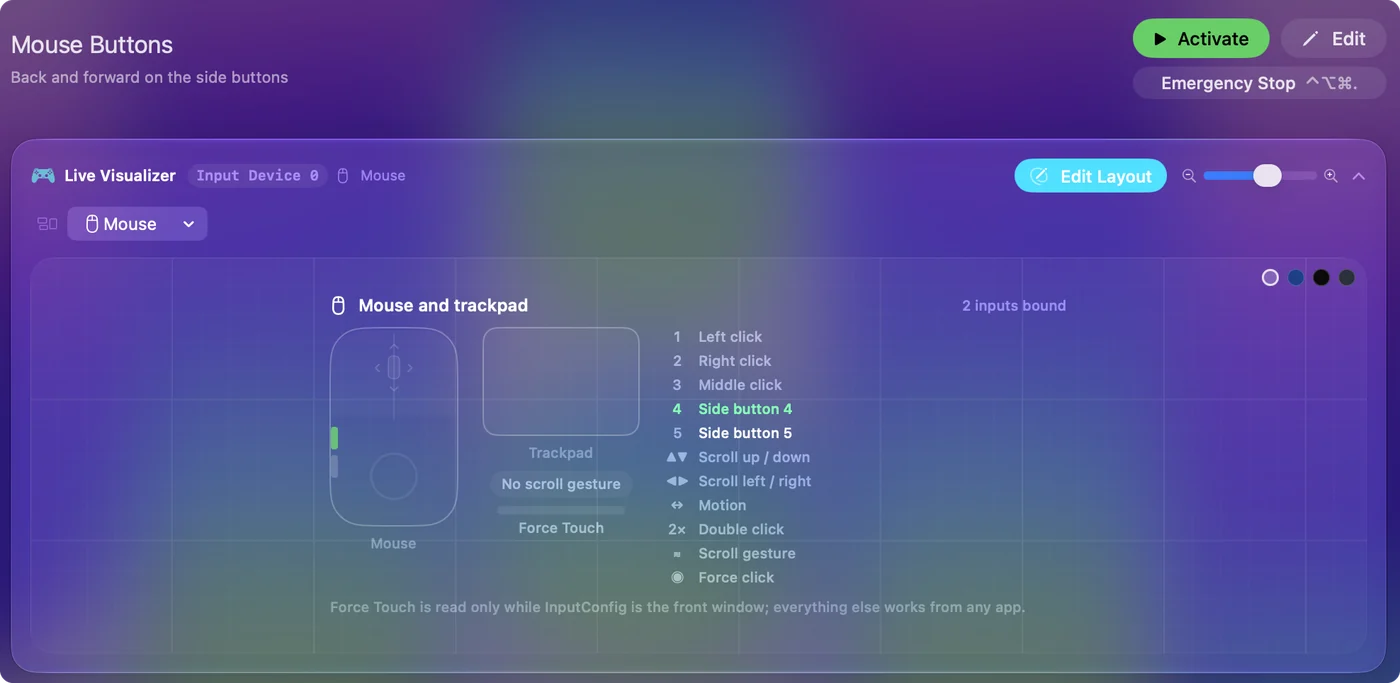
Bind the buttons
- You: Choose a button as a row's input and pick an output, for example Keyboard Key with Command and the left bracket for Back.
- InputConfig: Sends it when you press the button.
- Check: Test it in Safari or Finder.
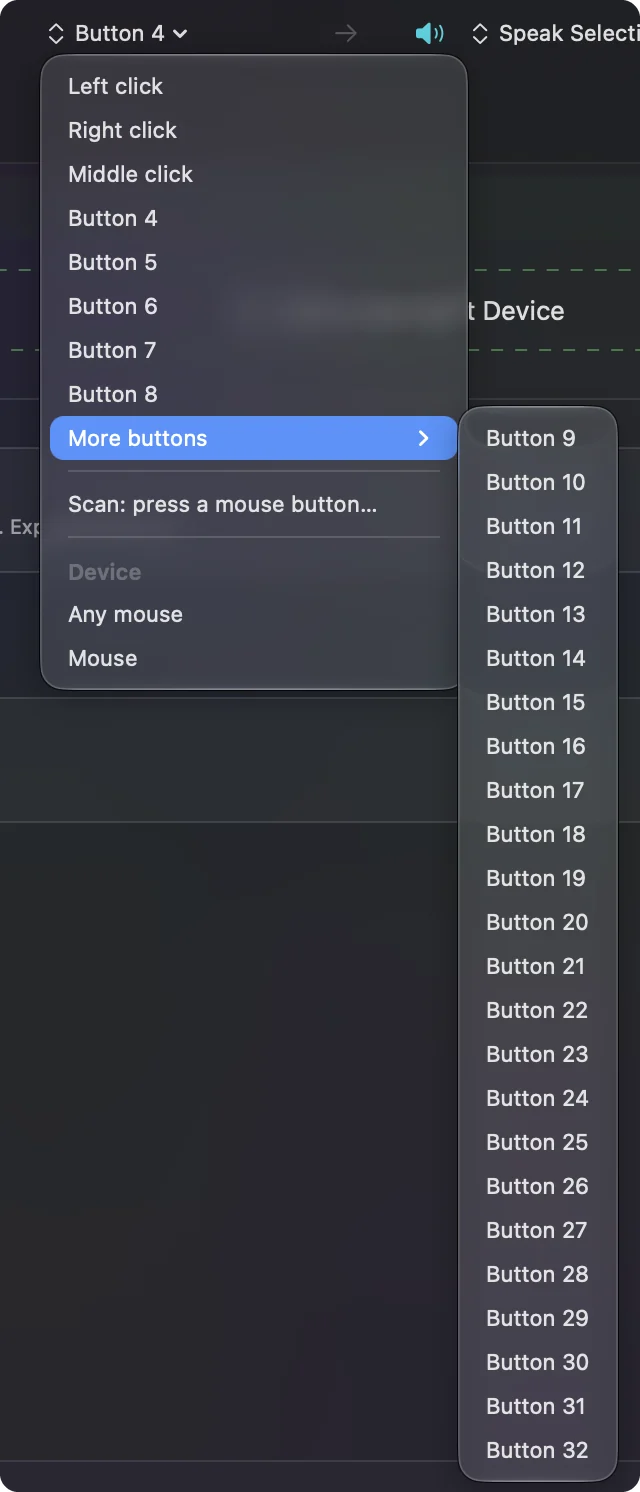
The wheel on a Kone XP tilts, and the tilt wheel page explains what InputConfig can do with that. A second control in a row, While also holding, gives you a combo of your own, and it does what Easy-Shift does inside the mouse.
Build your own Easy-Shift layer
If Swarm is not an option, InputConfig can give you the same idea on a Mac. Pick one button as the shift and hold it, and each other row reacts to it through the While also holding control.
- You: Choose a thumb button as the Second control on the rows that should change, and set the outputs for the held state.
- InputConfig: Fires the second job only while you hold that button.
- Check: Hold the button and press another. The second job should run, and the plain press should still run alone.
A held button plus a second button is a layer, and you can build it without Swarm.
Macros and options
- Macros. A step list with a wait and a hold time per step, from Options.
- Hold and double tap. A second and third output on each row.
- Block the original action. For the side buttons an app also reads.
- Per app layouts. The layout follows the front app.
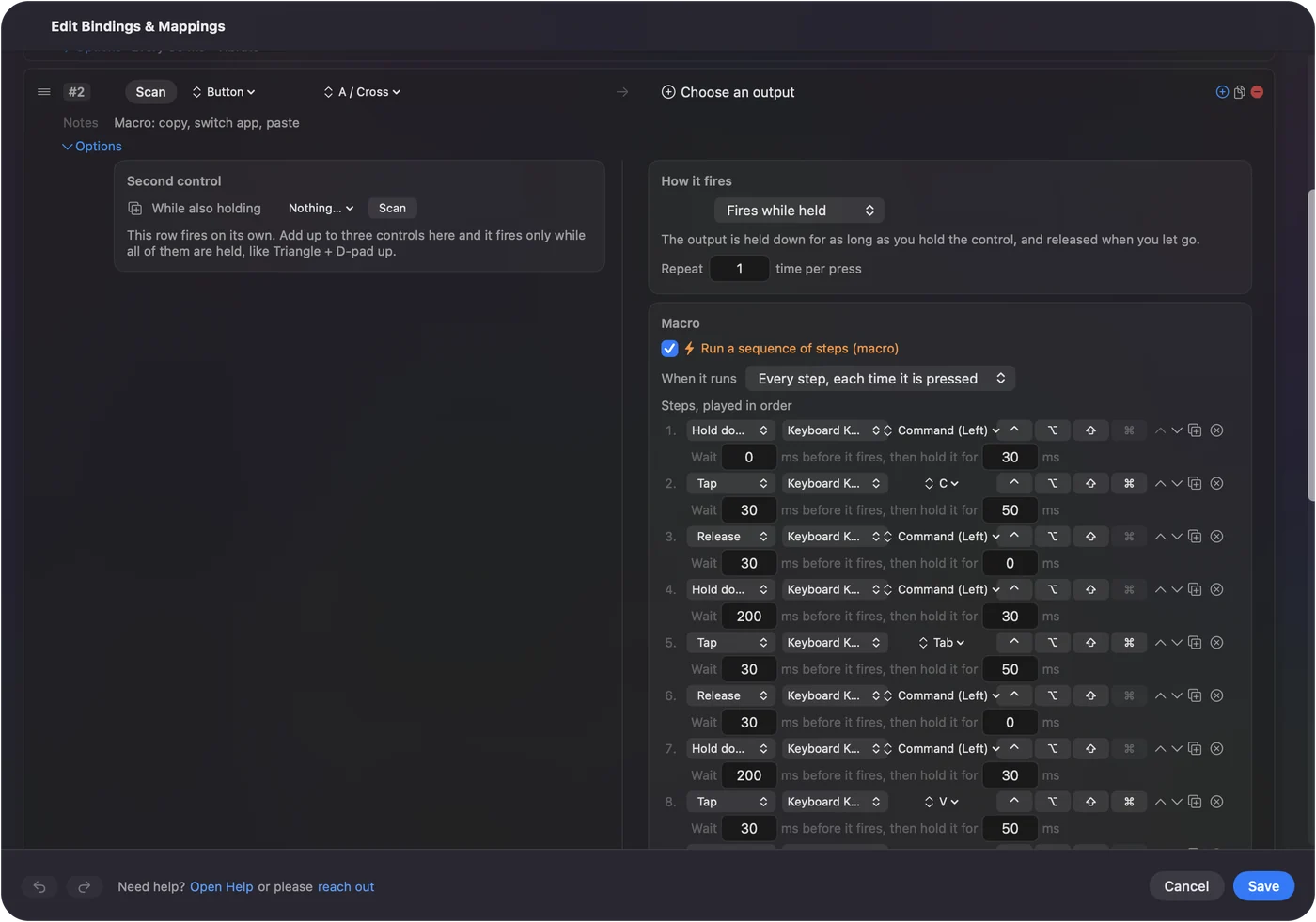
Ideas for a Kone user
A Kone is a large, button rich mouse, so most of the value is in getting the thumb buttons right. I would start with three jobs you do many times a day, such as Back, copy and paste, and only then add anything fancy. If a button does something you never use, give it a hold action instead of leaving it empty. I have not tested a Kone myself, so press Scan on yours before trusting any row.
- Editing. Put undo, redo and cut on the thumb buttons.
- Writing. Type Text on a button for an email sign off.
- Games. List the game under Automation and Gaming Utilities so the layout switches when it opens.
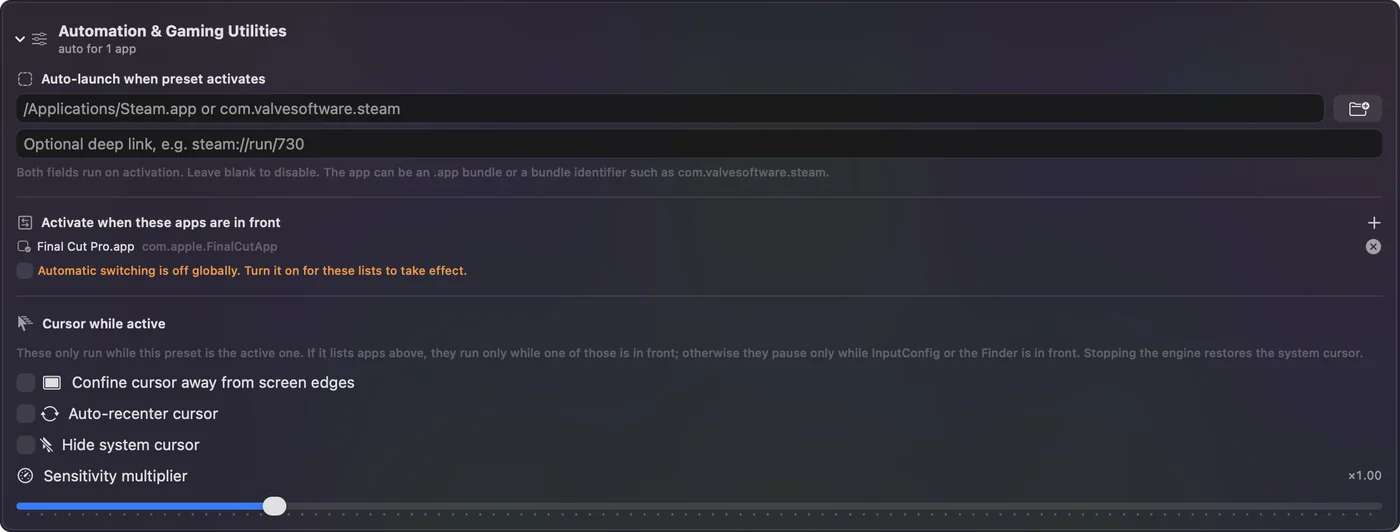
If a button does nothing
Climb this ladder, smallest step first:
- Scan it. Nothing named means the mouse is not sending it.
- Check the mode switch. Wireless Kone models have a connection switch.
- Check the profile. A Windows PC with Swarm can restore it.
- Check Accessibility. System Settings, Privacy and Security, Accessibility must list InputConfig.
- Set keys to F13 to F20. If a button types a letter, change it in the profile.
- Look for a hidden mode button. Some mice have a small button that switches the side buttons to media keys or another stored layer, so a button can seem dead when the mouse is in a different mode. Press it once and Scan again.
What it cannot do
- Run Swarm. I found no Mac version.
- Change DPI, lighting or the stored profile. Those stay with the mouse.
- See Easy-Shift alone. If it sends nothing, no Mac app can.
The short version
- Works. A Kone is a mouse on a Mac.
- Swarm. I found no Mac version, so set the profile on Windows once.
- Buttons. Scan and bind them.
A Kone keeps its stored profile, and the Mac can bind whatever reaches it.
Questions
Does ROCCAT Swarm work on Mac?
I found no Mac version of Swarm or of Turtle Beach's Swarm II. Check Turtle Beach's support page for your exact mouse.
Does the ROCCAT Kone XP work on a Mac?
As a mouse, yes. Its Easy-Shift layer and other settings are stored by Swarm, which I could not confirm for macOS.
What is Easy-Shift on a ROCCAT mouse?
A shift button in the thumb groove that adds a second layer of button functions. It lives in the mouse's profile.
How do I use Kone side buttons on a Mac?
Press Scan in InputConfig, press the button and choose what it sends. A While also holding control lets you build your own shift layer.
Is the ROCCAT Kone Pro compatible with Mac?
It works as a standard mouse. Software support on Mac is not something I could confirm, so ask Turtle Beach.
Can I use the Kone without Swarm on a Mac?
Yes. It works as a standard mouse, with whatever profile is stored in it. You can build a shift layer in InputConfig with While also holding.
Related
This page in other languages: العربية, Čeština, Dansk, Deutsch, Español, Suomi, Français, עברית, Magyar, Bahasa Indonesia, Italiano, 日本語, 한국어, Norsk, Nederlands, Polski, Português, ไทย, 繁體中文, 简体中文
Completely free. You don't have to make an account, there are no subscriptions, and nothing is locked. Optimized for Apple silicon. Open source on GitHub.
Updated