Questions
Resident Evil Village, 7, 2 and 3 on a Mac with a controller
Yes: pair the pad and play. Capcom has brought a run of Resident Evil games to the Mac App Store as native Apple silicon ports: Village, Resident Evil 7, the Resident Evil 2 and 3 remakes, and the Resident Evil 4 remake, which has its own page. All of them read controllers on their own; Village's listing names compatible PlayStation, Xbox and MFi controllers.
The rest of this page is for the times that does not work, and for the small differences people notice on the Mac versions, with a keyboard fallback through InputConfig, the free mapper I make.
On this page: 7 sections
Steps
- Pair the controller with the Mac or connect it with a cable.
- Check it lights up under System Settings, Game Controllers.
- Open the game with the controller already connected.
- If the game still ignores it, map the controller to the keyboard and mouse with InputConfig.
Connect the controller first
- You: Pair it in System Settings, Bluetooth, or plug it in (PS5, Xbox). Then open System Settings, click Game Controllers in the sidebar, and press a button.
- macOS: Lights it up on the picture.
- Check: Open the game. If it ignores a pad macOS can see, quit and relaunch with the pad awake.
These are App Store games, so there is no Steam Input layer in the way.
Know what players notice on a Mac
- Button prompts. Players with a DualSense report that Village shows Xbox prompts on the Mac. The buttons sit in the same places, so Xbox A is Cross, B is Circle, X is Square and Y is Triangle.
- Adaptive triggers. The same reports say the DualSense's adaptive triggers do not do anything special in the Mac version. That is the port, not your controller.
- Apple silicon only. These ports need an M1 or later Mac.
Xbox prompts on a DualSense are normal here; the buttons are in the same places.
 InputConfig is free on the Mac App Store. macOS 14 or later, no account, no tracking, open source.
Use a controller the game will not take
A pad outside the PlayStation, Xbox and MFi families, such as a generic USB pad, an older 8BitDo in the wrong mode, or an adaptive controller, may not be picked up. The fallback is the keyboard and mouse, which every one of these games accepts: InputConfig reads the controller and sends the keys and mouse movement the game expects, so the game sees a keyboard. Resident Evil 4 has a ready-made layout in the app's Smart Preset Maker. For the others, build one from the game's keyboard settings.
- You: Make a new preset, choose Automatically insert available inputs, put W, A, S and D on the left stick and the mouse on the right, aim on the left trigger (right mouse button) and fire on the right (left mouse button), and give the face buttons the keys the game lists for action, reload and crouch.
- InputConfig: Sends those keys and smooth mouse movement from the stick.
- Check: Turn off mouse acceleration and smoothing in the game's camera settings, because the stick already sends smooth movement.
Let the stick do the smoothing, not the game.
If aiming feels slow or jumpy
With the game's own support, aim sensitivity is a game setting. With the keyboard fallback, climb this ladder, smallest step first:
- Change the speed. It is the speed on the right stick rows, or Pointer speed on the preset's page for all of them at once.
- Add Ramp-up. On the right stick rows it gives slow, precise movement for a small push and a fast turn for a full one.
- Raise the deadzone. If the camera drifts when you let go, open Adjust live on a right stick row and raise the deadzone until it sits still.
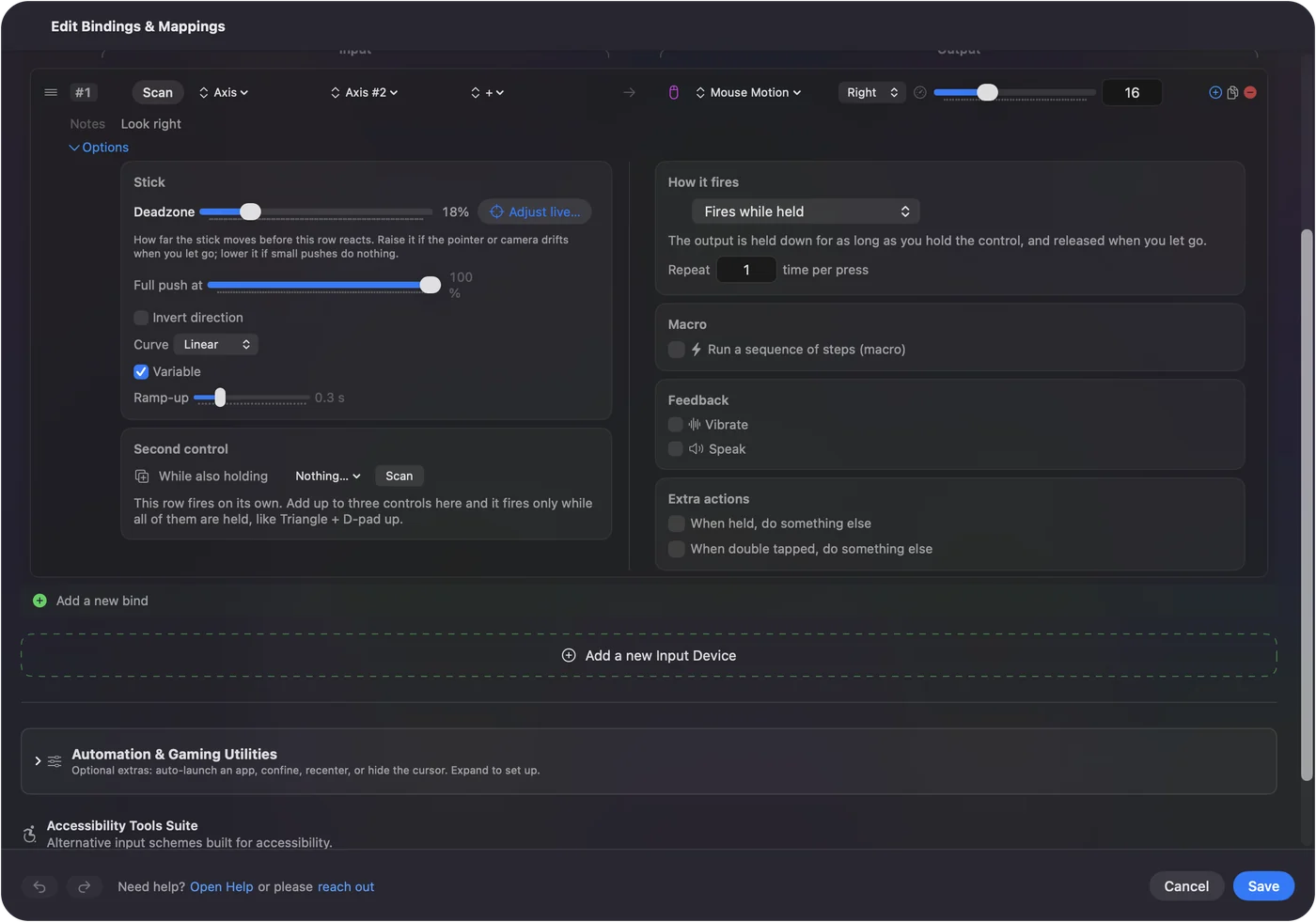
Deadzones and sensitivity explains both. Ramp-up is what makes a stick aim like a mouse.
The short version
- PlayStation, Xbox or MFi. Pair it and play; expect Xbox prompts.
- Ignored. Relaunch with the pad awake.
- Anything else. A keyboard and mouse layout with InputConfig, with the game's mouse smoothing off.
The native support covers most pads; the fallback covers the rest.
Questions
Does Resident Evil Village on Mac support controllers?
Yes. The Mac App Store version supports compatible PlayStation, Xbox and MFi controllers. Players report it shows Xbox button prompts even with a DualSense.
Is Resident Evil Village on Steam for Mac?
No. The Mac version is on the Mac App Store and needs an Apple silicon Mac. The same is true of Resident Evil 7, 2, 3 and 4 on the Mac.
Does the DualSense's adaptive trigger work on Mac?
According to player reports, not in Village's Mac version. The controller still works as a normal pad.
Related
Free. macOS 14 or later. No account, nothing leaves your Mac. Open source on GitHub.