How do I use a Logitech G502 on a Mac?
 InputConfig is completely free on the Mac App Store. You don't have to make an account, there are no subscriptions, and nothing is locked. Optimized for Apple silicon.
Plug it in and it works as a mouse, with the pointer, both clicks, the wheel and its side buttons. The rest depends on G HUB, Logitech's app for G series mice, which runs on macOS 12.0 or later according to its support page. For the extra buttons, you have two routes: set them once in G HUB and save them to the mouse's onboard memory, or use InputConfig, the free Mac app I make, to give every button the Mac can see its own job.
The G HUB details are from Logitech's G HUB support page, which I read on October 21, 2026. It lists version 2025.8.789376 from December 3, 2025, and names the G502 HERO in Pink and Purple among newly added devices. Button counts below come from Logitech's G502 X guide and retailer listings for the Hero, and they differ by model, so I name the model each time.
On this page: 11 sections
Steps
- Plug in the G502, or pair the Lightspeed receiver, and check the pointer and wheel work.
- Install G HUB from Logitech if you want DPI levels, lighting or onboard profiles, and save them to the mouse.
- Open InputConfig, add a row, press Scan and press the extra button.
- Give it an output, then Save and Activate.
- Use a per-app preset if the same buttons should do different jobs in different apps.
Know what each G502 model has
The family has several members, and the button count changes between them. Logitech's G502 X guide names thirteen controls on the G502 X, including a DPI Shift button it calls G6. Retailer listings for the G502 HERO say eleven programmable buttons, and the Lightspeed wireless models and the X Plus sit between those in feature set. I would trust the count printed on your box over any list.
- The G502 X and G502 X Plus. The X is corded and the X Plus is Lightspeed wireless. Logitech says the DPI Shift button is removable and reversible, and that G HUB can assign commands to any of the thirteen controls.
- The G502 HERO. Wired. Its listings describe a left side DPI Shift button that drops you to a lower sensitivity while held, and up to five DPI settings with three indicator lights.
- The G502 Lightspeed. Wireless, with the same layout idea. I did not read its spec page, so Scan to see your own.
Nearly every G502 has more buttons than a Mac app has jobs for, which is exactly why mapping them is worth the time.
Find out what each button sends
Press Scan in InputConfig and press each button. The ordinary buttons should name themselves as Button numbers. The DPI buttons are the unusual ones.
| Control | How it reports | What to do |
|---|---|---|
| Left, right and wheel click | Standard clicks | Leave left and right alone |
| Side buttons | Mouse buttons, Button 4 and up | Bind them |
| Wheel tilt left and right | Likely sideways scroll | Scan it, it may scan as Scroll X |
| DPI up and down | Handled inside the mouse | Nothing scans, so only G HUB can change them |
| DPI Shift (G6 on the X) | Handled inside the mouse by default | Reassign it in G HUB if you want a button the Mac can see |
Buttons that change DPI work inside the mouse and send nothing to macOS, so no Mac app can read them. Logitech says G HUB can change the DPI Shift button into another function, and I have not tried that on a Mac myself. If Scan names a button, it is yours, and if Scan stays empty, it belongs to G HUB.
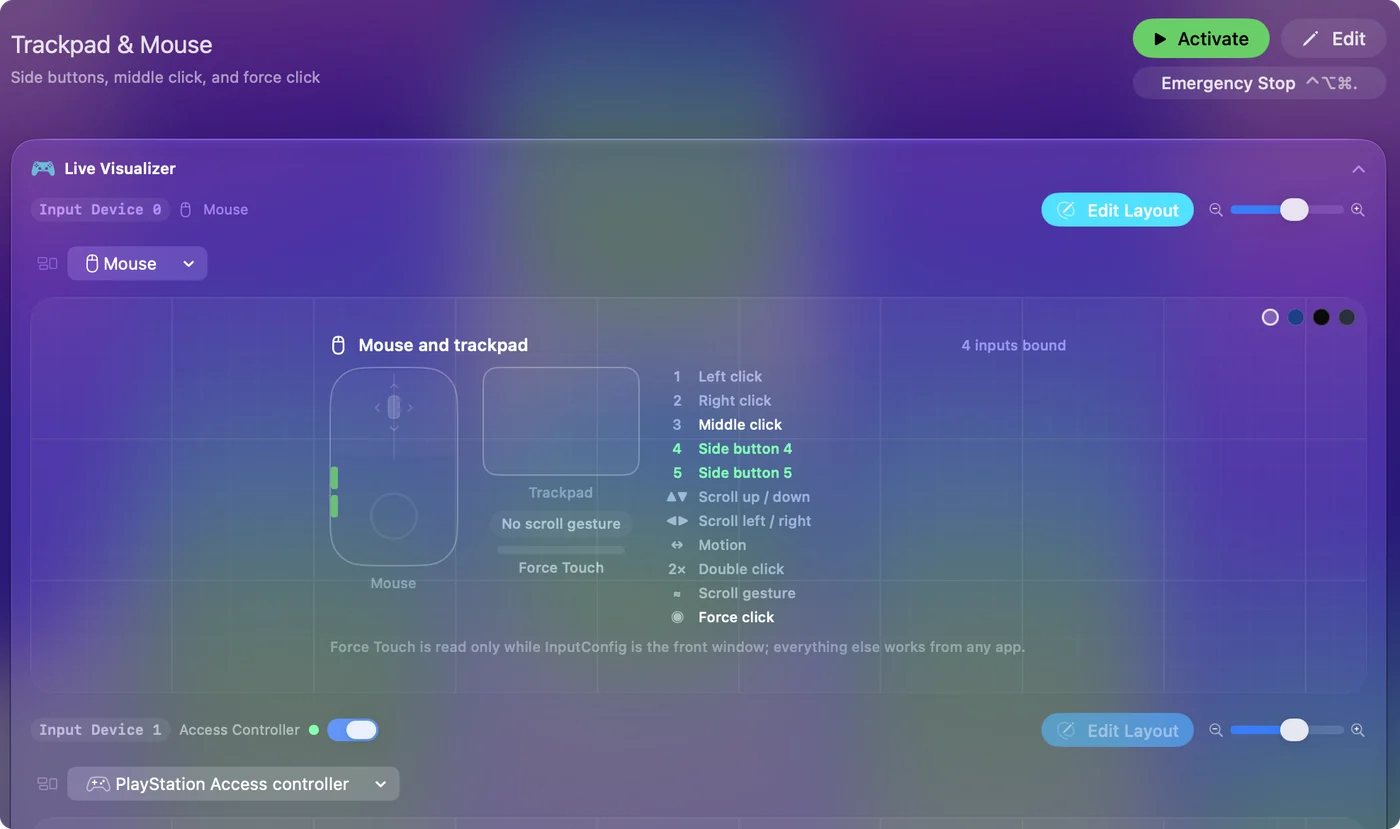
Bind the extra buttons
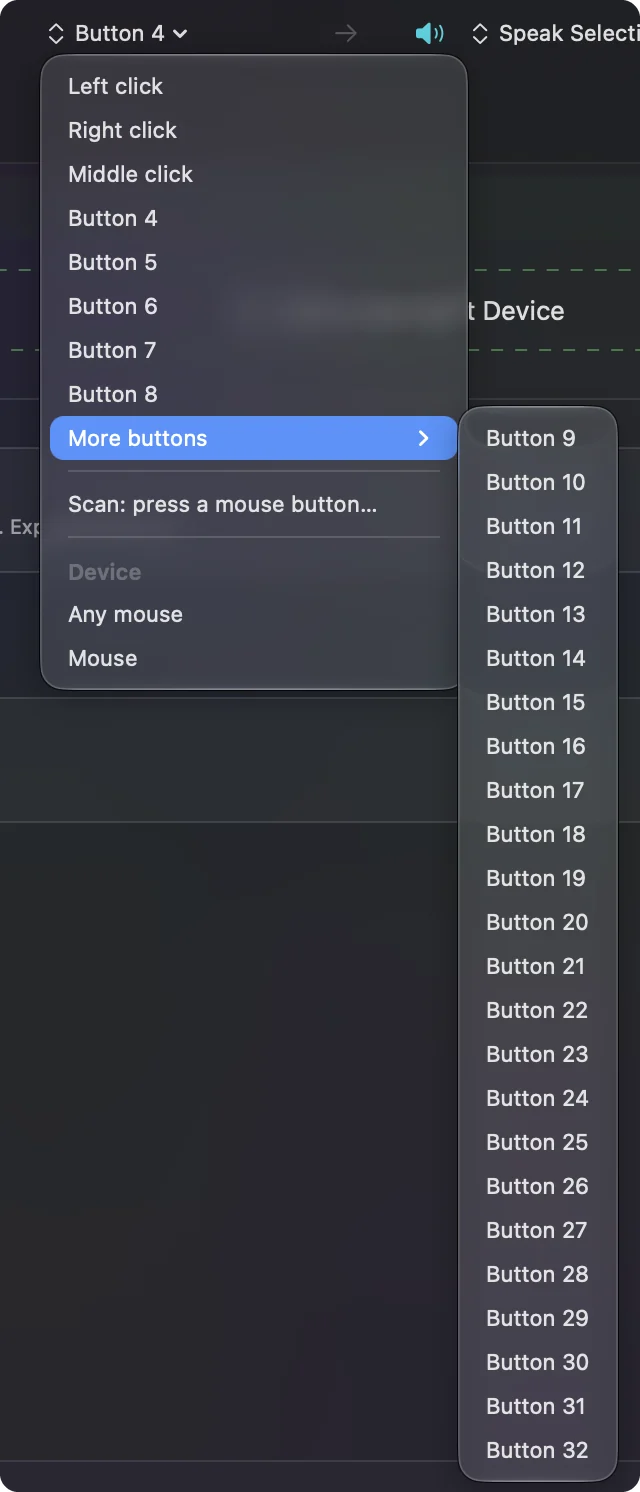
- You: Add a row, set the device to This Mac's mouse or trackpad, press Scan and press a thumb button.
- InputConfig: Names the button, and More buttons holds Button 9 to Button 32 if your model reports that high.
- Check: Choose Mission Control, Save, Activate and press it. Mission Control opens.
The G502's thumb area suits window and desktop control: one button for Mission Control, one for Command Tab, and the rest for dictation, screenshots or the apps you open every day. How to map extra mouse buttons has the full steps, and the same page covers gaming mice that send keys.
Handle G-Shift and the DPI Shift button
G-Shift is a Logitech idea where holding a button turns the others into a second set. I could not confirm G-Shift as a feature on the G502 line, so I will not describe how G HUB sets it up. What the G502 certainly has is the DPI Shift button, and you can use it two ways:
- Leave it as sniper mode. Hold it, and the mouse slows down for precise aiming. Good for design work and for games. It needs no Mac app.
- Turn it into a shift key. If G HUB lets you give it a keyboard or button job, InputConfig's While also holding option can make it a modifier for other buttons. Treat that as an idea to try, not something I tested.
The While also holding control makes a combo from two inputs, so a held button plus a second button can run a different row. A shift button is only a button until another row waits for it.
Logitech's own explainer says the DPI Shift button acts like a keyboard shift key: sensitivity drops to a preset level while it is held and snaps back when you let go. A third party guide says G HUB can also give other buttons a second set of assignments while G-Shift is held, which I could not confirm on Logitech's pages, so check your version. G HUB's Assignments tab is where you drag commands onto buttons, and one guide suggests Settings, Restore Defaults if buttons stop responding.
Keep settings in the mouse and add holds
Logitech's G502 X guide says up to five onboard memory profiles can be unlocked and customized in G HUB, and the HERO listing says G HUB saves settings to onboard memory that work on any PC without extra software. That is good news on a Mac. Set DPI levels, lighting and any key assignments once, save them to the mouse, and the mouse keeps them. A TechRepublic walkthrough I read describes an icon in G HUB that toggles onboard memory.
If you want a thumb button to send a key that InputConfig then reads, set that key in the mouse's memory to F13 through F20 and bind it. Do not use F21 to F24, because macOS does not pass them to apps. InputConfig listens to the keyboard, so it reads those keys but cannot stop the original from reaching apps, which is why you pick keys no app uses. F13 to F19 on a Mac explains why those keys are safe.
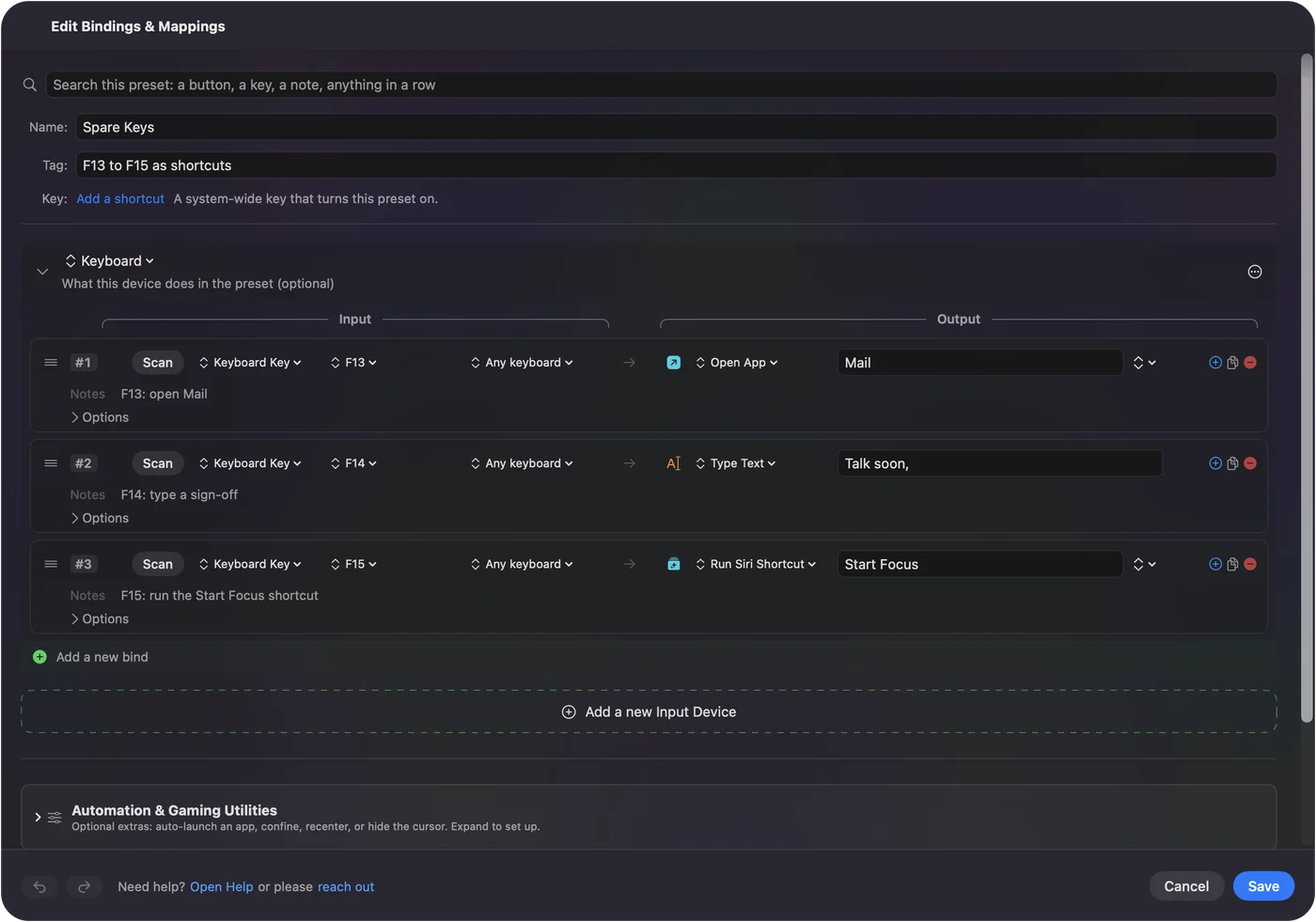
Each row can have a hold action and a double tap action. A thumb button can go back on a tap, close a tab on a double tap and open Mission Control on a hold. Turn on Block the button's own action for the side buttons, so a browser does not go back twice. Make a preset per game or app, list it under Automation & Gaming Utilities and turn on Switch presets when the front app changes. Only one preset runs at a time, and Control Option Command period is the emergency stop.
Ideas for G502 users
- Photo and video editors. Use the thumb buttons for undo, redo, zoom in and zoom out, with a per-app preset for Final Cut Pro or Lightroom.
- Gamers on Mac. Bind the thumb keys to the actions the game lists. The game may read the mouse itself, and a running preset can double a press, so test in the game.
- Spreadsheet people. Tilt the wheel left and right for tab changes and keep the DPI Shift button for precise cell selection.
If it does not work
Climb this ladder, smallest step first:
- Check the cable or receiver. Plug it in directly, not through a hub.
- Check G HUB's permissions. If G HUB is stuck, see G HUB not working on a Mac.
- Quit G HUB and scan again. A button it handles may not reach macOS.
- Activate the preset. Rows only fire while it runs.
- Check Accessibility. InputConfig needs it to press keys.
What it cannot do
- Change DPI, polling or lighting. G HUB does that.
- Read DPI buttons. They work inside the mouse and send nothing to the Mac.
- Tell two mice apart. Every mouse counts as one.
The short version
- Basic use. Plug in and go.
- DPI and lighting. Set them in G HUB and save to the mouse.
- Buttons. Scan them, bind the ones the Mac sees, and move key-sending ones to F13 to F20.
Set the hardware once in G HUB, then let a mapper handle the jobs on a Mac.
Questions
Does the Logitech G502 work on a Mac?
Yes. It works as a mouse with no software. G HUB, which runs on macOS 12.0 or later per Logitech's support page, adds DPI, lighting and onboard profiles.
Does G HUB work on a Mac for the G502?
Logitech's G HUB page lists the G502 HERO among newly added devices. Check that your exact model appears when G HUB runs on your Mac.
What does the DPI Shift button do on a Mac?
It works inside the mouse and lowers sensitivity while held. It sends nothing to macOS unless G HUB assigns it another function.
Can I use all the G502 buttons on a Mac?
Buttons that report as mouse buttons can be bound in InputConfig. DPI buttons stay inside the mouse.
Does the G502 save settings to the mouse?
Logitech says G HUB can save settings to the mouse's onboard memory, so they work without the software.
How do I remap the G502 buttons in G HUB on a Mac?
Open G HUB, pick the mouse, go to Assignments and drag a command onto a button. Then save to onboard memory, and use InputConfig for the Mac-side jobs.
Related
This page in other languages: العربية, Čeština, Dansk, Deutsch, Español, Suomi, Français, עברית, Magyar, Bahasa Indonesia, Italiano, 日本語, 한국어, Norsk, Nederlands, Polski, Português, ไทย, 繁體中文, 简体中文
Completely free. You don't have to make an account, there are no subscriptions, and nothing is locked. Optimized for Apple silicon. Open source on GitHub.
Updated