What is Switch2Bridge, and what does it do on a Mac?
 InputConfig is completely free on the Mac App Store. You don't have to make an account, there are no subscriptions, and nothing is locked. Optimized for Apple silicon.
Switch2Bridge, published on GitHub as switch2bridge-macos, is a free menu bar app, written in Python under the MIT license, that connects to a Switch 2 Pro Controller over Bluetooth Low Energy and turns its buttons and sticks into key presses. It was written for the Ryujinx emulator, and it also runs a DSU server that gives Dolphin and Cemu real analog sticks. Its own readme is plain that it is not a driver: macOS still does not list the controller, and games that read controllers do not see it.
I make InputConfig, a free Mac app that reads the Pro Controller 2 itself, on a USB-C cable and, as an experimental setting, over Bluetooth, and turns it into keys, the mouse and macros in any app. I have not tested Switch2Bridge, so everything below about it comes from its readme, which I read on October 27, 2026.
On this page: 11 sections
- Steps
- Check which Switch2Bridge you found
- Know what it reads and what it sends
- Know what it asks of your Mac
- Get analog sticks in Dolphin and Cemu over DSU
- Know its limits
- Compare the other Switch 2 tools for a Mac
- Read a Switch 2 Pro Controller with InputConfig
- What InputConfig cannot do here
- The short version
- Questions
Steps
- Check that the project you found is mlstr0m/switch2bridge-macos, since other projects use the same name.
- Download the disk image from its Releases page, move the app to Applications, and allow it once in System Settings, Privacy & Security, because it is not notarized.
- Allow Accessibility when it starts, and Bluetooth the first time you click Connect Controller.
- In Ryujinx, set Input Device to Keyboard and match its keys, or point Dolphin or Cemu at its DSU server.
- For other apps, or on a cable, quit it and use InputConfig instead.
Check which Switch2Bridge you found
Several unrelated projects share the name, and only one of them is the Python menu bar app people usually mean. These are the ones I found on GitHub on October 27, 2026:
| Repository | What it is | Runs on |
|---|---|---|
| mlstr0m/switch2bridge-macos | The Python menu bar app on this page: Bluetooth Low Energy, key presses and a DSU server. MIT license. Its latest release, 1.4.0, came out on September 28, 2026. | macOS 13 Ventura or later |
| SwonDev/Switch2Bridge | A Swift background app that feeds the Pro Controller 2 into Windows games running under Wine, such as through CrossOver. Its readme, in Spanish, says native Mac games are not supported. | macOS 15 Sequoia or later |
| gessecarneiro/Switch2Bridge | A Windows program for the Pro Controller 2 over USB. | Windows, not a Mac |
Older links to aureliendesert/switch2bridge-macos lead to the same repository as mlstr0m/switch2bridge-macos, which is where its downloads live. Check the repository a download came from, because the name alone does not tell you which program it is.
Know what it reads and what it sends
Switch2Bridge connects to the controller directly over Bluetooth Low Energy, without pairing it in System Settings, and reads the controller's factory stick calibration when it connects. Its readme lists:
- Every button. The face buttons, the D-pad, L, R, ZL and ZR, the stick clicks, Plus, Minus, Home and Capture, the new C button, and the GL and GR grip buttons on the back.
- Both sticks as keys. W, A, S and D for the left stick and I, J, K and L for the right, with each stick cut down to eight directions.
- Buttons as keys. By default A sends Z, B sends X, X sends C and Y sends V, with the D-pad on the arrow keys and the C button left free.
- Reconnects. If the controller sleeps or drops, the app keeps trying for 60 seconds.
- More than one controller. One copy of the app per controller, each started with its own mapping file.
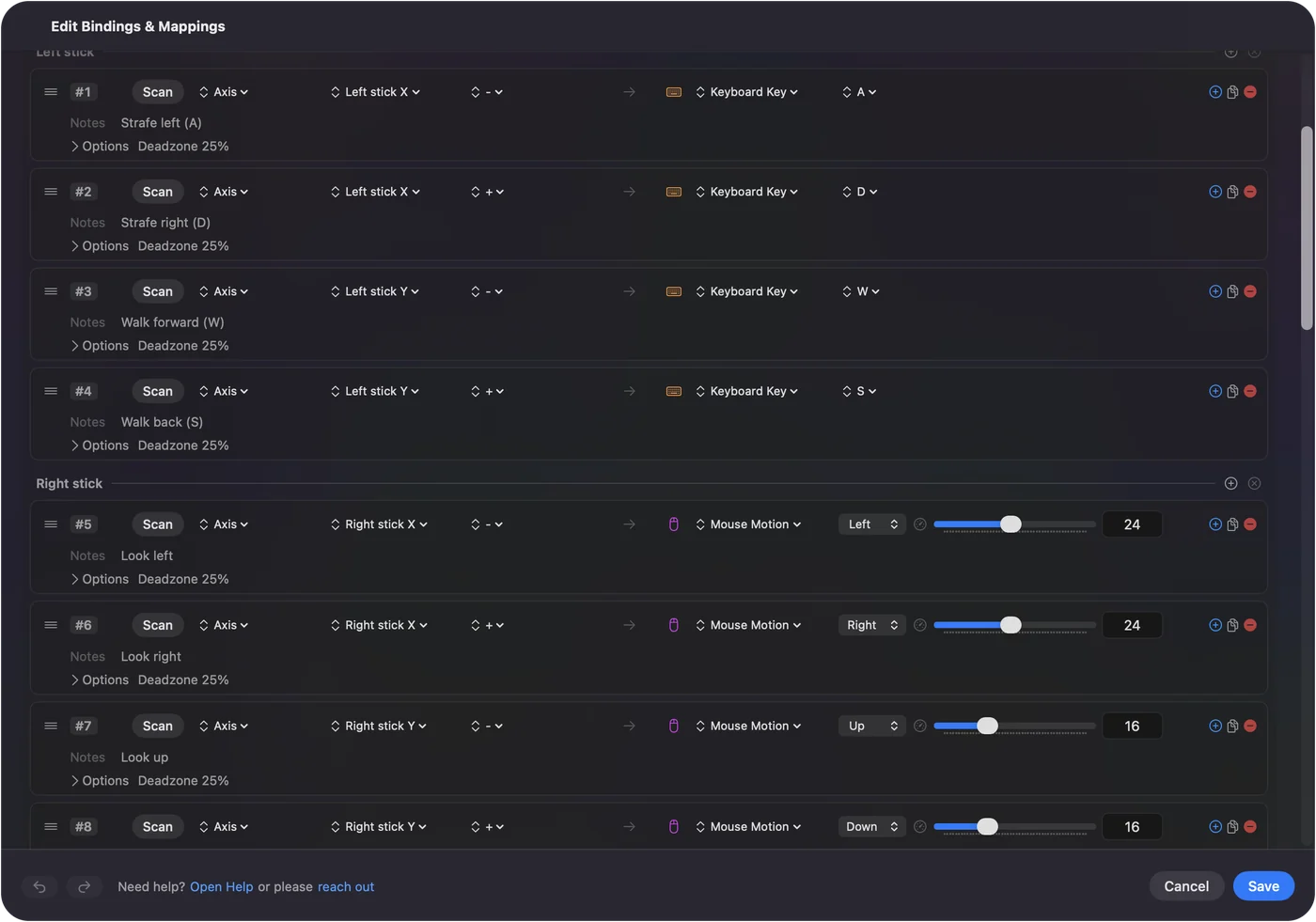
To change a key, you edit a JSON file and choose Reload mappings from its menu bar icon:
Finder, Go to Folder: where Switch2Bridge keeps its key mapping.
~/Library/Application Support/Switch2Bridge/mappings.jsonWhat happens: Finder opens the file the app wrote on its first launch. Each button or stick direction takes one key.
Know what it asks of your Mac
- macOS 13 Ventura or later. Python 3.10 or later only if you run it from the source code.
- An app macOS warns about. The release is not notarized, so Gatekeeper blocks the first launch. On macOS 15 and later you allow it in System Settings, Privacy & Security, with Open Anyway. On macOS 13 and 14 you right-click the app and choose Open.
- Accessibility. Asked for at launch, because the app presses keys for you.
- Bluetooth. Asked for the first time you click Connect Controller. Run from the source code, the Bluetooth permission belongs to Terminal or your Python, not to the app.
Accessibility lets an app press keys in every other app, so I give it only to apps I trust. This one is open source, so you can read exactly what it does with it. It switches off none of the Mac's security protections, which is more than some Switch 2 projects can say.
Get analog sticks in Dolphin and Cemu over DSU
Key presses are all or nothing, which is why a stick sent as keys only has eight directions. For emulators that accept DSU, the cemuhook protocol, Switch2Bridge also runs a small server that hands them the controller with real analog sticks. It listens on this address by default:
Dolphin or Cemu: the DSU server address to add.
127.0.0.1:26760What happens: The controller appears in the emulator as an input device, sticks included.
- Dolphin. Options, Controller Settings, Alternate Input Sources, turn on DSU Client and add the address.
- Cemu. In its input settings, add a DSUController with the same address.
- Ryujinx. It uses DSU only for motion, and the readme says Switch2Bridge does not decode motion yet, so it sends zeros. Buttons and sticks in Ryujinx still go through the keys.
On the DSU side the buttons map by position, A to Circle, B to Cross and so on, and GL, GR and C have nothing to map to. Analog sticks in Dolphin and Cemu are the job here that InputConfig does not do, because it sends keys and mouse movement, not a DSU feed. Dolphin controller setup on a Mac covers the controllers Dolphin reads directly.
Know its limits
- Pro Controller 2 only. The readme names no other controller, so it is not the tool for Joy-Con 2 or the GameCube controller for Switch 2.
- Bluetooth only. Over USB the controller stays silent until it gets a start-up sequence, and the readme says that is not built into Switch2Bridge yet.
- Not a Mac game controller. System Settings, Game Controllers does not list it, and games that read controllers through macOS, Steam among them, do not see it.
- Keys, not a pad. A game that only accepts a controller ignores it, and a stick sent as keys loses its half pushes.
Compare the other Switch 2 tools for a Mac
The Switch 2 controllers reach a Mac only through software that speaks their protocol itself. These are the projects I would look at, from what each one's own page says on October 27, 2026. I have not tested any of them.
| Tool | Controllers | Connection | What other apps see | What it asks |
|---|---|---|---|---|
| switch2bridge-macos | Pro Controller 2 | Bluetooth | Key presses, plus a DSU feed for emulators | Accessibility, Bluetooth, an app that is not notarized |
| Peterksharma/switch2mac, an app called Finally the Controller Works | Pro Controller 2, Joy-Con 2 on their own or as a pair, the GameCube controller | Bluetooth, up to four at once | Its readme says a standard game controller that every app reads, without rumble or motion | macOS 15 or later on Apple silicon, Bluetooth. Marked beta, signed and notarized |
| AlexmChadwick/Switch-2-Controller-Helper | Pro Controller 2 | Bluetooth | A virtual gamepad only with a paid Apple developer entitlement or SIP switched off, otherwise key presses | You build it in Xcode. Its author calls it a work in progress |
| procon2-mac | Pro Controller 2 | USB, with wireless needing more | On a cable, Steam and other apps can read it | Wireless needs a DriverKit extension you build and sign with a paid developer account |
| InputConfig | Pro Controller 2, each Joy-Con 2 on its own, the GameCube controller | USB-C, and Bluetooth with a setting | Keys, mouse, macros and system functions | Accessibility, and Bluetooth for the wireless setting. Experimental, and the Bluetooth part not yet checked on a controller |
If what you need is for games to see the controller as a controller, switch2mac's readme says that is exactly its job, and Switch2Bridge says plainly it is not. The Switch 2 Pro Controller on a Mac page has more on each, and Joy-Con 2 on a Mac covers the two JoyCon2Mac projects.
Read a Switch 2 Pro Controller with InputConfig
InputConfig talks to the controller itself, so it needs no driver and no extension, and it changes nothing about your Mac's security. All of it is marked experimental in the app, because I built it from the community's published start-up sequence and report layout without the controller in my hands.
Step 1: Connect it
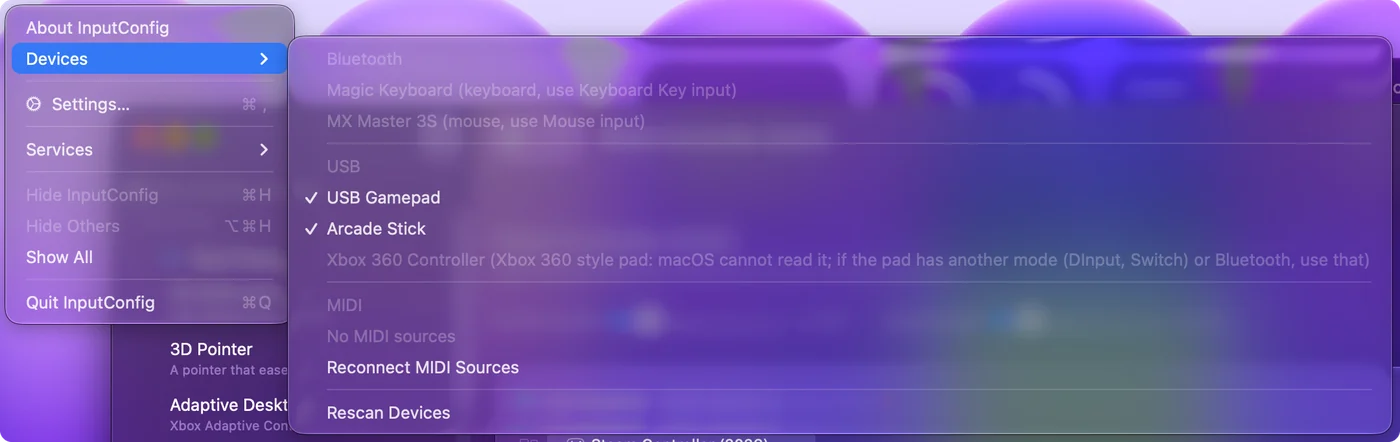
- You: Quit Switch2Bridge first, so only one app talks to the controller. Then plug the controller into the Mac with a USB-C cable that carries data, and open InputConfig. For Bluetooth instead, open Settings, Devices, turn on Connect Switch 2 Pro, GameCube and Joy-Con 2 controllers over Bluetooth, and hold the controller's sync button until the lights sweep. The first time, macOS asks whether InputConfig can use Bluetooth, so allow it.
- InputConfig: Sends the controller the start-up commands it waits for, or finds it over Bluetooth while the app runs, and reads it like any other pad.
- Check: Player light 1 comes on, and the controller appears at the top of the sidebar as Switch 2 Pro Controller (Experimental).
Step 2: Give each control a job
- You: Open a preset, add a row, press Scan, press a button, and choose a key, a click or a macro.
- InputConfig: Reads every face button, both sticks, the D-pad, L, R, ZL and ZR, Minus, Plus, Home, Capture, C, GL and GR, and since 1.8 the motion sensors and the stick calibration stored in the controller.
- Check: Press each control with the Live Visualizer open before you rely on a layout.
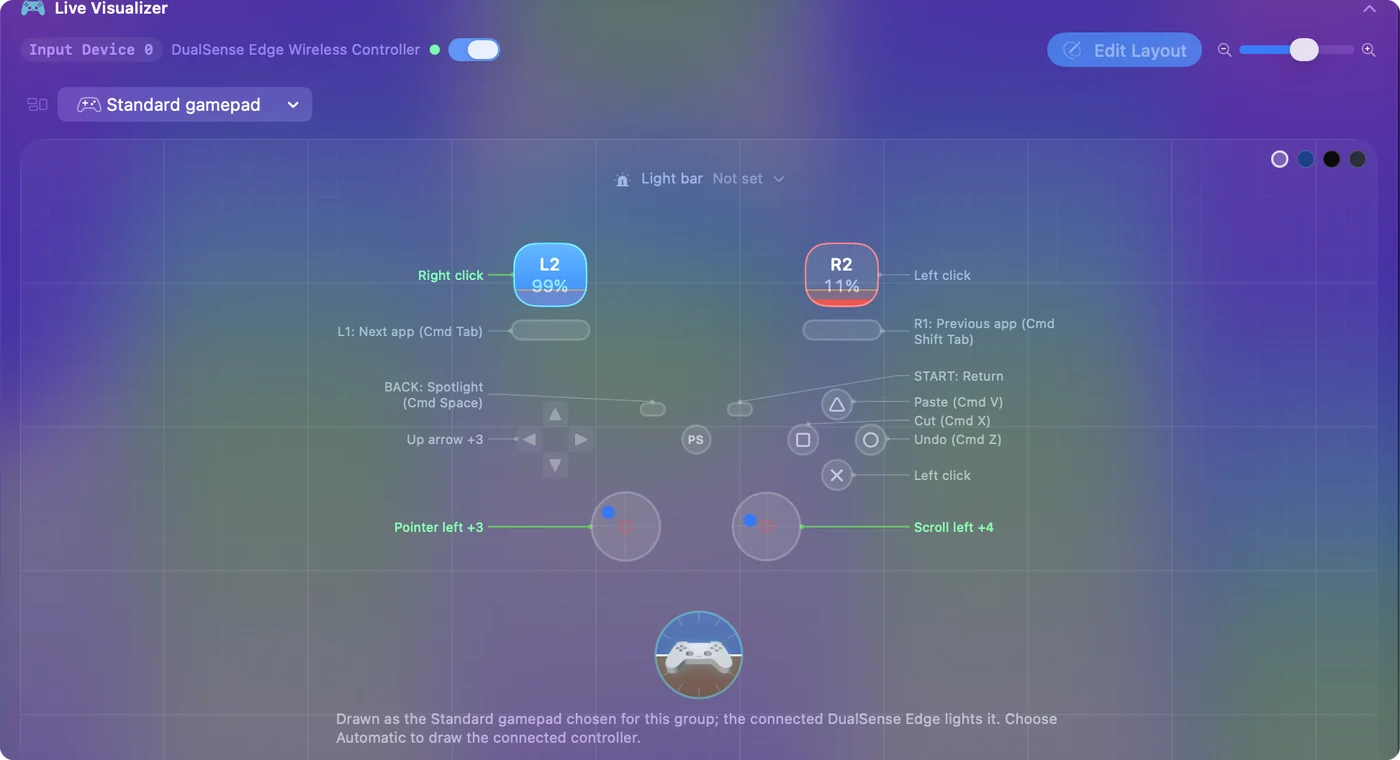
The app labels the Bluetooth setting Experimental: not yet checked on a controller, so a cable is still the surer route. For Ryujinx, InputConfig can send its keyboard keys instead, with Input Device set to Keyboard, and Ryujinx controller setup on a Mac lists the default keys to bind and how to check that one arrives.
What InputConfig cannot do here
- Make it a Mac game controller. macOS still does not read the Pro Controller 2, so games that read controllers through macOS do not see it with InputConfig either.
- Send a DSU feed. For analog sticks inside Dolphin or Cemu, that is Switch2Bridge's job.
- Read ZL and ZR as analog. They read as on or off.
- Rumble and NFC. InputConfig does not use either one.
The short version
- Switch2Bridge. A free Python menu bar app for the Pro Controller 2 over Bluetooth that sends key presses, built for Ryujinx.
- Its best trick. A DSU server with true analog sticks for Dolphin and Cemu.
- Its limits. One controller model, Bluetooth only, not notarized, and not a game controller to macOS.
- InputConfig. The Pro Controller 2 on a cable or over Bluetooth, as an experimental feature, mapped to keys, the mouse and macros in any app.
Pick Switch2Bridge for analog sticks in Dolphin or Cemu, and InputConfig for everything that takes a keyboard and mouse, and run one at a time.
Questions
Is Switch2Bridge safe to run?
It is open source under the MIT license, so its code can be read, and it switches off no Mac security protections. It is not notarized, so macOS warns on first launch, and it asks for Accessibility to press keys. I have not tested or audited it.
Does Switch2Bridge work with Joy-Con 2?
Its readme names only the Switch 2 Pro Controller. For Joy-Con 2, switch2mac's readme lists them, and InputConfig reads each one on its own as an experimental feature.
Does Switch2Bridge need Accessibility permission?
Yes. It asks for Accessibility at launch because it presses keys for you, and for Bluetooth the first time you click Connect Controller.
Does InputConfig read the Switch 2 Pro Controller?
Yes, as an experimental feature: on a USB-C cable since 1.6, with motion since 1.8, and over Bluetooth since 1.8 with Connect Switch 2 Pro, GameCube and Joy-Con 2 controllers over Bluetooth turned on in Settings, Devices. The Bluetooth part is labeled not yet checked on a controller.
Why does a Mac not see the Switch 2 Pro Controller?
macOS supports the original Switch Pro Controller but not the Switch 2 version. Over USB it waits for start-up commands nothing on a Mac sends, and over Bluetooth it uses Nintendo's own Low Energy protocol, so only apps that speak it can read it.
Related
This page in other languages: Deutsch, Español, Français, Italiano, 日本語, 한국어, Polski, Português, Русский, ไทย, 繁體中文, 简体中文
Completely free. You don't have to make an account, there are no subscriptions, and nothing is locked. Optimized for Apple silicon. Open source on GitHub.
Updated