How to change the PS4 controller light bar color on a Mac
 InputConfig is completely free on the Mac App Store. You don't have to make an account, there are no subscriptions, and nothing is locked. Optimized for Apple silicon.
The DualShock 4's light bar can be any color on a Mac. Connect the controller, click it at the top of InputConfig's sidebar, and pick a color under Light Bar. It works over Bluetooth and USB.
I make InputConfig, a free Mac app that maps a controller to keys and mouse. On a PS4 the console chooses the color by player number. On a Mac you choose it, and you can dim it or turn it off, which also saves a little battery.
Steps
- Install InputConfig from the Mac App Store and connect the DualShock 4.
- Click the controller's entry at the top of the sidebar.
- Under Light Bar, pick a swatch or Custom.
- Set Brightness to Dim or Off if the light is too bright.
Pick the color
- You: Click the DualShock 4 at the top of the sidebar and choose a color under Light Bar.
- InputConfig: Sets the light at once.
- Check: The bar on the front of the controller changes color.
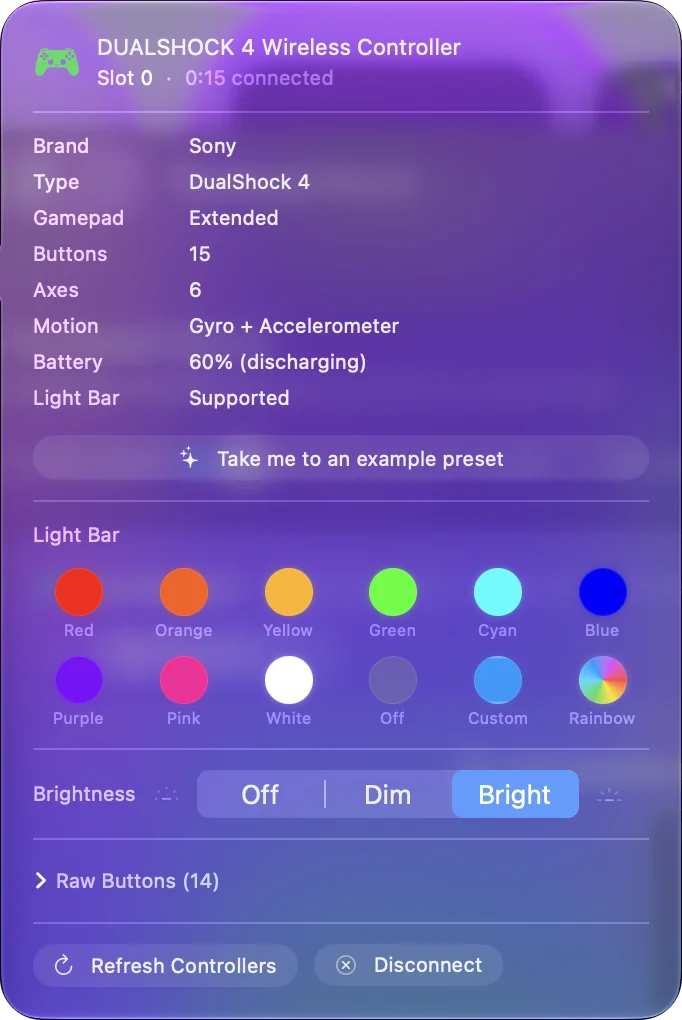
There are ten swatches, a Custom color well and Rainbow. Each controller keeps its own color, so two DualShock 4s can be told apart.
Dim it or turn it off
Brightness has three settings: Off, Dim and Bright. Dim is about a quarter of full brightness, which is kinder in a dark room. Off turns the bar dark until you choose a brightness again. Off is a brightness, so it can belong to one preset, such as a film night layout.
Give a layout its own color
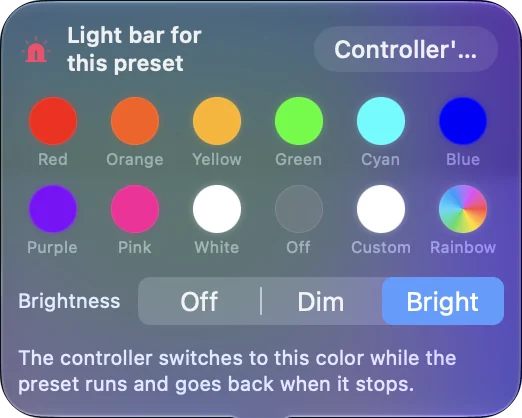
Select a preset and click the light bar strip above the controller drawing in the Live Visualizer. The color you pick there shows only while that preset runs, then the controller goes back to its own color.
What it cannot do
The color is set from the Mac and is not stored in the controller, so a PS4 picks its own color again. The color holds for as long as InputConfig is running. After it quits, macOS uses its own color.
The short version
- Color. Click the controller in the sidebar and pick a swatch.
- Too bright. Set Brightness to Dim or Off.
- Per layout. Click the strip above the drawing in a preset.
Put the color in a preset and it comes back every time that preset runs.
Questions
Can you change the PS4 controller light color on a Mac?
Yes. InputConfig sets the DualShock 4 light bar to any color over Bluetooth or USB, from the controller's entry at the top of the sidebar.
How do I dim the PS4 controller light on a Mac?
Set Brightness to Dim under Light Bar in the controller's popover. Dim is about a quarter of full brightness, and Off turns the bar dark.
Does turning the light bar off save battery?
The light bar draws some power, so a dark or dim bar uses less. I have not measured how much longer a charge lasts.
Related
Completely free. You don't have to make an account, there are no subscriptions, and nothing is locked. Optimized for Apple silicon. Open source on GitHub.
Updated