Why a PS4 controller keeps disconnecting from a Mac, and how to fix it
 InputConfig is completely free on the Mac App Store. You don't have to make an account, there are no subscriptions, and nothing is locked. Optimized for Apple silicon.
A DualShock 4 that connects and then drops off a Mac is nearly always one of a few things: a PS4 nearby taking it back, a tired battery, a pairing that half finished, or Bluetooth noise. The first two cover most cases, and a micro-USB cable that carries data is the fix that works when nothing else does. Work down the ladder below. Each check takes a minute or two.
If you map the controller with InputConfig, the free Mac app I make, its activity log shows every real disconnect, which settles whether the pad dropped or a game stopped listening.
On this page: 10 sections
Steps
- Turn the PS4 fully off, or move away from it, so it cannot take the controller back.
- Charge the DualShock 4 on a cable for a while before testing again.
- Forget the controller in System Settings, Bluetooth, then hold PS and Share until the light bar flashes quickly and pair again.
- If it still drops, press the reset button in the small hole on the back with a paper clip for five seconds and pair from scratch.
- Plug it straight into the Mac with a micro-USB cable that carries data.
Read the light bar first
The light bar tells you what the controller thinks it is doing, which saves guessing:
| What you see | What it means |
|---|---|
| Quick flashes | Pairing mode, after holding PS and Share. The Mac should list DUALSHOCK 4 Wireless Controller in Bluetooth. |
| A slower blink after pressing PS | It is usually looking for the device it was last paired with. If that is a PS4, it may wake the console instead of joining the Mac. |
| Steady light | Connected to something. Check Game Controllers in System Settings to see that it is the Mac. |
| Slow orange blink on a PS4 | Charging while the console is in rest mode, as Sony's PS4 manual describes. The light goes off when charging is done. |
| Light goes out | Turned off, or the battery is empty. |
A blink that never settles means it never finished pairing with the Mac.
Work down the eight fixes
Climb this ladder, smallest step first:
- Keep the PS4 from taking it back. A DualShock 4 remembers one console or computer at a time. Plugging it into a PS4 and pressing PS, even just to charge it, pairs it to the PS4 again. Turn the console fully off while you test, not into rest mode.
- Charge it. A low or worn battery drops off Bluetooth first. Sony's PS4 manual says a flat controller takes about two hours to charge, and that it should be charged fully at least once a year to keep working properly.
- Pair it fresh. In System Settings, Bluetooth, click the info button next to the controller and choose Forget This Device. Then, with the pad off and no cable plugged in, hold PS and Share until the light bar flashes quickly, and click Connect.
- Reset it. Sony's steps: unplug the cable, find the tiny hole on the back of the controller, near the L2 trigger, and press the button inside with an unfolded paper clip for at least five seconds. Then pair it with the Mac again, because a reset clears the old pairing.
- Move closer. Bluetooth works at 2.4 GHz, and a Mac mini or Mac Studio under a desk loses a pad across the room far sooner than a laptop on your knees.
- Cut the interference. Apple's page on Wi-Fi and Bluetooth interference names USB 3 and Thunderbolt hubs and drives near the Mac, microwaves and metal between you and the Mac. Move hubs away, and put the Mac's Wi-Fi on 5 GHz if your router allows it.
- Restart Bluetooth. Turn Bluetooth off and on in Control Center, or restart the Mac, and pair once more.
- Use a cable. A micro-USB cable straight into the Mac, not through a hub, skips Bluetooth altogether.
If you only try one thing, turn the PS4 off and charge the pad, because those two are behind most drops.
Make sure the cable carries data
Plenty of old micro-USB cables only charge. On one of those the light bar glows and the Mac never sees a controller, so it looks like a connection that keeps failing. Apple's PlayStation controller page says a cable that carries data as well as charge connects the controller by itself, with nothing to click.
- You: Plug the DualShock 4 in with a cable that syncs a phone or a camera, or a micro-USB to USB-C cable on a Mac with only USB-C ports.
- macOS: Lists the controller in Game Controllers within a few seconds.
- Check: Press buttons in Game Controllers and watch them light. If it charges but nothing lights, change the cable before blaming the controller.
A cable that lights the pad and connects nothing is a charge-only cable. Plug straight into the Mac while you test, because a cheap hub can drop HID devices when something else on it draws power.
If it drops after a while, or only in one game
Some Mac users report a DualShock 4 that stays for ten or fifteen minutes and then drops, with a press of PS bringing it back. Nothing on the Mac side reliably fixes that, and a cable does. If System Settings still shows the pad connected and only one game loses it, the game or the layer it runs through is the cause, not Bluetooth: Steam Input, an emulator, or a stream in a browser.
- You: In InputConfig, turn on Show the activity log in Settings, Advanced, then play until the pad drops.
- InputConfig: Lists every controller connect and disconnect, with the time, at the bottom of the main window.
- Check: A disconnect line means the pad really dropped, so go back to the ladder. No line means the game stopped listening.
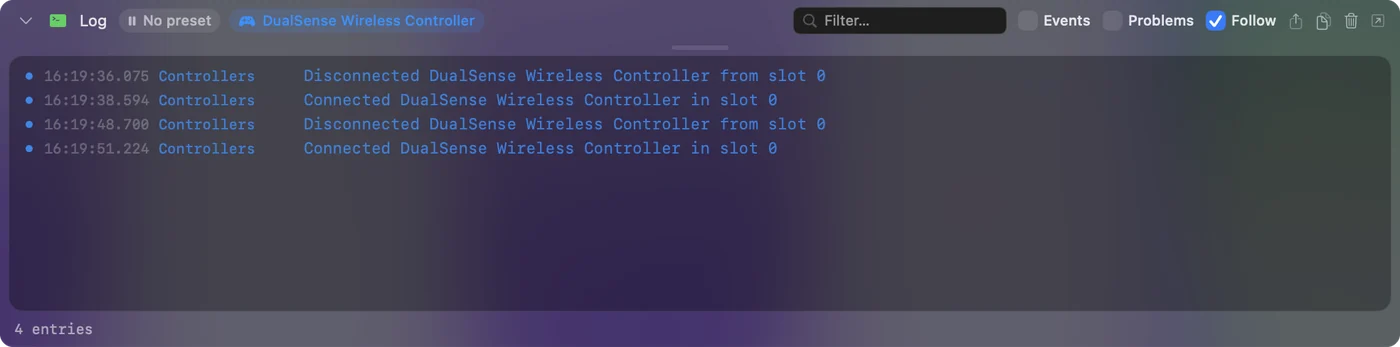
InputConfig notices a controller that comes back within a few seconds, and the running preset carries on. If it does not reappear, click its entry at the top of the sidebar and choose Refresh Controllers. For Steam, works in Steam but not in the game has the per-game settings.
Keep an eye on the battery
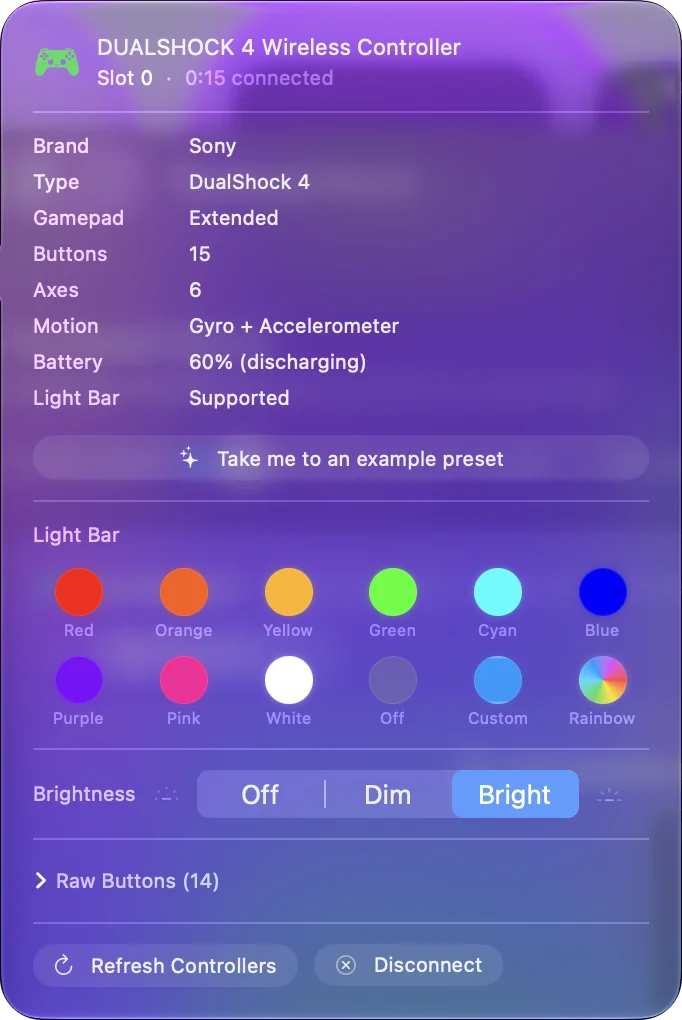
The Mac shows a connected DualShock 4's battery in the Bluetooth menu, and InputConfig shows it on the controller's entry at the top of its sidebar, next to the light bar color. A pad that drops more as the evening goes on is a battery telling you something. An older controller with a worn battery may never stay connected on Bluetooth again, and then a cable is the honest fix.
Disconnect it on purpose
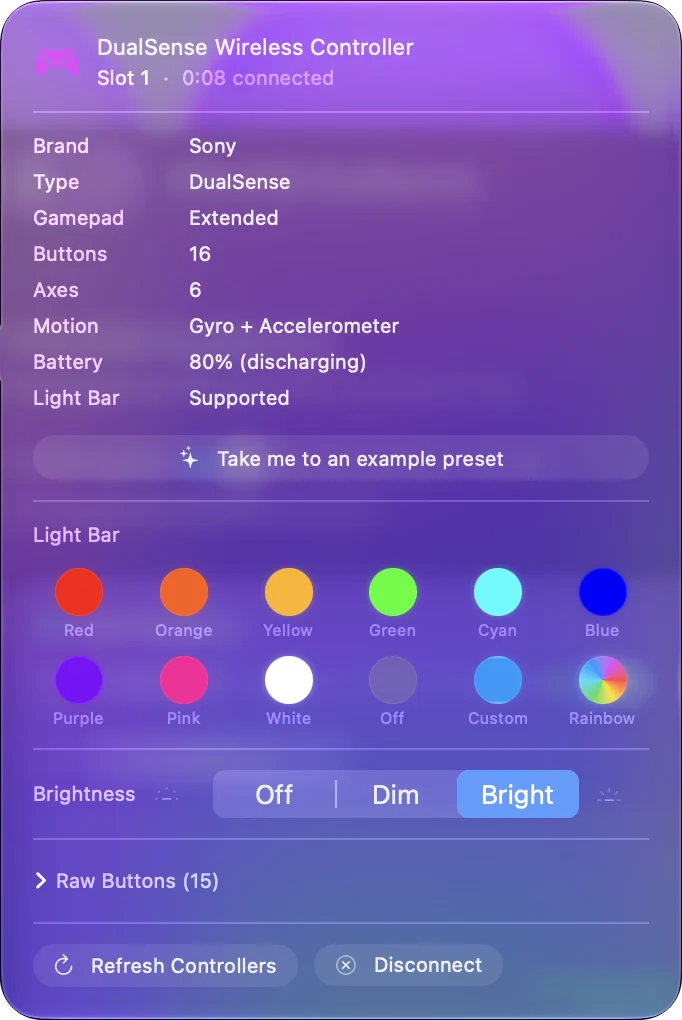
When you are done, disconnect it rather than letting it drop. Click its name in Control Center's Bluetooth list, or click its entry at the top of InputConfig's sidebar and choose Disconnect. It stays paired, and one press of PS brings it back. To turn it off, hold PS for about ten seconds until the light bar goes out, because a Mac never tells it to sleep.
To use it on the PS4 again, Sony's steps are to plug it into the console and press PS. After that, pair it with the Mac again with PS and Share.
What it cannot do
- No setting keeps it paired to both. The DualShock 4 belongs to whichever device paired it last, so moving between a PS4 and a Mac means pairing again. A cable on the Mac side saves the trip.
- A mapper cannot fix a weak radio. InputConfig reads the controller once macOS has it, and it records the drops, but it cannot keep a Bluetooth link alive.
- I have not tested every model. The fixes here come from Sony's and Apple's pages and from what Mac users report, not from tests of mine on each revision of the controller.
The short version
- The usual two. Turn the PS4 off and charge the pad.
- The quick reset. Forget it in Bluetooth, hold PS and Share until it flashes quickly, and pair again.
- The deeper reset. A paper clip in the hole on the back for five seconds, then pair from scratch.
- The steady fix. A micro-USB cable that carries data, straight into the Mac.
If a cable stops the drops, the problem was Bluetooth, and the controller is fine.
Questions
Why does my PS4 controller connect then disconnect from my Mac?
Usually a PS4 nearby is taking it back, the battery is low, or the pairing never finished. Turn the console off, charge the pad, forget it in Bluetooth and pair again with PS and Share.
Why does my PS4 controller immediately disconnect from my Mac?
A blink that never settles means it did not finish pairing. Start with the pad off and no cable, hold PS and Share until the light bar flashes quickly, then click Connect. If that fails, reset it with the hole on the back and pair again.
Where is the reset button on a PS4 controller?
In a tiny hole on the back of the controller, near the L2 trigger. Sony says to press it with an unfolded paper clip for at least five seconds with the cable unplugged.
Will a cable stop a PS4 controller disconnecting from a MacBook?
Yes, if the micro-USB cable carries data. A charge-only cable lights the pad and never connects it. Plug it straight into the Mac rather than a hub.
Does InputConfig fix a controller that keeps disconnecting?
It cannot keep a Bluetooth link alive, but its activity log shows every real disconnect, and it picks the controller up again within a few seconds when it comes back.
Related
Completely free. You don't have to make an account, there are no subscriptions, and nothing is locked. Optimized for Apple silicon. Open source on GitHub.
Updated